 SwitchMyTool

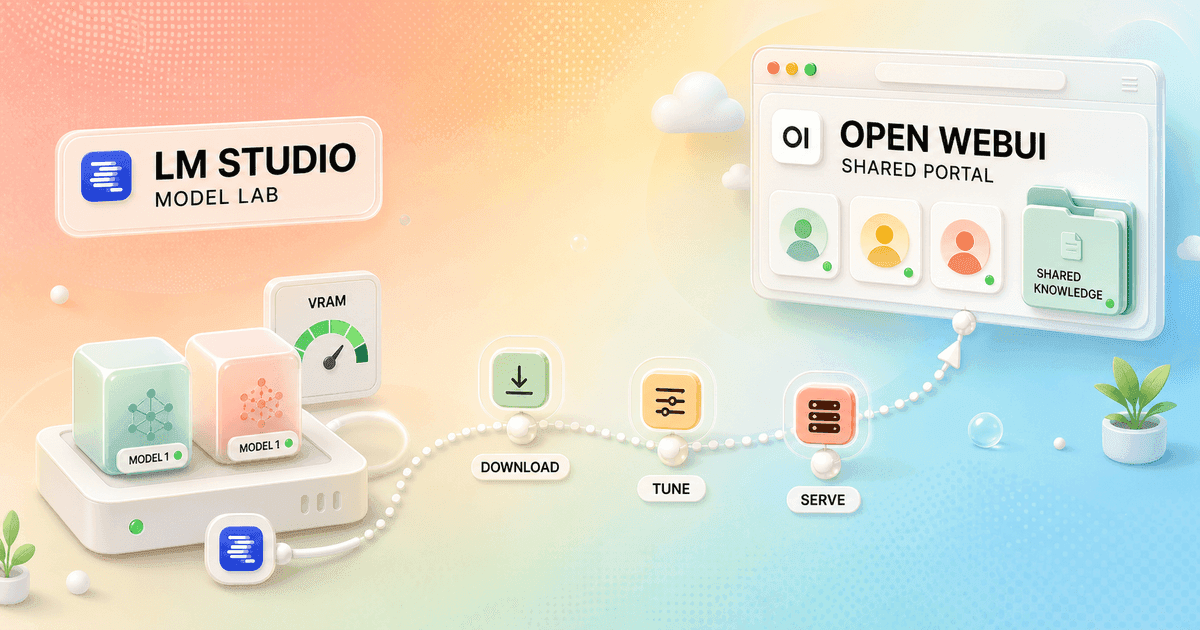
Open WebUI and LM Studio often appear in the same shortlist, but I do not treat them as direct substitutes. LM Studio helps me find, run, tune, and serve a model. Open WebUI helps me turn models into a browser service that other people can use.
That distinction matters more than either feature list. In my open webui vs lm studio decision, I first ask whether I am building a model lab for one workstation or a shared AI portal. I only compare buttons after answering that.
There is also a third answer: use both. LM Studio can run the model server while Open WebUI supplies the shared browser interface. That setup is useful, but it creates a boundary where networking, model loading, MCP, and authentication can become confusing.
My verdict
LM Studio is my model workbench. Open WebUI is my shared front door.
I choose LM Studio when I am evaluating local models on one computer. Model search, compatible downloads, runtime selection, GPU offload, prompt testing, document chat, and a local API stay close enough that I can see what changed.
I choose Open WebUI when several people or devices need the same models, knowledge, prompts, skills, and tools through a browser. The extra service work pays for itself when the setup becomes shared infrastructure.
My Open WebUI alternatives guide compares more desktop, document, chat, and company-search options when neither operating model is quite right.
The real difference
LM Studio owns local inference. Open WebUI organizes access to inference.
LM Studio starts with the model. Its app searches and downloads compatible files, manages llama.cpp and MLX runtimes, exposes hardware controls, runs chat, handles local documents, and can serve the selected model to other software.
Open WebUI starts with the experience around a model provider. It connects to Ollama, LM Studio, OpenAI-compatible endpoints, and hosted services. Then it adds users, shared resources, retrieval, tools, permissions, and a browser interface.
This is why a comparison can feel unfair. LM Studio is closer to a model runner plus developer environment. Open WebUI is closer to a self-hosted application layer. They overlap in chat and local AI, but the center of gravity is different.
When I combine them, I assign ownership explicitly. LM Studio owns model files, loading, runtime, context support, and the inference API. Open WebUI owns accounts, shared chats, knowledge, tools, and presentation. A setting in the portal does not necessarily rewrite a setting in the backend.
| Decision area | Open WebUI | LM Studio |
|---|---|---|
| Primary job | A browser portal for models, shared knowledge, tools, users, and policies. | A desktop model lab for finding, running, tuning, chatting with, and serving local models. |
| Fastest start | Fast when Docker and a model backend already exist. | Install the app, download a compatible model, and start chatting. |
| Model backend | Connects to Ollama, OpenAI-compatible providers, and other inference services. | Runs GGUF through llama.cpp and MLX on supported Apple Silicon, with built-in model discovery. |
| Shared access | Designed around one URL, accounts, groups, shared resources, and several devices. | Can expose an API on a local network, but the desktop chat experience remains workstation-first. |
| Documents | Shared Knowledge collections, retrieval controls, access rules, prompts, skills, and tools. | Local document chat and RAG for the person using the app. |
| Developer surface | Portal APIs and integrations layered over connected model providers. | Native REST API, OpenAI-compatible and Anthropic-compatible endpoints, SDKs, CLI, and MCP. |
| Administration | Roles, additive permissions, groups, resource access, SSO options, backups, and service updates. | Local app settings, model files, runtimes, server tokens, and per-machine support. |
| Best shape | One maintained service for a family, lab, school, or technical team. | One capable computer for a developer, researcher, writer, or local-model enthusiast. |
Setup and daily use
LM Studio wins the first afternoon. Open WebUI wins when one setup should serve a room.
LM Studio follows a normal desktop path. I install it, use Discover to find a model, choose a quantization that fits the machine, and load it. That removes several early decisions that make local AI feel more complicated than it needs to be.
Open WebUI's recommended Docker path is also short on paper: pull the image, map persistent storage, expose the port, and open the browser. The real work begins when I add a separate backend, remote access, HTTPS, accounts, backups, a fixed secret key, update rules, and recovery.
For one person, LM Studio keeps the failure surface small. For ten people, one Open WebUI service can be easier than supporting ten slightly different desktop configurations, model folders, runtimes, tokens, and update schedules.
I always test an update and a restore before calling either setup dependable. A local desktop app still owns valuable chats, documents, presets, model files, and configuration. A container is not a backup merely because its data lives in a volume.
Models and performance
LM Studio makes the model visible. Open WebUI can keep the model backend replaceable.
LM Studio is much better for browsing model variants and understanding what will fit. The same model name can hide several quantizations, context limits, and runtime choices. I can inspect those choices before loading a file and adjust offload, memory, and sampling without pretending the model is a black box.
Open WebUI is more neutral. I can move from LM Studio to Ollama, vLLM, a remote OpenAI-compatible server, or a hosted provider while keeping the portal familiar. That separation is useful when the inference machine changes more often than the people using it.
Performance comparisons are easy to ruin. I match the exact model file, quantization, context window, prompt, runtime, GPU offload, and warm-load state. If Open WebUI calls LM Studio, the frontend did not suddenly become the inference engine.
Reddit reports about LM Studio spilling into system RAM or Open WebUI feeling slower become test cases, not conclusions. I watch backend logs, confirm which process loaded the model, disable retrieval and tools, and measure raw API output before blaming the interface.
Documents and knowledge
LM Studio is calmer for my files. Open WebUI is stronger for shared collections.
LM Studio can chat with documents entirely on the local machine. I like it for a paper, contract, code note, or research packet that belongs to one task and one user. The document stays near the chat and the local model.
Open WebUI Knowledge is built for collections that can outlive one conversation. I can group files, choose retrieval behavior, attach the collection to a reusable model, and control who can access the resource. That makes more sense for a handbook, support corpus, class material, or team research library.
Neither product rescues a poor retrieval test. I use documents with known answers, duplicate versions, tables, scanned pages, and questions that should return no answer. Then I inspect retrieved passages before judging the generated prose.
I keep original files outside both systems. Indexes, embeddings, and chat attachments are derived state. If I cannot rebuild them, I have accidentally turned a convenience feature into my document archive.
APIs and remote access
LM Studio now reaches far beyond a desktop chat window.
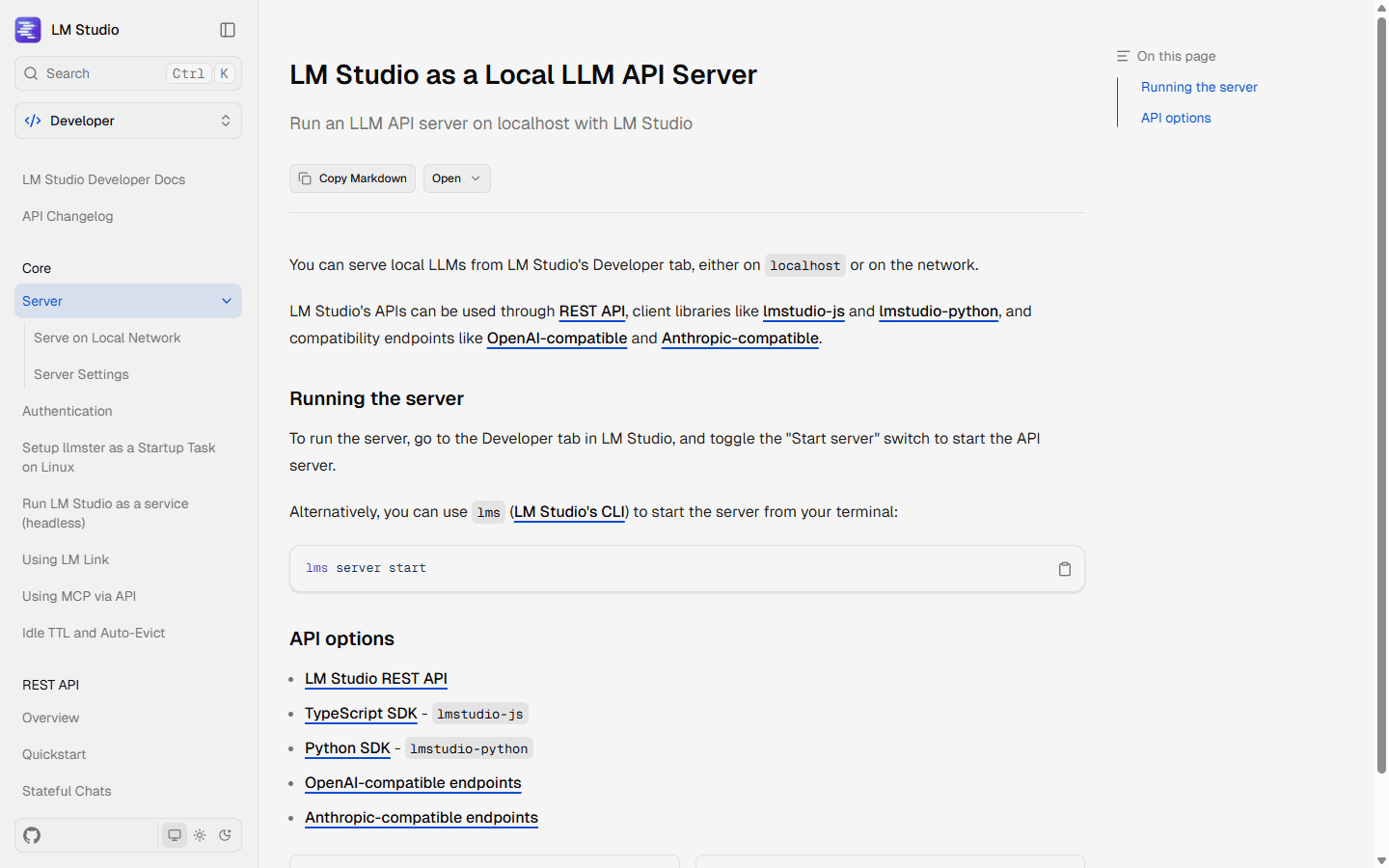
LM Studio's server can run on localhost or the local network. It provides a native REST API, JavaScript and Python SDKs, OpenAI-compatible endpoints, and Anthropic-compatible endpoints. The current v1 API adds stateful chats, model management, authentication, and per-request MCP options.
That makes LM Studio a credible backend for coding tools, scripts, prototypes, and Open WebUI itself. I usually leave it bound to 127.0.0.1 until another device has a real need. Binding to 0.0.0.0 creates a network service, so I add authentication, firewall rules, and transport protection before celebrating.
Open WebUI solves a different remote-access problem. Instead of exposing only an inference API, it gives users a browser application with chat history, shared resources, and permissions. I still need a private network, reverse proxy, or secure public deployment around it.
MCP is where combined setups often surprise people. An MCP server enabled inside LM Studio's chat does not automatically appear as an Open WebUI tool. The model API, the frontend tool registry, and the MCP execution environment are separate. I document which process owns each credential and action.
Teams and permissions
A network API is not the same thing as a shared product.
Open WebUI has accounts, Admin, User, and Pending roles, group permissions, and resource access for models, knowledge, tools, and skills. Its permissions are additive, which means I start with restrictive global defaults and grant capabilities through groups.
LM Studio can let several clients call one model server, but it does not turn its desktop chat into Open WebUI's multi-user portal. I can build an application around the API, yet then I own the users, history, permissions, rate limits, and interface that Open WebUI already provides.
The distinction matters for support. If every developer runs LM Studio locally, each person owns hardware constraints and model files. If everyone uses Open WebUI, the platform owner absorbs backend capacity, uptime, updates, and shared configuration.
I choose distributed desktop ownership when users are independent and technically capable. I choose a shared portal when consistency and controlled access are the point.
Privacy, cost, and license
Local AI is a data path, not a promise printed on the box.
LM Studio documents that downloaded models, local chats, local documents, and the local server can work offline. Model search, downloads, runtime downloads, and update checks still require network access. Cloud models and web search create a different data path.
Open WebUI can also stay on infrastructure I control, but every connected provider, embedding model, speech service, web-search tool, MCP server, and backup destination changes the boundary. I trace one real prompt through the whole stack before calling it private.
LM Studio is free to use at home and at work under its app terms. It is not an open-source desktop application, and every downloaded model keeps its own license. Open WebUI's code is public, but its current license includes branding restrictions and is not OSI-approved from version 0.6.6 onward according to its own documentation.
The software fee is rarely the deciding cost. Hardware, electricity, model storage, backups, update testing, support time, and the number of users matter more. LM Studio distributes those costs across workstations. Open WebUI concentrates them around a service and its backend.
Who each is for
I choose by the owner of the workflow, not the prettier chat.
- Choose Open WebUI
- I need one browser address for several users, shared knowledge and tools, group controls, and a platform owner who can maintain the service.
- Skip Open WebUI
- I am one person on one computer and Docker, accounts, backups, and a separate model backend would add work without adding value.
- Choose LM Studio
- I want the shortest path from model search to local chat, detailed runtime controls, document work, and a local API for my own apps.
- Skip LM Studio
- I need a polished shared portal with central users, permissions, reusable team resources, and browser access from unmanaged devices.
LM Studio fits developers, researchers, writers, students, and local-model enthusiasts who want to understand the model and control the machine running it. It is especially good when experimentation is the work.
Open WebUI fits home labs, technical teams, schools, internal platforms, and families that want one curated experience across browsers and devices. It earns the operational burden when the setup becomes a shared resource.
The combined stack fits a smaller group: people who like LM Studio's model management but need Open WebUI's interface and sharing. I only recommend it when someone is willing to own the boundary between them.
Reddit complaints
Most complaints are arguments about misplaced complexity.
The strongest praise for LM Studio is how quickly a beginner can install it, download a model, and run it. The strongest criticism is that convenience can hide runtime details until memory, compatibility, long chats, or model loading behaves differently than expected.
Open WebUI draws the opposite reaction. Users praise its feature depth, voice, documents, tools, and remote browser access. Critics call it bloated, dislike parts of the UX, or report regressions and slower behavior. A feature-rich portal has more places to disagree with defaults.
I turn those complaints into a pilot checklist. For LM Studio I test an awkward model, a long context, document retrieval, GPU offload, an API restart, and an app update. For Open WebUI I test a restricted user, remote access, retrieval, one tool failure, a backend disconnect, and a rollback.
Migration cost
Moving the model is easier than moving the operating model.
| Migration area | What I rebuild | Typical effort |
|---|---|---|
| Models | Match model format, quantization, context length, chat template, runtime, and GPU offload. | Medium |
| Provider endpoints | Recreate URLs, API tokens, model aliases, compatibility settings, and network rules. | Low to medium |
| Prompts and presets | Translate system prompts, parameters, starter messages, saved configurations, and model wrappers. | Medium |
| Documents and RAG | Keep original files, rebuild indexes, compare retrieved passages, and repeat known-answer tests. | Medium to high |
| MCP and tools | Reconnect servers, credentials, permissions, tool descriptions, and error handling at the correct layer. | Medium to high |
| Users and operations | Replace accounts, groups, shared history, backups, monitoring, and remote access, or add them around LM Studio. | High |
Moving from LM Studio to Open WebUI usually means keeping LM Studio as a backend at first or replacing it with another server. The larger job is creating users, shared resources, access rules, backups, and a support path.
Moving from Open WebUI to LM Studio removes the portal. I decide which users need their own local environment, whether their hardware can run the same models, and how shared knowledge becomes personal files without losing ownership or version control.
I keep both systems available until normal work passes in the destination. A successful API response is not a migration. The new setup must survive an update, a failed model load, one missing tool, and a restore.
My seven-day test
One week exposes whether I need a workbench, a portal, or both.
- Day 1: run the same model file, quantization, prompt, and context on the same hardware.
- Day 2: compare model discovery, downloads, runtime controls, loading, unloading, and memory behavior.
- Day 3: use the same source files for document questions and inspect the retrieved passages.
- Day 4: start LM Studio's authenticated local server and connect one real client.
- Day 5: connect Open WebUI to LM Studio, then test a second device and a restricted user.
- Day 6: configure one read-only MCP or tool workflow and confirm which layer executes it.
- Day 7: back up, update, restore, and count support questions, failed tasks, and manual fixes.
For one workstation and frequent model experiments, I pick LM Studio. For a maintained browser service shared across people and devices, I pick Open WebUI.
For the narrow middle, I run LM Studio behind Open WebUI and write down the boundary. That is the practical answer to Open WebUI vs LM Studio: one product does not need to swallow the other to be useful.
FAQ
Open WebUI vs LM Studio questions I settle before switching
Is Open WebUI better than LM Studio?
Open WebUI is better when several people need one browser portal with shared models, knowledge, tools, accounts, and permissions. LM Studio is better when one person wants a desktop model lab with easy downloads, local chat, runtime controls, document work, and a local API.
Can Open WebUI use LM Studio as its model backend?
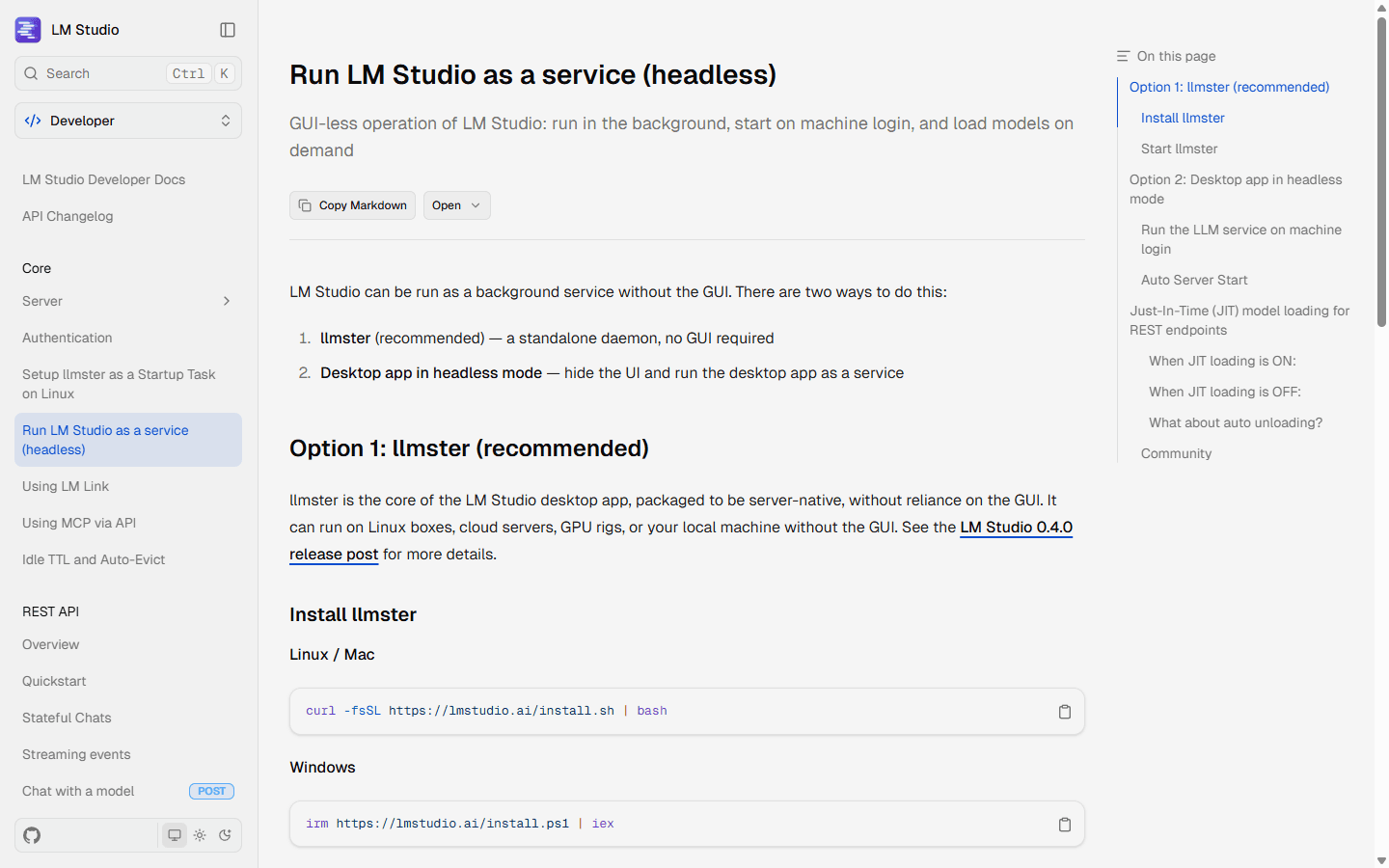
Yes. Start LM Studio's local server, expose an OpenAI-compatible endpoint, and connect Open WebUI to that endpoint. This combination gives LM Studio responsibility for inference and Open WebUI responsibility for the browser experience. Model loading, authentication, networking, MCP, and tool behavior still need to be configured at the correct layer.
Which is easier for a beginner, Open WebUI or LM Studio?
LM Studio is usually easier for a beginner on one computer because model search, downloads, runtimes, chat, and server controls live in one desktop app. Open WebUI becomes easier to justify when a Docker environment and model backend already exist or when several users benefit from the same setup.
Can LM Studio replace Open WebUI for a team?
LM Studio can serve models on a local network and run headlessly, but that does not create Open WebUI's shared browser portal, user accounts, groups, resource permissions, and central knowledge workflow. It can replace the inference layer more easily than the team interface layer.
Do Open WebUI and LM Studio work offline?
Both can support local offline workflows after required software, runtimes, and model files are present. LM Studio documents offline chat, document work, and local serving. Open WebUI can remain local when its model backend, embeddings, speech features, tools, and knowledge processing are also local.
Is LM Studio open source?
LM Studio is free to use at home and at work, but the desktop application is distributed under LM Studio's own terms rather than an open-source software license. Model licenses are separate. Open WebUI's current license keeps its code public but adds branding conditions, and its own documentation says versions from 0.6.6 onward are not OSI-approved open source.
Sources
Official pages used for the current product facts
Features, versions, license terms, and supported runtimes can change. These are the reference points I used on July 25, 2026.


