 SwitchMyTool

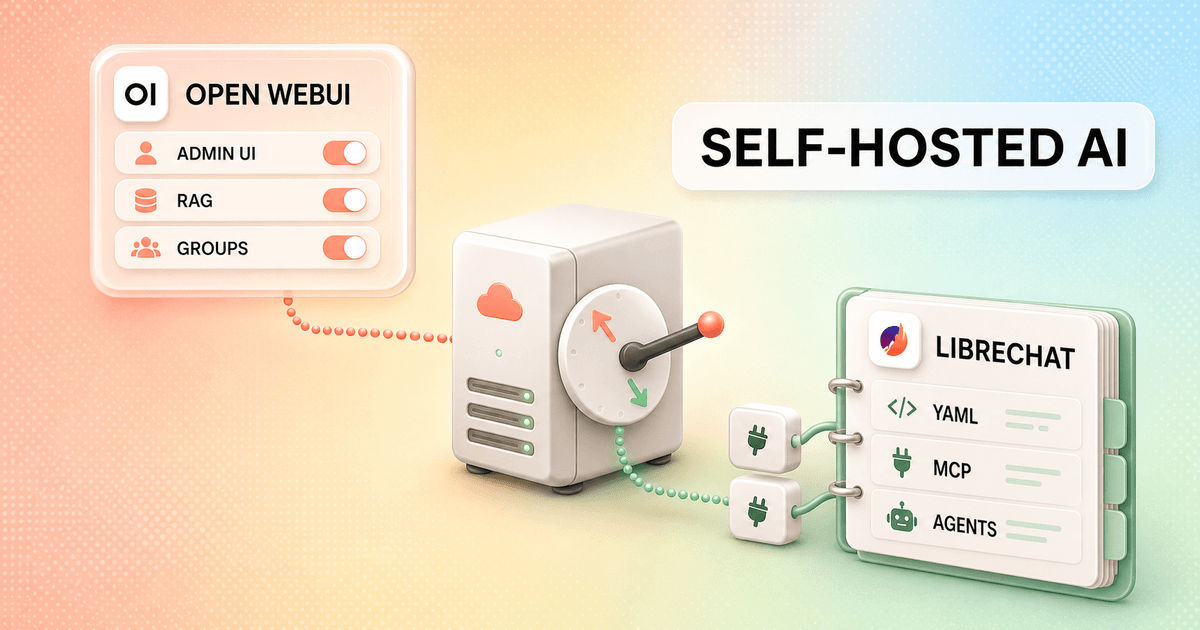
I have watched Open WebUI and LibreChat grow past the point where "which one looks nicer?" is a useful question. Both can sit in front of local and hosted models. Both can handle files, users, tools, and agents. Both can also turn a quiet home server into a small software department if I keep enabling features without writing down why.
My open webui vs librechat decision comes down to operating style. Open WebUI gives me more of the daily control surface in the browser and treats local knowledge as a major product area. LibreChat feels more like a provider-neutral chat and agent platform, with configuration files doing more of the heavy lifting.
Neither choice removes self-hosting work. The winning product is the one whose complexity matches the work I actually need: local RAG, a shared AI portal, MCP-based agents, or a familiar chat layer across many providers.
My verdict
I choose Open WebUI for local control and LibreChat for the agent stack.
I pick Open WebUI when Ollama, knowledge collections, retrieval tuning, user groups, and browser-based administration are the center of the deployment. It is easier for me to hand routine model and access work to an administrator who does not want to edit YAML on a server.
I pick LibreChat when the team wants a familiar multi-provider chat experience and plans to build around agents, MCP, actions, artifacts, code tools, and reusable configuration. Its MIT License is also the cleaner starting point when white-label rights or redistribution matter.
For one person running a few local models, I usually start with Open WebUI because the first useful Docker deployment is smaller. For a technical product or engineering team building a governed MCP layer, LibreChat becomes more attractive. For more options beyond these two, my Open WebUI alternatives guide compares document-first, desktop, and enterprise-search products too.
Choose Open WebUI
I want a strong admin surface, close Ollama integration, tunable local RAG, groups, model-level access, and one workspace that reaches beyond chat.
Skip Open WebUI
I want a narrow chat frontend, dislike a fast-growing feature surface, require unrestricted white-labeling, or want most behavior expressed as portable configuration.
Choose LibreChat
I want a provider-neutral chat experience, mature agent and MCP workflows, MIT licensing, artifacts, code tools, and a product shape close to ChatGPT.
Skip LibreChat
I do not want to maintain YAML and environment files, need every important change in a browser UI, or expect local RAG tuning to be the main daily job.
The main difference
One product wants to be the workspace. The other wants to be the chat and agent layer.
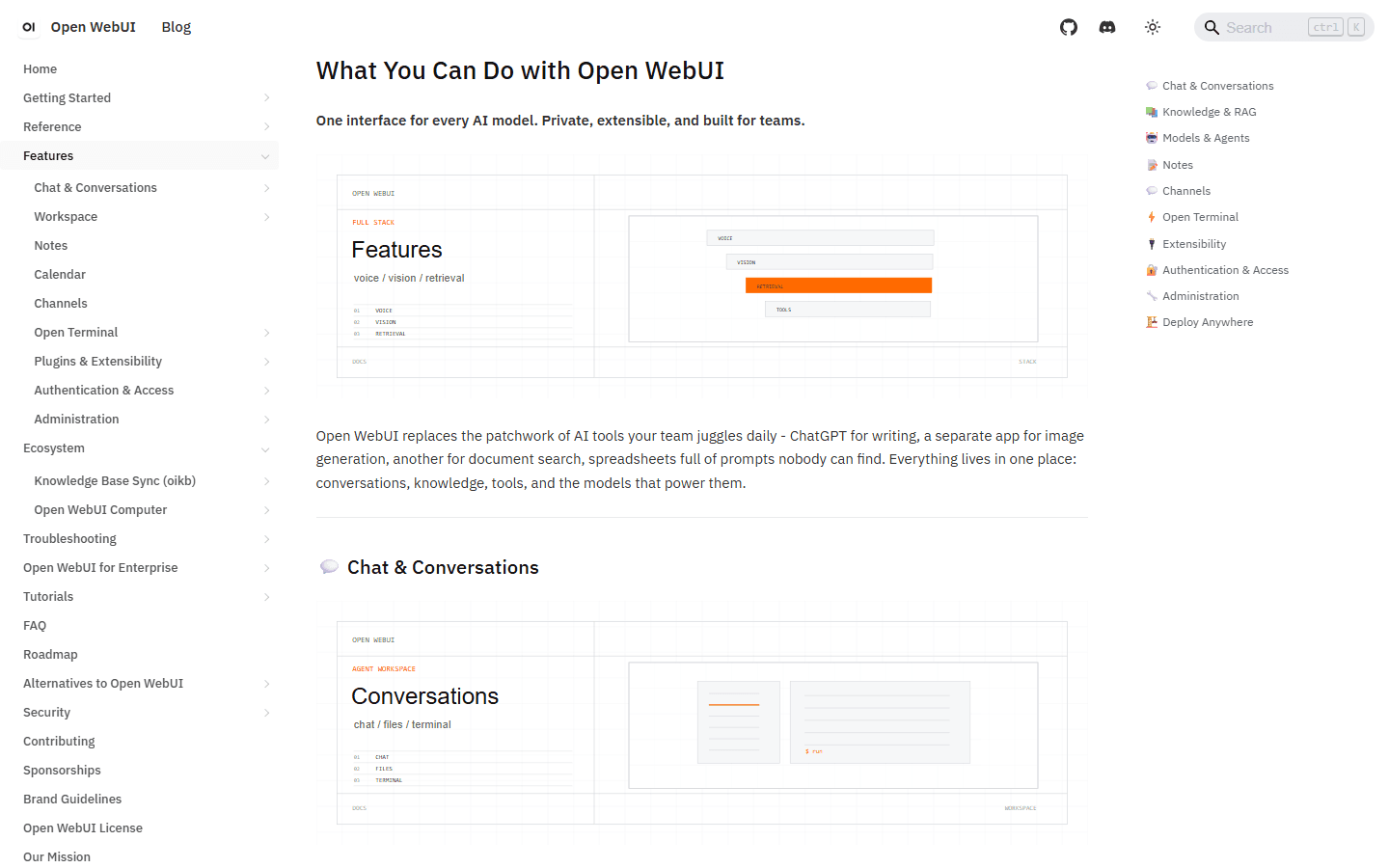
Open WebUI has expanded into notes, channels, calendar work, model wrappers, knowledge, tools, automations, administration, and optional terminal access. That breadth is useful when I want one internal AI home. It is also why people who only wanted a local ChatGPT page call it bloated.
LibreChat covers a large surface too, but the product still feels organized around conversations, providers, agents, MCP tools, artifacts, code execution, search, and reusable presets. The interface resembles the hosted chat products many users already know, while the operator expresses more policy in files and deployment configuration.
I do not score breadth by counting menu items. I ask which surface will receive daily changes. If a support lead needs to add groups and expose approved models, Open WebUI's admin-first shape helps. If an engineering team reviews configuration in Git and treats MCP servers like application dependencies, LibreChat's shape makes sense.
| Decision area | Open WebUI | LibreChat |
|---|---|---|
| Default product shape | A broad AI workspace with strong admin controls, Ollama roots, knowledge, tools, notes, channels, and model wrappers | A multi-provider chat and agent platform with MCP, artifacts, code execution, presets, and a familiar hosted-chat feel |
| Configuration style | More routine work is available through the browser admin interface | Core behavior is split across .env, librechat.yaml, Docker Compose, and a growing admin panel |
| Local model path | The smoother choice when Ollama and local knowledge are the center of the deployment | Works with Ollama and custom OpenAI-compatible endpoints, but feels more provider-neutral |
| Knowledge work | Deeper built-in retrieval controls, multiple extraction engines, hybrid search, and several vector database options | File chat, OCR, RAG API, web search, and agent knowledge with less emphasis on tuning every retrieval component in the main UI |
| Agent tooling | Model wrappers, Python tools, OpenAPI, MCP, skills, prompts, functions, and optional terminal access | Agent builder, MCP in chat or agents, actions, code execution, artifacts, memory, and granular sharing controls |
| License | Source available under the Open WebUI License for current releases, including branding conditions | MIT License |
Setup and admin
Open WebUI starts smaller. LibreChat keeps more of the truth in files.
Open WebUI's standard Docker quick start can run one container with one persistent data volume. I still pin a version, set a persistent secret key, back up the volume, and keep development data separate. The first login is not the end of the job, but the initial shape is easy to explain.
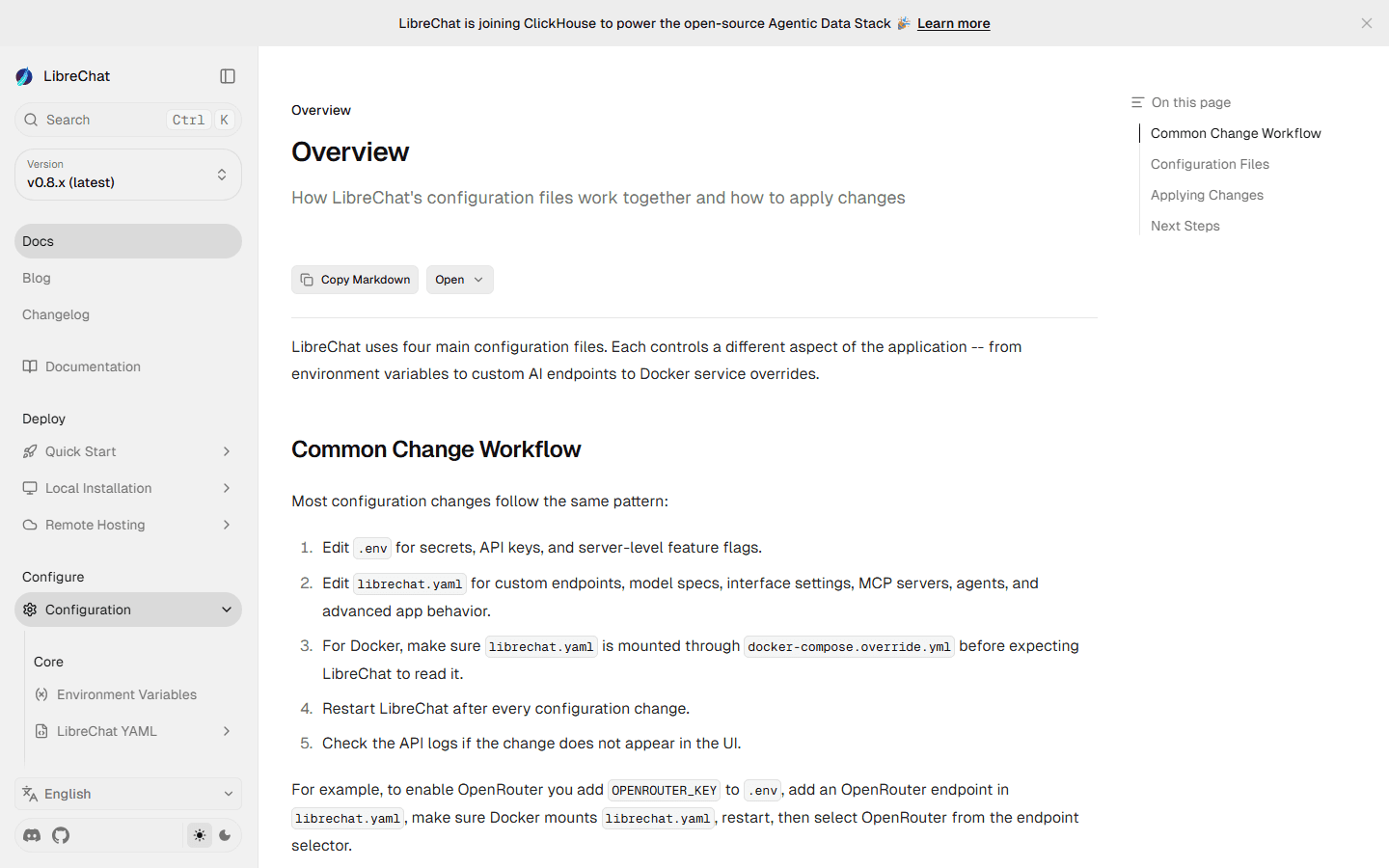
LibreChat's official configuration guide names four main files: .env, librechat.yaml, docker-compose.yml, and docker-compose.override.yml. Secrets and server flags live in .env. Endpoints, model specs, MCP servers, agents, and interface behavior live in librechat.yaml. Docker overrides carry local service changes. Many edits require a restart.
That sounds worse until I need repeatability. A reviewed configuration file is easier to reproduce than a set of browser clicks nobody recorded. On the other hand, a small nontechnical admin team may find Open WebUI's visual controls far easier to maintain. I choose the failure mode my team can actually debug.
For production I treat both as applications, not appliances. I pin images, document environment variables, restrict outbound access, separate secrets, monitor storage, test backups, and keep a rollback command next to the upgrade command. The fastest setup loses its advantage the first time an unpinned update breaks login on Monday morning.
Models and chat
Open WebUI feels local-first. LibreChat feels provider-neutral.
Open WebUI still makes the most immediate sense beside Ollama. It also supports OpenAI, Anthropic, and OpenAI-compatible providers, lets me wrap models with system prompts, knowledge, and tools, and exposes per-model access. Multi-model chat, files, web search, audio, images, memory, folders, and notes make it useful beyond a simple prompt box.
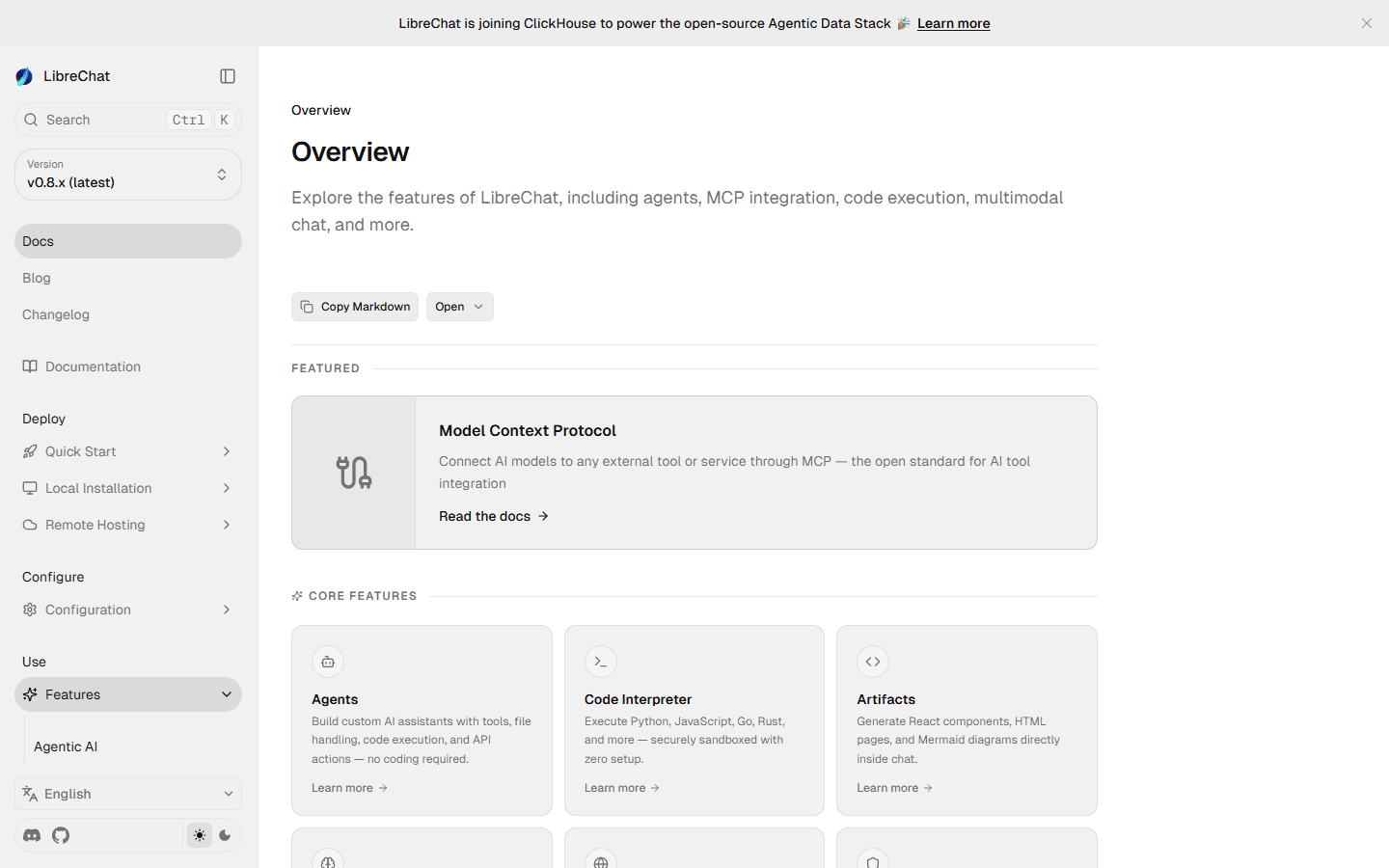
LibreChat is the cleaner mental model when I expect users to move among several commercial and compatible endpoints. Its chat layer includes conversation forks, imports, share links, temporary chats, message search, resumable streams, presets, and model switching. Agents sit near normal conversations instead of feeling like a separate product.
The practical test is not whether both list a provider. I run the same long conversation, attach the same file, stop a stream, regenerate a message, switch models, and reopen the thread after a restart. Tiny chat-state failures create more tickets than a missing novelty feature.
RAG and knowledge
Open WebUI gives me the larger retrieval control room.
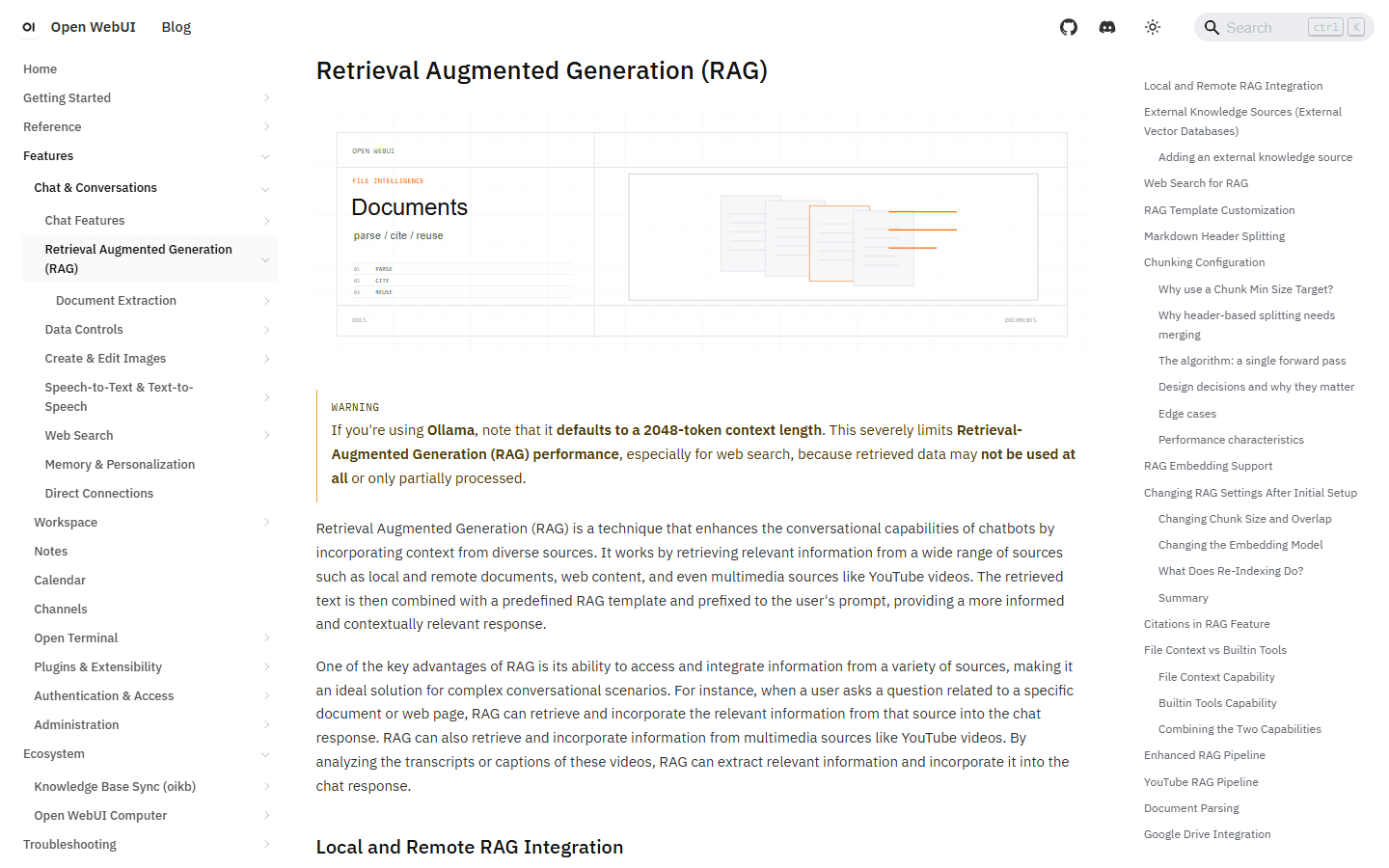
Open WebUI documents hybrid BM25 and vector search, reranking, several extraction engines, multiple vector databases, agentic retrieval, external knowledge, citations, chunking controls, and full-context injection. I can tune a lot without replacing the whole application. That is the strongest reason I keep it for document-heavy local deployments.
More knobs do not guarantee better answers. I have seen a respectable embedding model, bad extraction, tiny chunks, and a vague prompt produce a confident mess. I keep ten known-answer questions, two unanswerable questions, one table, one conflicting document, and one recently changed policy as a standing retrieval test.
LibreChat supports file chat through its RAG API, OCR, upload-as-text, web search, memory, and agent knowledge. I can build a good document workflow there, especially when retrieval feeds an agent rather than acting as the whole product. I still find Open WebUI easier when the operator wants to inspect and tune the retrieval stack as a first-class activity.
If the real requirement is permission-aware search across company systems, I pause before choosing either. A folder upload is not the same as continuously synced sources with inherited permissions. That project may need a dedicated enterprise search layer instead of a better chat sidebar.
Agents and MCP
LibreChat is the more natural home for an MCP-centered roadmap.
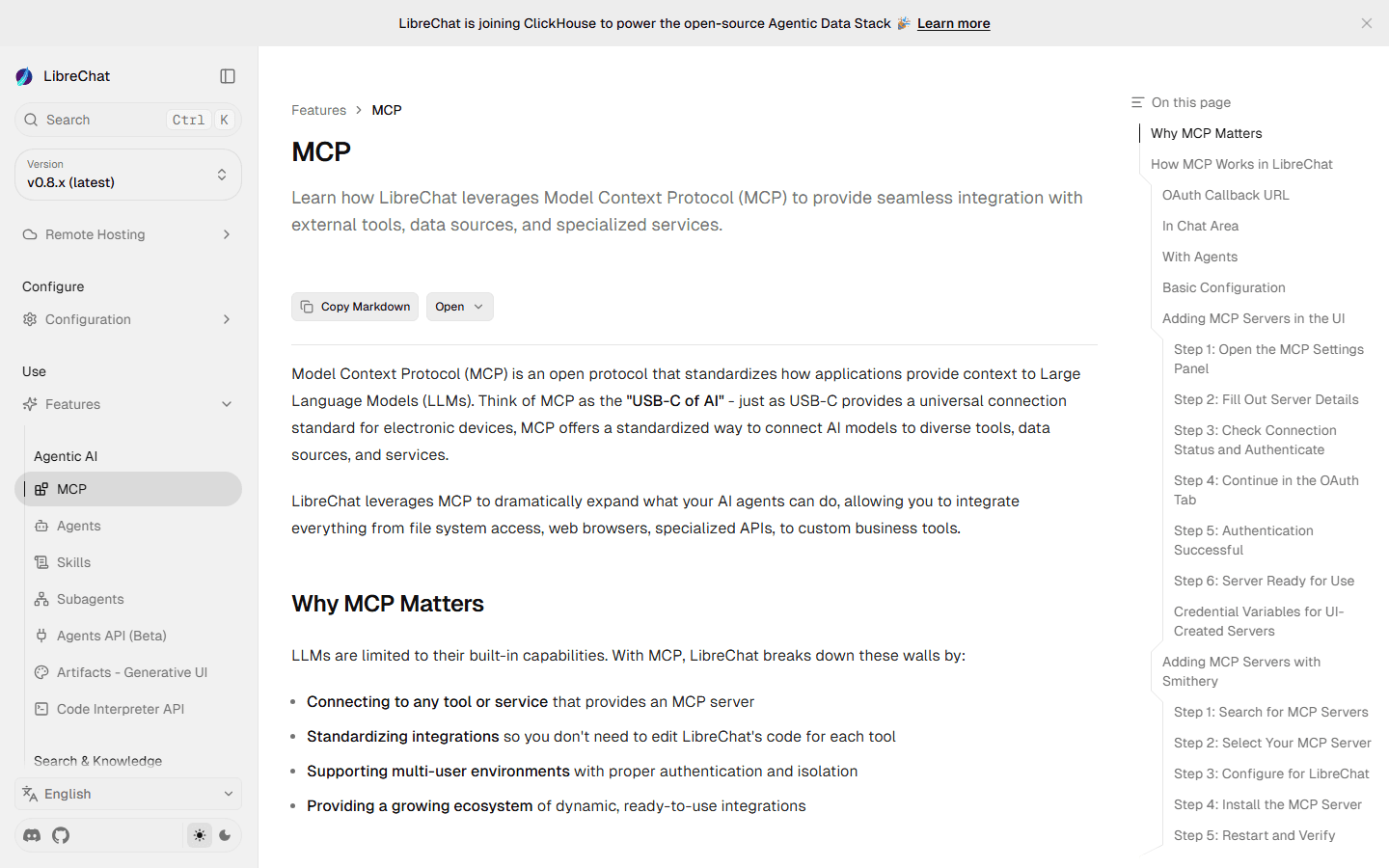
LibreChat can expose MCP tools in an ordinary chat or attach selected servers to an agent. Its documentation covers local and remote servers, OAuth callbacks, user-specific connections, and access controls for sharing servers with users, groups, roles, or the whole instance. That maps well to a team building reusable agent capabilities.
Open WebUI is not short on extensibility. It supports native Streamable HTTP MCP, OpenAPI servers, Python tools, functions, skills, prompts, model wrappers, and pipelines. Its own documentation now treats older pipelines as legacy for new deployments, which is a useful reminder to check the current extension path before copying an old tutorial.
I do not connect a write-capable MCP server because a demo looked clever. I document the downstream identity, scopes, secret location, audit trail, timeout, retry behavior, and approval point. Then I test a denied action and a revoked credential. Tool governance is part of the product choice, not cleanup after launch.
LibreChat wins this section for me when MCP is the architecture rather than an optional plugin. Open WebUI wins when the same team wants local knowledge, visual administration, and occasional tools without turning every workflow into an agent design project.
Teams and access
Both can serve teams, but permission mistakes travel farther than model mistakes.
Open WebUI documents roles, groups, per-resource permissions, model restrictions, SSO, OIDC, LDAP, SCIM, and API keys. The group handling and direct model URLs come up repeatedly in operator discussions because they make internal workflows easier to publish and support.
LibreChat supports multi-user authentication, OAuth2, SAML, LDAP, two-factor authentication, an admin panel, custom roles, and granular permissions around agents, prompts, MCP servers, and other shared resources. Its access model has become more capable than older Reddit comments about an absent admin surface suggest.
I test access with separate accounts, not an administrator pretending to be a user. A normal user should fail to open an admin route, another group's agent, a private knowledge source, and an MCP server they cannot use. I also check whether a shared conversation leaks files, tool output, or system instructions.
For a large internal deployment, Open WebUI's current license terms also enter the architecture review. Access control may say one thing while branding and distribution plans create a separate legal constraint. I keep that conversation out of the last week of launch.
- Test role changes with a fresh session rather than trusting a saved browser state.
- Use separate service identities for search, code execution, and write-capable tools.
- Confirm backups include the database, files, secrets references, and the exact deployment configuration.
- Record who can create, share, and publicly expose agents or MCP servers.
License and cost
The interface can be free while the operating model is expensive.
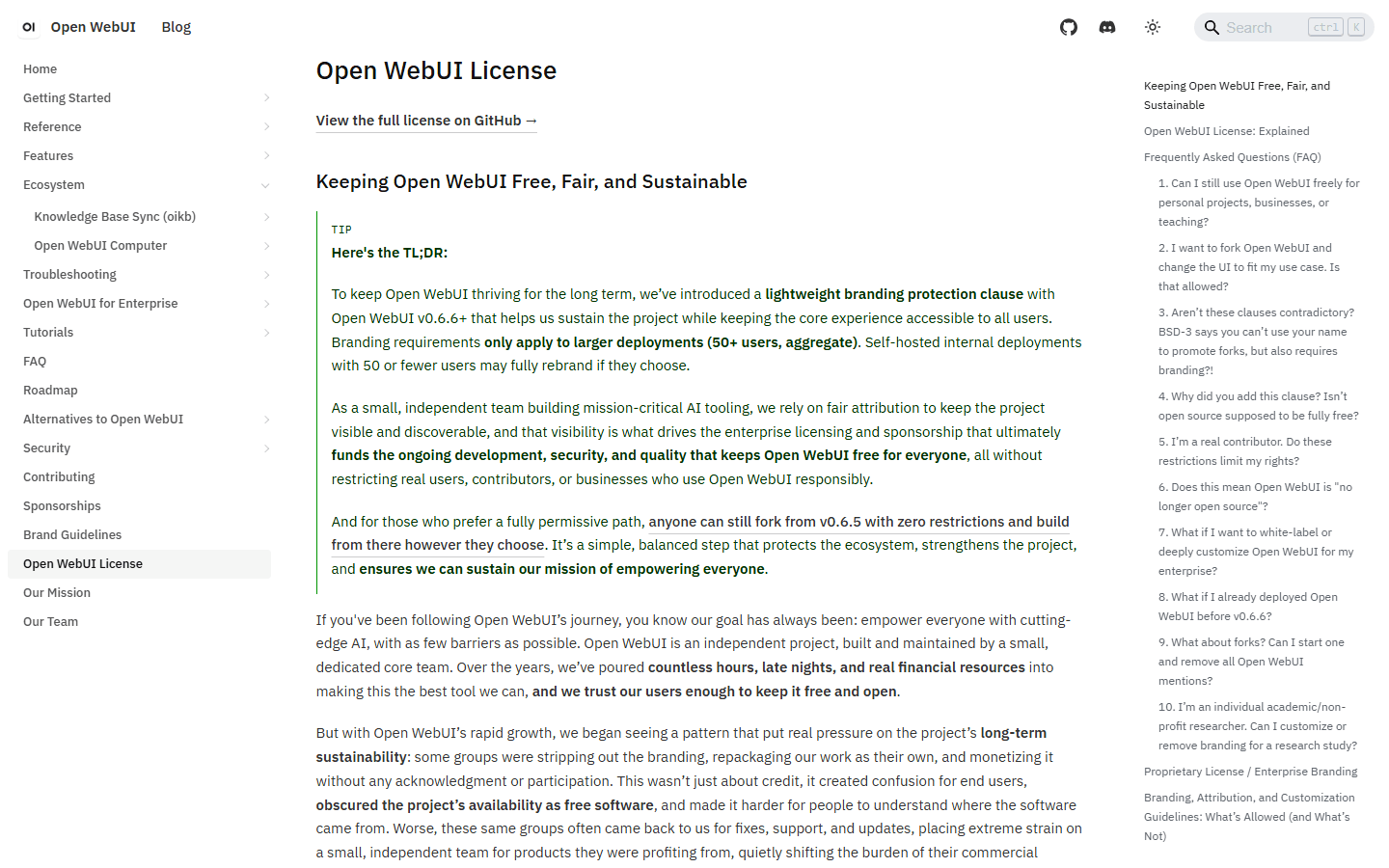
LibreChat's repository uses the MIT License. Open WebUI's code through v0.6.5 remains BSD-3-Clause, while current releases use the Open WebUI License with a branding condition. Open WebUI's own documentation says v0.6.6 and later are not under an OSI-approved open-source license.
That does not make Open WebUI unusable for a business. The official license page says organizations can deploy it internally for any number of users while keeping the native branding. The constraint becomes important when I want to remove or alter that branding, co-brand the product, white-label it, or redistribute a modified interface. I ask counsel to read the actual license when those plans exist.
Neither project charges me simply to run the core self-hosted application. I still pay for inference APIs or GPUs, storage, backups, a domain, TLS, search services, observability, code sandboxes, and the person who answers upgrade questions. A $0 license can support a very nonzero platform.
LibreChat's configuration work is visible because it lives in files. Open WebUI's cost can hide inside feature growth and browser-managed state. I compare monthly operator hours, failed retrievals, support tickets, and recovery time instead of pretending the Docker pull is the total cost.
Who each is for
Choose the product whose admin habits already resemble your team.
Choose Open WebUI
I want a strong admin surface, close Ollama integration, tunable local RAG, groups, model-level access, and one workspace that reaches beyond chat.
Skip Open WebUI
I want a narrow chat frontend, dislike a fast-growing feature surface, require unrestricted white-labeling, or want most behavior expressed as portable configuration.
Choose LibreChat
I want a provider-neutral chat experience, mature agent and MCP workflows, MIT licensing, artifacts, code tools, and a product shape close to ChatGPT.
Skip LibreChat
I do not want to maintain YAML and environment files, need every important change in a browser UI, or expect local RAG tuning to be the main daily job.
For a home lab or a small internal Ollama deployment, Open WebUI is my default. The path from container to useful local chat is short, and the knowledge and admin surfaces give me room to grow without immediately designing an agent platform.
For an engineering-led team connecting commercial models, internal APIs, code tools, and MCP servers, I lean LibreChat. The configuration burden is real, but it can be reviewed, versioned, and promoted across environments like the rest of the stack.
For a company that mainly wants internal search, neither answer is automatic. I start with source connectors, permissions, freshness, citations, and evaluation. A dedicated search product may solve that job with less invention.
Reddit complaints
The complaints reveal two different kinds of maintenance pain.
The most useful complaint about Open WebUI is not that it has too many features. It is that a team may need only chat while inheriting the update surface of a platform. The counterpoint is equally practical: groups, direct model links, browser configuration, and built-in RAG are exactly why some operators stay.
The most useful LibreChat complaint is that configuration has historically felt inconsistent or split between .env and YAML, with restarts needed to apply changes. Current documentation and the admin panel have improved the story, so I do not repeat old comments as current facts. I use them to build a setup test and verify the current release myself.
Reddit also skews technical and skeptical. People with quiet, stable deployments post less than people debugging a reverse proxy at 2 a.m. I treat repeated themes as questions worth testing, not a vote count that crowns a winner.
Migration cost
Provider keys move in an afternoon. Trust takes longer.
I can recreate an Ollama base URL or a hosted provider key quickly. I cannot assume that the same documents, chunking, embeddings, prompts, and tools will behave the same way after moving. A migration is a fresh system with familiar ingredients.
I keep source documents rather than copying a vector database blindly. I rebuild extraction and indexing in the destination, then rerun the known-answer set. If citations shift or absent answers become confident guesses, the migration is not done.
Agents require a separate inventory. I record the system prompt, model, tools, MCP servers, secrets, user identity, knowledge, temperature, and expected failure behavior. I delete anything nobody owns. Carrying an unexplained write-capable tool into a new platform is not preservation.
Conversation history is the hardest emotional part. Users say they need all of it, then search three threads. I identify legal or operational retention requirements, preserve the important records, and accept that not every chat deserves an expensive custom importer.
| Workstream | What I move or rebuild | Effort |
|---|---|---|
| Models and providers | Recreate API keys, base URLs, model specs, aliases, defaults, context settings, and per-user access. | Low to medium |
| Knowledge | Keep source files, rebuild extraction and indexes, then repeat known-answer and citation tests. | Medium to high |
| Agents and tools | Translate prompts, actions, Python tools, OpenAPI definitions, MCP servers, secrets, and approval boundaries. | Medium to high |
| Identity and permissions | Recreate accounts, groups, roles, SSO, shared resources, API keys, and least-privilege rules. | High |
| Conversation history | Export what the source supports, decide what must remain searchable, and preserve any record required by policy. | High when history matters |
| Operations | Rebuild storage, backups, reverse proxy, logging, monitoring, upgrade pins, and rollback instructions. | Medium |
My seven-day pilot
I run both, break both, and count operator minutes.
- Day 1: install. I pin a release, connect one local and one hosted model, set persistent storage, create a backup, and write the restore command before adding features.
- Day 2: chat. I run ten normal conversations with long context, attachments, model switching, stopped streams, regeneration, and a server restart.
- Day 3: retrieval. I ingest the same clean document set and score twelve questions, including missing, conflicting, tabular, and recently updated answers.
- Day 4: tools. I connect one read-only MCP server and one controlled write action, then test denial, timeout, revoked credentials, and misleading tool output.
- Day 5: users. I create an administrator, a normal user, and a restricted group. I try to cross every boundary on purpose.
- Day 6: recovery. I upgrade a staging instance, restore from backup, rotate a provider key, and roll back without touching production data.
- Day 7: count. I compare successful jobs, retrieval corrections, user confusion, configuration edits, restarts, support questions, and operator time. The winner is the one I can explain and recover, not the one with the longer feature page.
FAQ
Questions I answer before moving a team.
Is LibreChat better than Open WebUI?
I prefer LibreChat for a provider-neutral chat and agent platform with strong MCP support, artifacts, code tools, and MIT licensing. I prefer Open WebUI when Ollama, local knowledge, browser-based administration, groups, model access, and retrieval controls are the center of the deployment.
Which is easier to install, Open WebUI or LibreChat?
Open WebUI has the simpler first Docker run because its standard quick start can use one container and one persistent volume. LibreChat's Docker setup is still approachable, but a serious installation involves more services and configuration files. Long-term ease depends on whether I prefer an admin UI or configuration files.
Which is better for RAG?
Open WebUI gives me more built-in retrieval controls and a broader documented set of extraction engines, vector databases, hybrid search, reranking, and full-context options. LibreChat is capable for file chat, OCR, web search, and agent knowledge, but I choose it for the overall agent and provider workflow rather than for the deepest RAG control panel.
Do Open WebUI and LibreChat support MCP?
Yes. Open WebUI supports native Streamable HTTP MCP connections alongside Python tools and OpenAPI servers. LibreChat supports MCP servers in ordinary chats and agents, including user-specific connections and access controls for sharing. The setup and governance model differ, so I test authentication and write permissions before rollout.
Are Open WebUI and LibreChat free?
Both can be self-hosted without a per-seat software subscription for the core application. LibreChat uses the MIT License. Current Open WebUI releases use the Open WebUI License with branding conditions. Infrastructure, model APIs, GPUs, storage, search, code execution, backups, and operator time can still cost more than the interface itself.
Can I migrate from Open WebUI to LibreChat?
Yes, but I plan it as a rebuild rather than a theme change. Provider endpoints move quickly. Knowledge indexes, users, permissions, tools, MCP secrets, agents, and conversation history require testing or manual work. I keep both systems running until the destination passes retrieval, access, backup, and rollback checks.
Sources
First-party documentation and user discussions used for this comparison.
- Open WebUI features
- Open WebUI quick start
- Open WebUI RAG
- Open WebUI license
- LibreChat features
- LibreChat configuration
- LibreChat MCP
- LibreChat access control
- LibreChat MIT License
- Reddit: LibreChat or OpenWebUI
- Reddit: OpenWebUI vs LibreChat
- Reddit: internal company deployment comparison
Read related articles
Keep reading practical SwitchMyTool guides after this one.

Qodo vs Codacy in 2026: Better AI Review or Stronger Merge Gates?
I compare Qodo and Codacy by AI review, static analysis, security gates, pricing, migration cost, team fit, and common Reddit complaints.
Read more
Qodo vs Graphite Agent in 2026: Better Review Governance or a Better PR Workflow?
I compare Qodo and Graphite Agent by review quality, stacked pull-request workflow, pricing, team fit, migration cost, and common Reddit complaints.
Read more
Qodo vs Bito in 2026: Better Review Governance or Broader Developer Coverage?
I compare Qodo and Bito by review governance, Git and IDE coverage, repository rules, pricing, team fit, migration cost, and Reddit complaints.
Read more