 SwitchMyTool

My working verdict
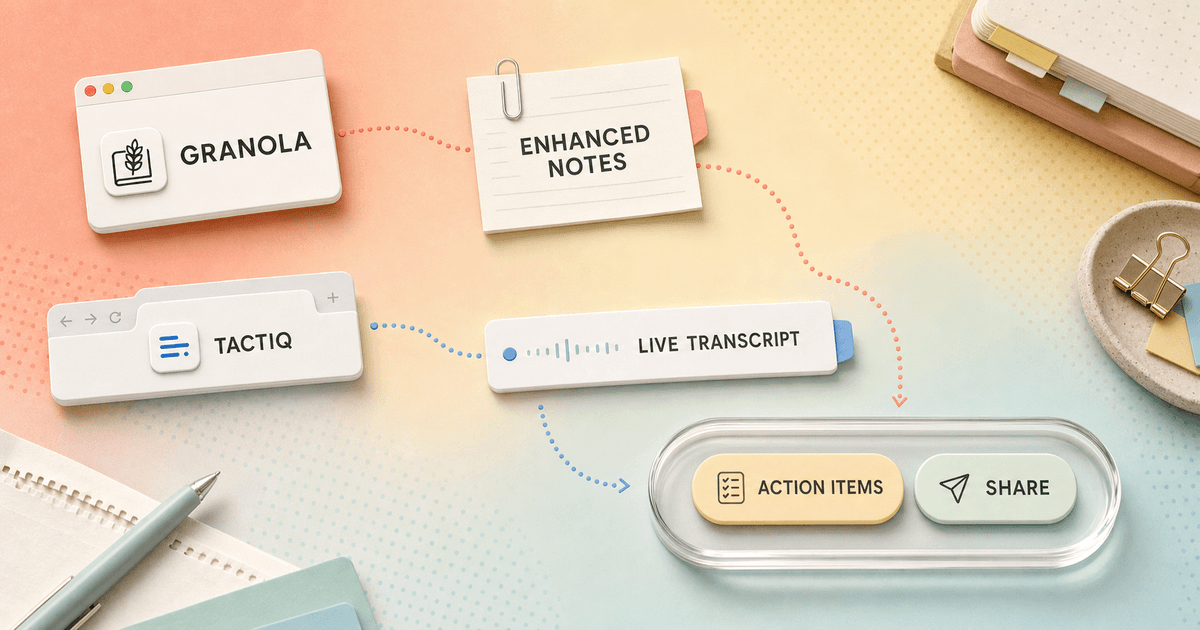
Granola helps me remember the meeting. Tactiq helps me operate on the transcript.
- I choose Granola when I want a native, bot-free notebook that turns a few human cues into a concise meeting record.
- I choose Tactiq when the live transcript and a browser-first follow-up workflow matter more than the notebook itself.
- I would not switch for summary quality alone. The expensive difference is where each product sits before, during, and after the call.
Both tools can transcribe a meeting without sending a named bot into the participant list. Both can summarize what happened. The useful buying question is not which one has AI. It is where each product places my attention before, during, and after the call.
Granola gives me a native note page. I write the fragments I care about, keep listening, and ask AI to complete the note from the conversation. Tactiq gives me live text in Chrome. I can inspect a phrase as it lands, apply prompts, and send the result into a follow-up workflow.
If neither pattern fits, my Granola AI alternatives guide compares broader options for privacy, search, teams, mobile capture, and meeting automation. Here I am keeping the decision narrow: Granola or Tactiq for a real week of meetings.
My verdict
Choose the object you want to look at when the meeting becomes difficult.
When a call gets busy, I want Granola if my attention belongs on the people. I can type a rough cue such as “budget owner unclear,” then return to the conversation. Afterward, the cue becomes an anchor for the enhanced note. Granola is not asking me to manage a river of text while somebody is still talking.
I want Tactiq when the exact words matter now. A live transcript helps during interviews, discovery calls, handoffs, and technical meetings where I may need to copy a requirement or check whether I heard a number correctly. The transcript is not merely evidence after the call; it is part of the meeting interface.
That is why feature checklists flatten this comparison. Granola can show a live transcript, and Tactiq can generate summaries. Yet their default posture remains different. Granola is notes first. Tactiq is transcript first. I would pick the posture that reduces my most common mistake rather than the one with the longer AI menu.
| Question | Granola AI | Tactiq |
|---|---|---|
| Primary working surface | A native meeting notebook | A live transcript inside a browser extension |
| Best moment | Turning my cues plus the conversation into a useful note | Watching, copying, and acting on words while the call is happening |
| Meeting coverage | Desktop calls, in-person meetings, voice memos, and computer audio; mobile is strongest for in-person capture | Google Meet, Zoom, and Microsoft Teams in Chrome |
| Visible meeting bot | No | No |
| Audio storage | Granola says it does not store audio or video recordings | Tactiq says it stores real-time text rather than meeting audio |
| Workflow automation | Paid integrations, MCP, API, and explicit exports | AI workflows, reusable prompts, and direct sharing to work tools |
Workflow differences
Granola AI vs Tactiq: key differences in workflow
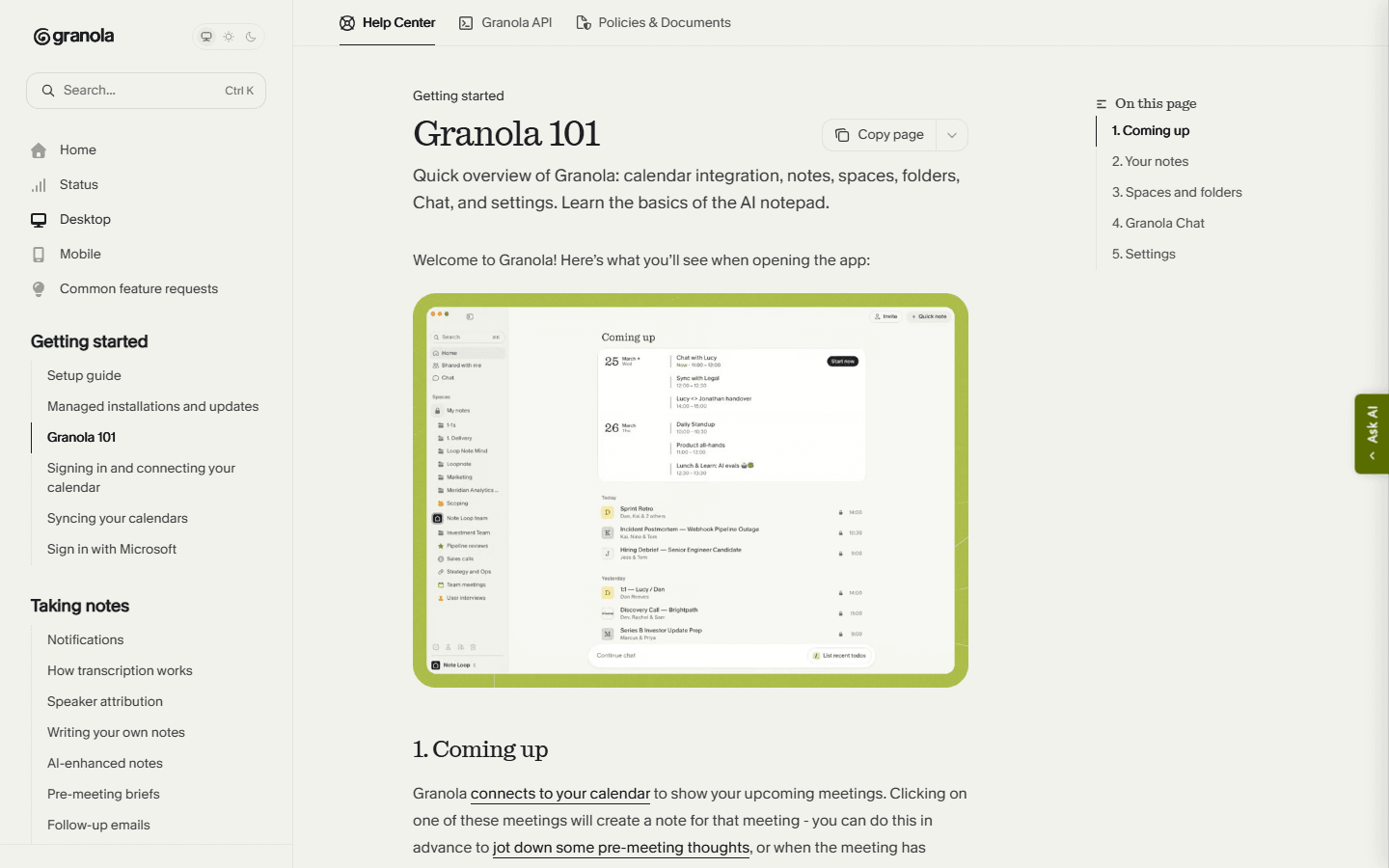
Granola behaves like the notebook I wish I had brought to the meeting. It connects to my calendar, opens around the event, captures the computer audio, and leaves room for my own notes. Its AI-enhanced result combines the transcript, my raw notes, and calendar context. That combination matters because my three words may tell the system what the meeting was actually about.
Tactiq behaves like a capable layer on top of the browser call. I install the Chrome extension, open Google Meet, Zoom, or Teams, and see transcription appear beside the meeting. The text is private to me unless I share it, and Tactiq lets me notify attendees. Afterward I can use prompts, summaries, action extraction, and integrations.
I have used enough meeting tools to distrust the phrase “same features.” A transcript hidden behind the note is not the same workflow as a transcript beside the call. A prompt I run manually after every meeting is not the same as a reusable workflow. The order of operations decides whether a feature becomes a habit.
Before the meeting
Granola asks for calendar context. Tactiq asks for a compatible browser room.
My Granola setup is broader. I install the native app, grant microphone and audio permissions, connect a supported calendar, and decide where meeting notes should live. Granola currently supports macOS, Windows, iOS, and Android. Apple Calendar remains a gap, so an Apple-only calendar routine needs a workaround rather than wishful thinking.
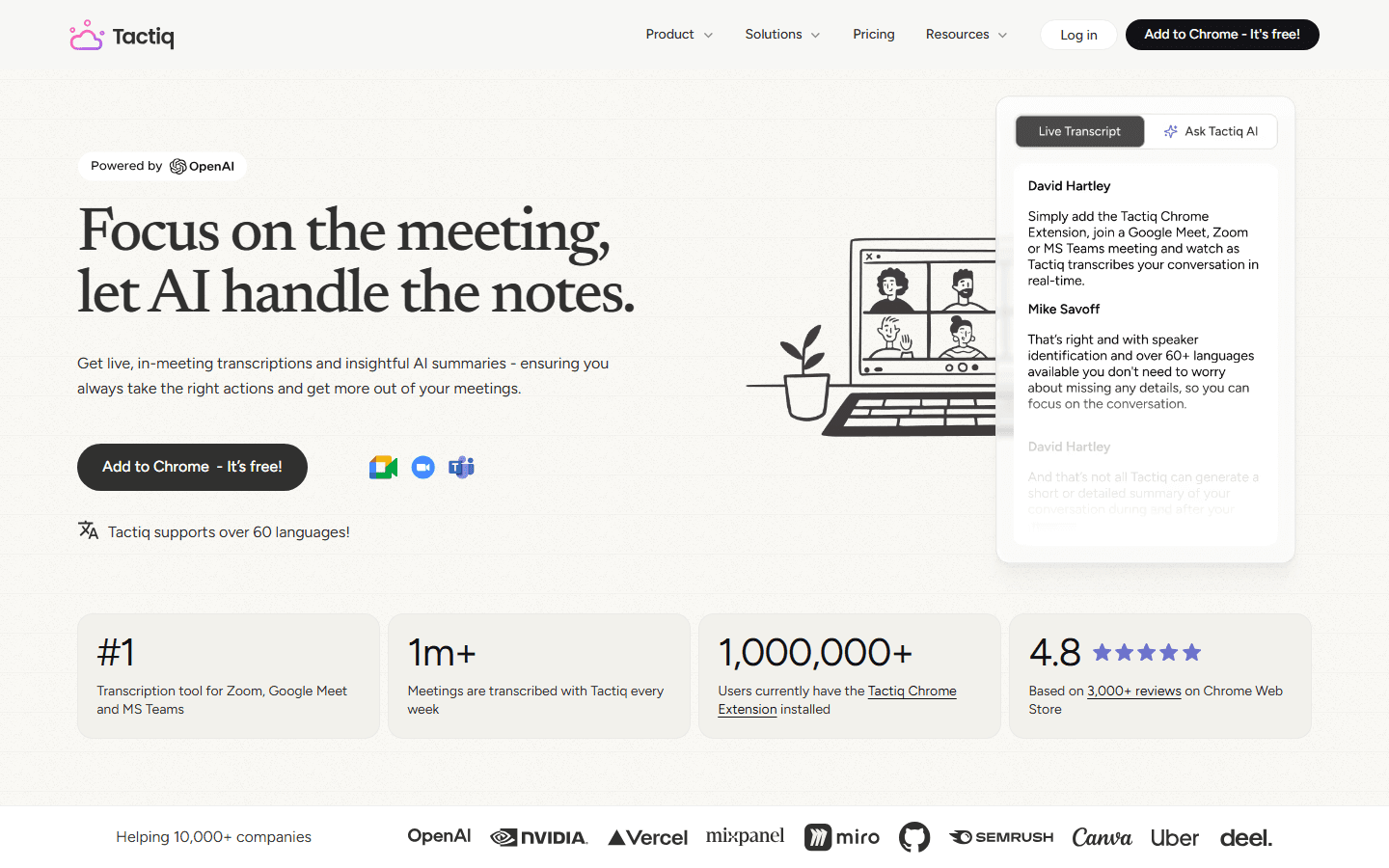
Tactiq setup is narrower and faster when Chrome is already approved. I add the extension and use one of its supported meeting services. That is attractive for a small team because there is no desktop audio configuration to explain. It is less attractive in a locked-down company where extensions require an administrator or where meetings happen outside the browser.
Before rollout, I test the boring parts: whether recurring events appear, whether an external client call is captured, whether the right microphone route is active, and whether the notification language matches company policy. A meeting assistant that works only after I remember three switches will quietly stop being used.
During the meeting
Tactiq gives me more text to inspect. Granola gives me more room to listen.
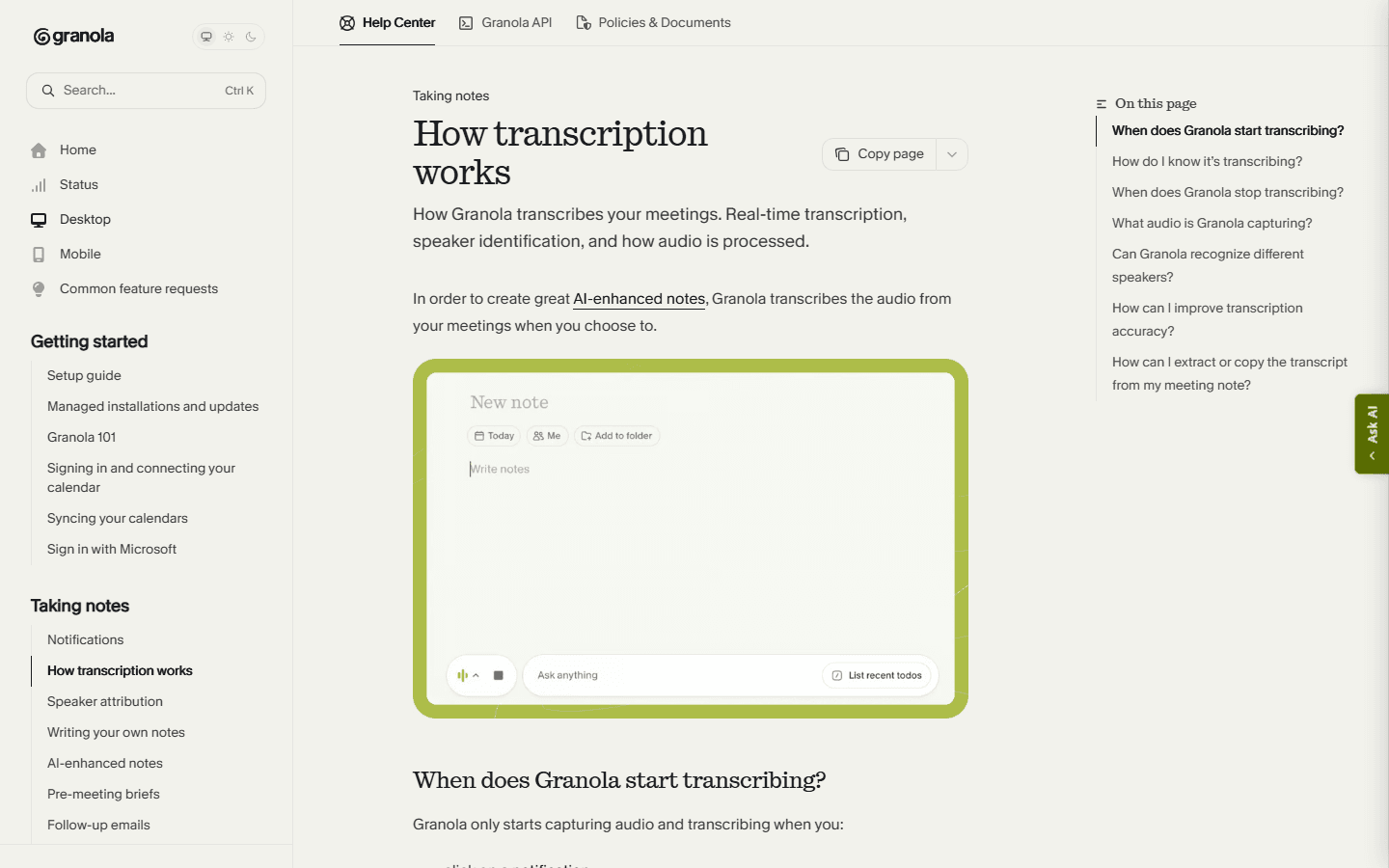
Granola now offers live transcription on desktop, so this is no longer a simple “Tactiq has live text, Granola does not” comparison. The difference is emphasis and control. Granola's transcript supports the note, and its current documentation says I cannot edit that transcript. Speaker attribution also varies: Google Meet attribution works through its browser extension on macOS and Windows, while Zoom attribution is currently documented for macOS.
Tactiq puts the transcript in my normal field of view. I find that useful when I need to catch a product name, select a quote, or make sure a commitment was recorded correctly. It can also become a distraction. On a sensitive interview, reading every line tempts me to audit punctuation instead of watching the person answer.
Neither tool adds a visible bot, which removes one recurring social annoyance. It does not remove consent responsibilities. A transcript can be private in the interface and still require disclosure under company policy, contract terms, or local law. I decide the notice before the meeting, not after a participant asks what the extension is doing.
After the meeting
Granola produces the cleaner notebook. Tactiq exposes the stronger assembly line.
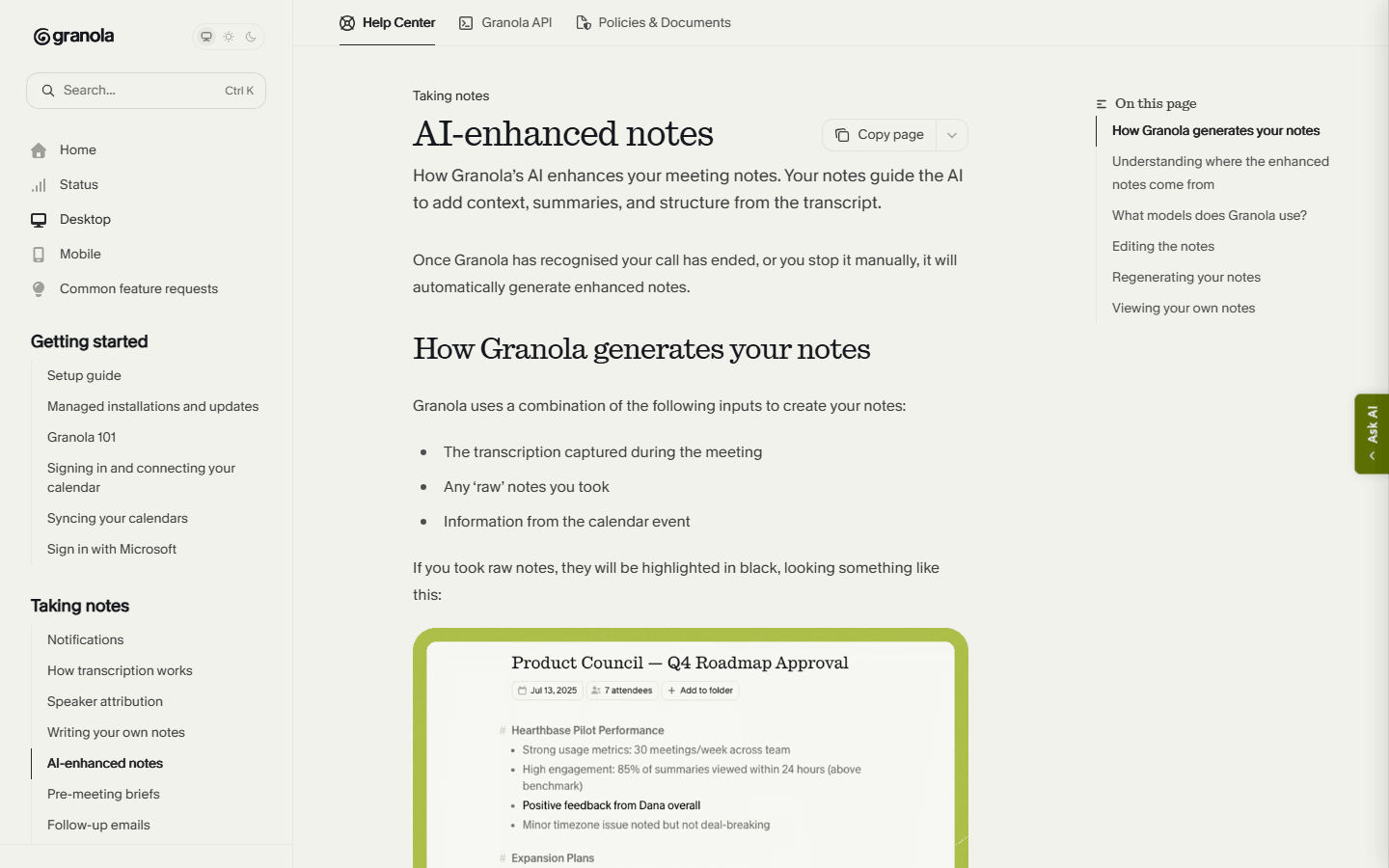
Granola's best moment is the first read after the call. My fragments become a structured note that can emphasize the questions and decisions I marked. I can change templates and work with the result instead of combing through every sentence. For one-to-ones, research calls, and project discussions, that usually gives me the shortest route from conversation to memory.
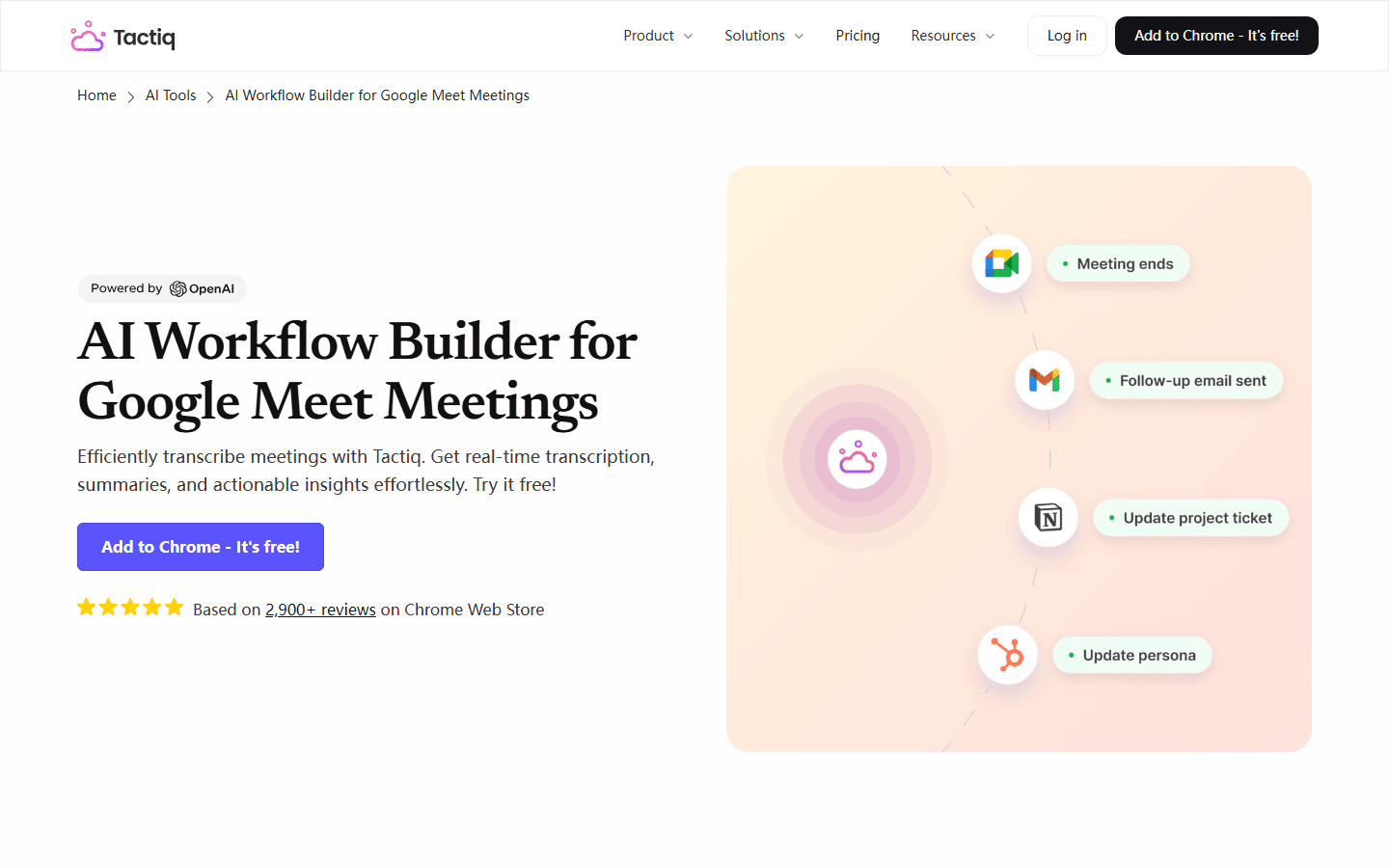
Tactiq's advantage appears when the note is only an intermediate object. Its AI workflows can run a repeatable prompt, extract actions, and move the output to tools such as Slack, Notion, Linear, or HubSpot. A sales call can become a CRM update; a research call can become tagged findings; a team meeting can become assigned work.
Automation deserves suspicion. I start with a draft destination and review ten meetings before allowing updates into a system of record. Names, owners, due dates, and negated decisions are exactly where a smooth summary can become expensive. The best workflow is not the one that skips review. It is the one that makes review short and obvious.
Meeting coverage
Granola covers more kinds of conversations. Tactiq covers a narrower lane cleanly.
Granola's desktop app can capture Google Meet, Zoom, Teams, other meeting software, in-person meetings, voice memos, and computer audio. That makes it the safer choice for a week that includes client platforms I do not control. The mobile apps are strongest for in-person recording; mobile operating-system restrictions mean they do not simply capture every Zoom or Meet call running on the same phone.
Tactiq is built for the browser meeting. Google Meet, Zoom, and Microsoft Teams are the center of the product. That constraint is useful when it matches reality because onboarding stays understandable. It becomes a hard boundary when I interview someone in a room, take a phone call, use a desktop client, or work in a managed browser without extension permission.
I count my last twenty meetings before choosing. Marketing pages make edge cases look rare. Calendars reveal the truth. If six calls happened in person and four happened outside Chrome, Tactiq's lower price does not solve the coverage gap. If all twenty lived in Google Meet, Granola's wider capture may be capability I never use.
Privacy and consent
Bot-free is a social property, not a complete privacy policy.
Granola says it does not record or store meeting audio or video. It processes audio to create a transcript and note, and its business controls include retention and deletion options at higher tiers. I still review where text is stored, who can access shared notes, how long history remains available, and whether sensitive meetings should be excluded entirely.
Tactiq says it does not record or store audio; it stores text produced in real time. That reduces one category of risk but leaves a transcript containing names, financial details, health information, customer problems, and internal decisions. Text can be less conspicuous than a recording while remaining just as sensitive to the organization.
My policy is deliberately dull. I tell participants, avoid capture where consent is unclear, separate highly sensitive meeting types, set retention intentionally, and test deletion with an ordinary account before buying seats. “No bot” makes a call feel less awkward. It does not make governance disappear.
Pricing and limits
Tactiq is cheaper for an individual. Granola sells the notebook experience.
At the time of review, Granola Basic costs $0 and limits meeting history. Business is $14 per user each month and adds unlimited notes and history, advanced models, integrations, MCP, and API access. Enterprise starts at $35 per user each month with controls such as SSO, analytics, and automatic deletion.
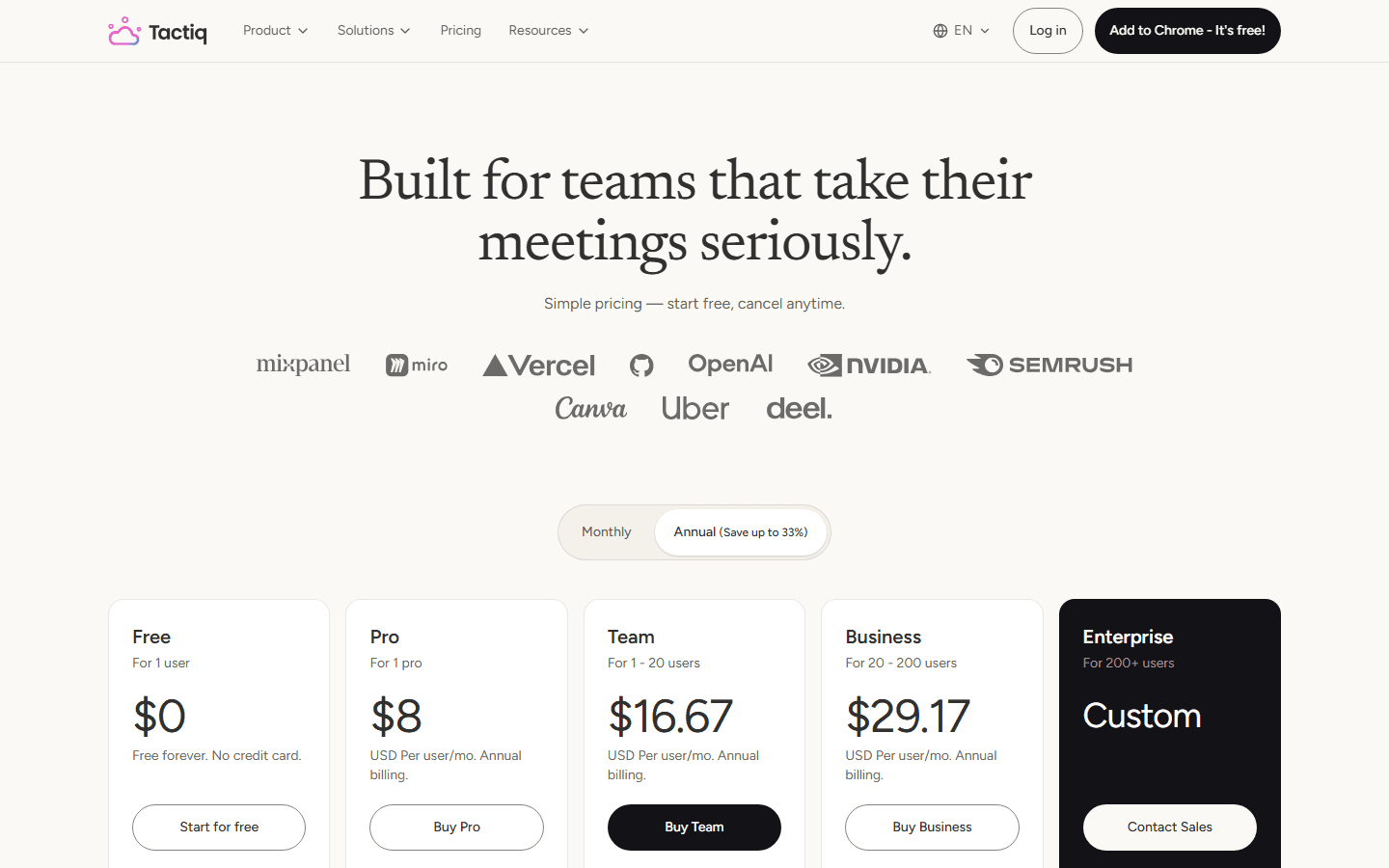
Tactiq Free includes 10 transcripts and 5 AI credits per month. Pro is $8 per user monthly on annual billing, with unlimited transcripts and 10 AI credits. Team is $16.67 and Business is $29.17 per user monthly on annual billing. Tactiq says existing transcripts remain accessible when a limit is reached; AI features pause when AI credits run out.
I do not compare $8 with $14 and stop. I price the workflow. A transcript limit, an AI-credit limit, an inaccessible archive, a missing integration, and thirty minutes of manual cleanup all have different costs. I run the free plans through a representative week, then buy the plan that removes the measured bottleneck.
| Plan level | Granola AI | Tactiq |
|---|---|---|
| Free | $0; limited meeting history | $0; 10 transcripts and 5 AI credits per month |
| Individual paid | $14 per user monthly for Business | $8 per user monthly on annual Pro billing |
| Team tier | $14 Business or $35 Enterprise per user monthly | $16.67 Team or $29.17 Business per user monthly on annual billing |
| Main limit to watch | Accessible history and plan-level integrations | Monthly transcripts on Free and AI credits on Free or Pro |
Customer research
The recurring complaints reveal the boundary of each product.
The most useful Reddit comments reject the idea that “AI note taker” is one category. People choose Granola because it is quiet, native, and clean, then worry about cloud data, archive rules, local processing, and whether speaker attribution is reliable enough for their calls. Those concerns grow when the note becomes a long-term memory system rather than a disposable recap.
Tactiq gets praise for a private live transcript and for keeping a bot out of the room. The sharpest practical complaint is deployment: a Chrome extension can be simple for me and impossible on a company-managed browser. Users also ask whether attendees know transcription is active, which is a consent question disguised as a product-setting question.
Price and renewal anxiety runs through the broader category. A meeting tool feels cheap during a trial and expensive when every team member needs a seat or a useful AI action consumes a separate allowance. I treat these comments as prompts for a pilot, not verdicts. A stranger's perfect tool can be wrong for my calendar, policies, and follow-up habits.
Fit before features
Who should choose Granola, and who should choose Tactiq?
Choose Granola
You want a calm native notebook, write a few cues while listening, need in-person or mixed desktop meeting coverage, and care more about the finished note than a transcript pane.
Do not choose Granola
You need a browser-only rollout, a persistent live transcript for every participant workflow, Apple Calendar support, editable transcripts, or automatic exports without an explicit action.
Choose Tactiq
Your meetings live in Google Meet, Zoom, or Teams in Chrome, you want to see text live, and you plan to turn recurring prompts into follow-up workflows.
Do not choose Tactiq
Your company blocks Chrome extensions, you record many in-person or mobile conversations, or you want a native meeting notebook rather than a transcript-first tool.
For a founder, researcher, consultant, or manager who wants to stay present and leave with a readable note, Granola is the easier product to love. It feels personal without being flimsy. I would avoid it when a live transcript is the team's shared operating surface or when every meeting must trigger a rigid downstream process.
For a Chrome-based team that already lives in Meet, Zoom, or Teams and knows where transcripts should go, Tactiq is the practical choice. I would avoid it for mixed meeting environments, heavily managed devices, or people who want one native notebook across desktop and in-person conversations.
Switching cost
The files are manageable. The attention habit is harder to move.
Moving from Granola to Tactiq changes what I watch during the call. I preserve important notes, templates, and source links, then teach myself when to glance at live text and when to ignore it. I also rebuild exports and prompts. A historical archive raises the cost because summaries and transcripts do not always map cleanly between products.
Moving from Tactiq to Granola changes what I write. I stop treating the transcript as the main canvas and start leaving short cues that shape the enhanced note. Existing transcripts should be exported before cancellation, and any prompt or integration that created follow-up needs a Granola equivalent or a deliberate manual step.
For one person, I budget two hours of setup and one week of overlap. For a team, I budget several days for permissions, consent text, templates, integrations, retention, training, and a rollback plan. The recurring cost is not the installer. It is changing the moment when people stop listening and start managing software.
| Move | Work involved | My estimate |
|---|---|---|
| Granola to Tactiq | Export the notes that matter, rebuild summary prompts and destinations, install the extension, reconnect calendars, and decide how attendees will be notified. | Low for new meetings; medium to high for a valuable archive |
| Tactiq to Granola | Preserve transcripts, recreate note templates, install desktop and mobile apps, connect the calendar, and teach the team to jot cues instead of watching live text. | Medium because the habit changes |
| Keep both | Use Granola for private or in-person note-making and Tactiq for browser calls that need a live transcript and repeatable automation. | Low setup, higher subscription and policy overhead |
My decision rule
Run the same five meetings through both, then count the repair work.
- Use a routine internal meeting. Count the corrections needed before the note can be shared.
- Use an external call. Check consent, bot-free comfort, names, and whether the summary preserves the client's actual concern.
- Use a difficult call. Include overlapping speakers, jargon, a changed decision, and an implied action owner.
- Use a meeting outside the normal setup. Try in-person capture, a desktop client, or a managed device so platform limits appear before purchase.
- Use one real follow-up. Send the result to the destination that matters and measure manual steps, not the number of integrations on a pricing page.
I keep Granola when the team leaves calls with better notes and fewer divided-attention moments. I keep Tactiq when the live text prevents mistakes and its workflows remove repetitive follow-up. If both improve a different meeting type, keeping both can be rational, but only with clear rules. Two invisible recorders are still two systems containing sensitive conversation data.
FAQ
Practical questions about Granola AI vs Tactiq.
Is Granola AI better than Tactiq?
I prefer Granola when the finished meeting note is the product and I need desktop or in-person coverage. I prefer Tactiq when I want a live transcript in Chrome and repeatable AI workflows. Neither is universally better because they remove friction at different moments.
Do Granola and Tactiq join meetings as bots?
No. Both products offer bot-free capture. Granola listens through its native app, while Tactiq transcribes through a Chrome extension in supported browser meetings.
Does Granola have live transcription?
Yes. Granola currently offers a live transcript on desktop. Its documentation says the transcript cannot be edited, and speaker attribution support varies by meeting platform and operating system.
Is Tactiq free?
Tactiq has a free plan with 10 transcripts and 5 AI credits per month at the time of review. Pro raises transcript capacity to unlimited but still has a monthly AI-credit allowance.
Which is better for in-person meetings?
Granola is the more natural choice because its desktop and mobile apps support in-person capture. Tactiq is designed around Google Meet, Zoom, and Microsoft Teams running in Chrome.
Sources
First-party product pages and customer discussions used for this guide.
- Granola pricing
- Granola setup and meeting coverage
- Granola transcription
- Granola AI-enhanced notes
- Granola feature requests and current limitations
- Tactiq product overview
- Tactiq pricing
- Tactiq AI Workflow Builder
- Reddit: comparing Granola with other note takers
- Reddit: current AI note-taking favorites
- Reddit: using Tactiq under managed Chrome policies
Read related articles
Keep reading practical SwitchMyTool guides after this one.

Qodo vs Codacy in 2026: Better AI Review or Stronger Merge Gates?
I compare Qodo and Codacy by AI review, static analysis, security gates, pricing, migration cost, team fit, and common Reddit complaints.
Read more
Qodo vs Graphite Agent in 2026: Better Review Governance or a Better PR Workflow?
I compare Qodo and Graphite Agent by review quality, stacked pull-request workflow, pricing, team fit, migration cost, and common Reddit complaints.
Read more
Qodo vs Bito in 2026: Better Review Governance or Broader Developer Coverage?
I compare Qodo and Bito by review governance, Git and IDE coverage, repository rules, pricing, team fit, migration cost, and Reddit complaints.
Read more