 SwitchMyTool

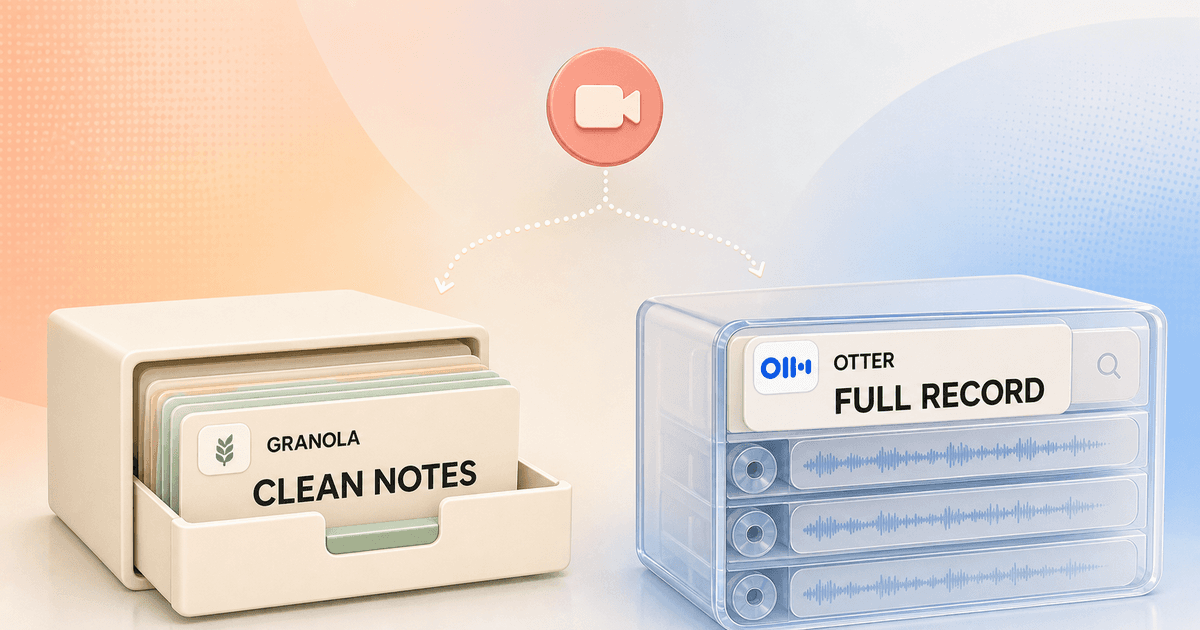
My working verdict
Granola is the better notebook. Otter is the better meeting record.
- I choose Granola when I want to stay present, leave a few cues, and receive a concise note without retaining the meeting audio.
- I choose Otter when I need live text, speaker correction, playback, imports, or a searchable archive I can inspect months later.
- I do not choose by summary quality alone. The expensive difference is what each product stores and what habit it creates during the call.
I can make Granola and Otter look almost identical in a feature spreadsheet. Both transcribe meetings, produce summaries, answer questions, support mobile capture, and connect to common work tools. That spreadsheet misses the choice I feel in an actual meeting.
Granola wants me to write the scraps that matter and trust it to turn those cues into a clean note. Otter wants to preserve the conversation as a searchable object. I can read it live, replay it, correct speakers, export it, ask questions across it, and use it as evidence for what somebody actually said.
This Granola AI vs Otter comparison is therefore about the artifact left behind. If neither artifact fits, my Granola AI alternatives guide covers other bot-free, local, team, and automation-heavy options. Here I am choosing between a polished note and a fuller conversation record.
My verdict
I use Granola for decisions and Otter for evidence.
For a weekly planning call, one-to-one, customer conversation, or project review, I usually want Granola. I write a phrase such as "legal owner still unclear" and return my attention to the room. That phrase tells the enhanced note what I considered important. I finish with something I can scan and share without first cleaning a wall of transcript text.
For an interview, lecture, research session, media call, or detailed handoff, I want Otter. If a name is wrong, I can correct the speaker. If a number feels suspicious, I can jump to the audio. If a colleague asks where a conclusion came from, the underlying conversation remains available rather than being compressed into a neat paragraph.
Neither preference is universally correct. Recording everything can create a retention problem and a false sense that nobody needs to take responsibility for the note. Keeping only a polished note can remove nuance I later discover was important. I choose by the cost of being unable to go back.
| Decision | Granola AI | Otter |
|---|---|---|
| Default product | A quiet meeting notebook that turns my cues and the conversation into a polished note | A searchable transcript and recording library with summaries, playback, chat, and follow-up tools |
| Best working habit | I jot a few important cues and keep listening | I capture the full conversation, then search, replay, edit, or share it |
| Online meeting capture | Native desktop capture without a participant bot | Visible Otter Notetaker, or bot-free recording through desktop and Chrome |
| Raw record | Transcript supports the note; Granola says it does not store meeting audio or video | Editable transcript, speaker labels, audio playback, and export options |
| Archive style | Notes, folders, shared spaces, templates, and chat across meetings | Conversations, recordings, folders, Channels, search, and AI Chat across meetings |
| Best fit | Managers, researchers, founders, and client-facing work where presence matters | Interviews, lectures, media, research archives, and teams that need a replayable source record |
The real difference
Granola edits the meeting down. Otter keeps the meeting alive.
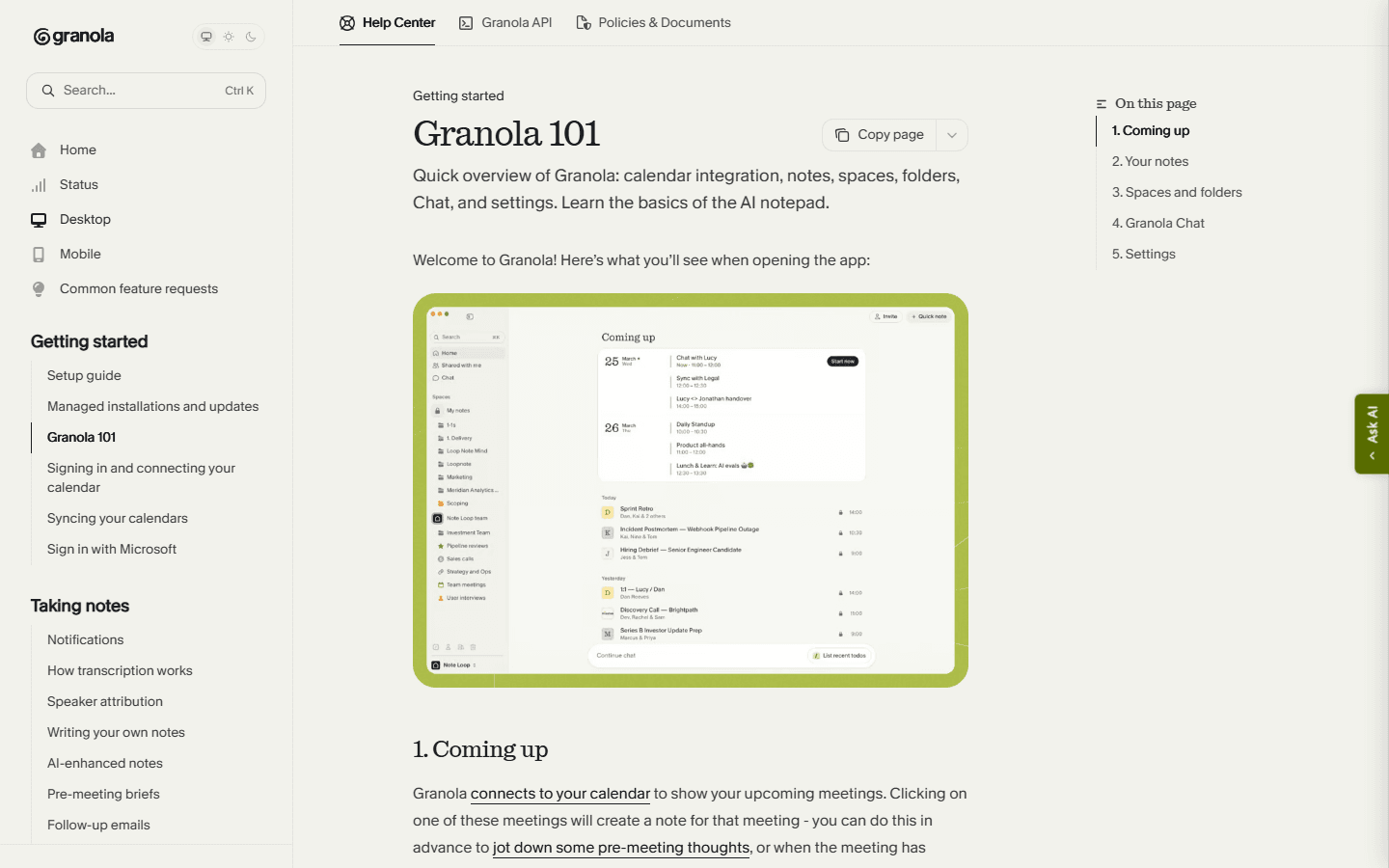
Granola opens like a notebook connected to my calendar. I can prepare the page before the call, add raw notes while people talk, and let the product enhance the result after the meeting ends. Its documentation says the final note uses three inputs: the captured transcript, my raw notes, and information from the calendar event.
That mix gives my attention a vote. A transcript treats every spoken sentence as material. A short note can tell Granola that one objection mattered more than six minutes of polite discussion. When I already know how I want to use the meeting, this produces a sharper result with less cleanup.
Otter begins from the opposite assumption. The conversation is a durable workspace. It records and transcribes, identifies speakers, creates a summary, captures takeaways, supports AI Chat, and organizes conversations into folders or Channels. I can edit the transcript and export text or audio. Otter is not merely writing my notes; it is building an archive I can interrogate.
Before the meeting
Granola feels like opening a page. Otter makes me choose a capture policy.
Before a Granola call, I connect my calendar, open the event, pick a note template, and add any questions I do not want to forget. The preparation is useful because those notes survive into the enhanced result. I am not starting from an empty summary after the meeting; I am shaping the page before anybody speaks.
Otter gives me more capture choices. I can connect a Google or Microsoft calendar and let Otter Notetaker join Zoom, Google Meet, or Microsoft Teams as a visible guest. I can add it to one meeting manually, send it when I cannot attend, or use bot-free recording through the desktop app or Chrome extension. That flexibility is real, but I need rules so the agent does not wander into calls where it is unwelcome.
I disable blanket auto-join until I have tested internal meetings, external calls, recurring events, waiting rooms, recording permissions, and sharing defaults. Otter's own help pages note that a host may need to admit the guest and allow recording. That is not a product failure. It is the operational reality of putting a recorder into somebody else's room.
During the meeting
Granola rewards selective attention. Otter rewards complete capture.
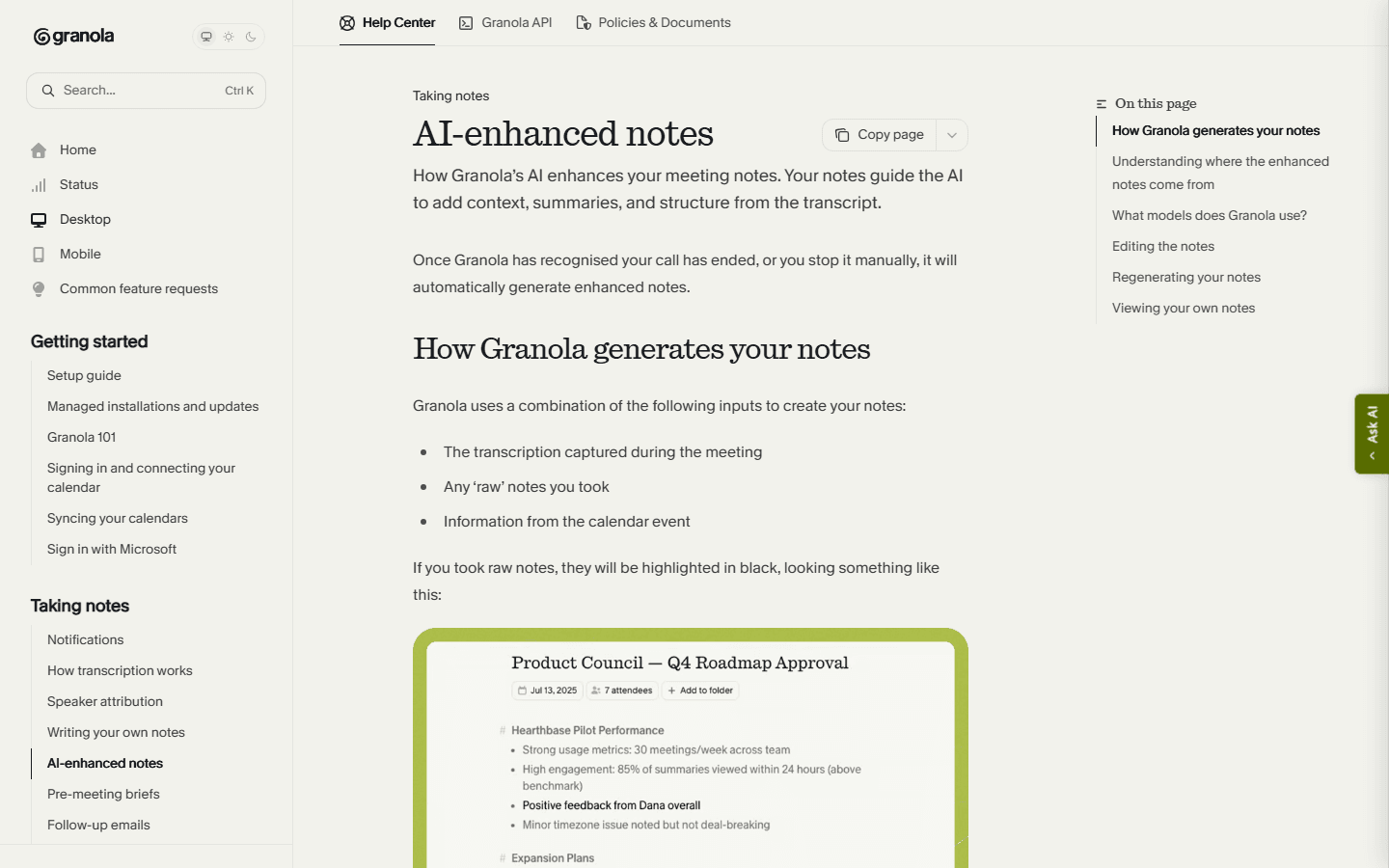
During a Granola meeting, I leave small anchors rather than complete sentences. A customer name, an objection, a changed date, or a question mark is often enough. The transcript runs underneath, and my cues help the AI decide what belongs in the finished note. I spend less time watching words arrive and more time noticing hesitation, disagreement, and what nobody volunteered.
Otter gives me live transcription and speaker identification. That is useful when I am dealing with unfamiliar names, accented speech, a technical explanation, or a long answer I may need to quote. It can also pull my eyes away from the person. I have caught myself proofreading the machine while the meeting was still happening, which is a wonderfully modern way to miss the point.
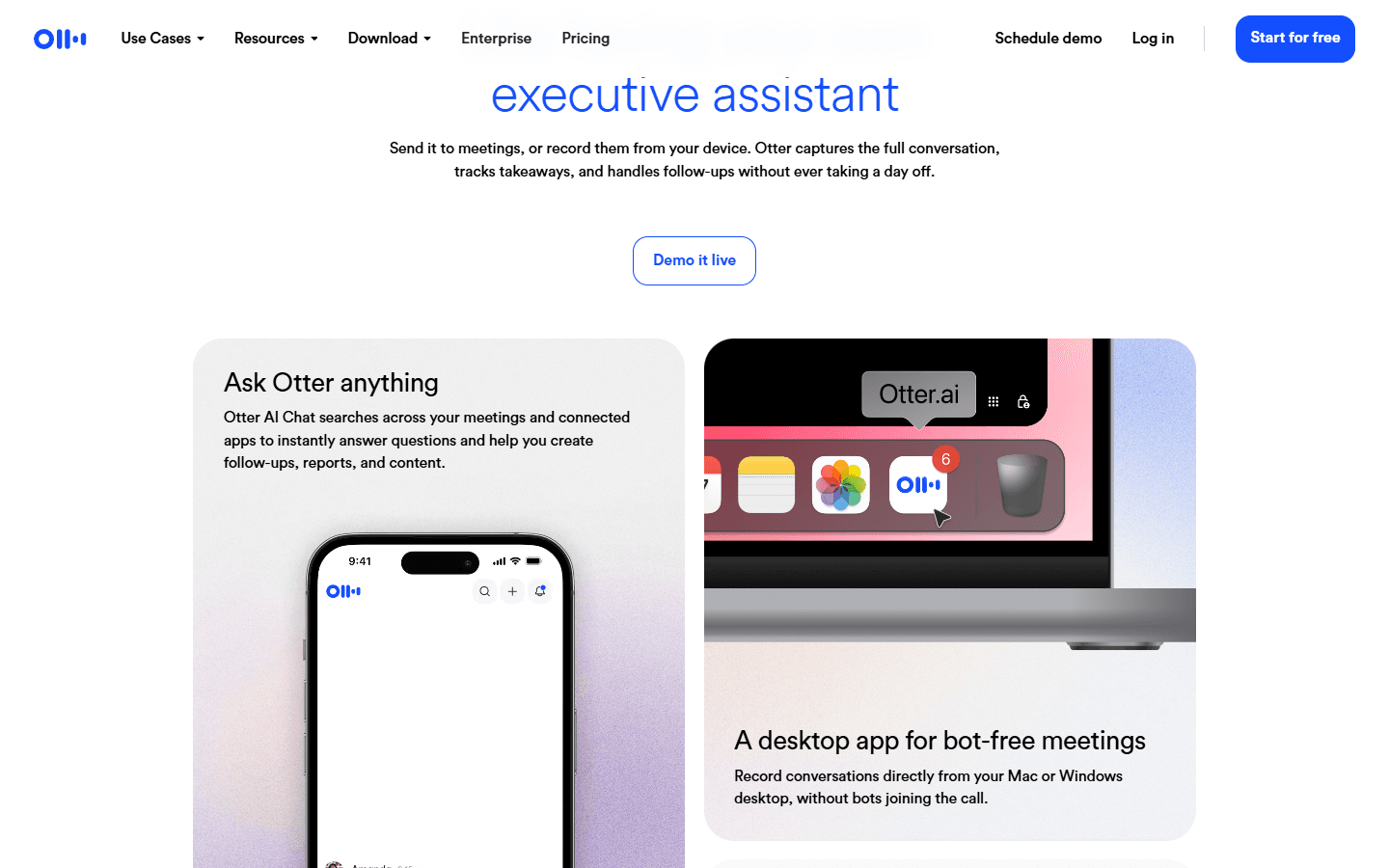
The choice is not strictly bot versus no bot anymore. Otter's current site promotes a bot-free Mac and Windows desktop app, and its help center points to Chrome for recording without a guest participant. Granola remains bot-free by default. Otter lets me choose between a visible agent and local capture, which narrows one of Granola's old advantages.
After the meeting
Granola wins the first read. Otter wins the second investigation.
Granola's strongest moment is thirty seconds after the call. The note is usually closer to a brief than a transcript. I can change the template, edit the output, ask questions across meetings, put notes into shared folders, and send follow-up work through integrations on paid plans. For managers who need to remember decisions rather than litigate every sentence, that is enough.
Otter becomes stronger when I return later. I can search the transcript, play the audio from the relevant moment, edit text, tag speakers so future recognition improves, ask AI Chat about one or many conversations, and export the result. Basic users can export TXT; paid plans add formats such as DOCX, PDF, and SRT, while audio exports preserve the source as MP3.
That difference changes team behavior. A Granola note invites someone to read the conclusion. An Otter conversation invites someone to inspect the evidence. I prefer the former for routine coordination and the latter when research quality, quoting, compliance review, or disputed detail makes the source record valuable.
Capture and coverage
Both can work without a bot, but only Otter is built around playback.
Granola captures desktop calls, computer audio, voice memos, and in-person conversations. Its mobile apps are most useful for in-person meetings because mobile operating systems restrict capture of another call running on the same phone. Granola provides a transcript, but the note remains the main object and the company says it does not store meeting audio or video.
Otter can attend supported online meetings through Notetaker, record from desktop or Chrome without a participant bot, capture from iOS and Android, and import common audio and video formats. Its current import page supports files up to 5 GB, subject to plan allowances. That makes Otter more forgiving when the meeting happened elsewhere and arrives as a recording later.
I would not buy Otter solely because I might replay a call someday. Audio archives become heavy, sensitive, and easy to neglect. I buy it when replay is part of the job: interviewing, qualitative research, journalism, lectures, legal review with proper policy, or technical sessions where wording matters. Otherwise the lighter Granola artifact is easier to live with.
Pricing and limits
Granola charges for the long-term notebook. Otter meters the conversation record.
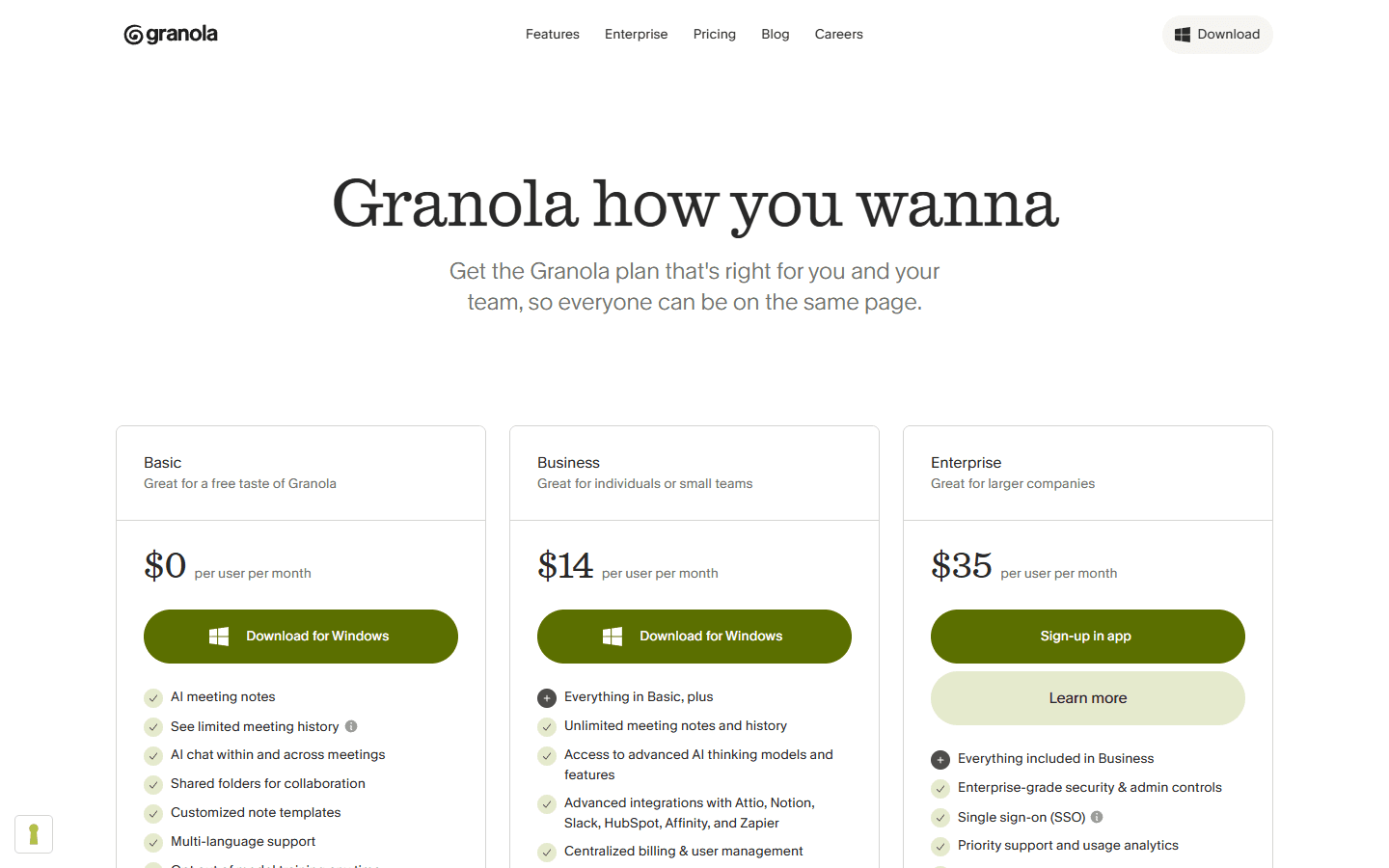
Granola Basic costs $0. The catch is history: its help center says free users can access only notes from the most recent 30 days. Older notes remain stored but unavailable until an upgrade, and the CSV export contains titles and summaries rather than full transcripts. Business costs $14 per user each month and adds unlimited notes and history, advanced AI, integrations, MCP, and API access. Enterprise costs $35 per user each month.
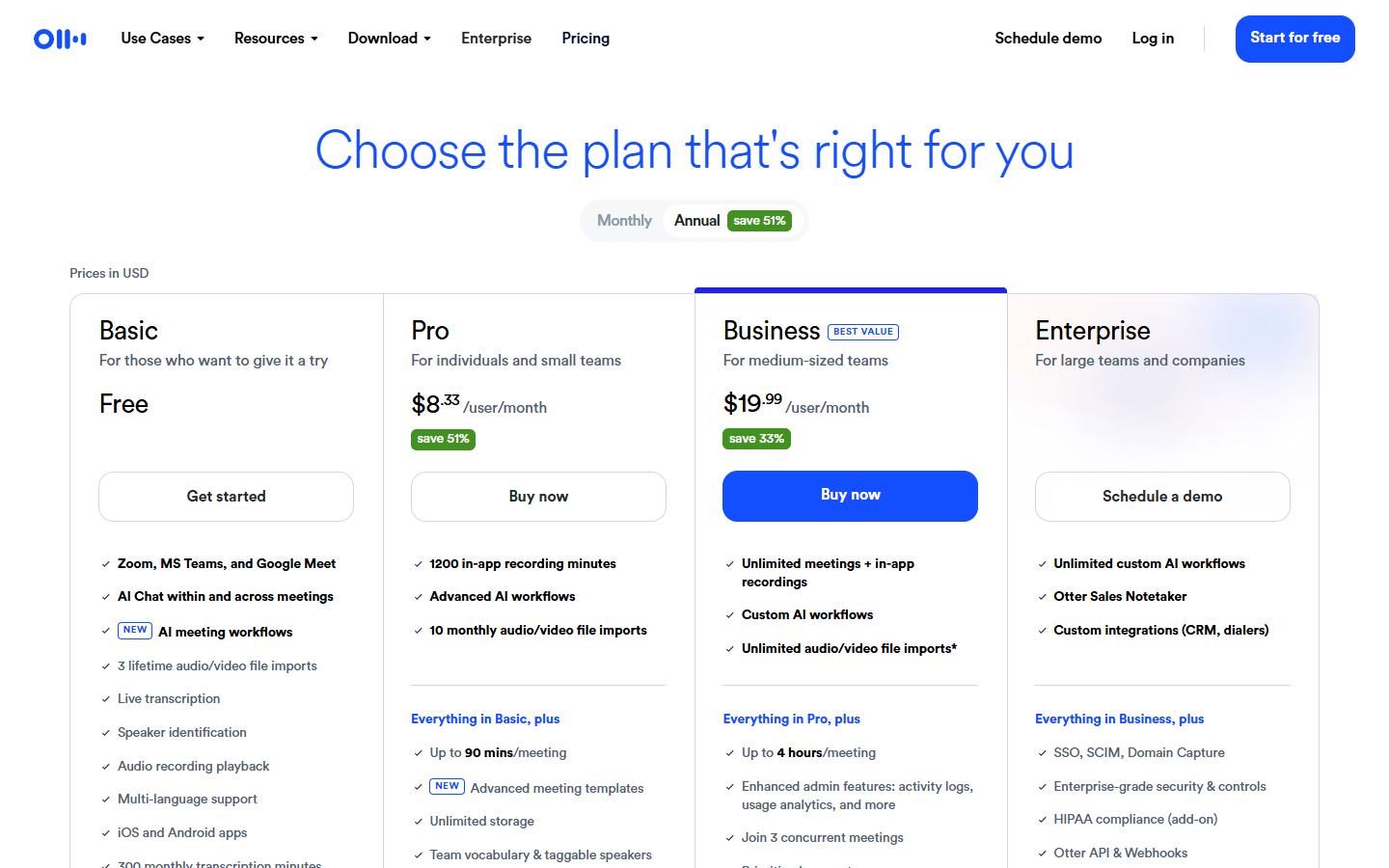
Otter Basic costs $0 and currently includes 300 transcription minutes each month, a 30-minute limit per conversation, three lifetime audio or video imports, and access to the 25 most recent conversations. Pro showed $16.99 per user on monthly billing or $8.33 on annual billing, with 1,200 in-app recording minutes, 90 minutes per meeting, ten monthly imports, and unlimited storage.
Otter Business showed $30 monthly or $19.99 per user monthly on annual billing during my review. It raises the meeting duration to four hours, supports unlimited meetings and in-app recordings, and allows three concurrent meetings. Prices and promotions can move, so I treat the live pricing page as the checkout truth rather than embalming one discount in a procurement sheet.
| Plan level | Granola AI | Otter |
|---|---|---|
| Free | $0; core AI notes with only the most recent 30 days accessible | $0; 300 transcription minutes monthly, 30 minutes per conversation, 3 lifetime file imports, and the 25 most recent conversations visible |
| Individual or small team | $14 per user monthly for Business, including unlimited notes and history | Pro showed $16.99 monthly or $8.33 per user monthly on annual billing |
| Larger team | $35 per user monthly for Enterprise | Business showed $30 monthly or $19.99 per user monthly on annual billing; Enterprise is custom |
| Limit I would watch | Accessible history, integrations, and whether a note-only archive is enough | Minutes, per-meeting duration, import allowances, and whether every call should retain audio |
Privacy and consent
A smaller artifact is easier to govern. It is not automatically safe.
Granola's no-audio-storage position is meaningful for teams that want meeting assistance without building a recording library. The transcript and enhanced note still contain customer names, internal decisions, commercial detail, and personal information. I still need access control, retention rules, deletion tests, and a list of meetings that should never be captured.
Otter's value comes partly from retaining more. Audio playback, searchable transcripts, imported recordings, shared Channels, and an agent that can attend without me all widen the governance surface. They also make the product genuinely useful when a source record matters. I do not call that bad privacy. I call it a bigger responsibility.
Whichever tool I use, I disclose capture before the meeting and follow the relevant law, contract, and company policy. Bot-free does not mean invisible, and a visible bot does not replace consent. I also test default sharing because the most embarrassing meeting-note leak is usually caused by an enthusiastic automation, not a sophisticated attacker.
Customer research
Reddit complaints are mostly workflow warnings in disguise.
The Granola praise is consistent: people like that no named bot enters the call, the interface stays clean, and the output feels more like notes than a deposition. The useful complaints are equally concrete. Some users report missing significant details, failed transcription, crashes, weak speaker handling, or action items that remain lists instead of becoming managed tasks.
Otter is often treated as the default transcript product. Long-time users value searchable history, summaries, Q&A, and the ability to record conversations that need a durable record. The recurring objections are the visible guest participant, awkward consent, transcription errors, and the way useful limits or team requirements push a casual workflow toward paid plans.
I use these comments as a test plan. I do not turn one angry post into a reliability percentage. I run calls with overlapping speakers, names, jargon, a changed decision, a clear action owner, and one meeting where the agent must be admitted. The complaint becomes useful only when I can reproduce it in my own workflow.
Fit before features
Who Granola AI and Otter are for, and who should keep looking.
Choose Granola
I want a calm notebook, work across online and in-person meetings, add my own cues, and care more about a clean finished note than replaying the call.
Skip Granola
I need an editable transcript, stored audio, precise replay, a mature conversation archive, or evidence that can be checked word by word later.
Choose Otter
I need live transcription, recording playback, searchable meeting history, speaker correction, file imports, or a meeting agent that can attend without me.
Skip Otter
A visible meeting participant creates friction, recording retention is hard to govern, or my real need is a concise personal note rather than another transcript library.
Granola suits the person who owns the meeting and wants a better memory without turning the call into a recording project. I would give it to product managers, founders, consultants, customer researchers, and team leads who already know how to mark the important moment. It is less suitable when the organization needs a transcript as evidence or when a colleague must verify the exact source later.
Otter suits people whose work begins with the record: interviewers, students, journalists, recruiters, sales teams, researchers, and anyone processing existing audio or video. It is less suitable when meetings are sensitive by default, guests dislike visible assistants, or nobody has agreed who will maintain the growing archive.
Switching cost
The archive moves slowly. The meeting habit moves even slower.
Moving from Granola to Otter is easy for future meetings and awkward for the past. I export the Granola notes worth keeping, recreate folder and template conventions, connect calendars, and decide whether each meeting type should use the guest agent or bot-free desktop capture. The bigger change is learning to govern recordings instead of only notes.
Moving from Otter to Granola requires more triage. I export transcripts and audio that carry evidence, preserve speaker names and timestamps where they matter, and accept that Granola will not reproduce the playback library. Then I rebuild templates and teach people to add short cues during calls so the enhanced notes reflect what the team actually cared about.
For one person, I allow two hours of setup and a week of overlap. For a team, I allow several days for calendar permissions, recording consent, retention, templates, sharing defaults, integrations, training, and rollback. I keep both only when each has a named meeting type. Otherwise two archives become two places to forget where the truth lives.
| Move | Work involved | My estimate |
|---|---|---|
| Granola to Otter | Export the notes worth keeping, recreate folders and templates, connect calendars, set Notetaker rules, and decide which meetings may retain audio. | Low for future calls; medium or high if the Granola archive carries useful context |
| Otter to Granola | Export important transcripts and audio, preserve citations or timestamps, rebuild note templates, and teach the team to leave short cues during calls. | Medium because playback and transcript habits do not transfer cleanly |
| Keep both | Use Granola for client and decision meetings; use Otter for interviews, lectures, research, and calls that need a replayable record. | Low behavior change, but higher policy, search, and subscription overhead |
My decision rule
Test five meetings and count the work after the call.
- Run a routine team meeting. Count edits before the result is useful to somebody who was absent.
- Run an external call. Test consent language, waiting-room behavior, sharing defaults, and whether the participant experience feels normal.
- Run a difficult conversation. Include overlapping speakers, jargon, a changed date, and an action that is implied rather than announced.
- Return one week later. Try to recover a detail without remembering the meeting title. Search quality matters more after memory has faded.
- Complete one real follow-up. Measure correction, assignment, export, and retrieval time. A handsome summary that creates thirty minutes of repair is not automation.
I keep Granola when I spend less attention managing software and the finished notes are good enough to act on. I keep Otter when playback and search prevent expensive uncertainty. If I cannot name a weekly moment when I need the full record, I choose Granola. If I regularly ask "what exactly did they say?" I choose Otter.
FAQ
Practical questions about Granola AI vs Otter.
Is Granola AI better than Otter?
I prefer Granola when I want to stay present and leave with a clean note. I prefer Otter when I need a searchable transcript, recording playback, file imports, or a durable conversation archive. The better tool depends on whether the note or the source record matters more.
Does Otter always join meetings as a bot?
No. Otter Notetaker can join Zoom, Google Meet, and Microsoft Teams as a visible guest, but Otter also offers bot-free recording through its desktop app and Chrome extension. Teams still need clear consent and recording rules whichever capture mode they use.
Does Granola record meeting audio?
Granola says it processes meeting audio to create the transcript and note but does not record or store meeting audio or video. That makes it different from Otter's playback-centered conversation record.
Which is better for interviews, Granola or Otter?
I use Otter when I need to quote, replay, correct speaker labels, or preserve a research record. I use Granola for a discovery or client interview when staying engaged and producing a concise brief matters more than retaining the recording.
Can I move from Otter to Granola?
Yes, but I export important Otter transcripts and audio before switching. Granola can replace the note-taking workflow, not the historical playback library. I also rebuild templates and teach the team to add short cues during meetings.
Sources
First-party product pages and customer discussions used for this guide.
- Granola 101
- Granola AI-enhanced notes
- Granola pricing
- Granola subscriptions and history limits
- Otter product overview
- Otter pricing
- Otter Notetaker overview
- Otter Basic plan limits
- Otter export options
- Reddit: comparing Granola, Otter, and other note takers
- Reddit: meeting notes without an annoying call bot
- Reddit: current Granola reliability discussion
Read related articles
Keep reading practical SwitchMyTool guides after this one.

Qodo vs Codacy in 2026: Better AI Review or Stronger Merge Gates?
I compare Qodo and Codacy by AI review, static analysis, security gates, pricing, migration cost, team fit, and common Reddit complaints.
Read more
Qodo vs Graphite Agent in 2026: Better Review Governance or a Better PR Workflow?
I compare Qodo and Graphite Agent by review quality, stacked pull-request workflow, pricing, team fit, migration cost, and common Reddit complaints.
Read more
Qodo vs Bito in 2026: Better Review Governance or Broader Developer Coverage?
I compare Qodo and Bito by review governance, Git and IDE coverage, repository rules, pricing, team fit, migration cost, and Reddit complaints.
Read more