 SwitchMyTool

My working verdict
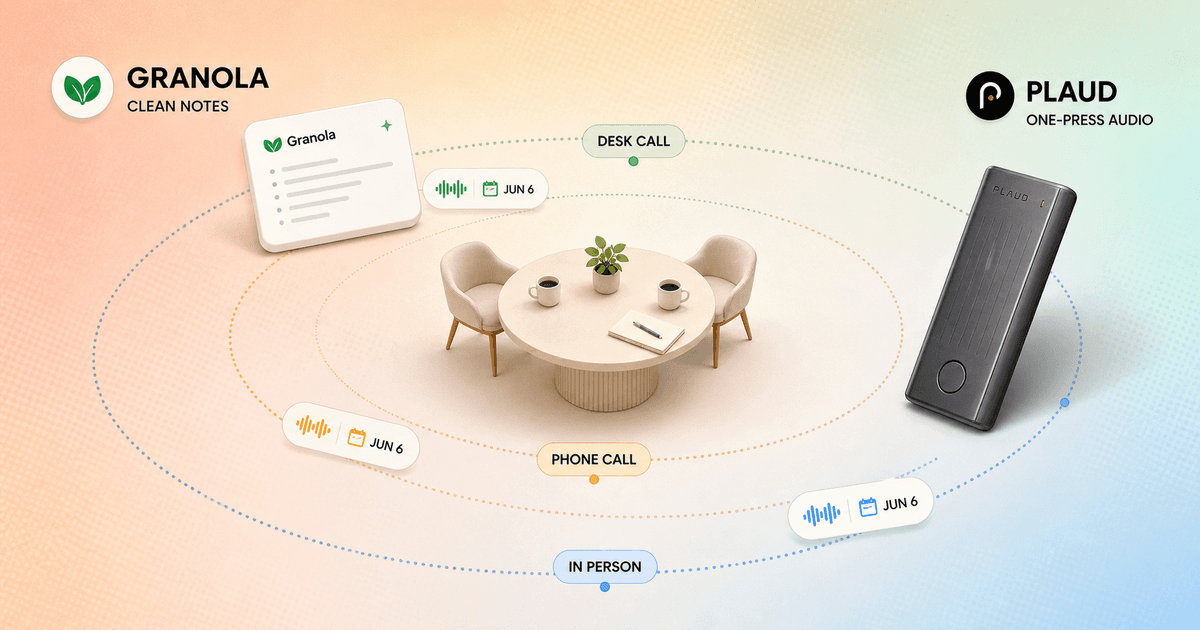
Granola is the better desk notebook. Plaud is the better recorder when the conversation leaves my desk.
- I choose Granola when my meetings live around a computer and I want a clean note without keeping the original audio.
- I choose Plaud when phone calls, rooms, interviews, or field work make one-button hardware more reliable than opening an app.
- I do not pay Plaud's hardware and minute costs for summary quality alone. I pay when its capture coverage prevents missed conversations.
Granola and Plaud both turn spoken conversations into transcripts, summaries, action items, and searchable notes. That overlap makes the comparison look simple. It is not. One is software I open around a scheduled meeting. The other is a recorder I carry into calls, rooms, cars, interviews, and site visits.
That physical difference changes the whole workflow. Granola asks me to prepare a page and leave a few useful cues. Plaud asks me to remember a device, keep it charged, place it well, press record, and later decide what to do with the retained audio. Granola reduces the artifact. Plaud protects the source.
This granola ai vs plaud guide focuses on that operating choice. For a wider field of bot-free and transcript-first tools, my Granola AI alternatives guide compares seven other routes. Here I am deciding whether a meeting notebook or a dedicated recorder deserves the job.
My verdict
I choose by where the conversation happens, then by whether I need the audio later.
For weekly planning, one-to-ones, customer calls, project reviews, and interviews conducted at my desk, I prefer Granola. I open the calendar event, jot a few fragments, and finish with a note that is usually ready to scan. There is no extra device on the table and no audio library to maintain.
For phone calls, conference rooms, field visits, walk-and-talk interviews, and days when my laptop stays closed, Plaud makes more sense. The dedicated recorder has its own microphones, battery, and storage. I can keep the original audio, mark an important moment with a short press, and export the recording or transcript later.
Plaud is not automatically the better in-person tool. Granola has mobile and in-person capture too. Plaud wins when physical capture removes a real failure point or when replay is part of the job. If neither condition applies, the hardware can become an expensive object I keep charging out of guilt.
| Decision | Granola AI | Plaud |
|---|---|---|
| Default product | A software meeting notebook tied to my calendar and computer | A dedicated recorder, mobile app, desktop capture, and AI membership |
| Best capture habit | I open the meeting note and leave a few cues while I listen | I press one physical button, place the device well, and mark moments when needed |
| Best environment | Online and in-person meetings that happen around my computer or phone | Phone calls, room meetings, site visits, interviews, and conversations away from my laptop |
| Source record | Granola says audio is deleted after transcription and is not retained | Plaud keeps the recording so I can replay, export, and retranscribe it |
| Ongoing cost | Software plan, with free history limited to the most recent 30 days | Hardware purchase plus a minute-based membership when the included allowance is not enough |
| Best fit | Desk-based knowledge work where the finished note matters most | Mixed-location work where reliable capture and the original audio matter most |
The real difference
Granola starts with a meeting page. Plaud starts with a record button.
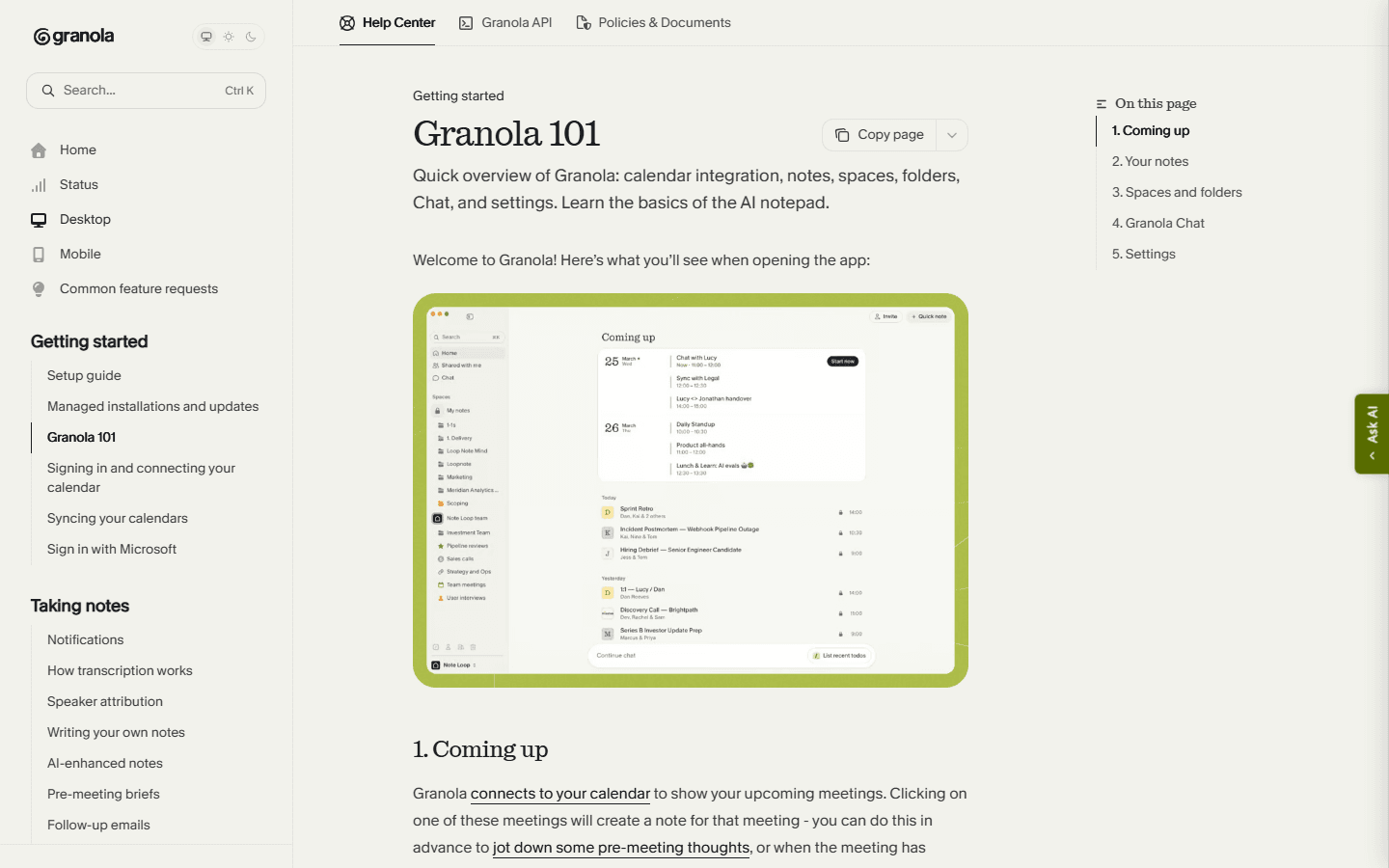
Granola feels like a notebook that happens to listen. It connects to my calendar, opens the relevant meeting, and lets me prepare questions before anybody joins. During the conversation, my rough notes become an input rather than a burden. Afterward, the product enhances the page using the transcript, my cues, and calendar context.
That design works because I already know the meeting's purpose. If a customer changes the launch date, I type the new date. If a decision still lacks an owner, I leave a question mark. Those scraps tell the final note what deserved attention. I am editing the meeting while it happens without trying to transcribe it myself.
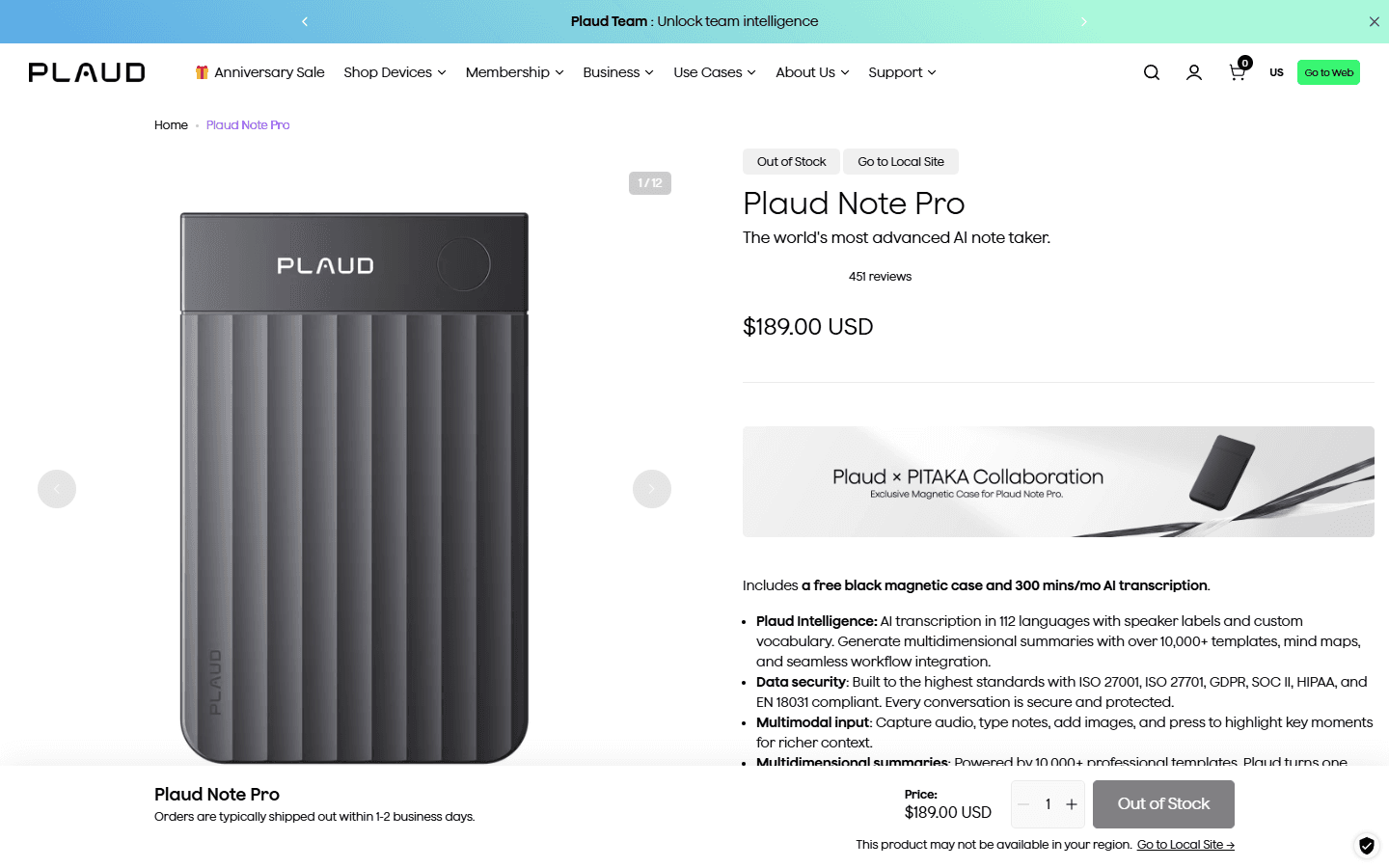
Plaud feels like a capture appliance connected to an AI workspace. The Note Pro weighs 1.06 ounces, includes 64 GB of storage, and advertises up to 30 hours in Enhance mode or 50 hours in Endurance mode. Its dual-mode system is built for both phone calls and in-person recording. I am buying certainty at the microphone before I buy a summary after the fact.
Before the conversation
Granola needs calendar and app discipline. Plaud needs device discipline.
Before a Granola meeting, I check the calendar title, attendees, and note template. I add the two or three questions I cannot afford to forget. That preparation pays off because the raw page remains part of the enhanced note. The failure mode is ordinary software friction: wrong calendar, missing permission, app not running, or a conversation that began before I opened the note.
Plaud removes some of that context dependence and adds physical dependence. I charge the device, confirm available storage, check the selected recording mode, and decide where it will sit. For a phone call, the compatible magnetic placement matters. In a room, microphone distance and table noise matter. A dedicated recorder is wonderfully simple only after I build the habit of carrying it.
Consent belongs in both setups. Granola's lack of a visible bot does not make capture invisible. Plaud's physical form can be even easier for another person to miss. I disclose recording or transcription, follow local law and company policy, and avoid treating a small device as permission to capture everything within range.
During the conversation
Granola lets my notes steer the summary. Plaud lets a button mark the moment.
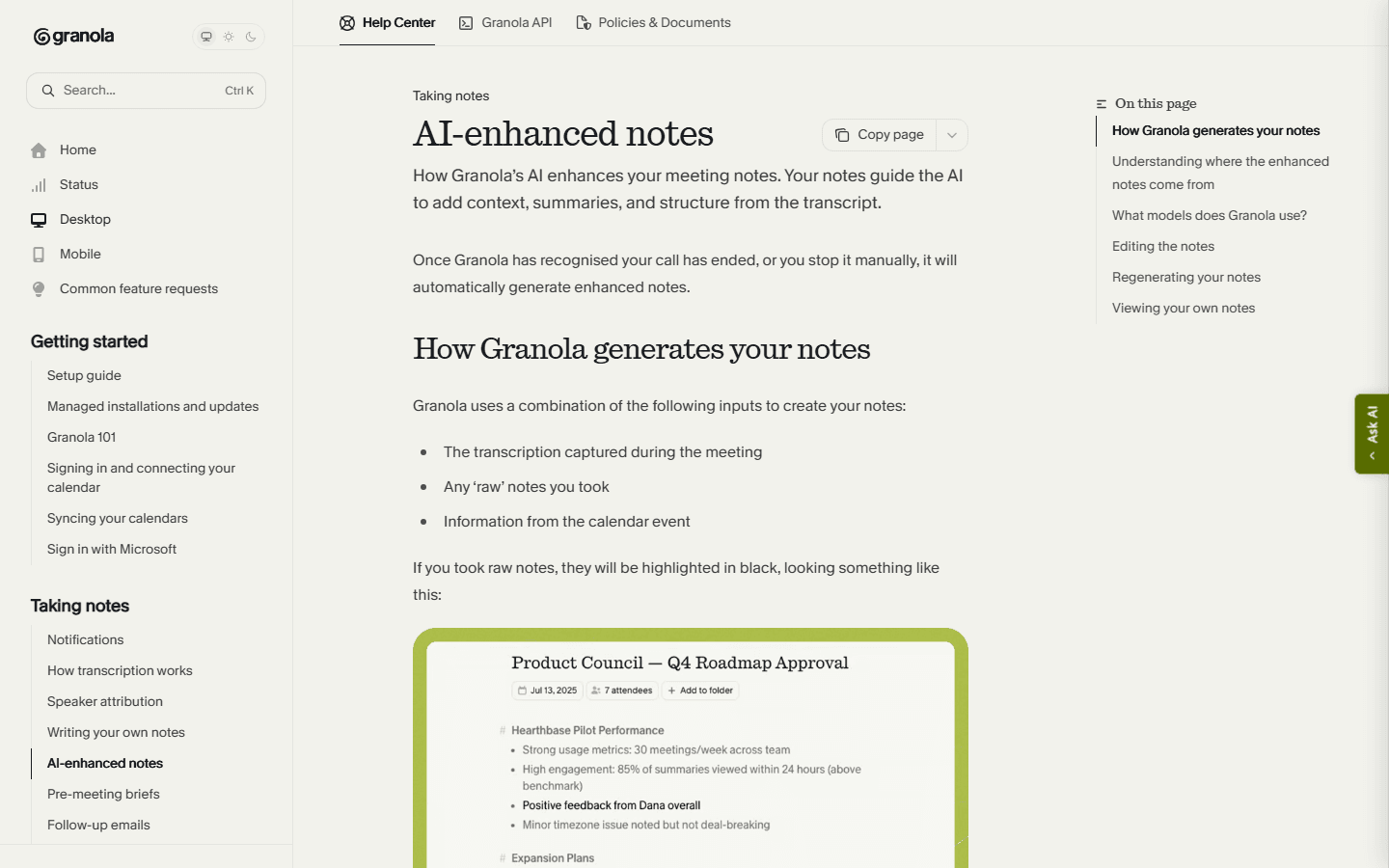
In Granola, I write fragments. A name, objection, number, or short phrase is enough. The product's documentation says AI-enhanced notes use the transcript, my raw notes, and the calendar event. That makes my attention visible to the system. I do not need to watch a live transcript crawl down the screen.
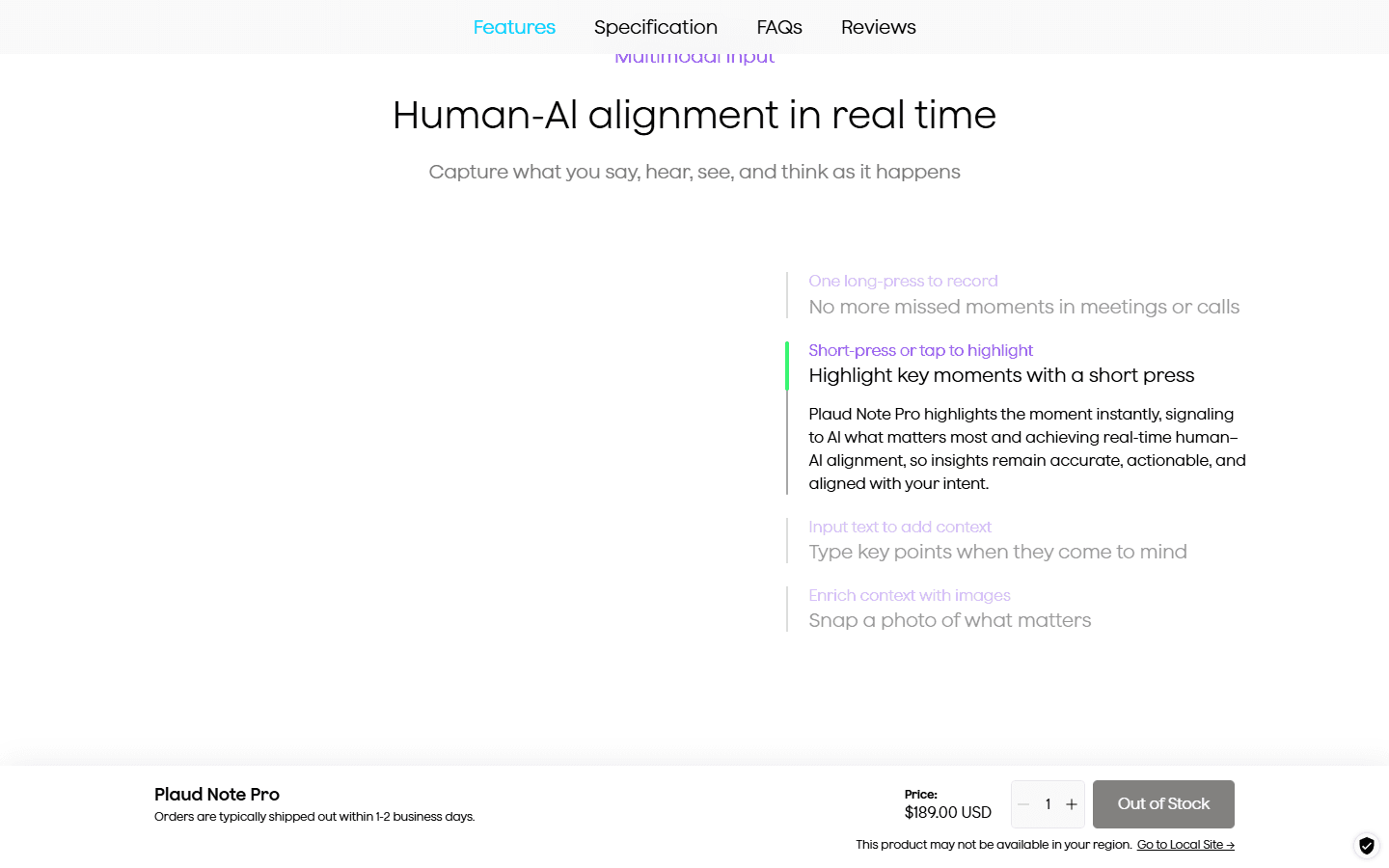
With Plaud Note Pro, a long press starts recording and a short press highlights a moment. The companion app can add text or image context. I like that split in interviews and site visits: the physical control handles capture while the app carries labels, photos, or supporting detail. I can remain in the room instead of hunting for an app window.
The difference shows up under stress. When a meeting starts late and six tabs are already open, Granola is another piece of software to find. Plaud is a tactile button. When I am already at my desk with calendar context and a prepared template, the physical recorder adds steps that Granola avoids. Convenience is not a product property here. It depends on where my hands already are.
After the conversation
Granola gives me the cleaner first read. Plaud gives me the stronger route back to the source.
Granola's best moment arrives just after a desk meeting. The result reads like a prepared note rather than an undigested transcript. I can edit it, regenerate it with a different template, organize it into folders or shared spaces, ask questions across notes, and use paid integrations to move follow-up into other systems.
Plaud's advantage appears when I doubt the summary or need a different artifact. Its web export options include MP3 audio, TXT or SRT transcripts, DOCX and PDF documents, Markdown summaries, and mind-map exports. Keeping the source lets me correct a name, verify a quote, or run a different template after I understand what the meeting was actually about.
That power creates maintenance. Audio consumes storage, contains more sensitive detail than a concise note, and encourages teams to postpone cleanup because they can always listen later. I keep recordings only when replay has a named purpose. Otherwise a cleaner note is not a limitation. It is a useful deletion decision.
Coverage and hardware
Plaud earns its keep between the laptop meetings.
Granola works across desktop meetings and in-person conversations, with mobile support for room capture and voice memos. It is strongest when my calendar, computer audio, and note page already define the event. Mobile operating systems can restrict recording another call on the same phone, which makes phone-call capture a more awkward edge case for software-only tools.
Plaud Note Pro is designed around those awkward edges. It switches between in-person and phone-call modes, uses four MEMS microphones plus a vibration pickup unit, and advertises pickup up to 16.4 feet. The 64 GB device stores recordings independently, and its battery is sized for long sessions rather than one calendar block.
I still do not confuse specifications with results. A recorder inside a bag, rubbing against clothing, or sitting beside a loud air conditioner can produce a bad source. I run a real phone call, a six-person room, and a walking conversation before trusting it. Hardware creates more capture options, not immunity from placement and acoustics.
Pricing and limits
Granola sells note history. Plaud sells hardware first, then transcription capacity.
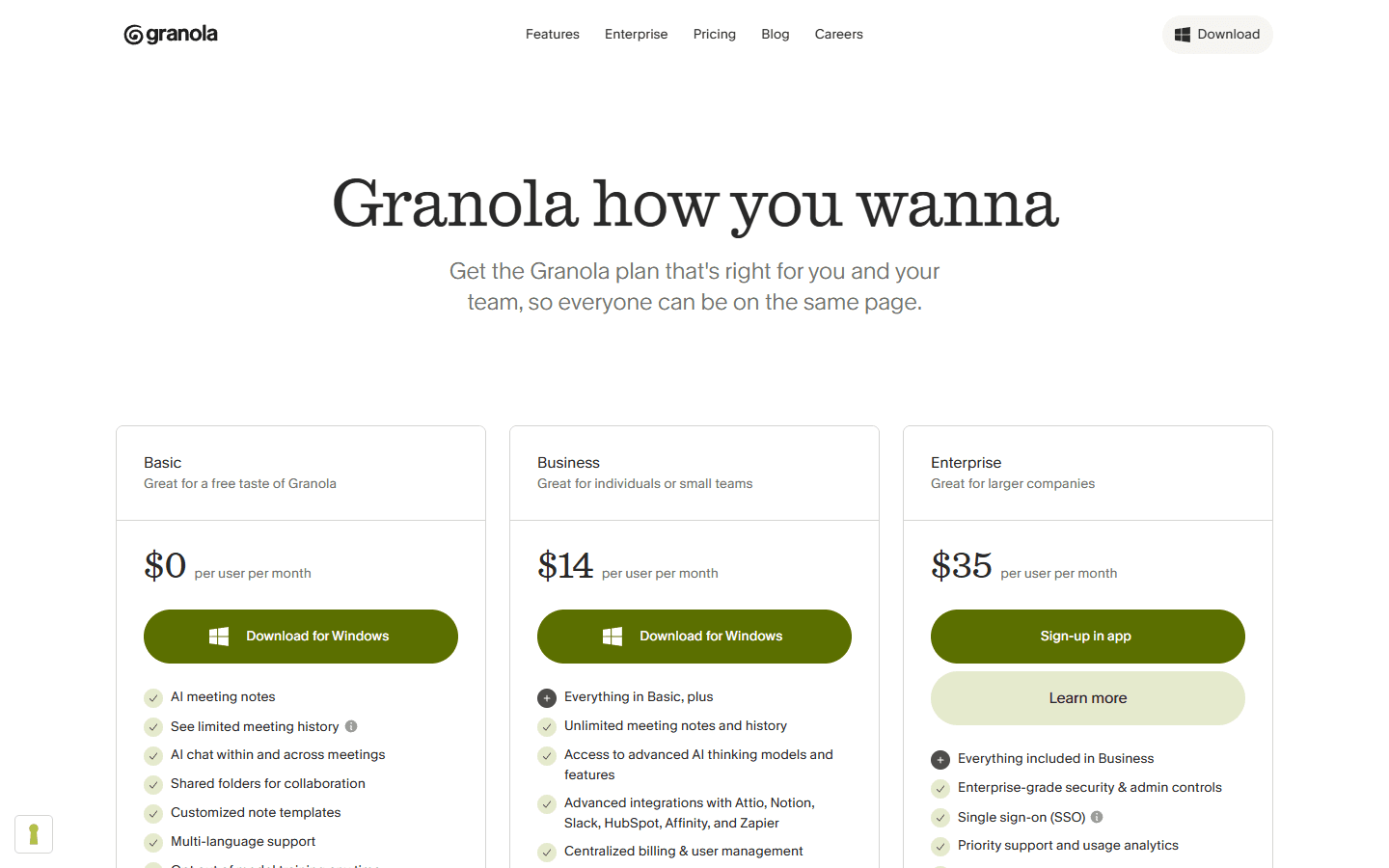
Granola Basic costs $0, but its help center says only notes from the most recent 30 days remain accessible. Older notes stay stored and become available again after upgrading. Business costs $14 per user monthly and adds unlimited notes and history, advanced AI, integrations, MCP, and API access. Enterprise costs $35 per user monthly.
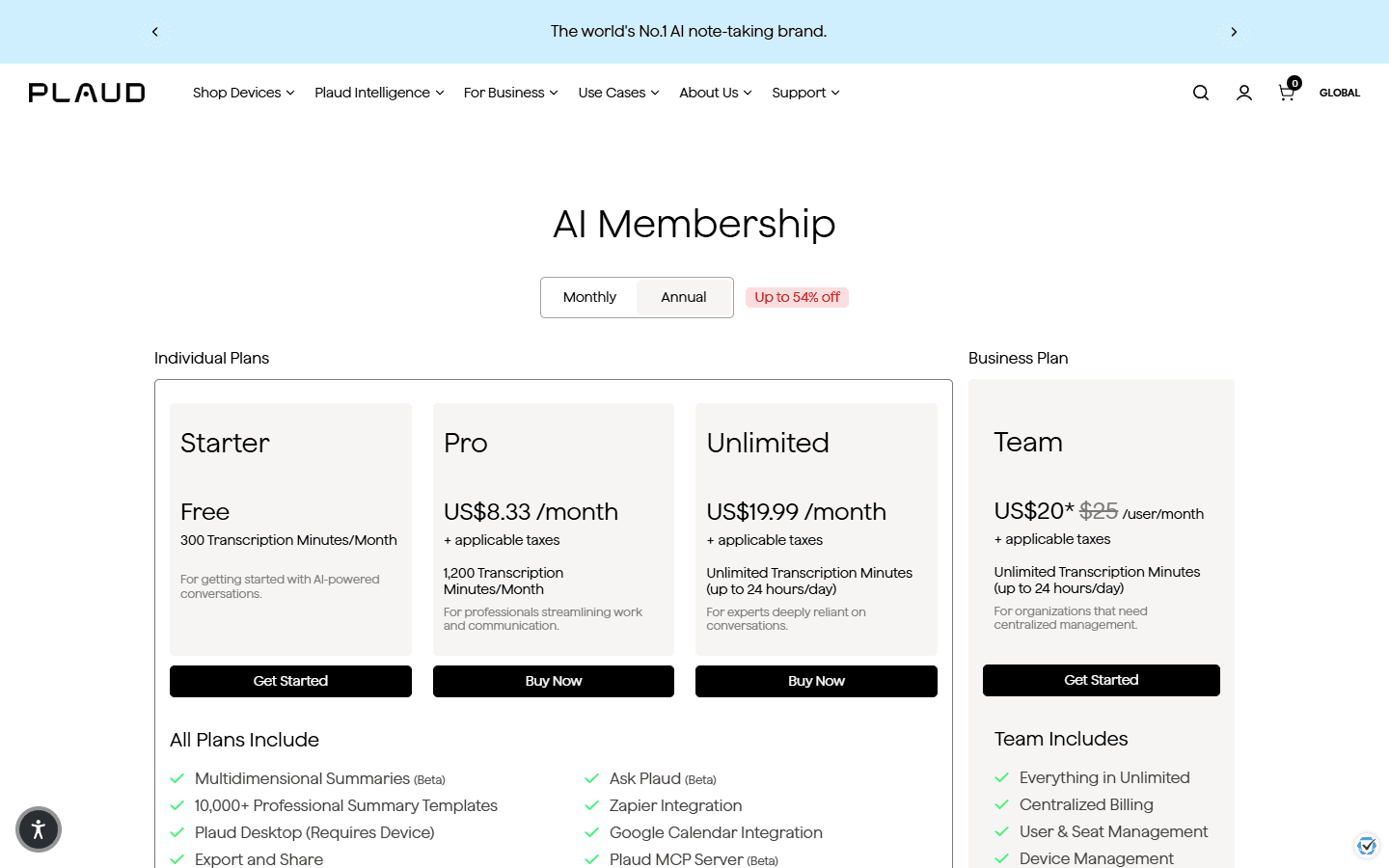
Plaud begins with hardware. The current US pages list Plaud Note at $159 and Note Pro at $189. Every device includes the Starter plan with 300 transcription minutes each month. That allowance can be enough for occasional interviews or a few calls, but it disappears quickly if I record daily meetings.
Plaud Pro costs $17.99 monthly or $8.33 per month on annual billing and includes 1,200 minutes monthly. Unlimited costs $29.99 monthly or $19.99 per month annually, with fair-use language allowing up to 24 hours daily. Unused minutes do not roll over, and Plaud also sells top-up packages. I compare annual cost only after measuring a normal month of audio.
| Cost layer | Granola AI | Plaud |
|---|---|---|
| Entry point | $0 Basic; only notes from the most recent 30 days remain accessible | Plaud Note is $159 and Note Pro is $189; each includes Starter with 300 minutes monthly |
| Regular paid use | $14 per user monthly for Business with unlimited notes and history | Pro is $17.99 monthly or $8.33 monthly on annual billing, with 1,200 minutes monthly |
| Heavy or team use | $35 per user monthly for Enterprise | Unlimited is $29.99 monthly or $19.99 monthly on annual billing, with fair-use limits up to 24 hours daily |
| Limit I watch | Accessible history, integrations, and whether a note-only archive is enough | Hardware availability, monthly minutes, non-rolling allowances, charging, storage, and replacement risk |
Privacy and consent
Granola retains less audio. Plaud preserves more evidence.
Granola says processing runs locally, no bot joins the meeting, and audio is temporarily cached before deletion after transcription. It retains transcripts and notes, stores data in AWS in the United States, and states that it is SOC 2 Type II compliant. It also says it is not currently HIPAA compliant and does not offer a BAA. I treat those details as procurement inputs, not decoration.
Plaud's core value depends on retaining the recording. That is useful when I need playback and potentially unacceptable when policy says the source audio should not exist. Before deployment, I review account region, sharing, deletion, export, team access, retention, and the vendor's current security documents. A compliance badge never replaces the organization's own lawful-use review.
The practical distinction is the artifact I must govern. With Granola, I protect transcript and note. With Plaud, I protect the physical device, audio, transcript, summary, exports, and any synced copies. Neither product removes my obligation to tell people what is being captured and why.
Customer research
Reddit users describe a category split, not one universal winner.
The most useful Reddit theme is that Granola and Plaud serve overlapping but different environments. Granola gets described as the clean Mac or desktop option with no meeting bot. Plaud gets chosen by people whose day includes online calls, room meetings, voice notes, phone conversations, and time away from a laptop.
Plaud's strongest fans talk about one-button capture, dedicated battery, onboard storage, phone-call recording, and the ability to hand the device to a colleague. The skeptical users make an equally fair point: a phone or watch voice memo may already be good enough, which makes nearly $200 of hardware plus a possible subscription difficult to justify.
Recurring complaints include minute limits, subscription prompts, carrying and charging another device, uncertain extra value over a phone, and occasional need to verify speakers or transcription. Granola complaints cluster around missed detail, software reliability, limited free history, and coverage outside the desk workflow. I use these comments to design tests, not to invent failure percentages.
Fit before features
Who should choose Granola AI, who should choose Plaud, and who should buy neither.
Choose Granola
Most conversations happen at my desk, I want a polished note, and I do not need to keep the original recording.
Skip Granola
I need dependable phone-call capture, long field sessions, retained audio, or exports that preserve the complete source record.
Choose Plaud
My work moves between phone calls, meeting rooms, interviews, site visits, and voice memos, and one-button capture removes real friction.
Skip Plaud
My phone already records well enough, I dislike carrying another device, or hardware plus a recurring minute plan feels wasteful.
Granola suits managers, founders, consultants, researchers, and customer-facing teams whose meetings already happen through a laptop or in predictable rooms. It is especially good when the useful deliverable is a concise note and retaining audio would create more risk than value.
Plaud suits journalists, interviewers, field researchers, clinicians or regulated teams only after appropriate compliance review, contractors, salespeople on the road, and anyone who regularly handles phone calls or rooms without opening a laptop. Its value rises with capture variety, not with the number of AI templates on the pricing page.
I buy neither when the phone recorder already covers the few conversations I need, when recording is inappropriate, or when nobody will review and act on the output. A meeting tool cannot rescue a team that refuses to name owners, write decisions, or close actions.
Switching cost
Moving the archive is manageable. Replacing the capture habit is the real work.
Moving from Granola to Plaud is easy for the next conversation and slower for the system around it. I export notes worth keeping, buy and pair the device, select an AI plan, create templates, test exports, and write consent and retention rules for audio. I also decide who charges, carries, and replaces the device. That last sentence sounds petty until Monday morning.
Moving from Plaud to Granola requires triage before cancellation. I export important recordings, transcripts, summaries, and timestamps because Granola will not recreate a playback archive. Then I connect calendars, rebuild templates, and teach myself to leave short cues so the finished note reflects the decisions I noticed in the room.
For one person, I budget half a day and a week of overlap. For a team, I budget several days for device inventory, calendar access, account ownership, templates, consent language, retention, exports, integrations, and rollback. Keeping both works only when each owns a named meeting type.
| Move | Work involved | My estimate |
|---|---|---|
| Granola to Plaud | Export important notes, buy and pair the device, set recording and consent rules, choose summary templates, and decide where audio may live. | Medium |
| Plaud to Granola | Export recordings, transcripts, and summaries that matter, rebuild note templates, and accept that future meetings will not retain playback audio. | Medium to high |
| Keep both | Assign Granola to desk meetings and Plaud to phone, room, and field work. Document which system owns the final note. | Low setup, high governance |
My five-call test
Test the awkward conversations, not the polished demo.
- Run a desk meeting. Compare how much attention the tool takes and how many edits the final note needs.
- Run a phone call. Check setup, call type, consent, audio quality, and whether the workflow survives a notification or incoming call.
- Run a room meeting. Include overlapping speakers, distance, table noise, an accent, and one technical name.
- Return one week later. Recover a decision, quote, and owner without remembering the meeting title.
- Export and delete. Confirm what leaves the platform, what remains, and whether a colleague can use the result without my account.
I keep Granola when the clean note saves more time than retained audio would save later. I keep Plaud when the physical recorder captures important conversations I would otherwise miss or when replay prevents costly uncertainty. If the phone passes the same test, I keep the money and carry one less thing.
FAQ
Practical questions about Granola AI vs Plaud.
Is Plaud better than Granola AI for in-person meetings?
I prefer Plaud when the meeting happens away from my laptop, I need long battery life, or I want to keep and replay the original audio. Granola also supports in-person capture, so Plaud's advantage is the dedicated hardware and source recording rather than a monopoly on room meetings.
Does Granola AI keep meeting audio?
Granola says audio is temporarily cached for transcription and deleted after processing. It retains the transcript and notes, not the meeting audio. Plaud keeps recordings so they can be replayed, exported, or transcribed again.
Can Plaud record phone calls?
Plaud Note and Note Pro support a dedicated phone-call recording mode when attached to a compatible phone setup. I still test the exact phone, case, region, consent rules, and call type before relying on it for important work.
How much does Plaud cost compared with Granola?
Granola starts at $0 and charges $14 per user monthly for Business. Plaud requires hardware, currently $159 for Note or $189 for Note Pro, then includes 300 monthly minutes. Higher usage may require Pro or Unlimited membership. Live prices can change, so I verify checkout before buying.
Can I use Granola AI and Plaud together?
Yes, but I give each a named job. I use Granola for desk-based meetings where I want a clean final note, and Plaud for calls, rooms, interviews, and field work where keeping the recording matters. Without that rule, two archives create more confusion than coverage.
Sources
First-party product pages and customer discussions used for this guide.
- Granola 101
- Granola AI-enhanced notes
- Granola pricing
- Granola security and data FAQs
- Granola subscriptions and billing
- Plaud Note Pro
- Plaud AI plan pricing
- Plaud membership FAQ
- Plaud export options
- Reddit: comparing Plaud, Granola, and other note takers
- Reddit: dedicated Plaud hardware versus phone recording
Read related articles
Keep reading practical SwitchMyTool guides after this one.

Qodo vs Codacy in 2026: Better AI Review or Stronger Merge Gates?
I compare Qodo and Codacy by AI review, static analysis, security gates, pricing, migration cost, team fit, and common Reddit complaints.
Read more
Qodo vs Graphite Agent in 2026: Better Review Governance or a Better PR Workflow?
I compare Qodo and Graphite Agent by review quality, stacked pull-request workflow, pricing, team fit, migration cost, and common Reddit complaints.
Read more
Qodo vs Bito in 2026: Better Review Governance or Broader Developer Coverage?
I compare Qodo and Bito by review governance, Git and IDE coverage, repository rules, pricing, team fit, migration cost, and Reddit complaints.
Read more