 SwitchMyTool

My working verdict
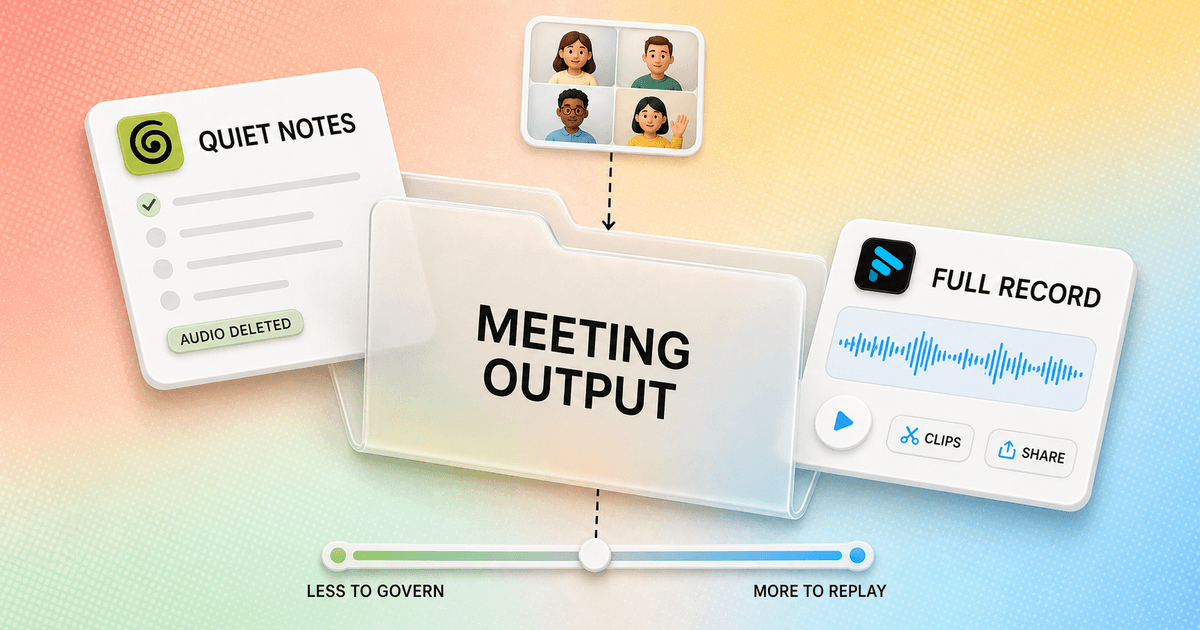
Granola is the better notebook. Fathom is the better free meeting record.
- I choose Granola when I want a quiet client-call experience, a concise note, and no retained meeting audio.
- I choose Fathom when replay, clips, sharing, and unlimited free recordings matter more than keeping the workflow invisible.
- Fathom's new bot-free beta narrows the old difference, but I verify platform and language eligibility before I standardize on it.
Granola and Fathom can both turn a meeting into a transcript, summary, action items, and searchable history. In a feature table, they look like close substitutes. In a live call, they ask me to work differently and leave behind different evidence.
Granola wants a few rough notes from me while it listens. Those cues help shape a concise page after the call, and the company says it deletes the captured audio once transcription is complete. Fathom begins from the record. It can retain the call, let me replay or clip it, and share a page that contains the recording, transcript, and follow-up context.
This granola ai vs fathom comparison focuses on that difference rather than counting AI features. If neither artifact fits, my Granola AI alternatives guide covers seven other bot-free, transcript-first, local, and team-oriented choices.
My verdict
I use Granola when the note is the product and Fathom when the call itself remains useful.
For a weekly planning call, one-to-one, product review, or sensitive client conversation, I usually prefer Granola. I type a few phrases that carry judgment, such as a changed deadline or a risk nobody owns. The enhanced note is easier to scan than a recording page, and I am not creating an audio archive by default.
For a sales demo, interview, recruiting screen, research call, or coaching session, Fathom has the stronger artifact. I can replay the exact wording, cut a highlight, send a call page, and let somebody who missed the meeting inspect the source. Fathom Free also gives an individual enough capacity to learn whether that record changes real work.
The expensive mistake is choosing from price alone. Fathom can be free and still be wrong if a visible bot damages a first call or if my meetings happen on unsupported devices. Granola can cost $14 monthly and still be wrong if one missing nuance forces me to admit that the source audio no longer exists.
| Decision | Granola AI | Fathom |
|---|---|---|
| Default product | A quiet meeting notebook shaped by my own rough notes | A recording, transcript, summary, clips, and sharing workspace |
| Best working habit | I leave short cues during the call and read a concise note afterward | I capture the whole call, then replay, clip, search, or share it |
| Capture visibility | No participant bot joins the meeting | Traditional visible bot, or new bot-free modes for eligible users |
| Source record | Granola says it deletes audio after transcription | Fathom can retain audio and video; Transcript Only mode saves no recording |
| Free-plan trade | Core notes, but only the latest 30 days remain accessible | Unlimited recordings and transcripts, with five advanced summaries monthly |
| Best fit | Client-facing and decision meetings where presence and a clean note matter | Sales, recruiting, demos, and interviews where replay and sharing matter |
The real difference
Granola edits the meeting down. Fathom keeps a route back.
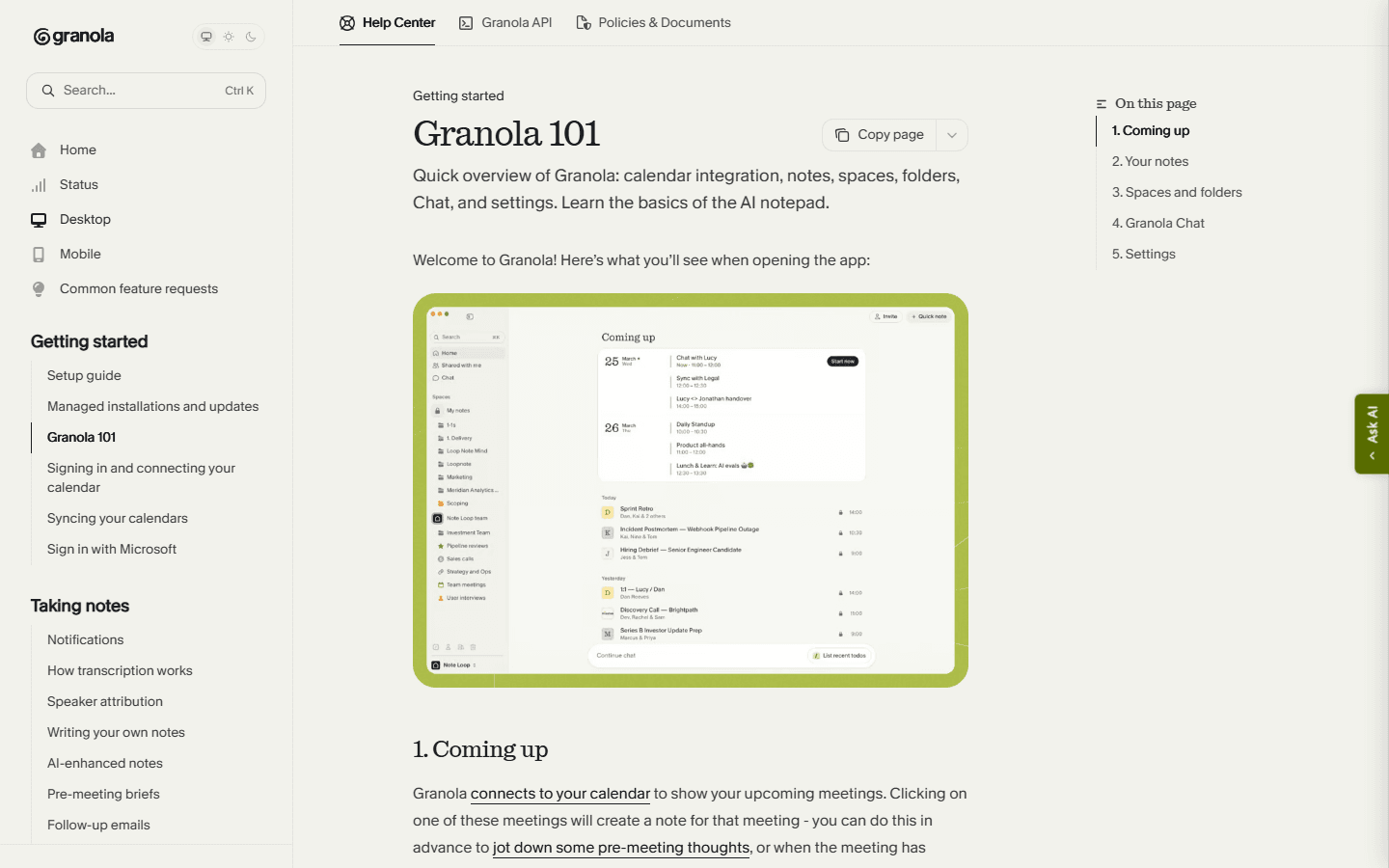
Granola opens like a notebook linked to my calendar. I can prepare questions, write short cues during the call, and let the transcript fill gaps afterward. The page remains the center of attention. That makes it comfortable for people who already know what they need from the meeting and do not want to manage a recording library.
Fathom treats the recorded call as a workspace. The summary, transcript, action items, clips, questions, and share controls all point back to the source. This is heavier than a note, but the weight is useful when a manager needs to coach a call, a recruiter needs to revisit an answer, or a customer wants the relevant moment instead of my interpretation.
I do not call one approach more accurate in the abstract. A clean note can omit a nuance. A complete recording can bury the decision in forty-five minutes of polite conversation. The question is whether I would rather repair a summary now or investigate the source later.
Before the meeting
Granola rewards preparation. Fathom rewards capture policy.
Before Granola, I open the calendar event and add the questions I cannot afford to forget. The preparation survives into the final note, so I am not waiting for AI to guess what mattered. I also check the microphone and calendar because a quiet interface is only useful when it is actually listening.
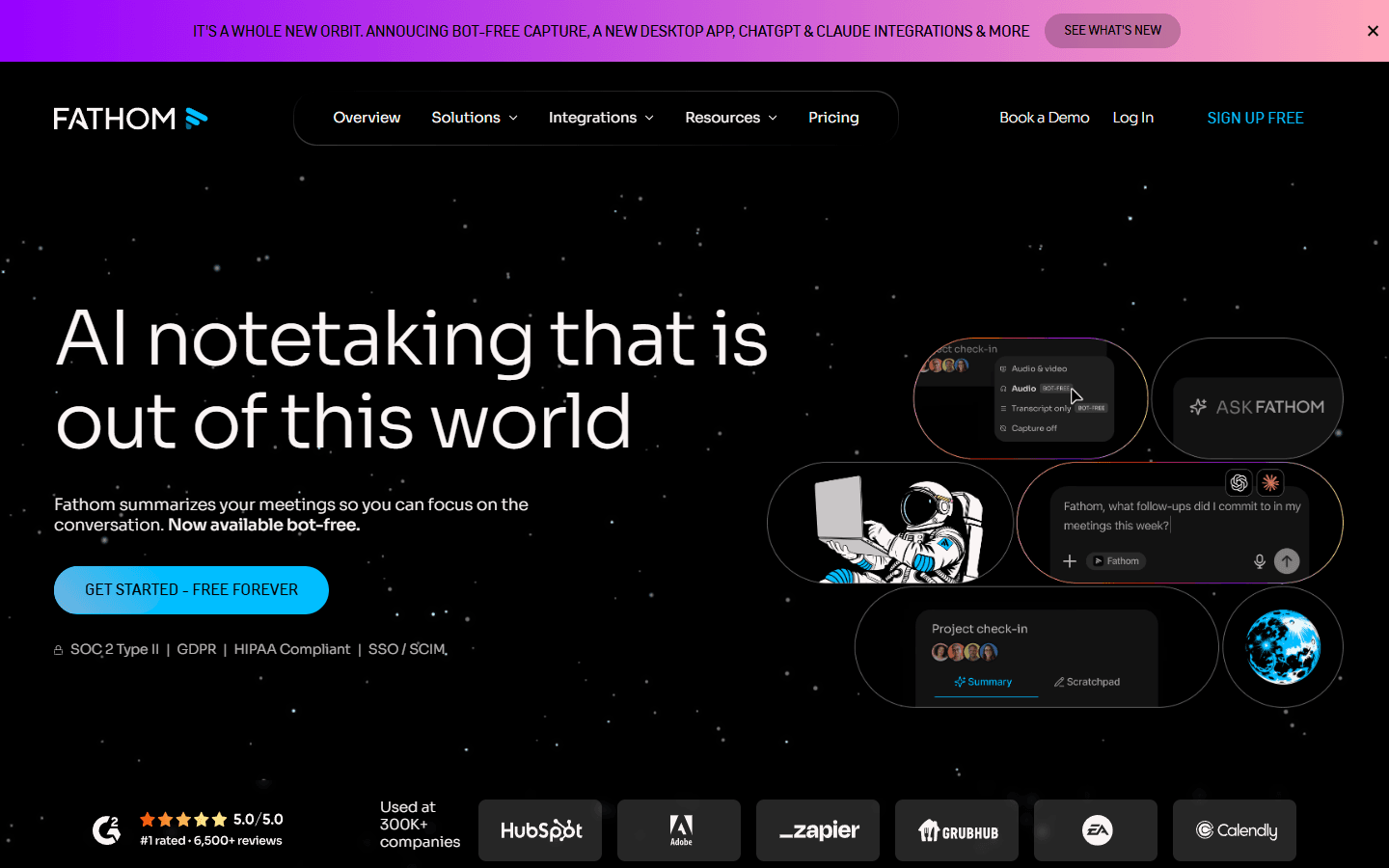
Before Fathom, I choose how the meeting may be captured and shared. In the previous experience, the Notetaker joins Zoom, Google Meet, or Microsoft Teams as a visible participant. In the new experience, eligible users can select Transcript Only, Audio Only, or bot-based Audio and Video. Those are policy choices, not cosmetic settings.
I turn off blanket auto-capture until I have tested external calls, internal calls, waiting rooms, recording notices, calendar attendees, and auto-share. Fathom can send recordings or summaries after a meeting. That is convenient right up to the moment a sensitive link reaches everyone on the invite, including the person who never attended.
During the meeting
Granola uses my cues. Fathom gives me a replayable safety net.
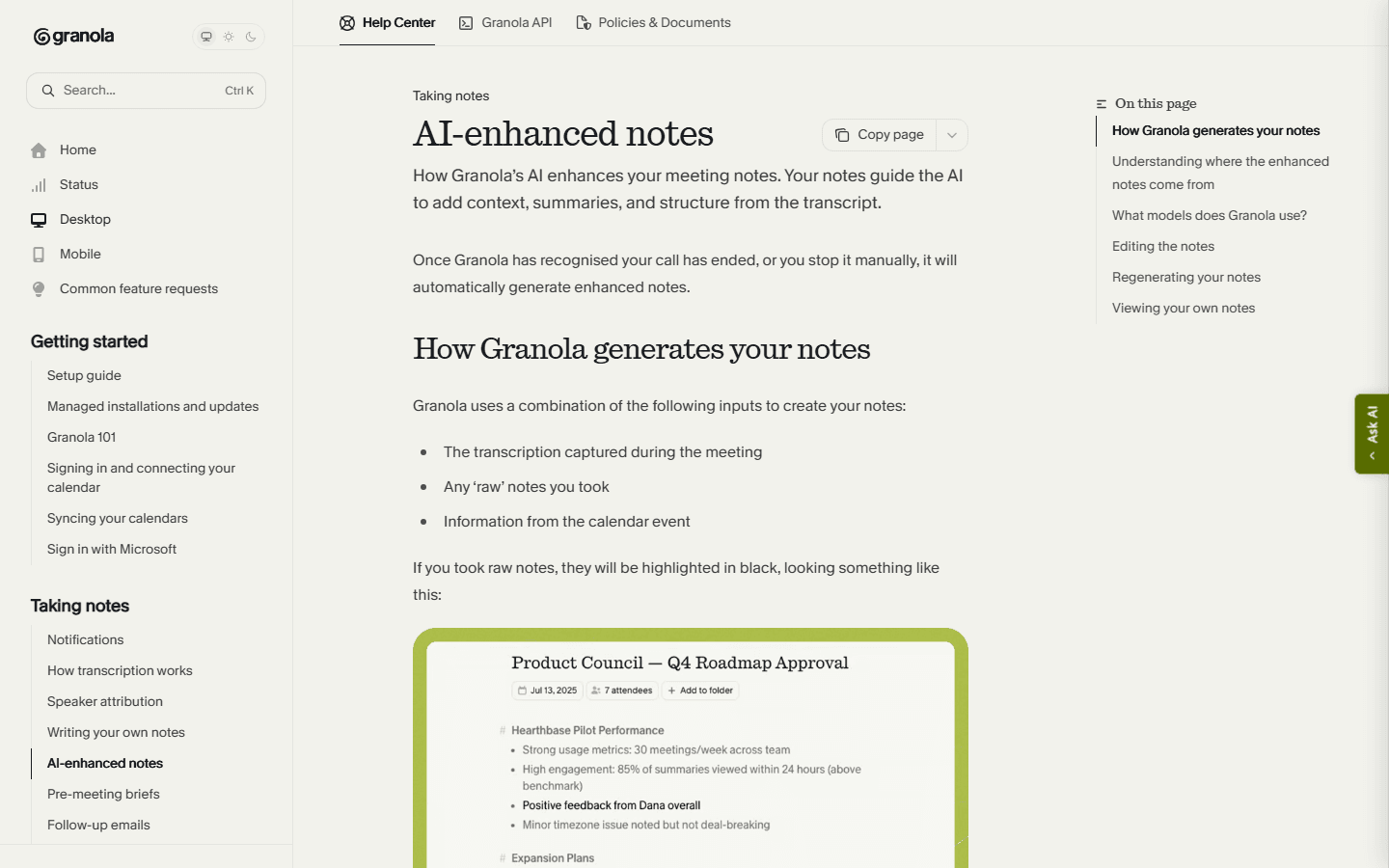
During a Granola call, I write fragments rather than sentences. A customer name, a new date, a hesitation, or an ownerless task is enough. Granola's documentation says the enhanced note uses the transcript, my rough notes, and the calendar event. My attention becomes part of the prompt without forcing me to stare at live text.
Fathom asks less of my keyboard. I can capture the conversation and add highlights when a moment matters. The trade is social and visual. A visible bot can reassure people that recording is happening, or it can make a first call feel like an interview room. The new bot-free experience removes the participant bot, but it still includes recording notices and consent prompts.
I stay skeptical of both kinds of confidence. Granola can produce a polished note that quietly missed a qualification. Fathom can preserve a recording and still mislabel a speaker or generate a clumsy action item. I verify names, numbers, decisions, owners, and anything that will leave the team.
After the meeting
Granola wins the first read. Fathom wins the second look.
Granola's result is usually closer to a brief. I can change the template, regenerate the note, edit it, organize it into folders, share it, ask questions across meetings, and use paid integrations to move follow-up into other systems. The page encourages me to close the meeting rather than keep browsing it.
Fathom is stronger when the meeting remains an asset. I can replay the call, trim or clip a useful moment, search across meetings, send a share link, and download a recording as MP4. Its help center says transcripts are copied to the clipboard rather than downloaded as a transcript file, which is a small but real migration detail.
I prefer Granola when ten people need the decision. I prefer Fathom when one person needs the evidence. Teams often think they want both for every call. In practice, that doubles the places where somebody must check access, correct a summary, and decide what can be deleted.
Bots and capture modes
The old bot-versus-no-bot comparison is now incomplete.
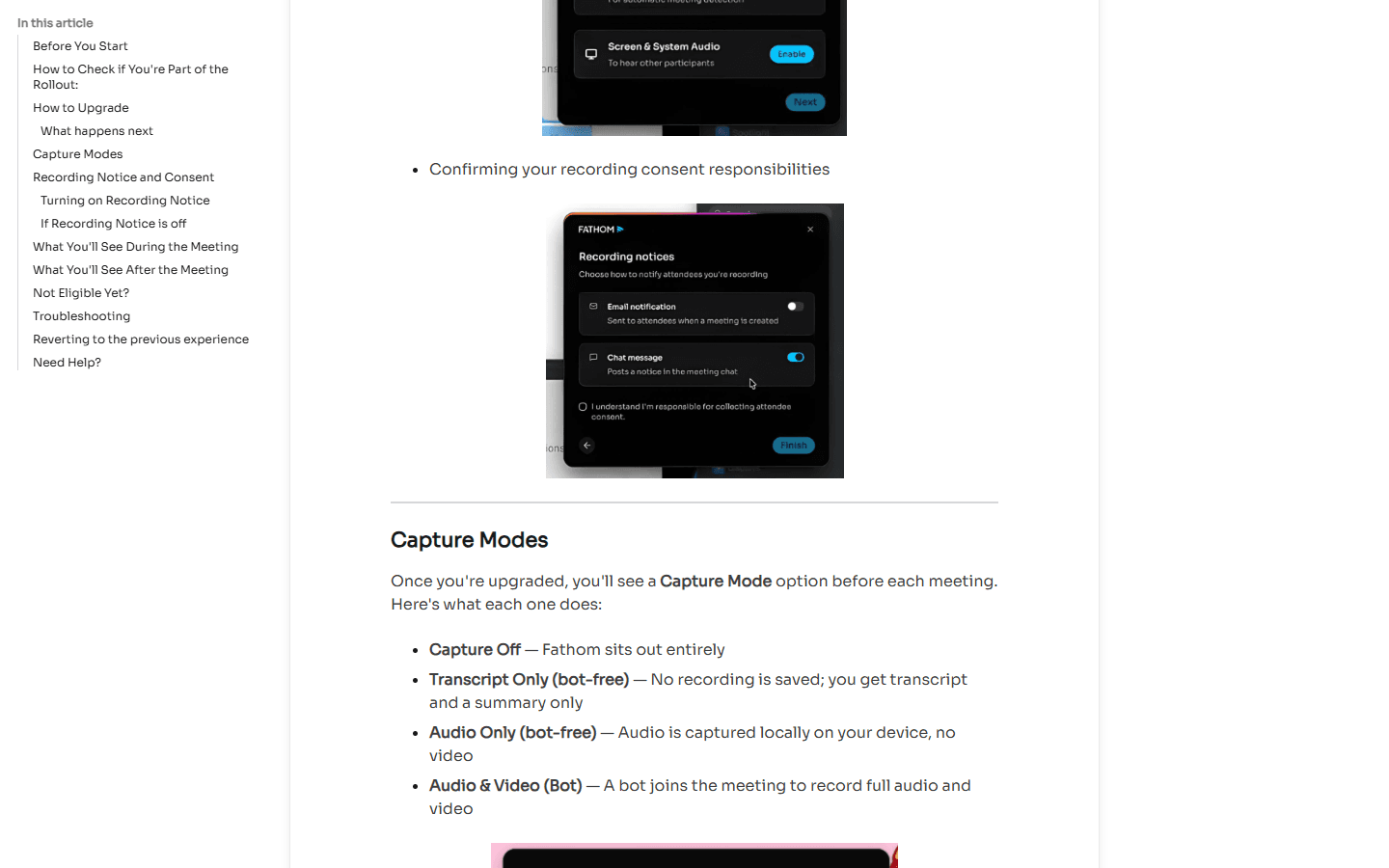
Granola remains simple: no participant bot joins the call. It captures audio through the device, creates the transcript and note, and says it does not retain the meeting audio. I still disclose the capture because bot-free does not mean invisible or exempt from consent.
Fathom's 2026 rollout makes the comparison more interesting. Transcript Only is bot-free and saves no recording. Audio Only is bot-free and captures audio locally without video. Audio and Video uses the meeting bot. That lets an eligible user choose between a lighter artifact and the full record rather than accepting one model everywhere.
The eligibility caveat matters. Fathom's rollout documentation currently describes the new experience as phased, initially for Mac users with English-language meetings. Its general compatibility page says Windows remains supported through the previous experience while new bot-free Windows support is coming. I test the actual account and machine before I write a company policy around a beta label.
Meeting coverage
Granola is more flexible around in-person work. Fathom is more focused on linked online meetings.
Granola supports desktop meetings, in-person conversations, mobile capture, and voice memos. Mobile operating systems still limit recording another call on the same phone, so neither product becomes a universal phone recorder just because it has an app.
Fathom's current compatibility guidance focuses on standard Zoom, Google Meet, and Microsoft Teams links on Mac or Windows. It does not currently support Chromebooks, Linux, mobile devices, phone calls, webinars, or breakout rooms. Its new iOS path for in-person meetings was still described as coming soon during this review.
Fathom also says it cannot accept uploaded external recordings for analysis. That makes it a poor fit when my archive arrives as MP3 or MP4 files from another recorder. Granola's broader capture options give it the advantage for mixed meeting environments, while Fathom remains strongest inside the online calls it can organize and share well.
Pricing and limits
Fathom wins free capacity. Granola sells the quieter long-term notebook.
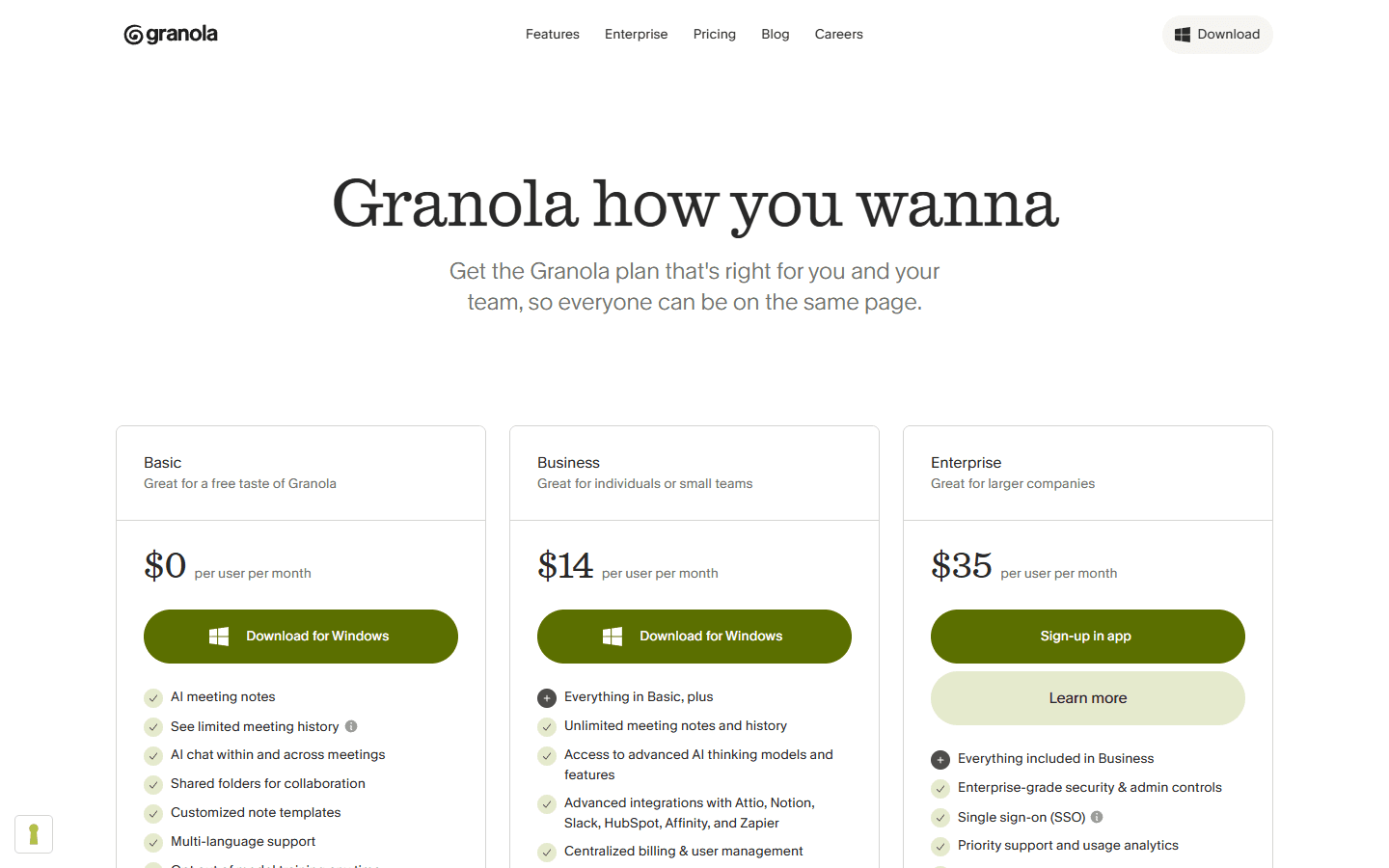
Granola Basic costs $0. The catch is accessible history: its help center says I can see and use only notes from the latest 30 days. Older notes remain stored but unavailable until I upgrade. Business costs $14 per user monthly and adds unlimited note history, advanced AI, integrations, MCP, and API access. Enterprise starts at $35 per user monthly.
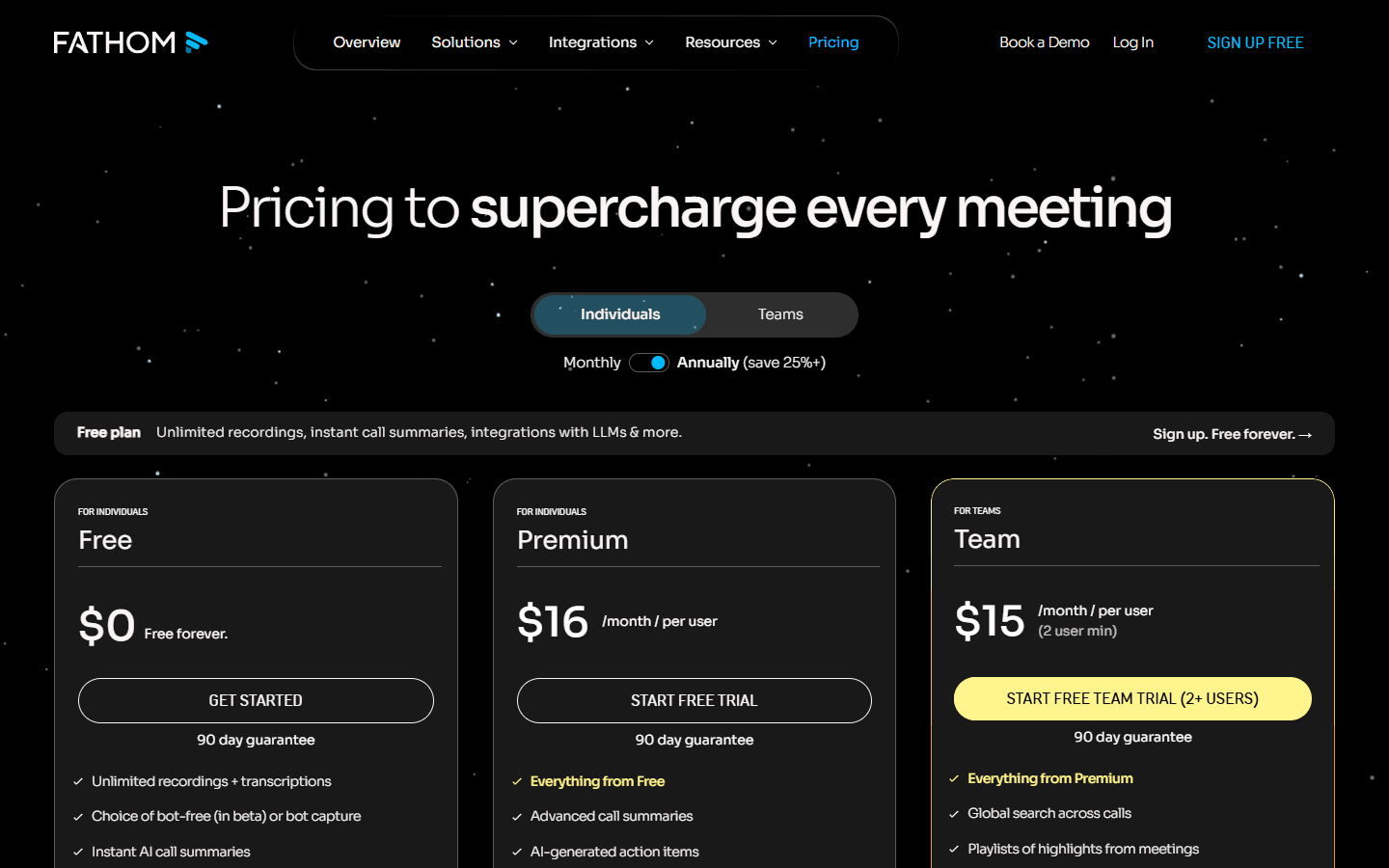
Fathom Free costs $0 and includes unlimited recordings, storage, and transcriptions in 38 languages. The current individual comparison allows five advanced summaries each month; later calls fall back to the General or Enhanced template. Premium costs $20 monthly or $16 per user monthly on annual billing and adds unlimited advanced summaries, action items, follow-up emails, custom summaries, and Ask Fathom.
For teams, the live page shows Team at $19 monthly or $15 on annual billing per user, and Business at $34 monthly or $25 annually, both with a two-user minimum. That can make a free individual pilot inexpensive and a team rollout surprisingly different. I price the seats, sharing model, CRM work, and recording governance together.
| Plan layer | Granola AI | Fathom |
|---|---|---|
| Free | $0 Basic; notes older than 30 days remain stored but cannot be accessed | $0; unlimited recordings, storage, and transcriptions in 38 languages, plus five advanced summaries monthly |
| Individual paid | $14 per user monthly for Business with unlimited notes and history | $20 monthly or $16 monthly on annual billing for Premium |
| Team paid | $35 per user monthly starting price for Enterprise | Team is $19 monthly or $15 annually per user; Business is $34 monthly or $25 annually per user, both with a two-user minimum |
| Limit I watch | Accessible history, workspace seats, integrations, and lack of retained audio | Advanced summary allowance, beta availability, supported meetings, recording governance, and team minimums |
Privacy and sharing
Granola reduces the artifact. Fathom gives me more controls because it may keep more.
Granola says audio is temporarily cached for transcription and deleted afterward. Notes and transcripts still contain sensitive information, and the company stores personal data on AWS servers in the United States. Its documentation says third-party model providers do not train on personal data and Granola's own de-identified training can be opted out of in account settings.
Fathom can retain video, audio, transcript, summary, highlights, questions, and shared links. Its DPA describes encryption at rest and in transit plus SOC 2 Type II and HIPAA controls. The pricing page places a signed BAA under Enterprise. I verify the contract and plan rather than treating a homepage compliance line as universal coverage.
Sharing is the operational risk I test hardest. A Fathom link can expose the recording, transcript, and questions without requiring the recipient to create an account, depending on access settings. Anyone-with-the-link is convenient and broad. Granola leaves less source material to share, but a concise note can still disclose the exact customer detail I should have removed.
Customer research
Reddit complaints reveal what each product refuses to optimize.
The strongest Granola complaint in the direct comparison thread came from a user who found missing notes and nuance frustrating, especially because the paid subscription did not include access to the audio file. That is the clean-note bargain in one sentence: I govern less, but I cannot always go back.
Fathom gets praised for a free plan that supports real usage and for structured summaries tied to a recording. The recurring social complaint is the visible Notetaker on client calls. New bot-free capture weakens that objection for eligible users, but the comments remain useful for teams still on the previous experience or Windows rollout path.
Other complaints follow the artifact. Fathom users must manage consent, bot admission, recordings, share links, and the limits around unsupported meeting types. Granola users question missed detail, speaker handling, reliability, and the 30-day free-history window. I turn those complaints into test cases rather than pretending a small thread is a failure-rate study.
Fit before features
Who Granola AI and Fathom are for, and who should keep looking.
Choose Granola
I want to stay present, add my own judgment during the meeting, and leave with a concise note without maintaining a recording library.
Skip Granola
I need to replay exact wording, share a call link, build highlight clips, or keep the source recording for coaching and review.
Choose Fathom
I want a genuinely useful free plan, recorded calls, clips, search, easy sharing, and a workflow built around Zoom, Meet, or Teams.
Skip Fathom
A visible bot is unacceptable and I cannot access its new bot-free experience, or I need mobile, phone-call, upload, or reliable in-person capture today.
Granola suits founders, consultants, product managers, researchers, and client-facing teams that already know how to leave a few useful cues. It is less suitable when the organization needs a recording for coaching, evidence, detailed quotations, or audit.
Fathom suits salespeople, recruiters, interviewers, customer-success teams, and managers who regularly share or review calls. It is less suitable for mobile-first work, phone calls, external file analysis, large in-person rooms, or any team that cannot access and approve the required capture mode.
I choose neither when the meeting does not deserve capture, when consent is unclear, or when nobody will review the output. A free recorder can still create an expensive pile of ignored conversations.
Switching cost
Future calls move quickly. Historical recordings do not.
Moving from Granola to Fathom is easy for the next call. I connect the calendar, choose capture modes, set consent notices, test waiting rooms, and design sharing defaults. History is harder because Granola's CSV export contains titles and summaries rather than full transcripts. I preserve important notes before downgrading or closing a workspace.
Moving from Fathom to Granola requires a recording triage. I download the MP4 files worth keeping, copy important transcripts, preserve clips and timestamps, and document who still has shared links. Then I rebuild note templates and integrations in Granola, accepting that future meetings will not have replay audio.
For one person, I budget two hours and five overlapping meetings. For a team, I budget several days for capture eligibility, calendar access, consent, retention, sharing, CRM fields, templates, exports, seat minimums, training, and rollback. I keep both only when each owns a named meeting type.
| Move | Work involved | My estimate |
|---|---|---|
| Granola to Fathom | Export important notes, connect the calendar, choose bot or bot-free capture, set consent and sharing defaults, and rebuild summary templates. | Low for future calls; medium for useful history |
| Fathom to Granola | Download recordings worth keeping, copy important transcripts, preserve clips and timestamps, then rebuild note templates and integrations. | Medium to high because the playback archive does not transfer |
| Keep both | Use Granola for client and decision calls; use Fathom for demos, interviews, coaching, and meetings that need a replayable record. | Low setup, higher policy and search overhead |
My five-meeting test
Test the artifact one week later, not only the summary one minute later.
- Run an external call. Watch consent, bot visibility, waiting-room behavior, and the other person's comfort.
- Run a dense call. Include jargon, overlapping speakers, a changed number, and an action nobody states cleanly.
- Share the result. Ask a colleague who missed the meeting to find the decision, evidence, owner, and next date.
- Return one week later. Recover a nuance without remembering the meeting title and note how often replay changes the answer.
- Export and revoke. Confirm what I can take out, what remains in the product, and whether a shared link can still be opened.
I keep Granola when the finished note is useful without repair and the lack of audio reduces more risk than it creates. I keep Fathom when replay, sharing, clips, and free capacity save repeated work. If I cannot name who will use the recording, I do not create one by habit.
FAQ
Practical questions about Granola AI vs Fathom.
Is Fathom better than Granola AI?
I prefer Fathom when I need recordings, replay, clips, sharing, and a generous free plan. I prefer Granola when I want a quiet note-taking workflow, no visible participant bot, and no retained meeting audio. The better choice depends on whether the clean note or the source record matters more.
Is Fathom really bot-free in 2026?
Fathom has a new bot-free experience with Transcript Only and Audio Only modes, but its help center describes a phased rollout that initially targets Mac users and English-language meetings. The previous experience still uses a visible meeting bot. I check the actual desktop app before promising a bot-free workflow to a team.
Does Fathom have a better free plan than Granola?
For recording volume, yes. Fathom Free includes unlimited recordings, storage, and transcriptions, with five advanced summaries per month. Granola Basic limits accessible note history to the latest 30 days. Granola may still be the better fit when avoiding stored recordings matters more than free capacity.
Can Fathom record in-person meetings or phone calls?
Fathom's current compatibility guidance focuses on standard Zoom, Google Meet, and Microsoft Teams links on Mac or Windows. Its new iOS in-person capture was still described as coming soon, and phone calls were not supported. I would not buy it for those workflows until the relevant official support page changes.
Can I move from Fathom to Granola?
Yes, but I download important Fathom recordings and copy transcripts before moving. Granola can replace the note workflow, not Fathom's historical playback and clip library. I also rebuild templates and teach users to leave short cues during calls.
Sources
First-party product pages and customer discussions used for this guide.
- Granola 101
- Granola AI-enhanced notes
- Granola pricing
- Granola subscriptions and billing
- Granola security and data FAQs
- Fathom product overview
- Fathom pricing
- Fathom free versus Premium
- Fathom bot-free capture modes
- Fathom device compatibility
- Fathom recording downloads
- Reddit: Granola and Fathom two-week comparison
Read related articles
Keep reading practical SwitchMyTool guides after this one.

Qodo vs Codacy in 2026: Better AI Review or Stronger Merge Gates?
I compare Qodo and Codacy by AI review, static analysis, security gates, pricing, migration cost, team fit, and common Reddit complaints.
Read more
Qodo vs Graphite Agent in 2026: Better Review Governance or a Better PR Workflow?
I compare Qodo and Graphite Agent by review quality, stacked pull-request workflow, pricing, team fit, migration cost, and common Reddit complaints.
Read more
Qodo vs Bito in 2026: Better Review Governance or Broader Developer Coverage?
I compare Qodo and Bito by review governance, Git and IDE coverage, repository rules, pricing, team fit, migration cost, and Reddit complaints.
Read more