 SwitchMyTool

Quick answer
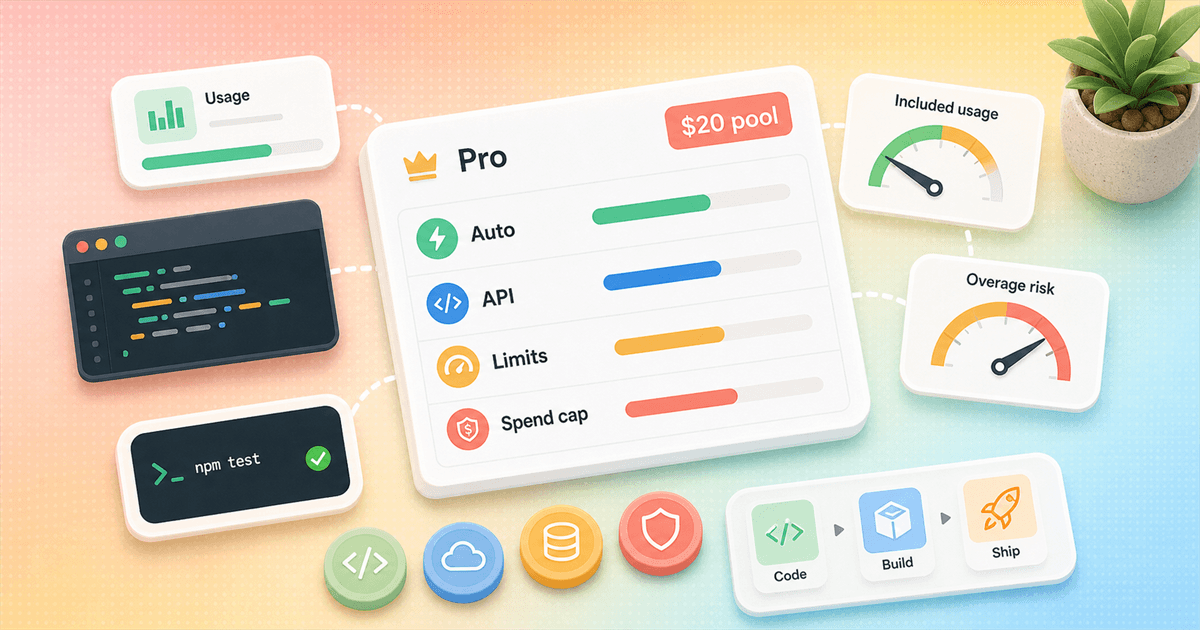
Pro is still worth it for normal daily coding. It is not a blank check for expensive model calls.
If you want the cleanest answer, start here: Cursor Pro is still the plan most solo developers should test first. It gives you the paid editor, better Agent limits, access to frontier models, and the features that make Cursor feel like Cursor rather than a nicer autocomplete demo.
But Pro is no longer a simple "I bought the thing, therefore every smart model is unlimited" plan. Cursor moved toward usage pools and token-aware billing because one tiny refactor and one agentic multi-file rebuild do not cost the same behind the curtain. That is annoying if you loved the old request-count story. It is also more honest.
This guide is my plain-English read on Cursor pricing and limits. The goal is not to make the pricing page sound friendlier than it is. The goal is to help you avoid two bad outcomes: overpaying for a plan you barely use, or cheaping out on Pro while you quietly burn time fighting your usage ceiling.
My bias is practical. If Cursor saves you one focused hour a month, Pro is easy to defend. If it becomes your daily coding cockpit, Pro may be too small. If you use it twice and then go back to VS Code, even free is expensive because it costs attention.
Buying rule
Pro is still the sensible first paid plan if you mostly use Tab, Auto, and a normal amount of Agent work.
Buying rule
The moment you choose specific frontier models all day, the old mental model of fixed requests breaks. You are now spending a usage pool.
Buying rule
The best way to read Cursor pricing and limits is by workflow: Tab user, occasional Agent user, daily Agent user, or team power user.
Buying rule
Use spend caps early. A good cap is boring. A missing cap is how pricing becomes a Slack thread.
Current plan map
The pricing page is simple. The real pricing model lives one click deeper.
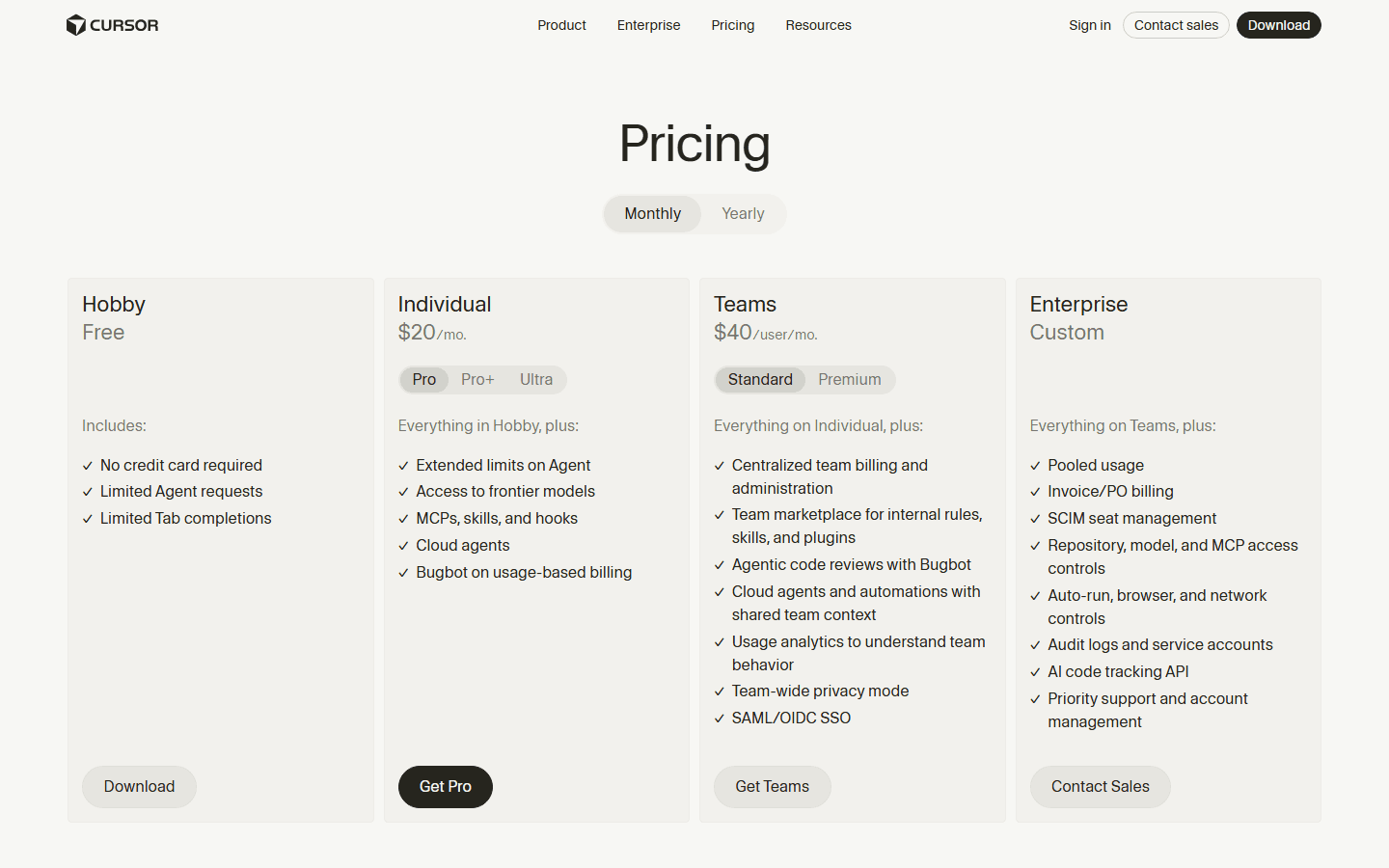
Cursor's public pricing page starts with four buckets: Hobby, Individual, Teams, and Enterprise. That is the friendly version. Hobby is free. Individual starts with Pro at $20 per month. Teams Standard starts at $40 per user per month. Enterprise is custom.
The friendly version is useful for picking a checkout button. It is not enough for understanding your bill. The moment you care about Agent, specific models, Max Mode, or team seats, you need the Models and Pricing docs too. That page explains the pools and limits that actually answer "what am I buying?"
The pricing page also reveals Cursor's product bet. The paid plans are no longer just about autocomplete. Pro mentions extended Agent limits, frontier models, MCPs, skills, hooks, cloud agents, and Bugbot on usage-based billing. Cursor wants to be the place where coding agents run, not just the place where a completion pops into a line of code.
That matters for value. If you only want a nicer Tab completion, Pro can still feel fine. If you want Agent to inspect a repo, edit files, run commands, call tools, and work in the background, pricing starts to look more like cloud usage. You are not paying for a button. You are paying for repeated model work.
| Plan | Published price | What it means in practice |
|---|---|---|
| Hobby | Free | Limited Agent requests and limited Tab completions. Good for trying Cursor, not for a daily coding habit. |
| Individual Pro | $20 per month | Adds extended Agent limits, frontier models, MCPs, skills, hooks, cloud agents, and Bugbot on usage-based billing. |
| Individual Pro Plus | $60 per month | For developers who use Agent often enough that Pro feels cramped but Ultra feels silly. |
| Individual Ultra | $200 per month | A heavy usage tier. It only makes sense if Cursor is already a daily production tool, not a curiosity. |
| Teams Standard | $40 per user per month | Team billing, administration, internal rules and plugins, Bugbot review, cloud agents, analytics, privacy mode, and SSO. |
| Teams Premium | $120 per user per month | A power user seat with 5x the Standard Agent limits, according to Cursor's Teams pricing update. |
| Enterprise | Custom | Pooled usage, invoicing, SCIM, advanced access controls, audit logs, service accounts, and priority account management. |
Usage pools
Cursor Pro makes more sense when you stop thinking in fixed requests.
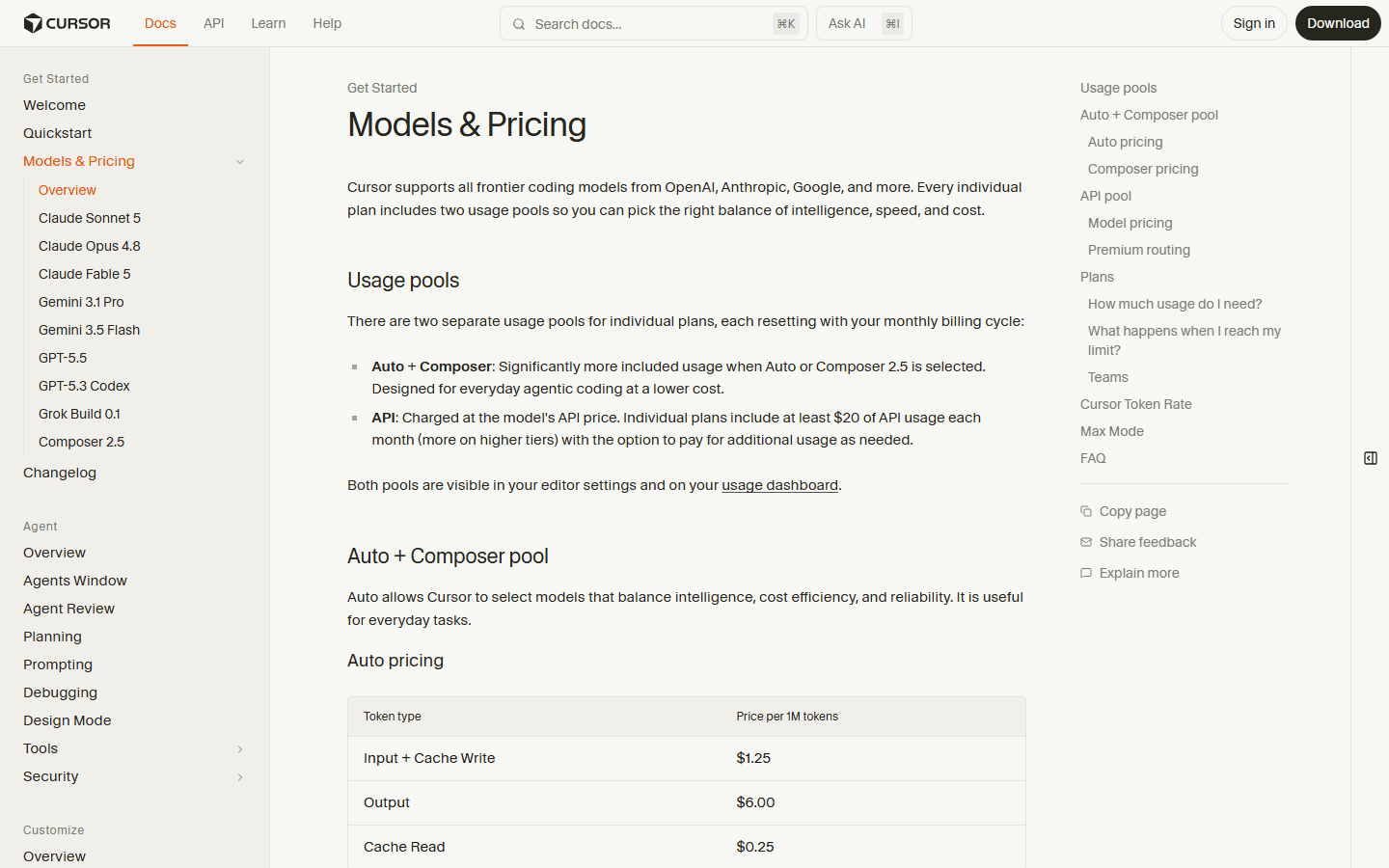
The old "how many requests do I get?" question is still understandable. It is also less useful now. Cursor's docs describe two usage pools for individual plans: Auto + Composer and API. Each resets with your monthly billing cycle.
The Auto + Composer pool is meant for everyday agentic coding at lower cost. In normal human words: use Cursor's own routing and Composer path when you want the tool to balance quality, speed, reliability, and price without forcing you to pick the model every time.
The API pool is what matters when you select a specific model or rely on Premium routing. The docs say individual plans include at least $20 of API usage each month, with more on higher tiers. Pro includes $20. Pro Plus includes more. Ultra includes much more. After that, you can pay for extra usage or upgrade.
This is the part that trips people up. A tiny chat, a normal completion, and a repo-wide agent task are not equal. A model that reads more context, writes more output, and runs a longer workflow consumes more. Cursor did not invent this problem. It just stopped hiding it behind a request counter.
If you are comparing Cursor pricing and limits with another coding tool, ask whether the other tool is also abstracting token cost. Many tools do. Some hide it better. Hiding cost feels nice until a vendor changes the pool or a model gets more expensive.
| Pool or feature | Plain-English meaning |
|---|---|
| Auto + Composer pool | Cursor's lower-cost everyday pool for Auto and Composer 2.5. It is designed for agentic coding when you do not need to hand-pick a specific frontier model. |
| API pool | The pool used when you pick a specific model or use Premium routing. Cursor says individual plans include at least $20 of API usage, with more on higher tiers. |
| On-demand usage | After included usage runs out, you can keep going by paying at the same rates or move to a larger tier. |
| Max Mode | A larger context mode that can help on complex codebase work but consumes usage faster because it uses token-based model pricing. |
Pricing history
The 2025 pricing confusion explains why people still ask if Pro is worth it.
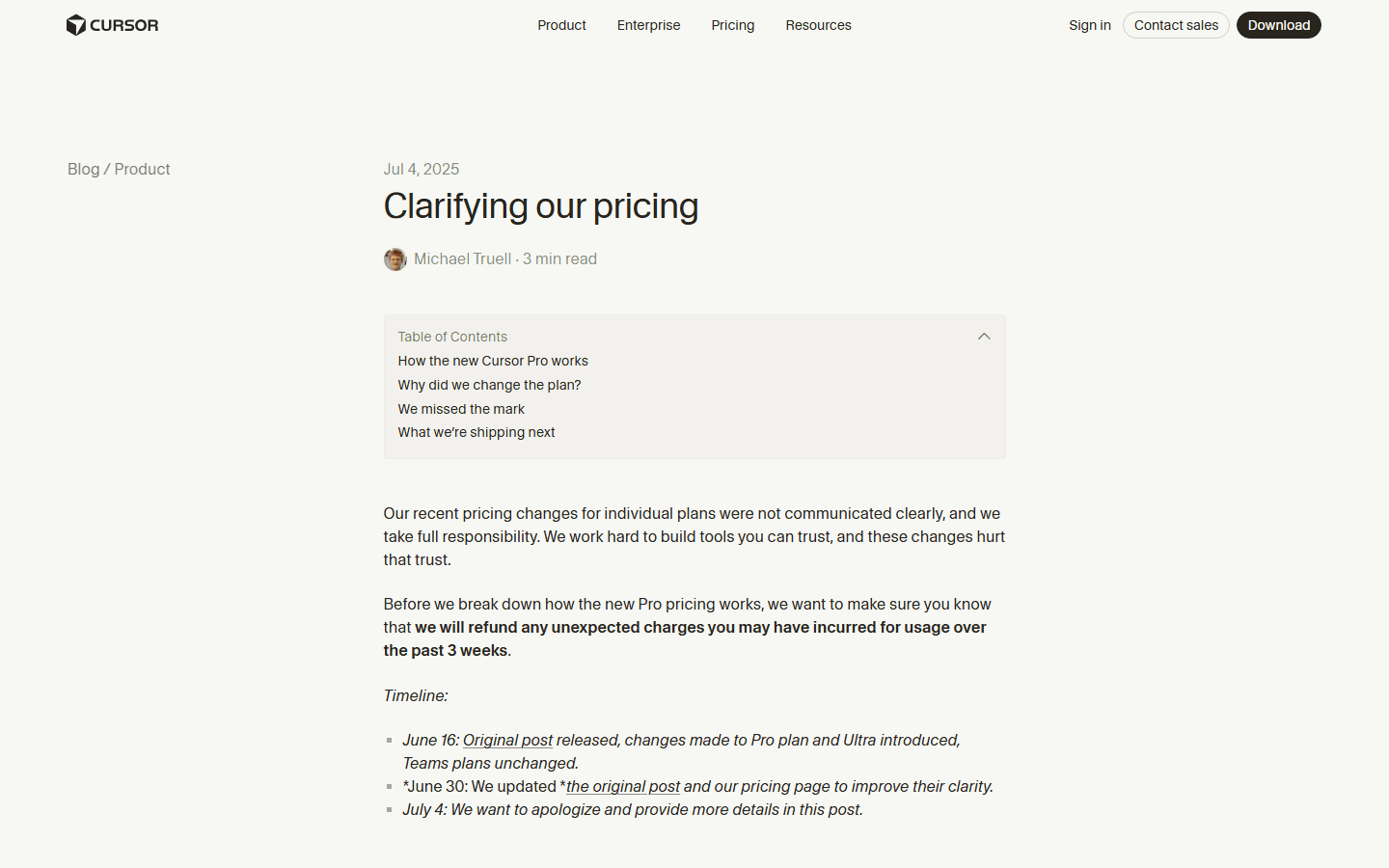
The reason this article needs to exist is not that $20 is hard to understand. It is that Cursor changed the meaning around that $20. In July 2025, Cursor published a pricing clarification after users reacted badly to recent individual plan changes. The post says the rollout was not communicated clearly and that unexpected usage charges from the previous weeks would be refunded.
The useful part of that post is the breakdown of the new Pro plan. Cursor described Pro as unlimited usage of Tab and Auto, $20 of frontier model usage per month at API pricing, and the option to purchase more frontier model usage at cost. It also said the old wording around "rate limits" was not intuitive. A usage credit pool was the better description.
Cursor also explained why it moved away from request-based pricing. Under the old model, Pro had a 500 request monthly limit and Sonnet models counted as two requests. That was simple, but not especially fair once models started spending very different amounts of tokens per task. Longer agent jobs can cost far more than quick questions.
The blog post gave a concrete sense of scale. Based on median token usage at that time, Cursor said Pro covered about 225 Sonnet 4 requests, 550 Gemini requests, or 650 GPT-4.1 requests, and that most Pro users did not run out of included usage. Do not treat those numbers as a forever guarantee. Use them as a clue about the underlying point: model choice and task size decide how far Pro stretches.
That is why the phrase "Cursor Pro includes $20" can feel both fair and slippery. Fair, because expensive work costs more. Slippery, because developers buy tools during a busy week and do not always want to run a small billing department in their head while fixing a failing test.
Auto is not magic money
Auto helps with cost control, but it is not a loophole.
Auto is easy to misunderstand because the word sounds like a comfort blanket. Let Cursor decide. Let the system route. Do not make me think about model names while I am trying to ship. That is a good product instinct. It is also a pricing abstraction, and abstractions still have edges.
Cursor's August 2025 update said it was changing limits on Auto for individuals. At the next billing renewal after September 15, Auto would contribute to monthly included usage at competitive token rates. The same post says Auto had been unlimited for individuals since June 2025.
My read: Auto is still the default most people should try first. It lets Cursor balance cost and quality, and it keeps you from reaching for the fanciest model because the dropdown makes it feel available. You do not need a premium model for every rename, test fix, docs change, or small component cleanup.
But Auto should not be treated as an infinite coupon. If your work is agent-heavy, the cost still exists somewhere. Cursor may route efficiently, but it cannot make a large codebase inspection free. The sane habit is to use Auto until you have a reason not to. The expensive habit is to pick the biggest model because it feels safer.
This is where Cursor pricing and limits become behavior design. The plan nudges you toward Auto for routine tasks and toward specific models when the work justifies it. That is not evil. It is also not the same as old-school flat-rate software.
Pro value
Pro is worth it when Cursor changes your default workflow.
A $20 tool does not need to save your career. It needs to save enough time, focus, or mistakes to justify the subscription. For many developers, Cursor Pro clears that bar quickly. Tab completions reduce small friction. Agent helps with boring file edits. Rules and project context make it feel more situated than a generic chat tab.
The best Pro user is not the person who runs the most spectacular agent demo. It is the person who opens Cursor every day, accepts some completions, asks Agent for contained tasks, reviews the diff, and ships with fewer context switches. That person does not need to wring every cent out of the plan. The plan earns its keep by making ordinary work less jagged.
The weakest Pro use case is casual curiosity. If you are trying five editors this month and Cursor is one tab in the pile, wait. Hobby exists for that. A paid plan only makes sense after you have felt a repeatable pull: "I keep coming back here because this editor makes the work easier."
There is also a middle case: you love Cursor but hate pricing ambiguity. That is fair. Cursor's wording has changed before. The fix is not to pretend the ambiguity does not exist. The fix is to set a spend cap, use the usage dashboard, and decide after a real month. Feelings are noisy. Usage history is less dramatic and more useful.
If you are coming from free tools, $20 can feel like a tax on programming. I get it. But developer tools are weird. We will lose two hours to a flaky local setup and then agonize over a subscription that might prevent the next two-hour detour. That math is not always rational. I say this as a person who has absolutely done the dumb version of it.
Workflow scenarios
The right Cursor tier depends on what you ask Agent to do.
Cursor's docs give a useful pattern: daily Tab users usually stay within the base included amount, limited Agent users often stay within it, daily Agent users can land higher, and power users can go much higher. That is exactly how I would think about the upgrade ladder.
The cheapest mistake is staying free too long. You waste a few hours and eventually pay. The expensive mistake is upgrading to a large plan because one unusually busy week scared you. Do not let either mistake make the decision for you. Run the same kind of work for a month and look at the pattern.
For solo developers, Pro is the default test. For developers using Agent every day, Pro Plus is the plan to compare against Pro once you have real usage. For people running multiple agents, cloud agents, or automation, Ultra may be rational. It is not a status symbol. It is a usage bet.
If the jump from Pro to Pro Plus feels steep, ask what the extra usage replaces. Does it replace boilerplate edits, migration chores, test cleanup, exploratory refactors, bug hunts, or code review? If the answer is "mostly vibes," stay on Pro. If the answer is "half my afternoon," the upgrade starts sounding less silly.
| Your actual usage | Where I would start |
|---|---|
| You mostly use Tab and small edits | Pro is likely enough. Cursor's own docs say daily Tab users usually stay within the base included amount. |
| You use Agent a few times per week | Start with Pro, set a spend cap, and watch the usage dashboard for a month before upgrading. |
| You use Agent every day | Pro may still work if Auto handles most tasks. If you pick premium models often, Pro Plus is the more honest budget. |
| You run multiple agents or automation | Ultra or Teams Premium belongs in the conversation. At that point, you are buying throughput, not just an editor. |
| You manage a team | Look at Teams Standard first, then put the few heavy users on Premium seats instead of upgrading everyone. |
Spend controls
The smartest Cursor buyer sets limits before the first busy sprint.
The pricing anxiety around Cursor is not just about cost. It is about surprise. Developers can handle expensive tools when the value is obvious and the bill is predictable. They get annoyed when the product says "assistant" and the invoice says "infrastructure."
Spend caps are the boring fix. Cursor's clarification post says users can enable a spend limit if they exceed included usage and want to purchase additional frontier model usage. That single setting changes the psychology. You are not waiting for a bad bill. You are choosing a ceiling.
I would set the cap low at first. Not forever. Just long enough to learn your shape of usage. A developer who asks Agent to rename a component once a day has a different cost curve from a developer who asks it to rework a multi-package repo while reading half the codebase.
Watch out for Max Mode too. It exists for real reasons. More context can help on large codebase tasks, hard refactors, and bugs where the answer lives across too many files. But bigger context means more usage. Max Mode is a tool, not a lifestyle.
If you manage a small team, write a one-paragraph usage norm. Use Auto first. Use specific premium models when a task needs them. Turn on spend alerts. Review the first month. Nobody needs a twelve-page policy. They need a default that prevents Friday afternoon invoice archaeology.
- Turn on a spend cap before you run a week of real work.
- Use Auto for ordinary implementation and cleanup tasks before reaching for a named frontier model.
- Check which pool a request uses. Auto + Composer and API usage are not the same thing.
- Save Max Mode for jobs that need the extra context. It is not a default setting for every typo fix.
- Review usage by task type: bug fix, refactor, feature, code review, and cloud agent run.
- If Pro runs out twice in a row, upgrade by habit, not panic. One weird week is not a pricing strategy.
- For teams, separate normal developers from power users. A few expensive seats beat one bloated plan for everyone.
- Re-open the official pricing page before renewal. Cursor has changed wording, pools, and team seats more than once.
Teams
Teams pricing is a different decision from individual Pro.
Individual Pro asks one question: does Cursor help one developer enough to justify the monthly price? Teams asks a messier question: can you give developers useful agentic coding without letting a handful of heavy users distort the entire bill?
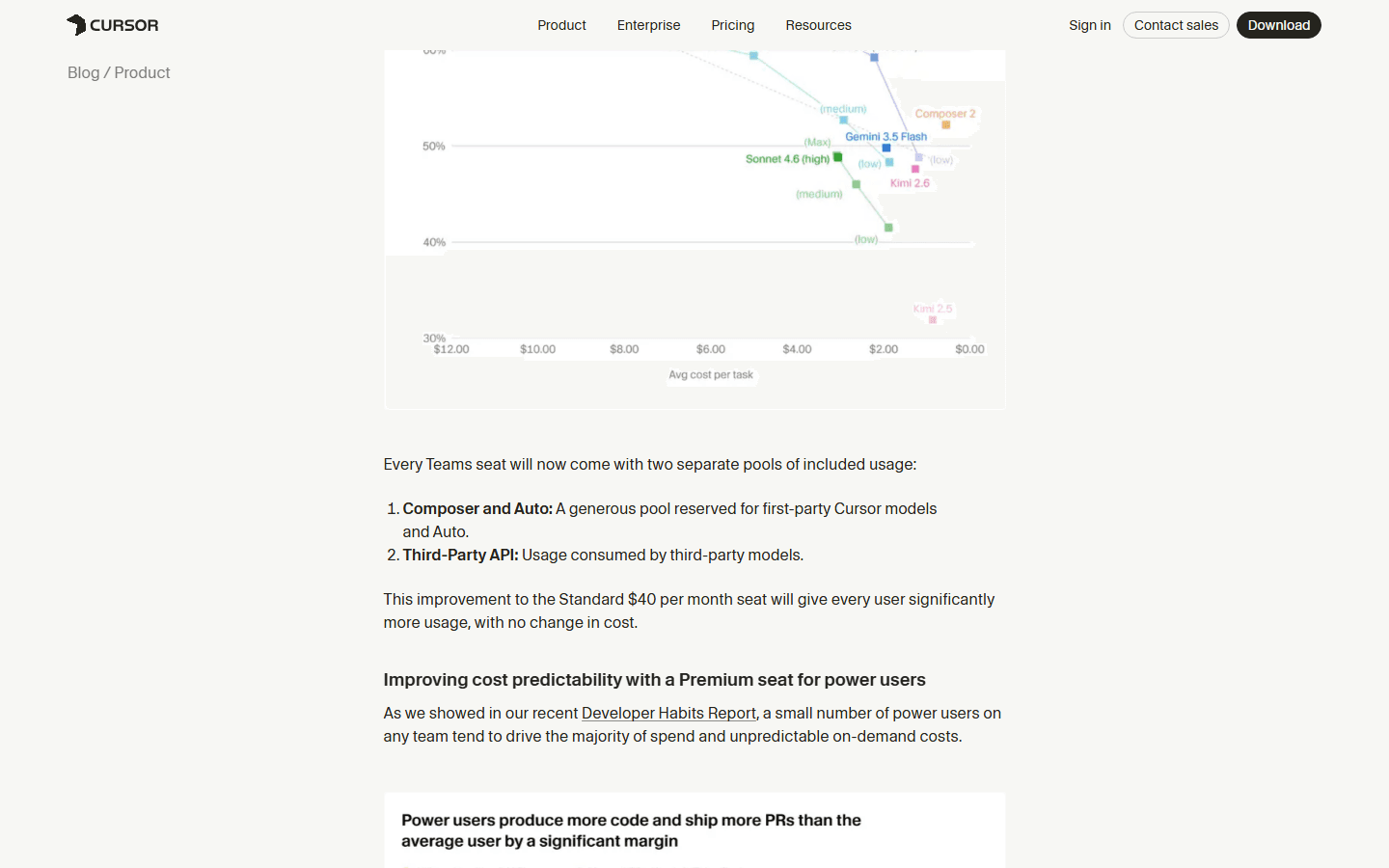
Cursor's June 2026 Teams update is worth reading if you buy for a group. It says Teams seats now come with two separate pools of included usage: Composer and Auto, plus Third-Party API. Standard stays at $40 per month on monthly billing, while Premium costs $120 per month and gives 5x the usage of Standard.
That structure makes sense. Most teams do not have uniform usage. One engineer may use Cursor like a normal editor with occasional Agent help. Another may run agents through large refactors, cloud tasks, or automation. Putting both people on the same heavy plan is lazy budgeting.
The better team pattern is mixed seats. Give most people the Standard seat. Put real power users on Premium. Use analytics and spend alerts. If Enterprise controls matter, especially pooled usage, invoicing, SCIM, repository controls, model controls, MCP access controls, and audit logs, then talk to sales instead of trying to force Teams to behave like Enterprise.
Teams also changes the value of rules, skills, hooks, and internal marketplaces. Those features are not just shiny extras. They are how a company turns "a developer with an AI editor" into "a team with shared coding habits." That is where Cursor can become more useful than a cheaper personal tool.
Buying decision
My practical recommendation.
If you are a solo developer who already likes Cursor, buy Pro for one month and use it normally. Do not try to cosplay as a benchmark lab. Use it for your real repo, your real tests, your real annoying chores, and your real review habits. Then look at the usage and ask whether the month felt easier.
If you are not sure Cursor is your editor, stay on Hobby until you are sure. Paying early does not make the tool stick. Daily use makes the tool stick. When you catch yourself missing Cursor in another editor, that is a better upgrade signal than a launch video.
If you already use Pro and keep bumping into limits, do not jump straight to Ultra unless the work clearly justifies it. Try Pro Plus or on-demand usage with a cap. Look at which tasks burn the pool. Some expensive tasks are worth it. Some are just the AI version of leaving the lights on.
If you run a team, do not average everyone into one fake persona. Put normal users on Standard, heavy users on Premium, and use Enterprise only when the controls or procurement needs are real. Cursor's own Teams update points in that direction: separate pools, predictable seats, and better usage visibility.
So, is Pro still worth it? For most developers who use Cursor daily, yes. The value is not "unlimited smartest model forever." The value is a better coding environment with enough included usage to prove whether Agent belongs in your work. That is a smaller promise. It is also a promise Cursor can price without pretending every task costs the same.
A simple rule for Cursor pricing and limits.
Start with Pro if Cursor is already part of your day. Upgrade only when your own usage data proves the smaller plan is slowing you down. Set a cap before the tool gets busy. Your future self, who is just trying to read a bill without muttering, will appreciate it.
FAQ
Common questions.
What is the short answer on Cursor pricing and limits?
Pro is still worth trying first for most individual developers. The catch is that specific frontier models consume an API usage pool, so heavy Agent users should budget for Pro Plus, Ultra, or on-demand usage instead of assuming every request is included forever.
Is Cursor Pro still worth $20 per month?
Yes, if you use Cursor as a daily editor and lean on Tab, Auto, and moderate Agent work. It is less convincing if you only open it a few times per month, or if your real usage is expensive model calls all day.
What happens when I hit my Cursor limit?
Cursor's docs say you can add on-demand usage at the same rates or upgrade to a higher tier. The important part is setting a spend cap so the next step is a decision, not a surprise.
Does Auto mean unlimited Pro usage?
No. Cursor's 2025 updates separated the idea of Auto from specific premium model usage. Auto is meant to route work efficiently, and Cursor later said Auto for individuals would contribute to monthly included usage at competitive token rates after renewal.
Should I buy Pro Plus or Ultra instead of Pro?
Only after Pro has real usage history. If you run Agent every day and regularly choose specific frontier models, Pro Plus may be cleaner. Ultra is for people who already know Cursor is central to their production workflow.
Sources
Official pages used.
Pricing pages change more often than blog posts. Use this article to understand the model, then open the official pages before you buy, renew, or write a team policy.


