 SwitchMyTool

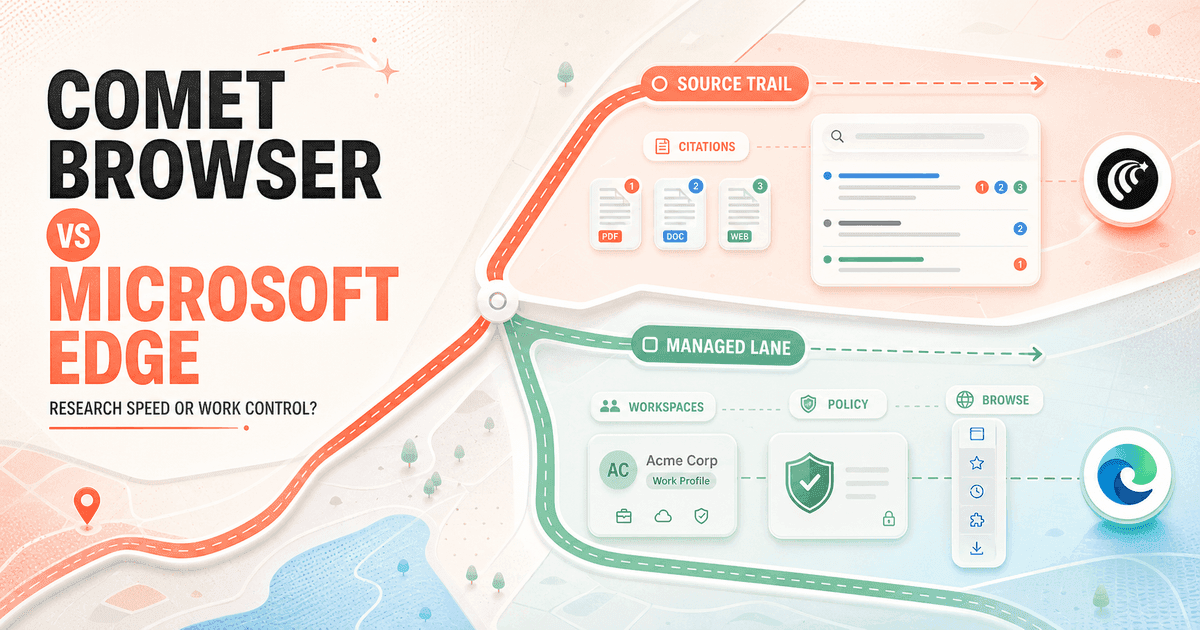
I have used Edge as the boring browser that keeps work moving and Comet as the browser I open when the web becomes the assignment. That sounds like a minor difference. It changes the entire buying decision.
In my Comet Browser vs Microsoft Edge comparison, Comet wins source-heavy research and active AI work. Edge wins as the safer default for ordinary browsing, Microsoft 365, account separation, and managed company use.
My verdict
I use Comet to investigate. I use Edge to run the rest of the day.
I choose Comet when I need a sourced answer, several follow-up questions, comparison across open pages, and a browser agent that can continue into a bounded task. Citations are not decoration here. They are the reason I can hand the result to a client without pretending the model is the source.
I choose Microsoft Edge when the browser must disappear into the workday. It is available on more device types, handles work and personal identities well, supports vertical tabs and sleeping tabs, and gives an administrator a much clearer policy surface.
Browse with Copilot narrows the agent gap, but I would not buy Edge on that feature alone. Microsoft currently ties personal rollout to Microsoft 365 Premium in the United States, while managed work access needs a Copilot subscription and explicit administrator configuration. Comet's active browser workflow is easier to evaluate today.
My wider Comet Browser alternatives guide covers the other routes when neither answer fits.
The real difference
Comet makes the web answerable. Edge makes the browser governable.
Comet feels like Perplexity promoted into the browser. I can ask a broad question, inspect the cited pages, narrow the claim, compare tabs, and then ask the Assistant to open, collect, or prepare the next step. The path from uncertainty to evidence stays short.
Edge starts from the opposite end. It is a mature general-purpose browser with profiles, sync, extensions, performance controls, developer tools, vertical tabs, Workspaces, Microsoft identity, and enterprise policy. Copilot joins that foundation instead of defining it.
That makes Comet exciting sooner and Edge useful more often. Comet earns the special research session. Edge earns the default-browser setting because ninety percent of my browsing does not need an agent. It needs tabs to survive, accounts to stay separate, and a predictable way back to yesterday's work.
Feature comparison
The feature lists overlap. The operating assumptions do not.
| Decision area | Comet Browser | Microsoft Edge |
|---|---|---|
| Primary job | Turn web research into sourced answers and supervised browser actions. | Run a dependable daily browser with Microsoft accounts, work profiles, organization, and managed AI. |
| Research | Perplexity search, citations, follow-up questions, current-page context, and Personal Search are part of the normal loop. | Copilot can use page and tab context, while Deep Research and Microsoft 365 context depend on account and feature availability. |
| Browser action | Assistant can navigate, click, fill forms, manage tabs, and perform permitted multi-step work. | Browse with Copilot can select, type, and navigate, but personal rollout and managed availability have subscription, market, and policy limits. |
| Daily organization | Conventional Chromium tabs, bookmarks, history, extensions, shortcuts, and Perplexity Library. | Vertical tabs, tab groups, sleeping tabs, profiles, Collections, and Workspaces. |
| Enterprise | More than 500 Chromium policies plus Comet-specific controls for Assistant access and site restrictions. | Mature Edge policy management, Microsoft Entra identity, enterprise data protection, and explicit Copilot allowlists and blocklists. |
| Privacy model | Important browser data stays local by default; relevant page or tab context is sent when an Assistant request needs it. | Agent actions use page captures retained with the Copilot conversation for up to 30 days unless deleted; work accounts can add enterprise data protection. |
| Platform | Windows, macOS, and Linux. | Windows, macOS, Linux, iOS, and Android, although Browse with Copilot policies currently target Windows and macOS. |
| Best fit | Researchers and operators who need visible evidence and a stronger active browser agent. | Everyday users and Microsoft 365 organizations that value stability, profiles, policy, and broad device coverage. |
Daily browser use
Edge is calmer infrastructure. Comet asks to be part of the task.
Both are Chromium browsers, so extensions, rendering, bookmarks, and basic navigation feel familiar. Mechanical migration is not the hard part. The harder question is whether I want AI present as a research partner on most pages or available as one feature inside a conventional browser.
Edge is easier for a messy real life. I can keep a work profile tied to Microsoft 365, a personal profile with separate history and passwords, and another profile for testing. Sleeping tabs reduce the cost of my bad tab habits. Vertical tabs make a fifty-page investigation less absurd.
Comet adds more visible momentum. The Assistant sits close to the page, search begins with an answer and sources, and Personal Search can recall useful browsing history. That helps when I am deliberately researching. During routine administration, the same surface can feel like another participant in a meeting that should have been an email.
I do not judge either browser by startup polish. I run the extensions that matter, open twenty working tabs, sign into the accounts I actually use, and leave the browser running for a week. Stability after day five tells me more than a ten-minute demo.
Research and citations
Comet wins when the output needs footnotes instead of vibes.
My research loop in Comet is direct. I ask the question, open the strongest primary sources, compare claims, and use follow-ups to find the disagreement. Because citations appear in the normal answer flow, checking the model is less like an extra compliance chore.
Edge can summarize the current page, work with tab context, and connect to Microsoft material. That can be excellent when the answer lives across an email, a document, and a meeting. It is not the same as a web research product whose default behavior is to show where the answer came from.
For pricing, policy, legal terms, product limits, and current availability, I want Comet's source-first posture. For a briefing assembled from internal Microsoft 365 work, Edge has the more natural home. I still open the underlying document before I repeat a number.
The practical winner depends on where evidence lives. Public-web evidence favors Comet. Internal Microsoft work favors Edge. A team that does both can use Edge as the account-safe default and Comet as a separated research profile.
Browser actions
Comet is the easier agent to try. Edge is the easier agent to constrain.
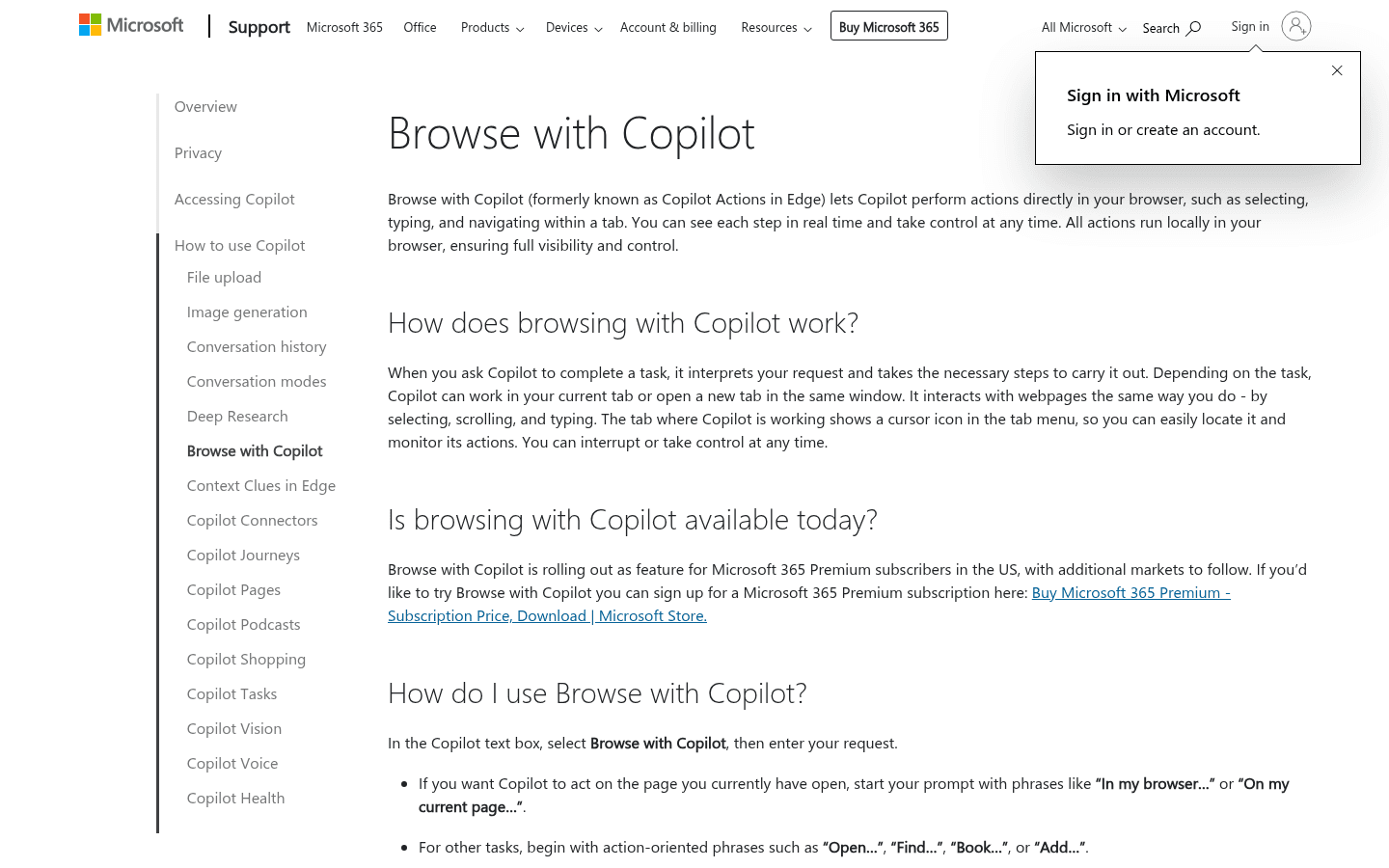
Comet Assistant can navigate, click, fill forms, manage tabs, and work through permitted multi-step tasks. I use it for low-risk research chores: opening source pages, collecting a shortlist, preparing a draft, or moving through repetitive screens while I watch.
Microsoft says Browse with Copilot can select, type, and navigate in the current tab or a new one. It shows a cursor indicator, lets me interrupt, and pauses for purchases, booking, email, calendar deletion, and other sensitive actions. That is the right design direction.
Availability matters more than the feature description. Personal rollout currently targets Microsoft 365 Premium subscribers in the United States. Managed work use is a limited opt-in preview, needs an active Microsoft 365 Copilot subscription, and depends on administrator policy. Not every site is supported.
I also take Microsoft's warnings seriously. Browse with Copilot is experimental, can misinterpret instructions, and remains vulnerable to hostile page content. Microsoft advises against banking, stock trading, credit-card entry, personal identifiers, medical records, and confidential data. I apply the same rule to Comet.
My agent test is embarrassingly simple: did it finish the final step? A browser that performs six clever actions and leaves me to reconstruct the seventh did not save six actions. It created a review job.
Tabs and Workspaces
Edge gives unfinished work a better parking place.
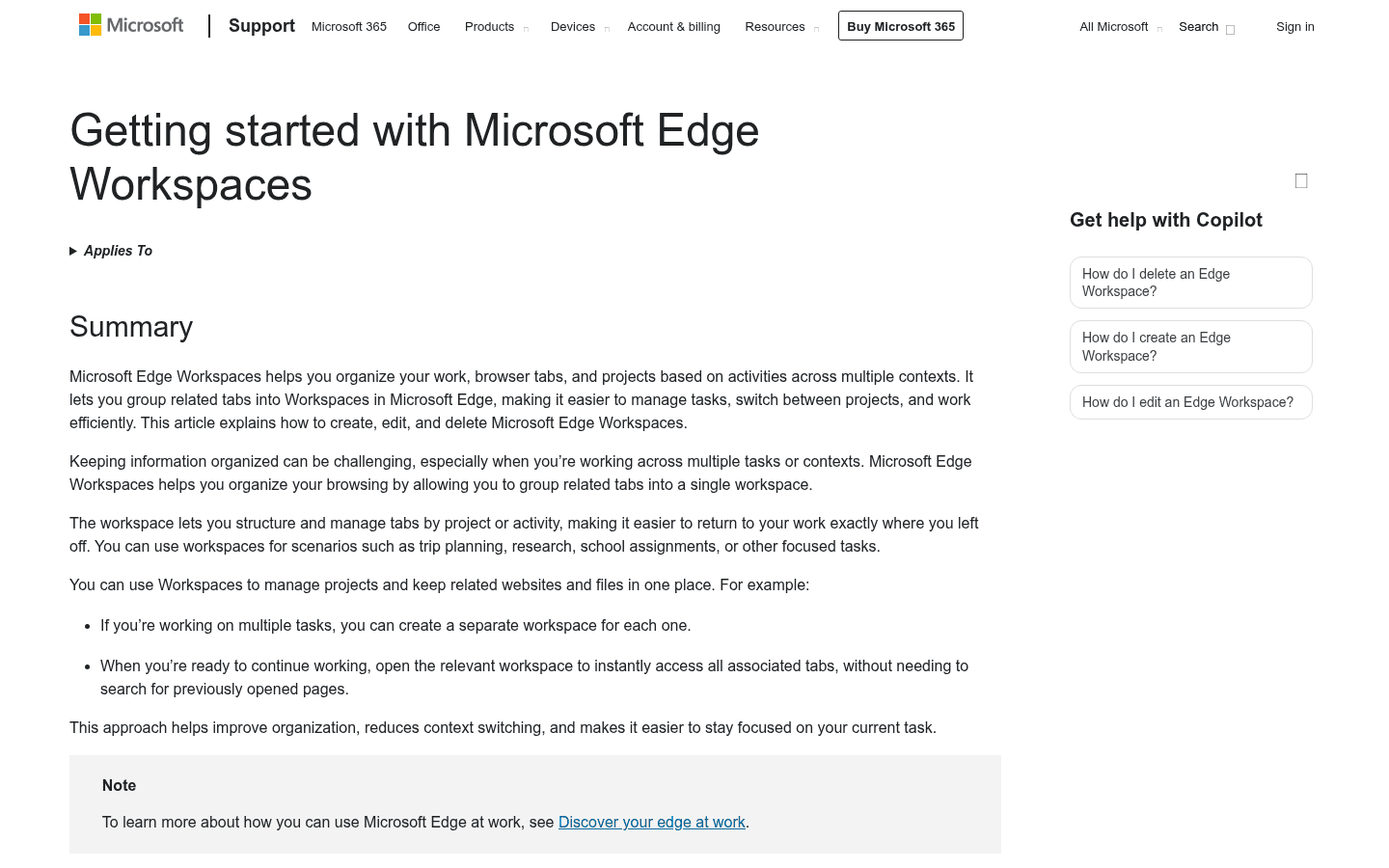
Edge Workspaces let me group tabs by project and return to them later. Vertical tabs make dense projects scannable. Tab groups add a second layer. Sleeping tabs reduce memory pressure without forcing me to close the page I will definitely need three months from now, according to the liar who opened it.
One current detail is easy to miss: Microsoft's new Workspaces experience is focused on individual organization. The current support page says the older sharing, collaboration, and invite behavior is not supported in the new version. I would not promise a team-shared workspace based on an old review.
Comet keeps conventional Chromium organization and adds Perplexity Library for saved research. That works well for an investigation with a clear end. Edge is stronger when a project stays open for weeks and shares the browser with ordinary email, admin work, personal browsing, and several identities.
Comet can still be the better project browser if the project is mostly questions. Edge becomes better when the project is mostly continuity.
Enterprise controls
Edge is not merely more corporate. It gives the risk owner actual switches.
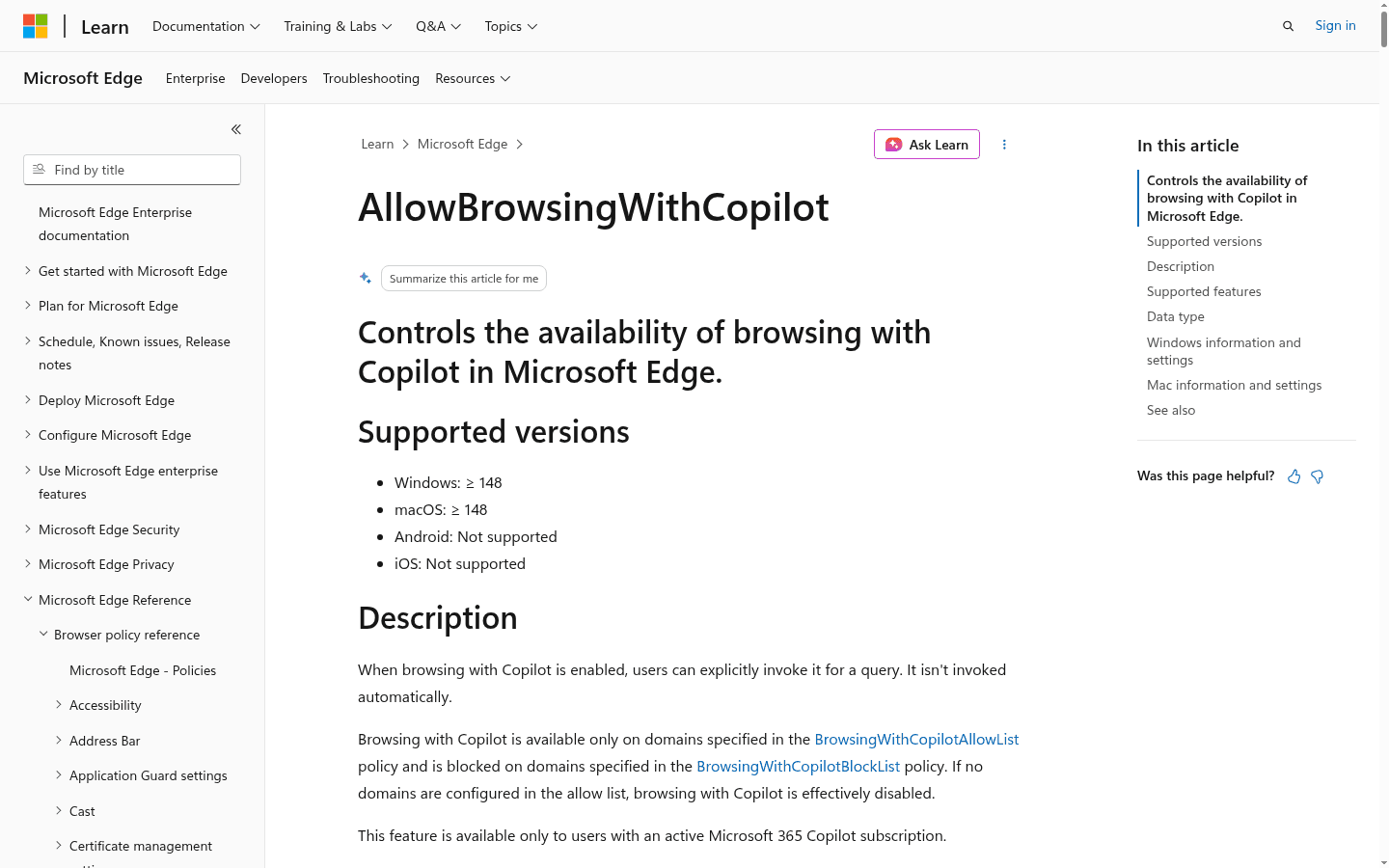
Microsoft documents a dedicated policy for Browse with Copilot on supported Windows and macOS versions. The feature is explicitly invoked, can be limited to approved domains, can be blocked on selected domains, and is effectively disabled if an administrator configures no allowlist.
The work version also sits behind Microsoft 365 Copilot licensing and Microsoft 365 data protection. Prompts, responses, and files remain within the tenant boundary and are not used to train foundation models. Administrators can combine browser policy, identity, data-loss rules, and site controls instead of asking employees to remember a slide deck.
Comet is not policy-free. Perplexity documents more than 500 Chromium policies plus controls for Assistant access, Personal Search, first-run settings, and site restrictions. That is enough for a thoughtful specialist rollout. Edge remains the easier standard when the company already manages Windows, Entra, Microsoft 365, and Edge.
For a company, the comparison is rarely one browser for every person. I would approve Edge broadly and give Comet to researchers who can show a real source-heavy workflow. Narrow access beats either blanket enthusiasm or blanket fear.
Privacy and data
Neither privacy story fits on a green badge.
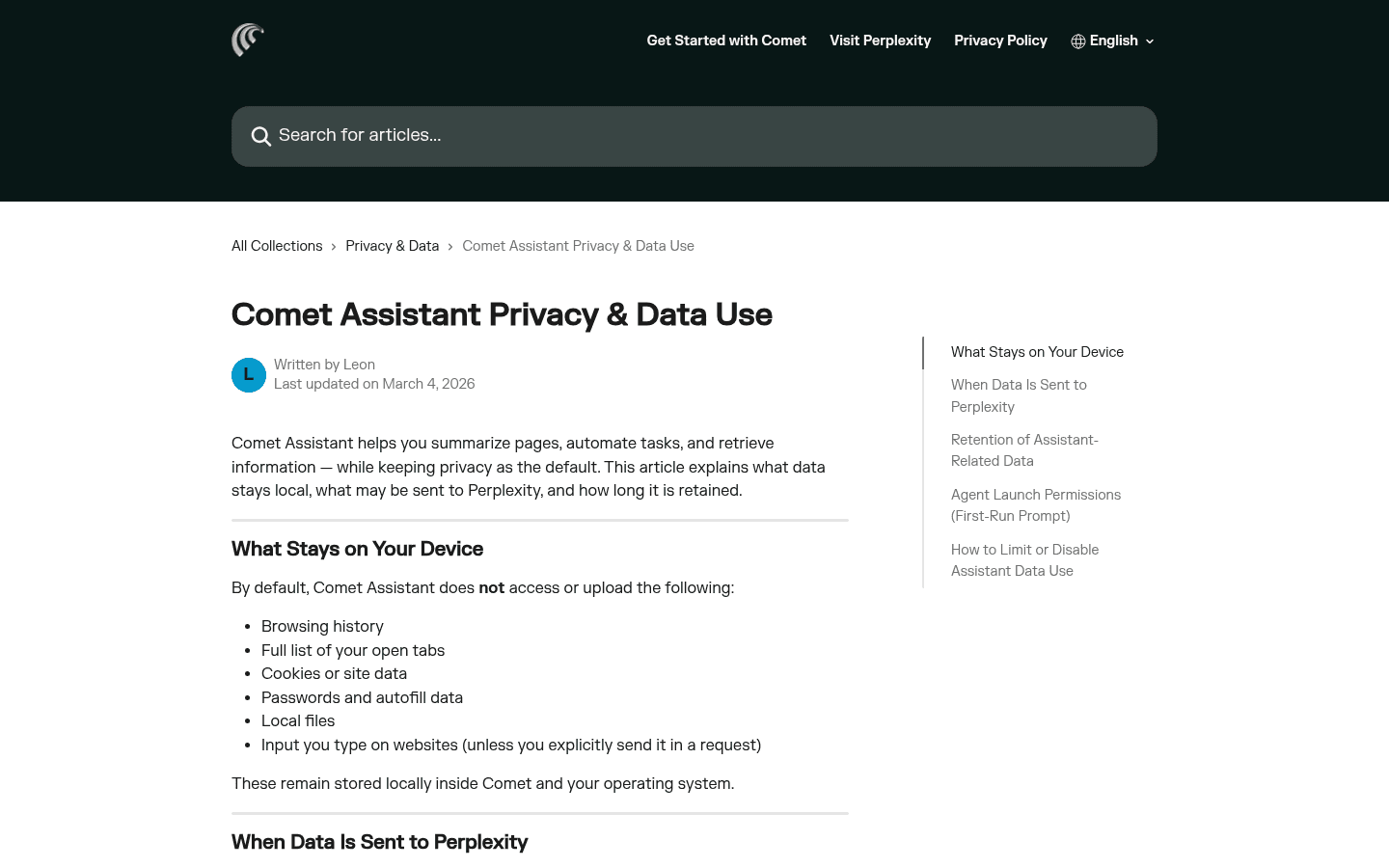
Comet says browsing history, the full list of open tabs, cookies, site data, passwords, autofill, local files, and website input remain local by default. When an Assistant request needs page or tab context, the relevant material is sent to Perplexity. Permissions and blocked sites decide how wide that context can become.
Microsoft says Browse with Copilot captures pages it visits so the agent can understand and act. Those page images are saved with the conversation and retained for up to 30 days unless I delete the conversation. Microsoft says they are not used to train its AI models. Information I type directly into a form is not saved by Copilot, although Edge itself may save it through normal browser features.
Edge says Browse with Copilot cannot access saved passwords, autofill data, or Wallet information. Cookies still matter because a logged-in website can be available to the agent. That distinction is why I use a separate profile instead of treating password-manager isolation as complete account isolation.
My privacy choice is workflow-specific. Comet sends relevant research context to Perplexity. Edge adds Microsoft account and Copilot conversation handling, with a stronger enterprise protection story for managed work. I keep banking, health, payroll, and confidential administration away from both agents.
Pricing and availability
Edge is free. The Edge agent I am comparing may not be.
Comet is free worldwide and runs on Windows, macOS, and Linux. Perplexity account plans can still affect model and Assistant limits, so I verify the exact account before I build a daily process around high-volume agent work.
Edge is free across Windows, macOS, Linux, iOS, and Android. Microsoft's current United States page lists Microsoft 365 Premium at $19.99 per month or $199.99 per year. The AI benefits apply to the subscription owner, and usage limits can change.
Browse with Copilot is rolling out to personal Microsoft 365 Premium subscribers in the United States, with more markets planned. Managed work use currently requires Microsoft 365 Copilot, supported desktop Edge versions, and administrator configuration. Mobile Edge availability does not mean the managed browser-action policy works on mobile.
So the honest price comparison is not free versus free. It is free Comet with account-dependent limits versus free Edge with its strongest agentic feature gated by eligibility. Edge can still win without that feature because the conventional browser is good. It just should not receive credit for an agent the buyer cannot access.
Who each is for
I choose by the work I repeat every week.
- Choose Comet
- My week is heavy on competitive research, pricing checks, policy questions, source verification, and bounded browser tasks.
- Skip Comet
- I want the most conventional default browser, dislike an active assistant beside the page, or cannot accept another vendor in the browsing data path.
- Choose Edge
- I already use Windows or Microsoft 365 and care about work profiles, vertical tabs, sleeping tabs, identity, policy, and a familiar support path.
- Skip Edge
- I am choosing mainly for immediately available agentic browsing, source-first answers, or a Microsoft-free personal setup.
Comet fits analysts, consultants, founders, researchers, buyers, and operators who repeatedly turn the public web into a recommendation. The people who gain most are the ones already opening many sources and checking claims.
Edge fits almost everyone who needs a dependable Chromium browser, but its strongest case is Microsoft 365 work. It is the cleaner choice for Windows-heavy teams, managed devices, several identities, long-running tab groups, and administrators who need to define where an AI browser may act.
Reddit complaints
Comet users complain when the agent stops. Edge users complain when Microsoft never stops.
The strongest positive Comet comments describe tasks, not feelings. The Assistant understands the current page, follows a process, fills a form, or handles research behind a login. The strongest negative comments appear after that trust forms: usage limits, slow actions, blocked sites, unfinished runs, and privacy anxiety.
The Edge complaints are more familiar. People dislike prompts to use Microsoft services, changing Copilot placement, telemetry concerns, and a browser that can feel crowded with features they did not ask for. Others stay because vertical tabs, sleeping tabs, profiles, extension compatibility, and work integration save time every day.
I turn both complaint sets into acceptance criteria. Comet must complete a harmless task without repeated correction. Edge must remain quiet after I disable what I do not want, preserve clear profile boundaries, and prove that the available Copilot tier actually helps my workflow.
Reddit is useful for finding failure modes, not calculating failure rates. A loud complaint tells me what to test. It does not tell me how often the problem occurs.
Migration cost
Importing Chromium data takes minutes. Moving the work system takes a week.
| Migration area | What I rebuild | Typical effort |
|---|---|---|
| Bookmarks and history | Import the Chromium profile, then check folders, saved searches, open tabs, and items that did not move. | Low |
| Extensions | Reinstall only the extensions I still use and verify permissions, sign-ins, and keyboard shortcuts. | Low |
| Research archive | Decide whether Perplexity Library, Collections, browser Collections, OneNote, or another system owns saved evidence. | Medium |
| Workspaces and profiles | Rebuild project groups, work and personal identities, default links, downloads, and account boundaries. | Medium |
| AI routines | Rewrite prompts, browser commands, approval steps, sensitive-site rules, and fallback procedures. | Medium |
| Company rollout | Recreate policy, identity, support ownership, data guidance, recovery, and an exit plan. | High |
Moving from Edge to Comet is mechanically easy because familiar Chromium data and extensions reduce setup. The hidden cost is deciding what replaces Workspaces, Microsoft profile boundaries, Collections, policy, and internal context. I do not move a managed work account until the company approves the new data path.
Moving from Comet to Edge means deciding where cited research and Perplexity Library material will live. I can save links to Collections, OneNote, or a project system, but I lose some of the short path from answer to source. Copilot prompts also need to be rewritten around its actual account and policy permissions.
I keep both browsers installed during the pilot, but only one receives default links. Otherwise each browser looks better because the other one quietly handles the annoying parts.
Seven-day pilot
A week exposes whether I need better evidence or better infrastructure.
- Day 1: import the same clean Chromium profile and record missing bookmarks, settings, extensions, and sign-ins.
- Day 2: research one unfamiliar purchase and verify five claims against primary sources.
- Day 3: reopen a long-running project with twenty tabs and measure how quickly I recover useful context.
- Day 4: run one harmless multi-step browser action, interrupt it, and check the final result manually.
- Day 5: separate work and personal accounts, then test which browser makes identity mistakes less likely.
- Day 6: review page access, sensitive-site rules, AI history, deletion, sync, and recovery settings.
- Day 7: count completed outputs, corrections, blocked actions, repeated searches, crashes, and minutes of cleanup.
My default recommendation for an individual researcher is Comet. Its citations, source-first search, and active Assistant create an obvious advantage when the web itself is the work.
My default recommendation for a company or a general daily browser is Edge. It remains useful even when Copilot is unavailable, and its identity, organization, device coverage, and policy make the deployment easier to defend.
The hybrid answer is often best: Edge for the company and sensitive accounts, Comet for a separated research profile. That is less elegant than choosing one winner. It is also closer to how good risk decisions work.
FAQ
Comet Browser vs Microsoft Edge questions I settle before switching
Is Comet Browser better than Microsoft Edge?
Comet is better for my source-backed web research and immediately useful agentic browsing. Edge is better as a conventional daily browser, especially when I need Microsoft 365 integration, broad device support, work profiles, and mature enterprise controls.
What is the biggest difference between Comet Browser and Edge?
Comet is designed around Perplexity search, citations, page context, and an Assistant that can act. Edge is a full general-purpose browser first, then adds Copilot, Workspaces, vertical tabs, performance controls, and Microsoft identity and policy.
Is Browse with Copilot free in Microsoft Edge?
Edge itself is free, but Microsoft's current personal Browse with Copilot rollout is tied to Microsoft 365 Premium in the United States, with other markets to follow. Managed work availability requires an active Microsoft 365 Copilot subscription and administrator configuration.
Which browser is better for research, Comet or Edge?
I choose Comet when visible citations and rapid source checking matter. Edge can help with page context and Microsoft 365 work, but Comet keeps evidence closer to the search and follow-up workflow.
Which browser is better for business use?
Edge is usually the stronger company standard because it supports Microsoft identity, mature browser policy, enterprise data protection, site allowlists and blocklists, and a familiar deployment path. Comet can still be a useful specialist research browser under a narrow policy.
Can I use Comet and Microsoft Edge together?
Yes. I often prefer Edge for work accounts, sensitive administration, and everyday browsing, while Comet handles source-heavy research in a separate profile. The arrangement works when one browser owns default links and the data boundaries are written down.
Sources
Official pages used for current product facts
Features, prices, subscriptions, availability, permissions, and policies can change. These are the reference points I used on July 26, 2026.


