 SwitchMyTool

My working verdict
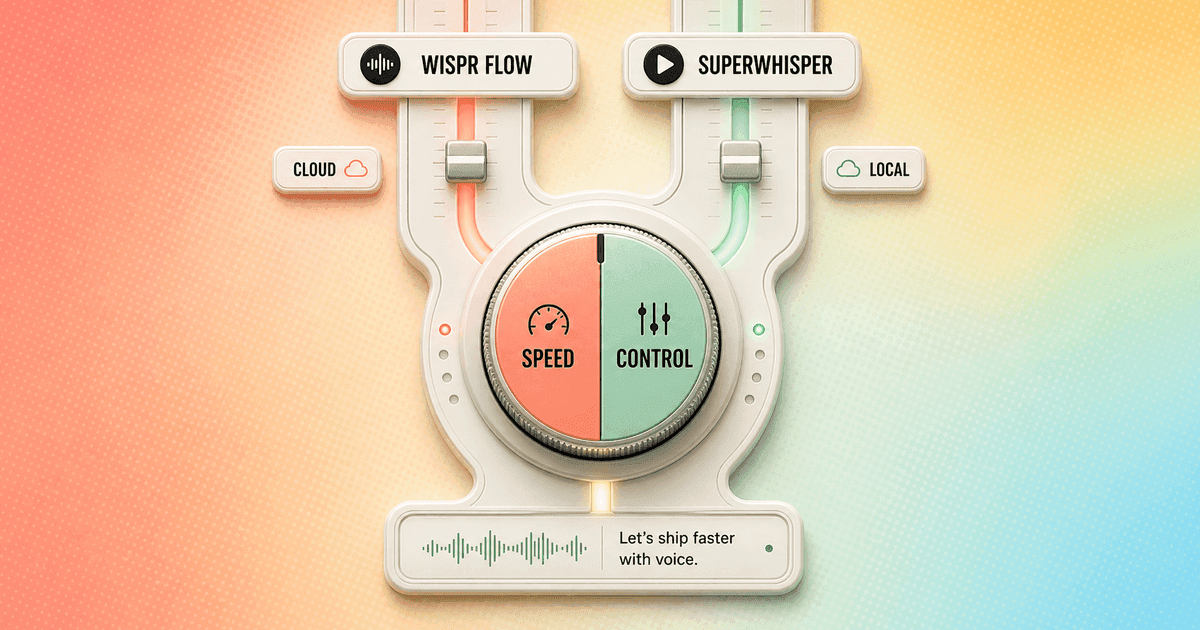
I use Wispr Flow when every pause annoys me. I choose Superwhisper when losing control annoys me more.
- Wispr Flow is my default for fast, low-configuration dictation across desktop and mobile, especially when Android matters.
- Superwhisper is my choice for offline work, local models, app-specific modes, and a cheaper paid plan.
- The real trade is reliability against control: Flow makes more decisions for me; Superwhisper lets me make them myself.
- I would not migrate a daily voice workflow from a feature table. I would run both for a week and count delays, lost output, corrections, and setup time.
My verdict
Wispr Flow vs Superwhisper is a speed-versus-control decision, not an accuracy beauty contest.
Both products can turn rough speech into clean writing inside the apps where I already work. Both understand context. Both offer a free way to learn the basic shortcut and insertion behavior. If I compare only the finished paragraph, I miss the decision that changes my day.
Wispr Flow removes choices. I press one shortcut, speak in a loose conversational way, and expect the app to repair punctuation, filler, and structure. That small reduction in decision-making matters when I dictate dozens of times a day. I do not want to think about a model every time I answer Slack.
Superwhisper gives those choices back. I can use local or cloud voice models, pick AI processing, build modes for email or technical notes, set app rules, and decide how much context enters the prompt. It can become a better personal system, but only after I configure and maintain it.
My recommendation is therefore blunt: start with Wispr Flow if you want voice typing to disappear into the background. Start with Superwhisper if the processing route is part of the product you are buying. If neither fits, my Wispr Flow alternatives guide compares seven broader options.
| Decision | My winner | Why |
|---|---|---|
| Fastest low-friction dictation | Wispr Flow | It asks me to make fewer model and mode decisions before useful text appears. |
| Local and offline dictation | Superwhisper | Its official product page supports on-device speech models that can keep audio on the machine. |
| Custom transformation rules | Superwhisper | Custom modes, model choice, auto-activation rules, and vocabulary give me a deeper control layer. |
| Android support | Wispr Flow | Wispr officially supports Android; Superwhisper currently lists Mac, Windows, iPhone, and iPad. |
| Cheapest paid subscription | Superwhisper | $8.49 monthly or $84.99 annually is below Wispr Flow Pro at $15 monthly or $144 annually in USD. |
| One-time purchase | Superwhisper | A $249.99 lifetime license is available, while Wispr Flow remains subscription-based. |
| Simpler multi-device setup | Wispr Flow | Superwhisper stores modes and vocabulary locally on each device today, which creates setup work. |
Daily use
Wispr Flow feels like an appliance. Superwhisper feels like a workbench.
The best thing about Wispr Flow is that I stop noticing it. The product is opinionated about cleanup, context, and the shape of a useful result. That is exactly what I want for routine email, project updates, notes, support replies, and prompts. I speak, pause, and continue working.
That polish also limits how much I can interrogate the machinery. I can add dictionary terms, use snippets, and pay for Command Mode, but Wispr is not asking me to build a small processing stack. Its promise is a fast default, not a model laboratory.
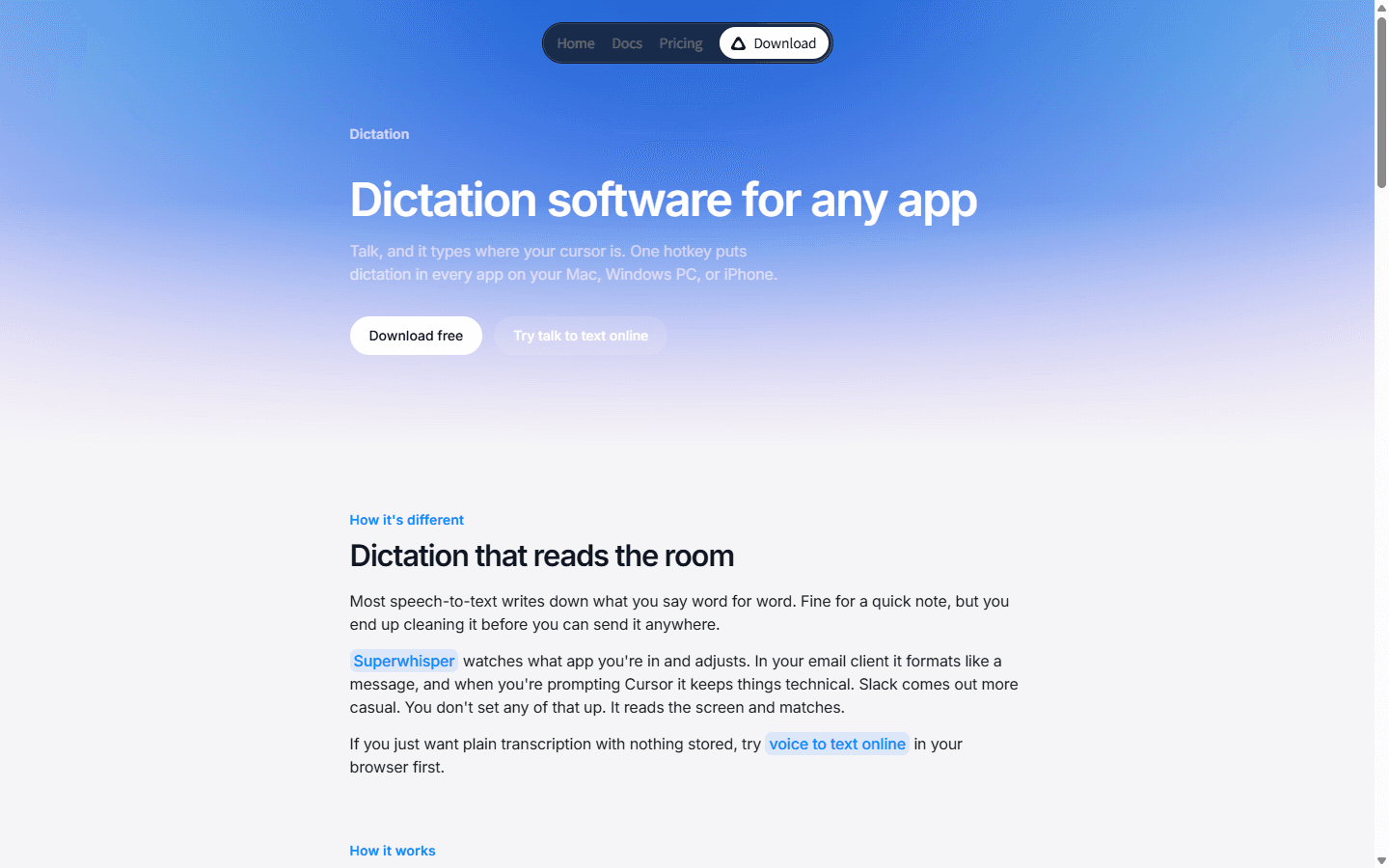
Superwhisper starts from a similar any-app shortcut, yet it invites me deeper. I can leave it on a sensible built-in mode and get on with the day, or I can create different behavior for an email client, code editor, notes app, and meeting workflow. The second path is powerful and easy to overdo.
I learned to judge voice tools by interruption cost. A half-second here, a wrong mode there, and a failed insertion once every few hours can erase the theoretical time saved by speaking. Wispr Flow generally asks less attention from me. Superwhisper earns its place when the control creates a repeatable output I cannot get from the simpler default.
Accuracy and speed
I care less about raw transcription than the number of edits before I can press Send.
Neither app should be judged with a clean microphone and one rehearsed sentence. My useful corpus includes a product name, an acronym, a number, a correction halfway through, a five-item list, and a sentence that changes direction before it ends. That is normal speech. The winner is the app that turns it into usable writing without inventing confidence.
Wispr Flow has the edge in perceived speed for me because the workflow is short and predictable. That matches the most detailed Reddit comparison I found: a user who had spent two months with Flow said Superwhisper sometimes needed roughly one to two and a half seconds while Flow felt substantially faster. Several replies agreed that Wispr was more immediate and consistent.
Superwhisper speed depends more visibly on the route I select. A local model avoids a network round trip and protects audio, but hardware and model size affect latency. A sophisticated AI mode adds another processing step. I can tune the stack for privacy, cost, quality, or speed, yet I cannot maximize all four at once.
Accuracy is similarly contextual. A custom vocabulary and a well-built mode can make Superwhisper excellent for domain language. Wispr's learned behavior and automatic cleanup can be excellent without that setup. I count manual corrections over a full week, not impressive examples from either homepage.
Modes and control
Superwhisper wins the moment I need different writing systems for different apps.
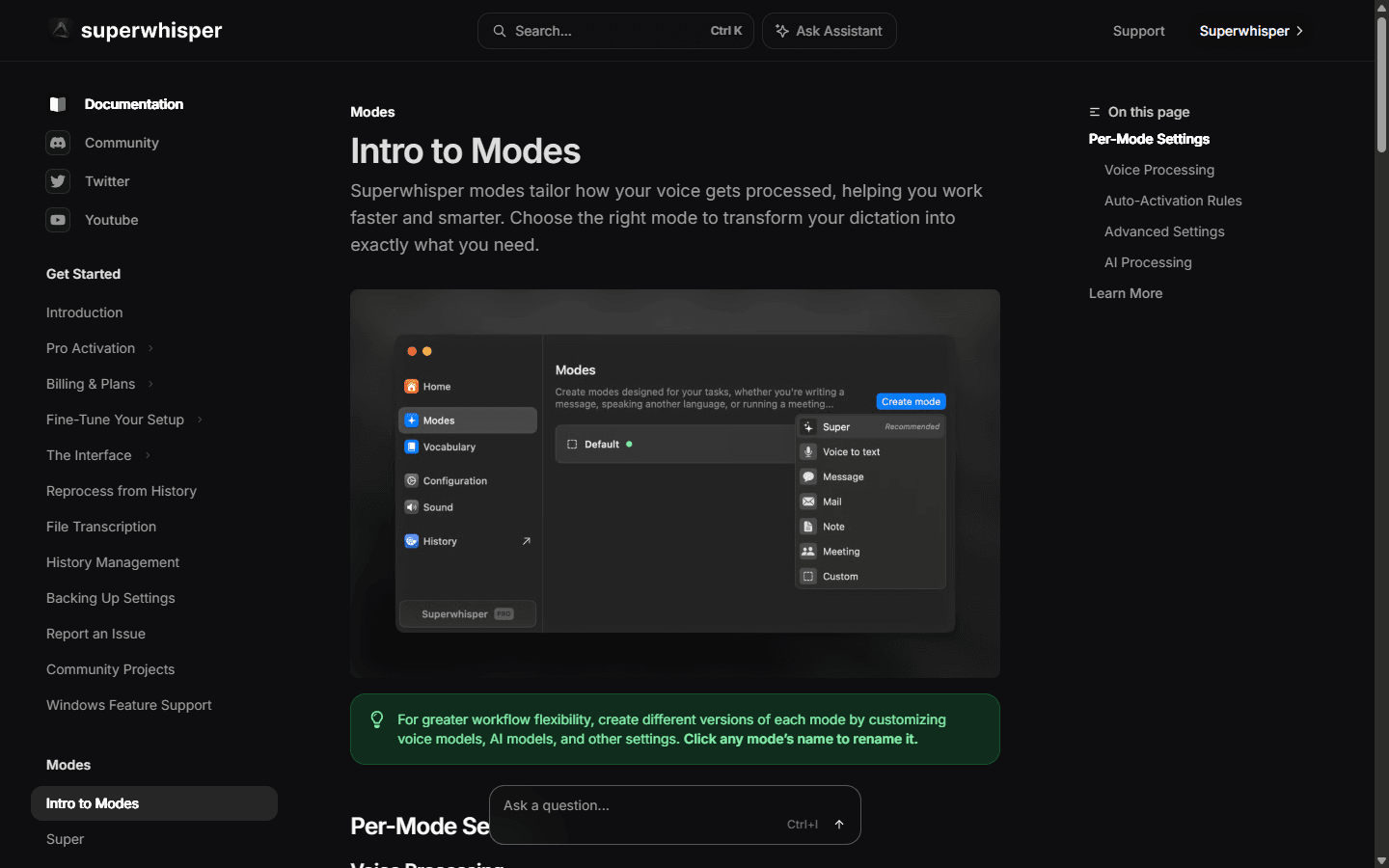
Modes are Superwhisper's decisive feature. The official documentation lets me choose a voice model, select cloud or local processing, add AI processing, create custom instructions, and activate a mode automatically for an app or website. I can keep Slack casual, make email more formal, preserve technical syntax in an editor, and use a plain voice-to-text route when cleanup would be harmful.
The benefit is not endless customization. The benefit is removing repeated cleanup from a known workflow. If I always turn a spoken client update into the same five headings, a mode can encode that structure. If I only change a prompt because it feels clever this week, I am manufacturing maintenance.
There are two catches. First, Superwhisper says modes and vocabulary are stored locally on each device today, with cloud sync planned. A careful setup on my Mac does not automatically become the same setup on a Windows machine or iPhone. Second, auto-activation rules can create confusion if I forget which mode is active.
Wispr Flow's Command Mode is easier to approach because it works as an editing layer rather than a full routing system. I prefer it for occasional transformations. I prefer Superwhisper when the transformations are stable enough to deserve their own named modes.
Privacy and offline use
Superwhisper offers a genuinely local route. Wispr Flow offers clearer cloud controls, which is not the same thing.
Superwhisper's official dictation page says its on-device speech models can keep audio on the machine and work without a connection. That matters on a plane, behind a strict firewall, or anywhere voice data cannot be sent to a hosted model. I still inspect the selected mode because adding a cloud AI model changes the route after transcription.
Wispr Flow now separates Private Cloud Sync from Privacy Mode. I can turn cloud storage and cross-device sync off while controlling whether dictation data is used to improve models. Those are useful choices. They do not turn the core service into an offline transcription engine.
I never summarize privacy as local good, cloud bad. A local model creates device management, update, storage, and hardware obligations. A hosted service creates vendor, retention, network, and subprocessors questions. The right answer depends on the data and the person responsible when something goes wrong.
For regulated or confidential work, I document the exact mode, model, context permissions, history behavior, and retention setting. A privacy label on the pricing page is not a data-flow diagram.
Platform support
Android makes the platform decision before any benchmark does.
Wispr Flow officially supports Mac, Windows, iPhone, and Android. Its current Android requirements cover Android 13 through Android 16 on smartphones. That broad reach is a practical advantage for anyone who wants the same dictation habit on a Windows laptop and an Android phone.
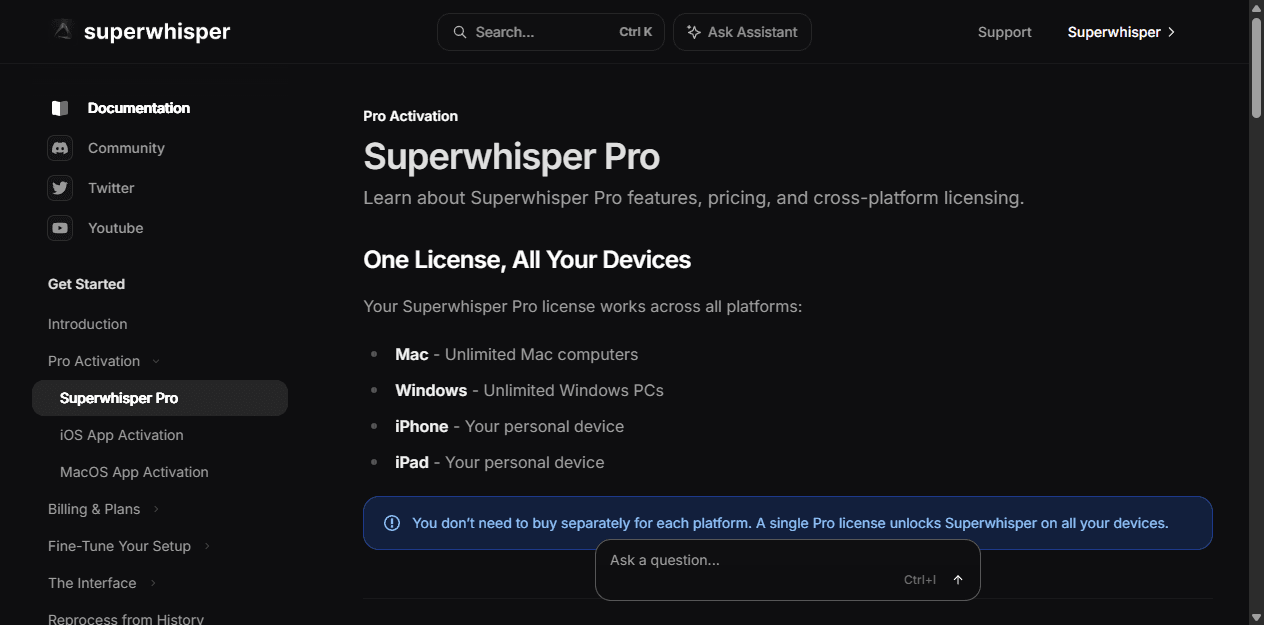
Superwhisper currently lists Mac, Windows, iPhone, and iPad. One Pro license covers those platforms, and the documentation says there is no Mac or Windows device limit. Android is missing. I do not buy software on the assumption that a requested platform will arrive later.
The platform table hides another difference. Wispr keeps the product behavior more consistent across devices. Superwhisper's license travels, but its modes and vocabulary remain local to each device. The second and third installation therefore cost time even when they cost no extra money.
I test the apps where dictation actually fails: remote desktops, browsers with unusual editors, Electron apps, code fields, and mobile keyboards. A platform logo only proves an installer exists. It does not prove my most awkward input field behaves well.
Pricing
Superwhisper is cheaper on every paid time horizon I can compare directly.
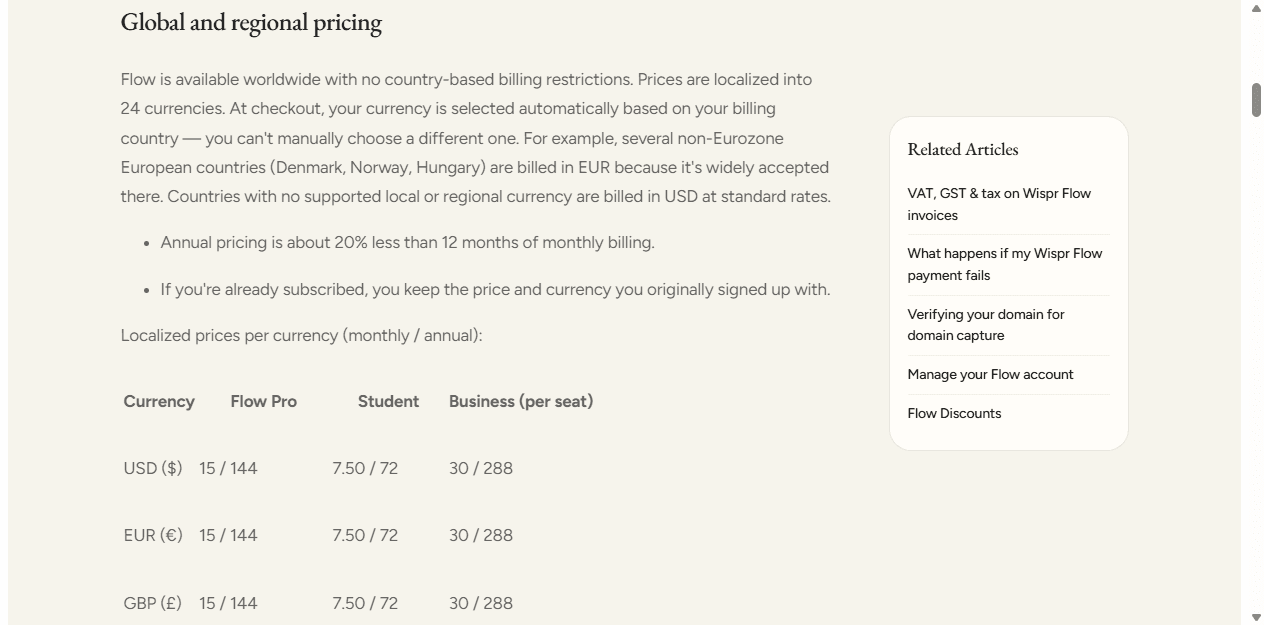
At the USD prices I checked on July 18, 2026, Wispr Flow Pro costs $15 monthly or $144 annually. The paid plan adds unlimited words across platforms, Command Mode, priority support, early feature access, and support for more than 100 languages. Wispr also publishes localized and student pricing, so the checkout number can differ by country.
Superwhisper Pro costs $8.49 monthly, $84.99 annually, or $249.99 once. All three billing options unlock the same Pro feature set. The lifetime price breaks even against the annual plan after just under three years, before considering future price changes or the opportunity cost of paying upfront.
I do not automatically give the value win to Superwhisper. A cheaper tool that costs me fifteen minutes of tuning and one lost dictation each week is expensive. A faster tool that saves ten minutes a day can justify an extra $59.01 per year. Voice software should be priced against correction and interruption time, not against other subscriptions in isolation.
The free plans are good enough to reject a bad fit. I use them to test shortcuts, insertion, microphone switching, a noisy room, and my worst application. I upgrade only after the product survives that work.
| Plan | Wispr Flow | Superwhisper |
|---|---|---|
| Free | Weekly word limits | Free tier with limited cloud models |
| Monthly | $15 | $8.49 |
| Annual | $144 | $84.99 |
| Lifetime | Not offered | $249.99 once |
| What paid unlocks | Unlimited words, Command Mode, priority support, early access, and 100+ languages | Unlimited cloud models, local models, custom and AI modes, vocabulary, speaker separation, and priority support |
Reddit complaints
The complaints are useful because they describe broken rhythm, not missing brochure features.
The recurring Wispr Flow complaint is cost. People like the speed and cleanup, then question whether another $15 monthly subscription is justified. Privacy-minded users also want a fully local route, and some long-time users report that quality can feel inconsistent after updates. I treat those quality reports as prompts for a new trial, not proof that every account is worse.
The recurring Superwhisper complaint is reliability under real use. In the detailed thread I reviewed, users described processing that occasionally got stuck, returned nothing useful, or behaved differently after an update. One person paying for both stopped relying on Superwhisper after losing several minutes of dictation. Others preferred it and emphasized that support and the product keep improving.
Configuration is the second Superwhisper complaint hiding inside the praise. Model choice, custom modes, and local processing are valuable to technical users. The same controls can feel like unnecessary setup to someone who just wants a clean email under the cursor.
Reddit is not a representative survey. The Superwhisper community naturally attracts power users, and recommendation threads often include founders or enthusiastic early adopters. I use the discussions to identify failure modes, then try to reproduce those failures in my own workflow.
Who each is for
I choose by tolerance: configuration, delay, cloud processing, or recurring cost.
Wispr Flow fits the person who wants one shortcut and one strong default. I recommend it to managers, writers, support teams, recruiters, founders, and developers who dictate frequently but do not want voice software to become a hobby. Android support makes the answer easier for mixed-device users.
Superwhisper fits the person who wants to own the transformation layer. I recommend it to developers, researchers, privacy-conscious professionals, and anyone with stable app-specific formats. The lower subscription and lifetime option improve the case for long-term personal use.
Neither is ideal for a team that has not agreed on permissions, vocabulary ownership, and support. Wispr's simplicity does not replace policy. Superwhisper's flexibility does not replace documentation. A ten-person rollout turns tiny setup assumptions into ten separate interruptions.
Choose Wispr Flow
You want the fastest path from speech to polished text, use Android, dislike configuration, or need one consistent workflow across desktop and mobile.
Do not choose Wispr Flow
You need offline dictation, want to select local models, dislike recurring subscriptions, or need granular control over post-processing.
Choose Superwhisper
You are comfortable tuning modes and models, value local processing, want app-specific behavior, or can justify the lifetime license.
Do not choose Superwhisper
You use Android, cannot tolerate an occasional processing failure, or want every device to inherit the same modes without manual setup.
Migration cost
The expensive part is rebuilding behavior, not installing the replacement.
Before switching, I inventory shortcuts, dictionary terms, snippets, commands, modes, privacy choices, target apps, microphones, and mobile use. I also save a small corpus of difficult phrases. If I cannot state what the current tool does well, I cannot tell whether the new one replaced it.
Moving from Wispr Flow to Superwhisper creates more setup. I decide which work stays plain, which needs AI cleanup, which can run locally, and which deserves a custom mode. Then I repeat vocabulary and mode work on every device because those settings do not currently sync.
Moving from Superwhisper to Wispr Flow is simpler mechanically and harder conceptually. I give up model choice and some app-specific control. I translate only the most valuable behavior into dictionary entries, snippets, or Command Mode habits. Recreating every mode is a warning that I may be choosing the wrong replacement.
Running both can work if the boundary is obvious. For example, I can use Wispr for fast daily writing and Superwhisper for offline or highly structured work. If I hesitate over which shortcut to press, the two-tool setup has already failed.
| Move | What I rebuild | Effort |
|---|---|---|
| Wispr Flow to Superwhisper | Rebuild dictionary terms and writing behavior as modes, pick cloud or local models, set shortcuts, and repeat the setup on each device. | Medium to high |
| Superwhisper to Wispr Flow | Translate custom modes into Command Mode habits, snippets, and dictionary entries; accept less model-level control and review privacy settings. | Medium |
| Running both | Assign one clear job to each app and avoid competing hotkeys, duplicate histories, or two correction dictionaries drifting apart. | Low at first, higher over time |
Decision test
I give both apps the same ugly week and keep the one that interrupts me less.
I create a 1,000-word corpus from real work: an email, a Slack update, a technical note, a numbered list, a client summary, and a prompt. I include names, jargon, dates, numbers, a mid-sentence correction, and one noisy-room recording. Clean demo speech proves almost nothing.
I run the corpus through both products on every device I plan to use. I measure time from releasing the shortcut to editable text, manual corrections, failed insertions, lost output, and the minutes spent changing settings. I also disconnect the network to verify what offline really means.
For Superwhisper, I compare one built-in mode with one carefully designed custom mode. That prevents a bad first configuration from deciding the product. For Wispr Flow, I test the normal path plus Command Mode and the privacy settings I would actually keep enabled.
After seven days, I choose the tool with the lower interruption cost. If Wispr saves time without creating privacy or subscription problems, I pay for speed. If Superwhisper's local route and custom output save more cleanup than they create, I pay with setup instead.
FAQ
Questions I hear about Wispr Flow vs Superwhisper
Is Superwhisper better than Wispr Flow?
I think Superwhisper is better for local models, offline use, custom modes, and lower long-term cost. I think Wispr Flow is better for faster low-setup dictation, Android support, and a more consistent out-of-box workflow.
Is Wispr Flow faster than Superwhisper?
In the Reddit comparisons I reviewed, several people who had used both described Wispr Flow as faster and more immediate. Latency still depends on the model, connection, computer, microphone, and mode, so I test it inside my own apps before buying.
Does Superwhisper work offline?
Yes. Superwhisper's official product page says on-device speech models can keep audio on the machine and work without a connection. Some AI-enhanced modes may still depend on the model and processing route selected.
Does Wispr Flow work on Android?
Yes. Wispr Flow officially supports Android 13 through Android 16 on smartphones, alongside Mac, Windows, and iPhone. Superwhisper's current cross-platform list does not include Android.
Which is cheaper, Wispr Flow or Superwhisper?
At the USD prices I checked on July 18, 2026, Superwhisper Pro is cheaper: $8.49 monthly or $84.99 annually, compared with Wispr Flow Pro at $15 monthly or $144 annually. Superwhisper also sells a $249.99 lifetime license.
Sources


