 SwitchMyTool

Wispr Flow made voice typing feel less like transcription and more like writing. I can ramble, correct myself, change direction, and still get text that looks deliberate. That is a much higher bar than converting sound into words.
The tension starts when that convenience becomes a permanent $15 monthly subscription, when company policy asks where audio goes, or when I want different cleanup behavior for an email, an IDE, and a private note. Wispr now covers Mac, Windows, iPhone, and Android, so a replacement also has to survive outside a single demo-friendly desktop app.
I narrowed these wispr flow alternatives by the work left after I stop talking: correction, structure, insertion, privacy, mobile continuity, and maintenance. I also paid attention to migration cost. A free app is not cheap if I spend Friday rebuilding dictionaries and Monday explaining broken shortcuts.
If the shortlist is already down to two, my Wispr Flow vs Superwhisper comparison goes deeper on speed, local models, pricing, and the setup cost hidden behind custom modes.
If local ownership is the real decision, my Wispr Flow vs VoiceInk comparison covers Apple Silicon requirements, local models, the GPLv3 build path, lifetime pricing, and the setup bill behind it.
If the decision is between two polished subscriptions at the same price, my Wispr Flow vs Willow comparison covers Scribe, offline use, privacy controls, device support, migration cost, and the complaints that only appear after the first impressive dictation.
If the real question is whether another subscription is necessary at all, my Wispr Flow vs Apple Dictation comparison covers literal versus polished output, on-device processing, current silence limits, pricing, and the correction work that decides whether Flow is worth paying for.
My verdict
Superwhisper is my power-user pick. Aqua is the easier Windows value.
Superwhisper is the best overall alternative when I want more control over the final text. Custom modes, local models, and one cross-platform license make it flexible without forcing me into a single cloud route. That flexibility comes with setup, especially because modes and vocabulary do not currently sync across devices.
Aqua Voice is the cleaner recommendation for a Windows user who wants to spend less and get back to work. VoiceInk is my open-source local pick for Apple Silicon. Willow is the polished team option. Utter offers deep local and BYOK control for Apple users, MacWhisper wins when recorded files matter, and Handy is the free open-source answer for desktop users who can tolerate rough edges.
I would not switch simply because an alternative is cheaper. Wispr Flow Basic is free with weekly limits, while Pro includes unlimited words, command mode, styles, snippets, and 100-plus languages across four platforms. If that stack works reliably, the subscription may cost less than rebuilding it elsewhere.
The replacement test
What Wispr Flow gets right is exactly what a replacement must preserve.
Wispr does four jobs at once: it captures speech quickly, removes verbal clutter, adapts output to context, and inserts the result where the cursor already lives. A tool can advertise a better speech model and still lose if it requires a separate editor, delays insertion, or turns every correction into keyboard cleanup.
The current Basic plan allows 2,000 words per week on desktop and 1,000 on iPhone, with platform-specific hard caps. Pro costs $15 monthly or $144 annually in USD. Wispr requires an internet connection for transcription, although users can control transcript sync and model-improvement sharing separately. Those facts define the comparison: output quality, price, device coverage, and data route all matter.
My standard test is intentionally untidy. I dictate the same customer reply, project update, technical prompt, and personal note. I include names, numbers, an interruption, a mid-sentence correction, and a short list. Then I count edits and watch whether the target app loses focus or duplicates text. A polished landing page cannot answer those questions for my machine.
Keep Wispr Flow
You use several platforms, value automatic cleanup, and rarely fight its shortcut or output.
Try Superwhisper
You want custom modes, local models, and more control over post-processing.
Try Aqua
You use Windows and want a simpler, lower-priced cross-platform subscription.
Go local
Privacy or offline access matters more than effortless setup; start with VoiceInk, Utter, or Handy.
Comparison
The best choice depends on which part of Wispr Flow you are replacing.
| Alternative | Best reason to switch | Platforms | Current entry price | Migration cost |
|---|---|---|---|---|
| Superwhisper | Custom modes and local models | Mac, Windows, iPhone, iPad | $8.49 monthly | Medium |
| Aqua Voice | Cross-platform value | Mac, Windows, iPhone | $10 monthly or $8 annual | Low to medium |
| VoiceInk | Open-source local dictation | Apple Silicon Mac; separate iOS app | $25 one-time compiled app; GPLv3 source | Medium to high |
| Willow | Style memory and teams | Mac, Windows, iPhone | Free; Pro from $12 annual | Low to medium |
| Utter | Local, BYOK, and Apple continuity | Mac, iPhone | Free local/BYOK; hosted Pro paid | Medium to high |
| MacWhisper | Dictation plus file transcription | Mac | Free; Pro €64 once | Low to medium |
| Handy | Free open-source offline dictation | Mac, Windows, Linux | Free | Medium |
Best overall for power users
1. Superwhisper: Superwhisper gives me the most control over what happens after I speak.
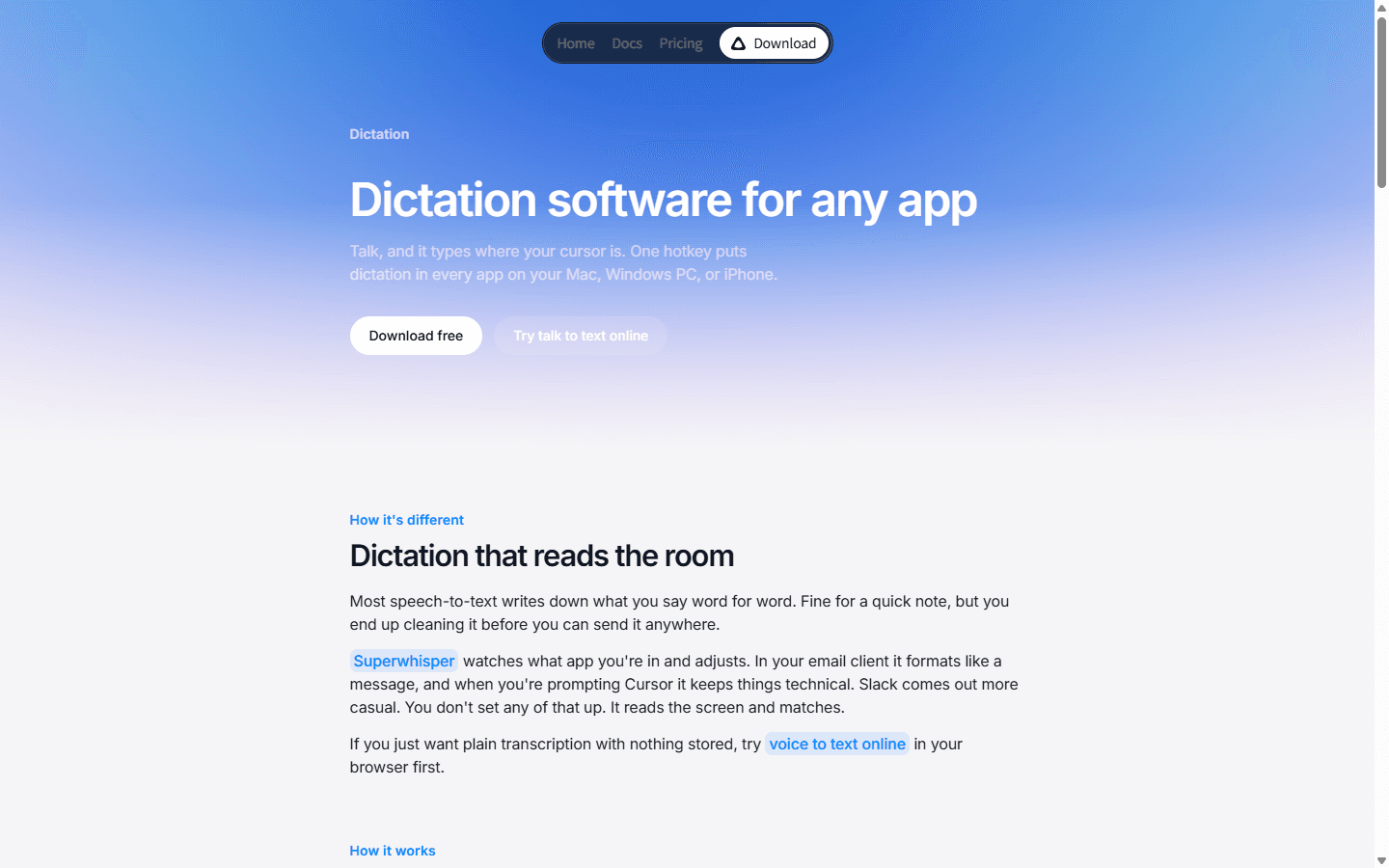
Superwhisper is my first recommendation when Wispr Flow feels polished but too opinionated. Its custom modes can turn the same raw speech into an email, a technical note, a translation, or a tightly formatted prompt. That matters more to me than a small benchmark lead because most wasted time comes after recognition: fixing tone, restoring structure, and removing the verbal scaffolding I used while thinking.
The official Pro documentation lists local voice models, custom modes, custom vocabulary, speaker separation, and AI-powered modes. One license works across Mac, Windows, iPhone, and iPad. The current direct price is $8.49 monthly, $84.99 annually, or $249.99 once. The free tier is useful for checking the shortcut and insertion behavior, but the controls that make Superwhisper a real Wispr replacement sit in Pro.
I would not move a whole team on the strength of the feature list. Modes and vocabulary are stored locally rather than synced today, so every device needs setup. That is a small nuisance for one careful user and a real rollout cost for twenty people. My rule is simple: choose Superwhisper when you want to own the transformation layer and do not mind maintaining it.
Best for
Mac and Windows power users who want custom prompts, local models, and several writing modes.
Not for
Teams that need centrally managed dictionaries and identical modes on every device from day one.
Migration cost
Medium. Rebuild modes, vocabulary, shortcuts, and app-specific behavior on each device.
Reddit pattern
Users repeatedly praise custom modes, but the flexibility creates more setup than Wispr Flow.
Best value for Windows
2. Aqua Voice: Aqua Voice is the easiest cheaper switch when Windows is non-negotiable.
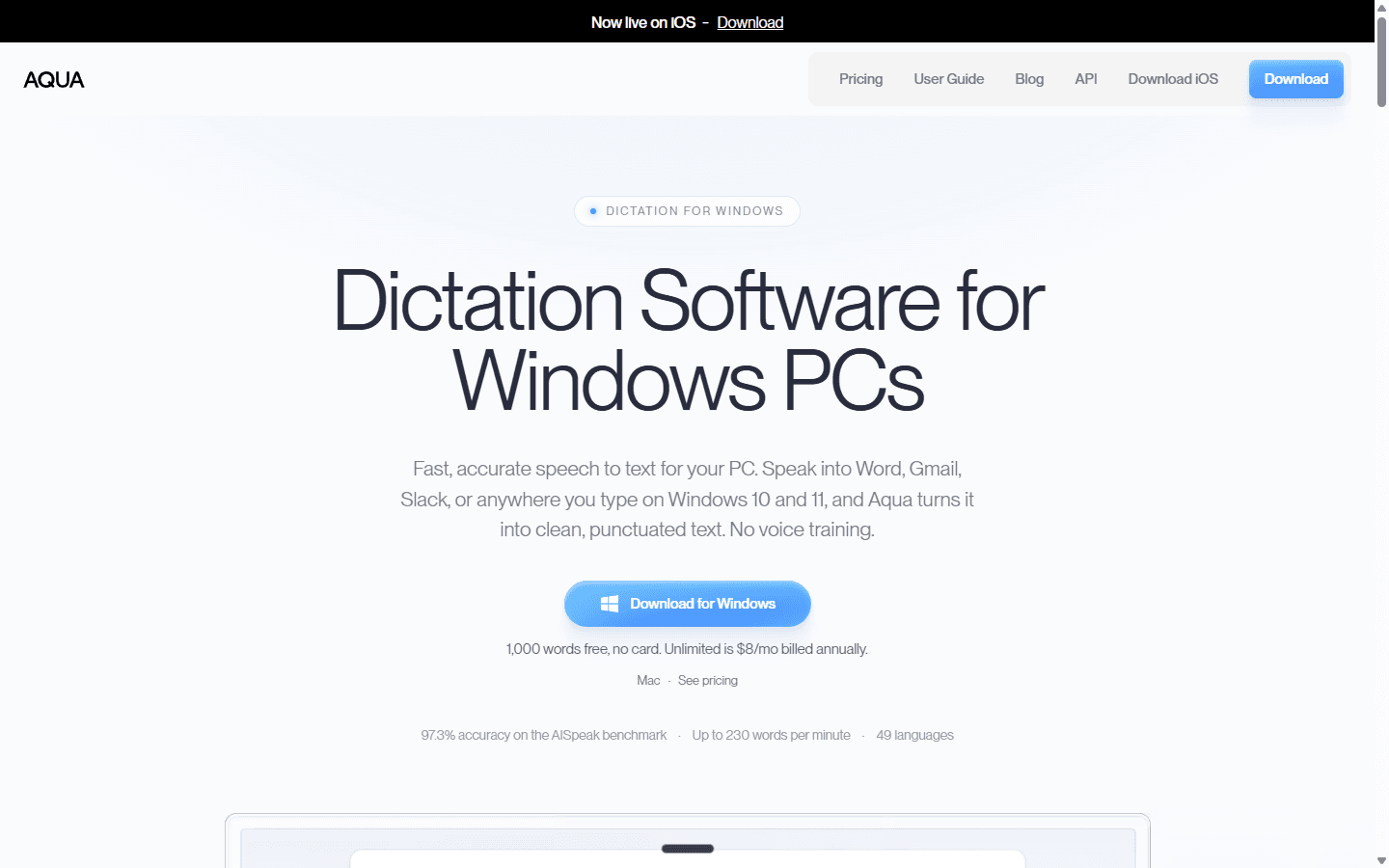
Aqua is the cleanest value argument in this list. It offers 1,000 words free, then costs $10 month to month or $8 per month when billed annually. That undercuts Wispr Flow Pro's current $15 monthly price without dropping Windows, Mac, or iPhone. Its dictionary, instructions, and settings sync across devices, which removes one of the dullest parts of moving a voice workflow.
I like Aqua most for developers and operational teams that dictate into Word, Gmail, Slack, ticketing tools, and IDEs. Custom instructions can normalize terminology or output style, and the product handles 49 languages. It is less interesting for someone whose main requirement is offline privacy: Aqua's own FAQ says it uses cloud processing and does not offer an offline mode.
The practical test is not whether Aqua can transcribe a neat sentence. I dictate an interrupted support reply, correct myself halfway through, add a product name, and finish with a numbered list. If the result survives that mess in the apps I use, Aqua is a credible replacement. If local processing is a policy requirement, I skip the trial and move to VoiceInk, Utter, or Handy.
Best for
Windows-first users who want a lower subscription and synced custom instructions.
Not for
Offline workflows or organizations that cannot send dictation through a cloud service.
Migration cost
Low to medium. Recreate the dictionary and instructions, then retest each target app.
Reddit pattern
Aqua is a frequent paid recommendation, especially when users want better instructions without Mac-only tooling.
Best open-source local option
3. VoiceInk: VoiceInk makes privacy the default instead of a premium checkbox.
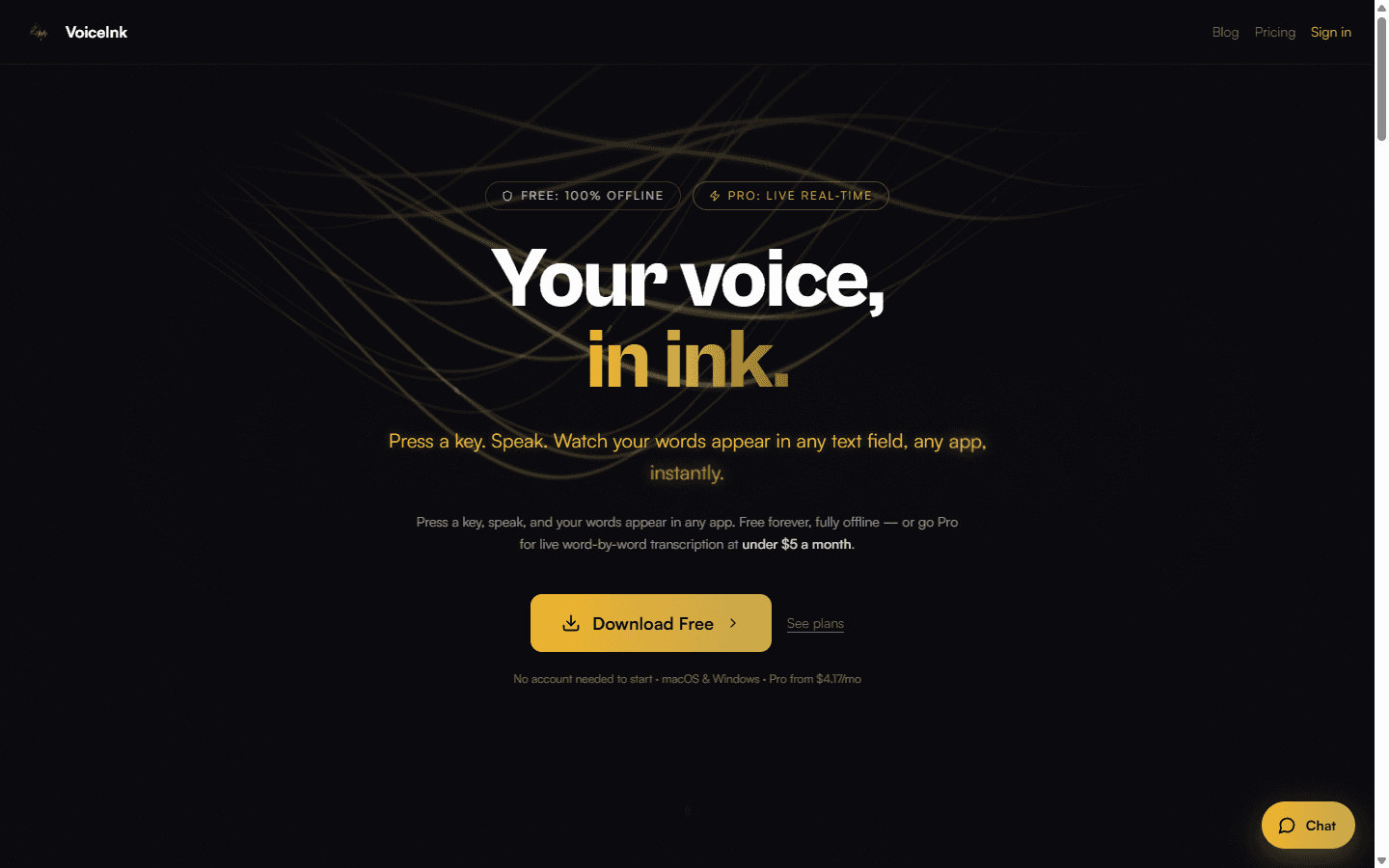
VoiceInk is where I start when the requirement says local before it says clever. Its local Whisper and Parakeet routes can keep audio on an Apple Silicon Mac, work offline, and avoid a mandatory provider account. The project is GPLv3, so an experienced user can build it from source. The polished compiled app is a separate commercial purchase.
The current compiled-app price is $25 once for one Mac, $39 for two, or $49 for three. Optional cloud transcription and AI enhancement use providers that I configure myself. That creates a useful two-lane setup: private local dictation for sensitive work, then a hosted model only when speed or accuracy justifies the data route and provider bill.
I would not choose VoiceInk just because the lifetime price looks cheap. It requires Apple Silicon and macOS 14.4 or later, while its iOS app has a separate purchase path. Modes, permissions, model downloads, provider keys, and clipboard behavior also become my problem. For a privacy-minded Mac power user, that trade can be excellent. For a mixed-device team, it usually is not.
Best for
Apple Silicon users who want local dictation, source access, custom models, and a one-time license.
Not for
Windows or Android users, Intel Macs, and teams that want one managed service across every device.
Migration cost
Medium to high. Pick a model, grant macOS permissions, rebuild modes and vocabulary, then test paste timing in every app.
Reddit pattern
Users value privacy and the one-time price, while warning about local-model delay, prompt tuning, and paste or permission friction.
Best polished alternative for teams
4. Willow: Willow is the closest fit when I want personalization without building a prompt laboratory.
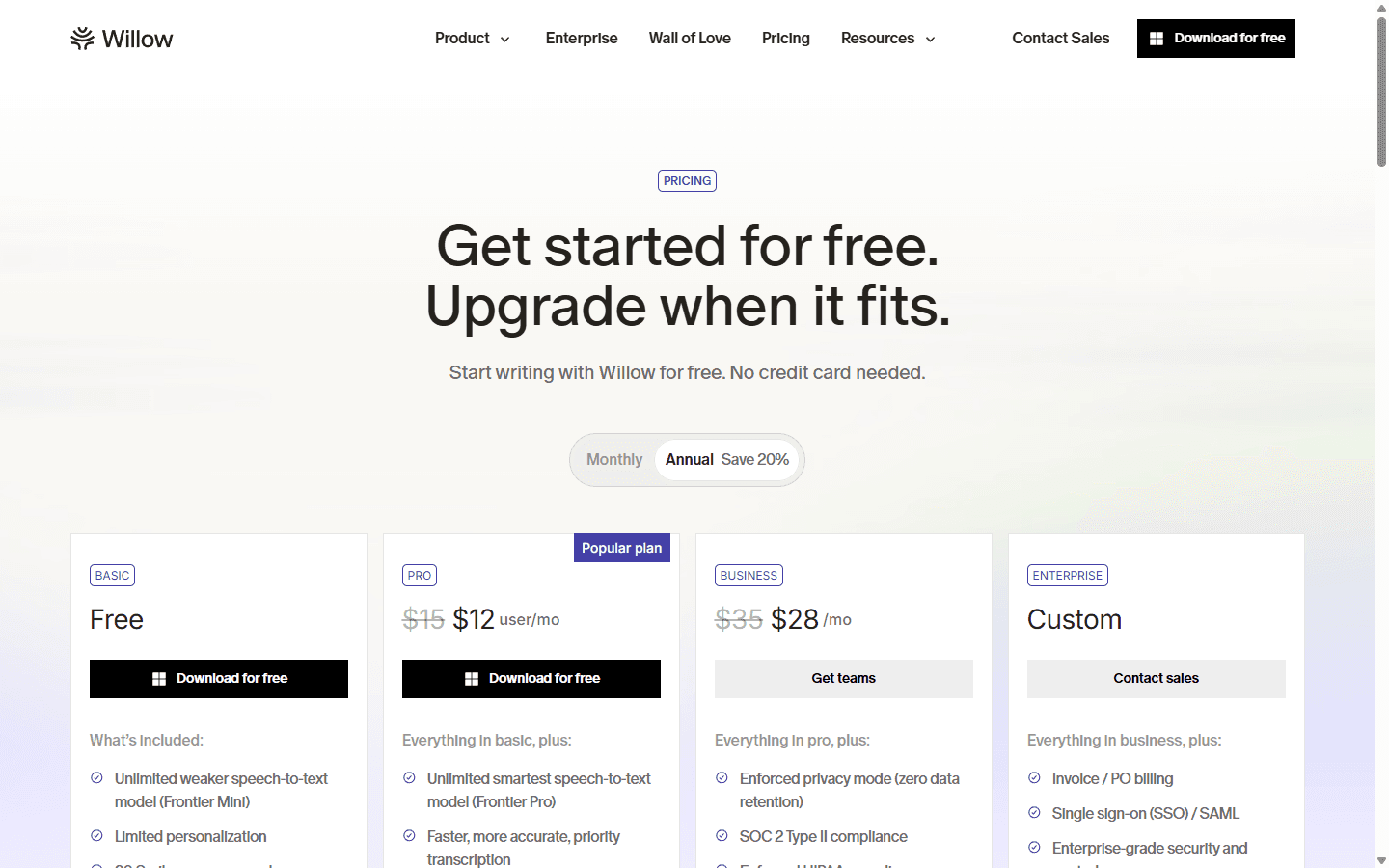
Willow competes with the part of Wispr Flow that learns how I write, not just how I sound. Its paid individual plan adds a stronger speech model, style memory, and unlimited Scribe usage. The current price is $15 monthly or $12 per month on annual billing. That is not the cheapest alternative here, but the annual rate lands below Wispr Flow's $144 annual price by the narrowest possible margin: they are effectively peers on cost.
I would evaluate Willow for client-facing writing, sales follow-up, recruiting, and any workflow where the output must sound consistent without a long menu of modes. The free plan is genuinely useful for checking insertion behavior, although it uses the weaker model, limits personalization, and allows 20 Scribe uses per week. Team Pro starts at three seats and adds team personalization; Business adds enforced zero-data-retention privacy mode and compliance controls.
The reason to pick Willow is operational simplicity. The reason not to pick it is the same one that sends people away from Wispr: I am still buying a hosted, opinionated service. If my complaint is only that Wispr costs $15, Willow does not transform the economics. If my complaint is that Wispr's learned output never quite matches my writing, Willow deserves a side-by-side trial.
Best for
Individuals and teams that value learned writing style, polished output, and managed privacy controls.
Not for
Buyers whose main goal is eliminating subscriptions or keeping all processing offline.
Migration cost
Low to medium. Give style memory enough real writing to learn before judging the output.
Reddit pattern
Users want personalization that goes beyond cleanup; they are less enthusiastic about swapping one similar subscription for another.
Best local and BYOK flexibility
5. Utter: Utter lets me choose who runs the speech and cleanup models.
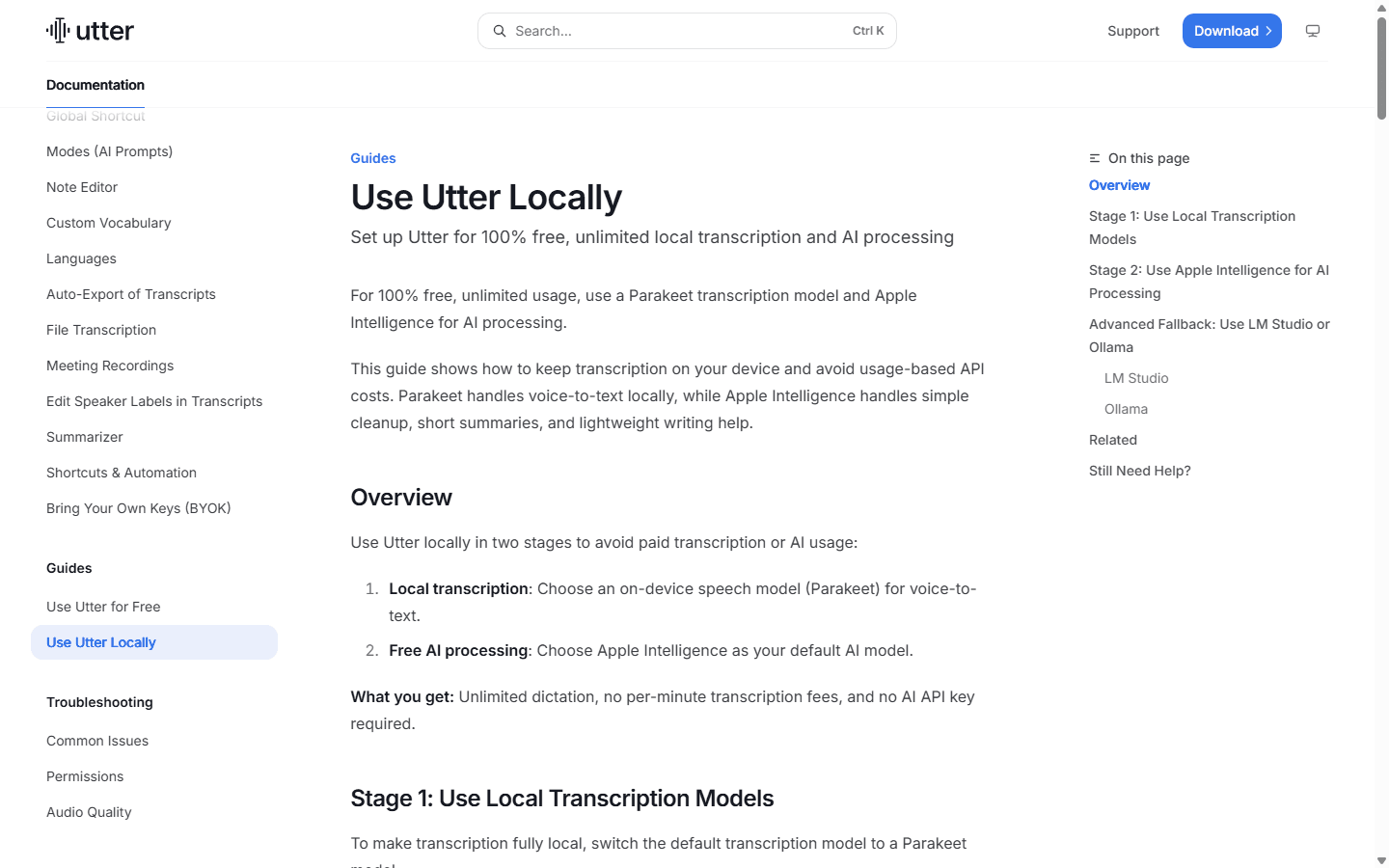
Utter is the most architecturally flexible option in my shortlist. On Apple silicon, it can use an on-device Parakeet model for transcription and Apple Intelligence, LM Studio, or Ollama for cleanup. It also supports bring-your-own-key connections to speech and AI providers. That means I can keep the workflow local, route it through vendors I already approve, or pay Utter for hosted processing.
The free setup supports unlimited local or BYOK usage. Hosted Pro is currently $6.99 monthly or $59.99 annually, and one subscription covers up to five devices. The catch is platform reach: Utter is for Mac and iPhone, with local dictation requiring Apple silicon. It is a poor fit for a mixed Windows team even though it is an unusually good fit for one privacy-minded Apple user.
I treat Utter as a toolkit rather than a zero-decision replacement. Local models need disk space and enough hardware. BYOK moves billing and troubleshooting into several dashboards. The payoff is control over where audio and text travel. If I can explain that routing diagram to a colleague in one minute, the setup is manageable. If I cannot, a hosted service will probably create fewer support tickets.
Best for
Apple silicon users who want local models, BYOK, custom styles, and iPhone continuity.
Not for
Windows users or teams that want one vendor to own every part of support and processing.
Migration cost
Medium to high. Choose models or providers, configure keys, and document which data route applies.
Reddit pattern
Power users like local and custom post-processing; mainstream users may find the setup heavier than Wispr Flow.
Best for files plus live dictation
6. MacWhisper: MacWhisper earns its place when recorded audio matters as much as live writing.
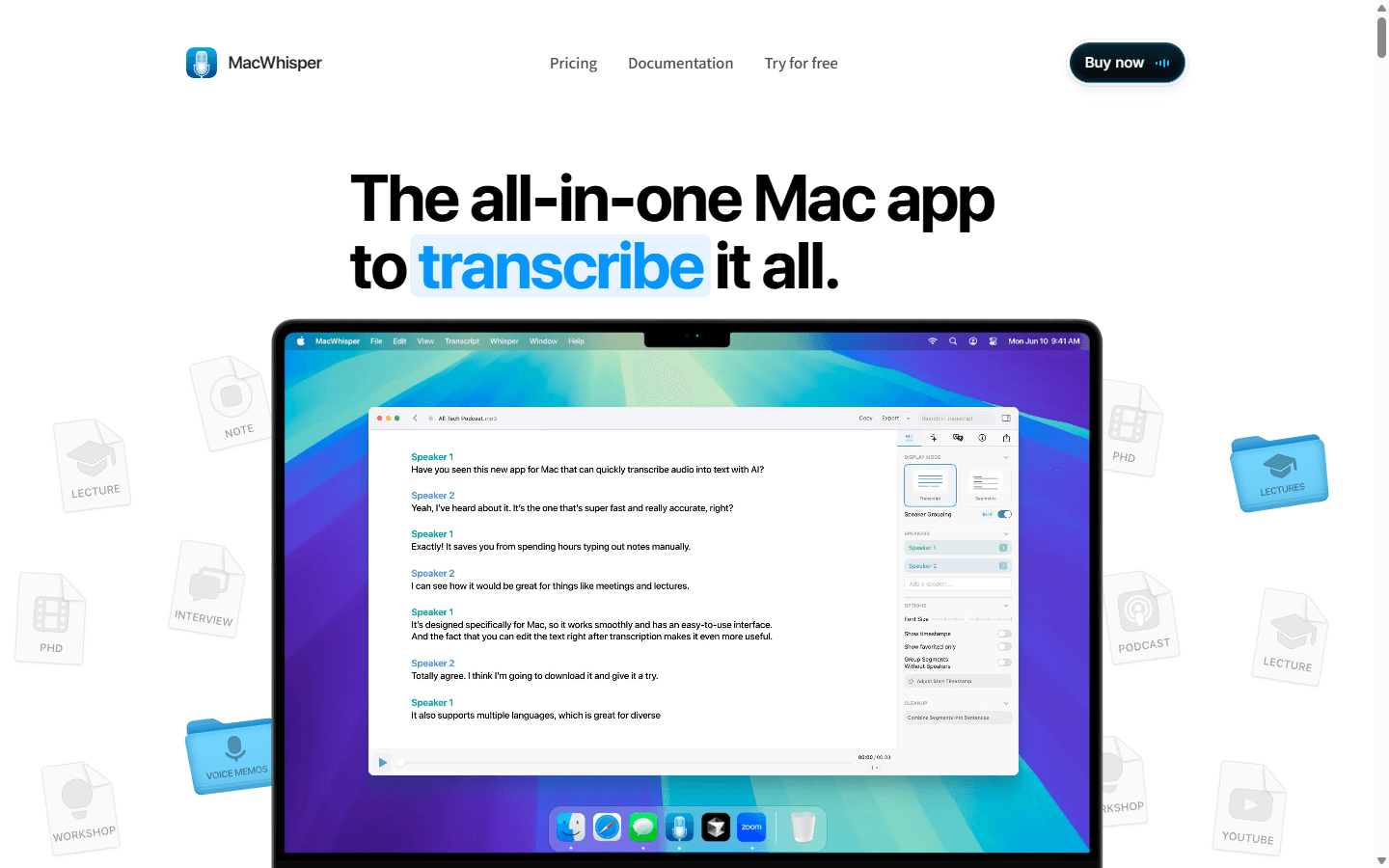
MacWhisper is not the closest Wispr Flow clone. It is the better tool when my day includes interviews, podcasts, voice memos, recorded calls, and subtitle exports alongside normal dictation. The free edition covers core transcription. The current direct Pro license costs €64 once and adds system-wide high-quality dictation, AI prompts, app-specific prompts, batch work, speaker recognition, and richer exports.
This distinction matters because Reddit threads often mix dictation and transcription as though they were one job. Wispr Flow is designed to place polished text under the cursor. MacWhisper can do that, but its deeper advantage is turning existing media into a structured artifact. I would choose it for a researcher, journalist, podcaster, or consultant with a backlog of audio before choosing it for someone who only writes Slack messages by voice.
MacWhisper is also Mac-first. Its direct license and local models can reduce recurring cost and improve control, but they do not solve Windows or Android coverage. The migration is easy if I am moving a shortcut and vocabulary. It is more involved if I am also redesigning how interviews, files, speaker labels, summaries, and exports move through a content workflow.
Best for
Mac users who need both any-field dictation and serious audio or video transcription.
Not for
Windows teams, Android users, or anyone who only needs a lightweight voice keyboard.
Migration cost
Low for dictation alone; medium when file imports, exports, prompts, and automations are included.
Reddit pattern
Users recommend MacWhisper for transcription, while warning that it is a broader and different workflow from seamless dictation.
Best free open-source option
7. Handy: Handy is the honest choice when I want one local job and source code I can inspect.
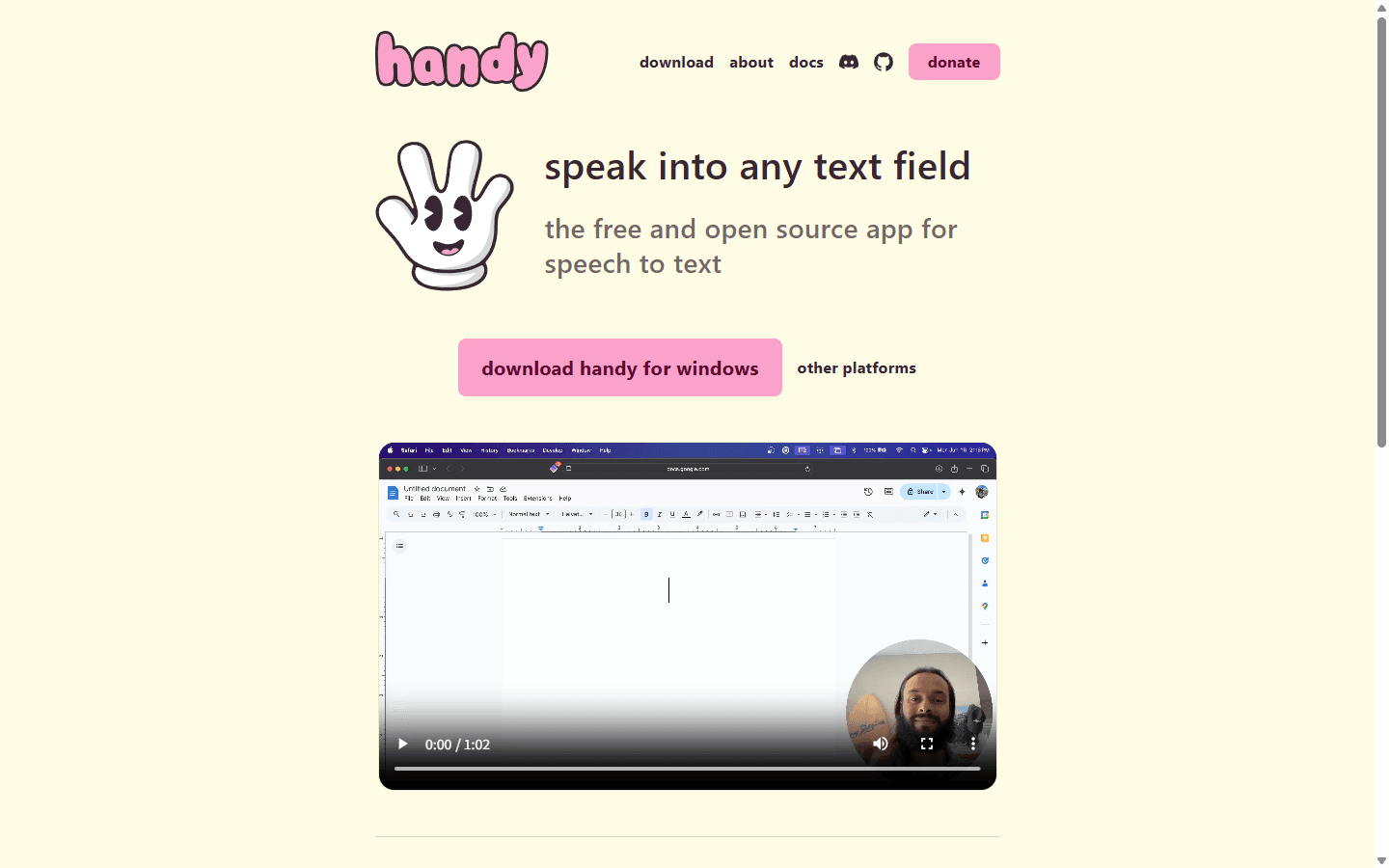
Handy is refreshingly narrow. I press a shortcut, speak, and it pastes locally transcribed text into the active field. The project is free, open source, and available for Windows, macOS, and Linux. It supports Whisper and Parakeet models, keeps voice on the computer, and exposes enough command-line control to fit into a technical desktop workflow.
That simplicity is also the limitation. Handy does not promise the same context-aware rewriting, mobile keyboard, cloud sync, or managed team experience as Wispr Flow. Its project documentation is candid about configuration-dependent model crashes and Linux input quirks. I prefer that honesty to a vague promise, but a support manager rolling out dictation to fifty laptops may prefer a commercial vendor with an escalation path.
Handy is my best free answer when the person asking for wispr flow alternatives really means, 'Can I dictate locally without another monthly bill?' It is not my best answer when they mean, 'Can another service learn my tone and clean up every wandering thought?' Those are different purchases. Handy solves voice-to-text first and leaves the rest to the user or an optional post-processing setup.
Best for
Technical users who want free, offline, open-source dictation across desktop operating systems.
Not for
Mobile-first users and teams that need managed policy, cloud sync, or sophisticated automatic rewriting.
Migration cost
Medium. Download a model, tune shortcuts and paste behavior, then document hardware-specific issues.
Reddit pattern
Free local tools attract strong interest, but commenters repeatedly ask for smoother platform support and fewer microphone conflicts.
Workflow fit
Who should switch, and who should leave a working setup alone.
I would switch when I can name a failure that another product fixes: required offline processing, Windows support at a lower price, reusable custom modes, file transcription, open-source control, or a mobile path that matches the rest of the stack. A concrete failure gives the pilot a pass-or-fail condition.
I would stay with Wispr Flow when its cleanup already sounds like me, the cross-platform apps cover my devices, and the time saved is comfortably worth $12 per month on annual billing. Moving for novelty is expensive. The dictionary, snippets, correction history, privacy settings, shortcut habits, and per-app expectations are all part of the product even if they never appear on an invoice.
For a team, I add one more rule: the replacement must be supportable by someone other than the enthusiast who found it. Local models, BYOK, and open source can improve control, but they also create model downloads, permission prompts, machine differences, and multiple owners. That trade can be excellent. It should be explicit.
Switch now
A known privacy, platform, cost, or formatting problem is blocking regular work.
Run a pilot
The alternative looks better, but insertion behavior and correction quality are still unknown.
Stay put
Wispr works across your devices and the only complaint is that another app looks interesting.
Avoid a team rollout
No one owns deployment, vocabulary, permissions, provider keys, and support.
Customer research
Reddit complaints reveal the tradeoffs product pages smooth over.
The complaint I see most often is not that Wispr Flow is bad. It is that users dislike paying forever for a utility they use every day. That pushes interest toward lifetime licenses, free local apps, and BYOK setups. The counterargument is equally practical: a cheaper tool that needs constant correction can cost more than the subscription in attention.
Privacy is the next recurring theme. Some users specifically seek offline transcription and local post-processing. Others are satisfied with cloud processing if retention is clear. A third group cares more about personalization: custom prompts, app-specific tone, automatic number formatting, and context that goes beyond a dictionary.
The complaints about alternatives are just as useful. Mac-only releases frustrate Windows and iOS users. Microphone conflicts, paste behavior, and model performance vary by machine. Many recommendation threads also contain developers promoting their own products, so I treat enthusiasm as a lead to investigate, not independent proof.
Migration cost
The subscription is visible. Rebuilding behavior is the hidden bill.
I inventory the workflow before canceling anything. That includes custom words, snippets, commands, styles, hotkeys, privacy choices, microphones, target apps, and the phone keyboard. I also save a small corpus of real dictation that contains the names and formatting the current setup handles well.
Then I run both products in parallel for one week. I do not export private history into a random service just to make the test feel complete. The goal is to compare new work, measure corrections, and discover which device or app breaks first. Only after the replacement survives that week do I rebuild deeper behavior.
| Migration area | What must move | Typical effort |
|---|---|---|
| Shortcut muscle memory | Start, stop, cancel, and correction behavior | 1–2 days |
| Vocabulary | Names, acronyms, products, punctuation, and number formats | 1–3 hours plus tuning |
| Writing behavior | Snippets, styles, modes, prompts, and per-app tone | Half a day to several days |
| Device coverage | Desktop, phone keyboard, tablet, and shared machines | One day per platform |
| Privacy routing | Local, vendor cloud, BYOK, retention, and model-training settings | Policy review required |
| Team rollout | Install, permissions, training, support ownership, and fallback | Several days to several weeks |
Seven-day pilot
Use one messy voice corpus and let the daily work expose the winner.
- Day 1: Install one alternative, grant only required permissions, and record the exact data route.
- Day 2: Dictate the same 1,000-word mix into email, chat, docs, an AI prompt, and one awkward desktop app.
- Day 3: Add names, acronyms, phone numbers, dates, a correction, and a five-item list. Count manual edits.
- Day 4: Test weak Wi-Fi, offline mode where supported, and a second microphone.
- Day 5: Repeat the work on every claimed device, including the phone keyboard.
- Day 6: Rebuild one real style or mode and ask another user to follow the setup notes.
- Day 7: Compare corrections, latency, failures, privacy route, and annual cost. Keep the winner, not the newest toy.
FAQ
Common questions about Wispr Flow alternatives.
What is the best Wispr Flow alternative in 2026?
Superwhisper is my best overall choice for a power user because its custom modes, local models, and cross-platform license offer more control over the final text. Aqua Voice is the easier value choice for Windows, while VoiceInk is the stronger open-source local choice for Apple Silicon.
Is there a free alternative to Wispr Flow?
Yes. VoiceInk publishes GPLv3 source that experienced users can build, Handy is free and open source, and Utter supports unlimited local or bring-your-own-key use. Superwhisper, Willow, and MacWhisper also offer free entry tiers. Free does not remove setup cost, so test model speed and app compatibility on your own hardware.
Which Wispr Flow alternative works offline?
VoiceInk, Utter, MacWhisper, Handy, and Superwhisper Pro can use local processing in at least part of their workflow. Aqua Voice does not provide an offline mode. Local support can depend on operating system, model choice, and hardware, so confirm the exact route rather than relying on a generic privacy label.
What is the best Wispr Flow alternative for Windows?
Aqua Voice is my easiest Windows recommendation because it combines strong any-app dictation, custom instructions, synced settings, and a lower annual price. Superwhisper offers more control, while Handy and other local projects serve people willing to tune their setup. The Beingpax VoiceInk compared here is not a Windows product.
Why do people switch away from Wispr Flow?
The recurring reasons are subscription fatigue, a preference for local processing, requests for deeper personalization, microphone or insertion conflicts, and the need for a platform or device that a favorite local alternative does not support. Other users stay because Wispr's cleanup and cross-device coverage reduce setup work.
Is Wispr Flow still worth $15 per month?
It can be. Wispr Flow Pro gives unlimited words across Mac, Windows, iPhone, and Android, plus commands, styles, snippets, and early features. I would keep it when those pieces work reliably and save more than the subscription. I would switch only after a competing app wins on the same messy dictation set in the apps I use every day.
Sources
First-party product pages and customer discussions used for this guide.
- Wispr Flow plans and pricing
- Wispr Flow privacy and sync controls
- Superwhisper Pro documentation
- Aqua Voice pricing and platform FAQ
- VoiceInk product overview
- Willow pricing
- Utter local processing guide
- MacWhisper product and pricing overview
- Handy source repository and platform notes
Read related articles
Keep reading practical SwitchMyTool guides after this one.

Qodo vs Codacy in 2026: Better AI Review or Stronger Merge Gates?
I compare Qodo and Codacy by AI review, static analysis, security gates, pricing, migration cost, team fit, and common Reddit complaints.
Read more
Qodo vs Graphite Agent in 2026: Better Review Governance or a Better PR Workflow?
I compare Qodo and Graphite Agent by review quality, stacked pull-request workflow, pricing, team fit, migration cost, and common Reddit complaints.
Read more
Qodo vs Bito in 2026: Better Review Governance or Broader Developer Coverage?
I compare Qodo and Bito by review governance, Git and IDE coverage, repository rules, pricing, team fit, migration cost, and Reddit complaints.
Read more