 SwitchMyTool

My working verdict
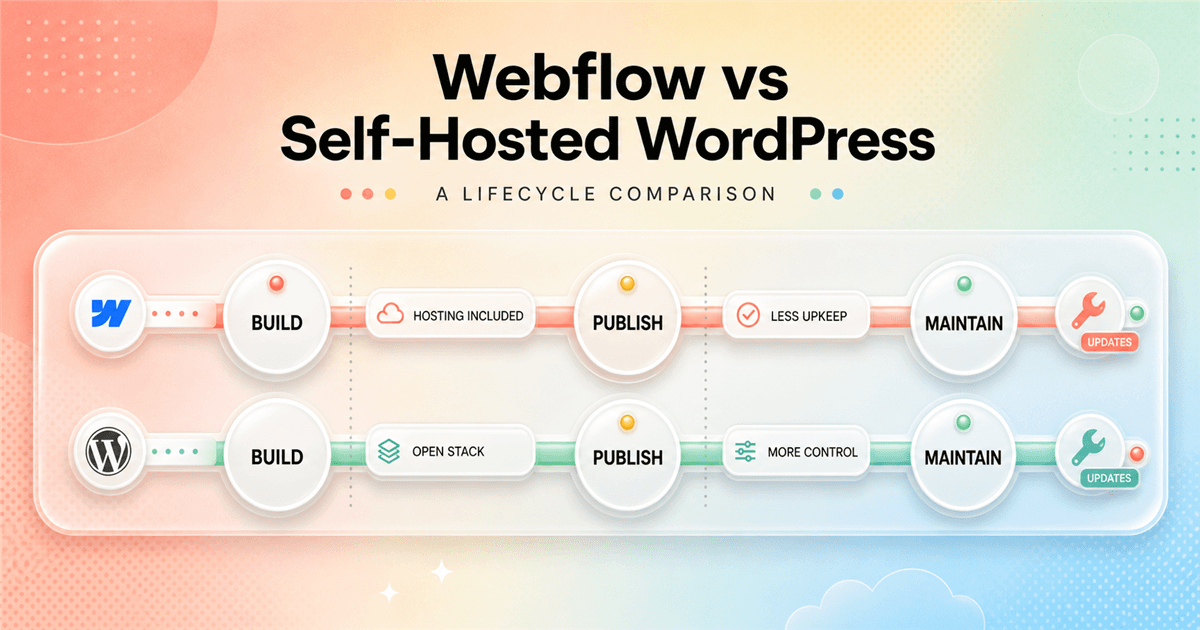
I choose Webflow to reduce infrastructure decisions. I choose WordPress to keep more of them.
- I pick Webflow for design-led marketing sites that benefit from managed hosting and a controlled publishing system.
- I pick self-hosted WordPress when plugins, custom development, hosting choice, and complex content operations justify ongoing maintenance.
- I decide from the future owner of updates, backups, security, integrations, and site changes.
My verdict
My Webflow vs WordPress choice starts with the maintenance owner.
I can build an attractive company site with either platform. That is not the useful dividing line. I choose Webflow when the team wants a visual design system and managed hosting in one product. I choose self-hosted WordPress when the project benefits from open code, hosting choice, a large extension ecosystem, and the freedom to replace almost every layer.
The second half of each sentence matters. Webflow's managed environment removes many routine decisions, but I accept its plans, limits, export boundaries, and product roadmap. WordPress gives me far more implementation choices, but those choices create a stack that somebody must understand, update, back up, secure, and recover.
I have seen clean WordPress sites run predictably for years with strong hosting, restrained plugins, tested updates, and one accountable owner. I have also inherited sites with three page builders, abandoned plugins, unknown licenses, and no usable backup. WordPress did not choose that architecture. People did.
I have seen Webflow sites stay tidy because one component and CMS system carried the whole build. I have also seen teams hit plan, CMS, localization, or workflow limits after the site became important. Webflow did not hide that it was a managed platform. The project simply outgrew assumptions nobody wrote down.
| My situation | What I choose | Why I choose it |
|---|---|---|
| A design-led marketing site with a small web team | Webflow | I get visual layout control, structured CMS work, managed hosting, and fewer infrastructure decisions in one environment. |
| A large publication with unusual editorial workflows | WordPress | I can choose the hosting, theme architecture, plugins, custom fields, editorial tools, and integrations around the publishing operation. |
| A client wants fewer maintenance decisions | Webflow | I remove most plugin, theme, server, cache, and update coordination from the client's routine responsibilities. |
| A business needs deep third-party functionality | WordPress | I can draw from the plugin ecosystem or build directly against an open PHP application and database. |
| A designer wants responsive control without a custom front end | Webflow | I can work with visual versions of layout, classes, breakpoints, components, and interactions while Webflow handles deployment. |
| A technical team prioritizes portability and infrastructure choice | WordPress | I can move hosts, inspect the code and database, replace parts of the stack, and control the operating environment. |
What I am comparing
I mean self-hosted WordPress.org, not WordPress.com plans.
WordPress is easy to discuss badly because the name covers different buying experiences. In this comparison, WordPress means the open-source software from WordPress.org installed on hosting I choose. I select the host, theme or custom theme, plugins, caching, backups, security practices, and deployment workflow.
That distinction changes the cost comparison. WordPress core does not charge a software license, but a production site still needs hosting and usually involves paid labor. It may also need premium plugins, a theme, transactional email, backups, monitoring, search, CDN service, or specialist support. The exact stack belongs in the estimate.
Webflow is a hosted website platform. I design, model CMS content, publish, and manage the site within Webflow's system. A custom domain and many production features require a Site plan, while Workspace features and seats can add another layer. I do not separately choose a PHP host or maintain a WordPress core installation.
Design and building
Webflow gives me a clearer visual front-end system.
Webflow fits the way I think about a marketing front end. I work with sections, containers, grid, flexbox, classes, breakpoints, variables, components, and interactions. The controls are visual, but the underlying concepts still resemble HTML and CSS. I can create a responsive design system without wrapping every decision in a theme or page-builder ecosystem.
That control has a learning curve. A designer who ignores class structure can produce the same maintenance mess in Webflow that a careless builder produces anywhere else. I name classes deliberately, build reusable components, limit one-off overrides, and test the canvas between standard breakpoints. Visual development does not remove architecture.
WordPress gives me several design routes. I can use a block theme and Site Editor, install a commercial theme, choose a page builder, create a custom theme, or build a headless front end. That choice is the strength and the complication. Two WordPress sites can share the same core software and have almost nothing else in common.
I choose WordPress for design work when the theme or custom implementation matches the long-term team. I do not install a large page builder because it makes the first homepage easy if it also creates an editor, output, and licensing model the team will resent later. The builder becomes part of the platform I maintain.
CMS and publishing
WordPress has the broader publishing ceiling. Webflow is easier to constrain.
Webflow Collections work well for structured marketing content. I can model articles, authors, resources, customers, jobs, events, locations, and integrations, then connect fields to Collection templates and lists. The design remains close to the content model, which helps a small team see how repeated pages are built.
I reach the boundary when the editorial operation needs more complex relationships, permissions, revisions, workflows, bulk tools, or specialist features than the Webflow CMS comfortably provides. I can use integrations and custom code, but I check whether I am extending the platform or fighting it.
WordPress began as publishing software and still gives me a deeper content ecosystem. I can use posts, pages, users, taxonomies, custom post types, custom fields, revisions, editorial plugins, REST APIs, and specialized search or workflow tools. For a large publication or directory, that flexibility can matter more than a unified visual canvas.
The WordPress advantage disappears when the content model becomes a plugin collection nobody can explain. I document post types, fields, taxonomies, relationships, ownership, and export paths. I prefer a small deliberate schema over five overlapping plugins that each solve one screen in the admin area.
Ownership and flexibility
WordPress lets me own more, including the difficult parts.
With self-hosted WordPress, I can access the application code, database, and files. I can move to another compatible host, build custom plugins, replace the theme, run command-line tools, integrate with other systems, and change the deployment process. That portability matters when the website becomes business infrastructure.
Ownership does not mean every migration is painless. A proprietary page builder, premium plugin, custom theme, or host-specific feature can still create lock-in. I audit the whole stack rather than assuming open-source core makes every implementation portable. The exit path is only as clean as the site architecture.
Webflow gives me project ownership inside a managed product. I can transfer sites and Workspaces, export code under certain plans, and connect services, but I cannot move the complete visual CMS and hosting environment to another provider. If I leave, I expect to rebuild platform-specific behavior.
Maintenance and security
Webflow removes routine stack maintenance, not responsibility.
A Webflow site still needs care. I review users and permissions, forms, integrations, custom code, scripts, domains, analytics, content quality, accessibility, broken links, and plan usage. I also monitor product changes that affect limits or workflows. Managed hosting narrows the maintenance surface; it does not make the website self-governing.
WordPress adds more layers I can control and therefore more layers I must operate. I plan core, theme, and plugin updates. I maintain backups and test restoration. I watch hosting health, PHP compatibility, database behavior, caching, email delivery, admin access, and security signals. I decide who responds when an update breaks a critical path.
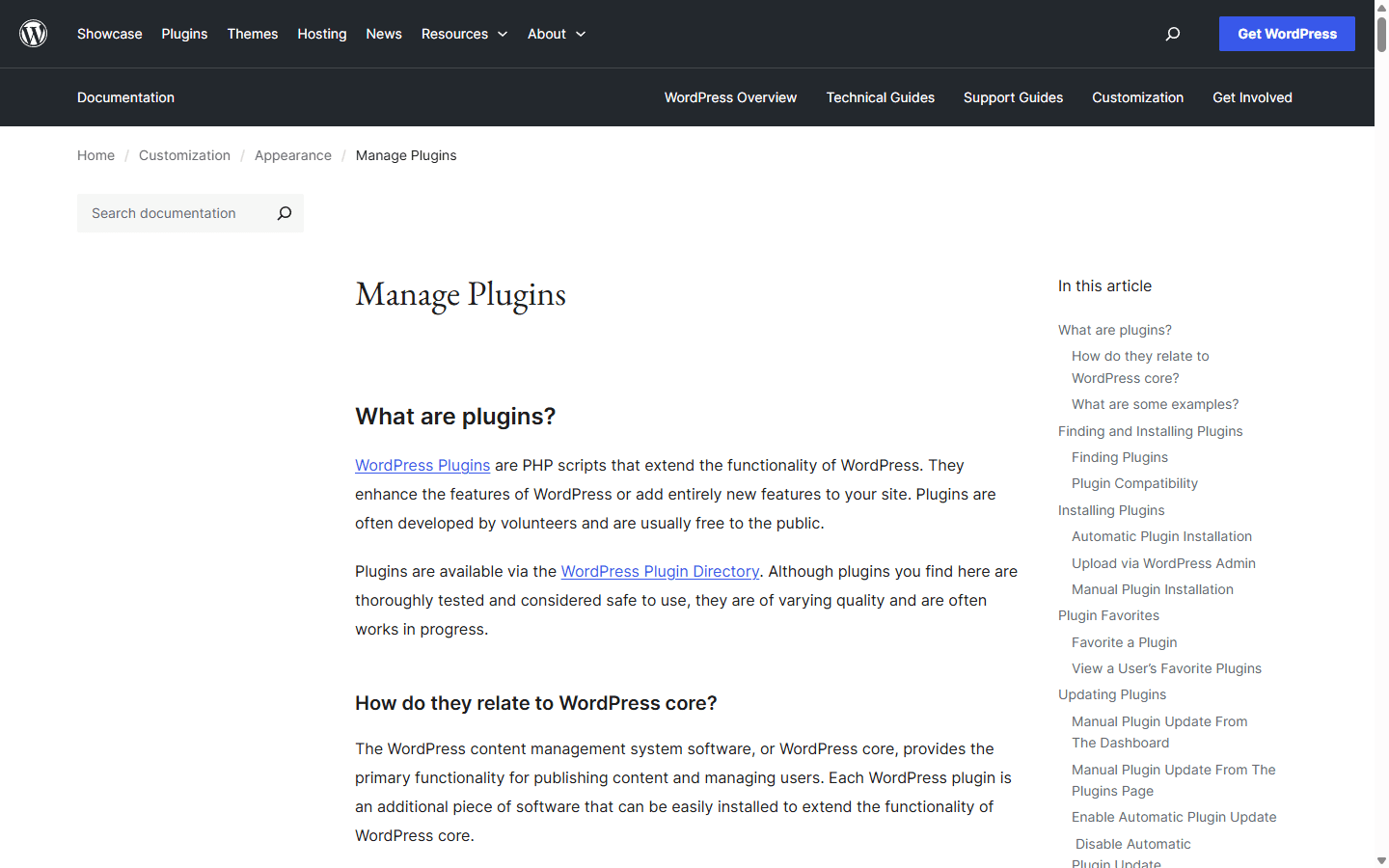
Plugins deserve governance because they are executable software inside the application. WordPress.org's documentation describes plugins as extensions to core and notes that their quality varies. I keep an inventory with purpose, owner, license, update history, last review, and replacement path. I remove plugins that duplicate another tool or no longer justify their risk.
I do not use maintenance as an argument that WordPress is bad. I use it as a budget line. A business that needs WordPress flexibility should fund an operating practice around it. A business that refuses ongoing maintenance should not receive a stack that depends on invisible volunteer work from the original developer.
| Responsibility | How I handle it in Webflow | How I handle it in WordPress |
|---|---|---|
| Core platform | Webflow operates the hosted platform, so I do not schedule core software upgrades for each site. | I plan WordPress core updates and test important releases against the theme, plugins, and hosting environment. |
| Extensions | I use Webflow Apps, integrations, embeds, and custom code selectively, but the basic site does not depend on a plugin stack. | I inventory plugins, owners, licenses, update history, overlap, and compatibility before I call the site maintainable. |
| Backups and recovery | I use Webflow's managed environment and site backups, then document any external data or integration recovery steps. | I configure host or independent backups, test restoration, and make sure the backup exists somewhere other than the server it protects. |
| Performance | I focus on media, layout, scripts, fonts, interactions, and plan limits inside a controlled hosting stack. | I also own hosting quality, caching, database health, theme output, plugin behavior, PHP resources, and delivery configuration. |
| Security | I still manage accounts, permissions, custom code, integrations, and forms, while Webflow manages the underlying hosted platform. | I manage hosting, updates, admin access, plugins, themes, backups, monitoring, and the response plan when something behaves badly. |
SEO control
I can build strong search foundations on both.
Webflow gives me integrated page settings, redirects, sitemap controls, canonicals, structured CMS patterns, heading control, and direct access to the visual structure. I like seeing the page and its SEO settings in the same system. I still need a publishing checklist so metadata and internal links do not depend on memory.
WordPress core is search-friendly, and the ecosystem gives me many ways to manage metadata, schema, sitemaps, redirects, internal links, caching, image delivery, and editorial workflows. That range is useful when I choose a coherent stack. It becomes noise when several plugins compete to manage the same output.
Neither platform gives me search demand, useful expertise, or a good information architecture. I still decide which page answers each intent, how topics connect, what evidence the page needs, and when old content should be updated. I test rendered HTML, crawlability, canonical behavior, performance, and structured data rather than trusting an SEO badge.
Cost and pricing
I compare Webflow plans with a complete WordPress operating stack.
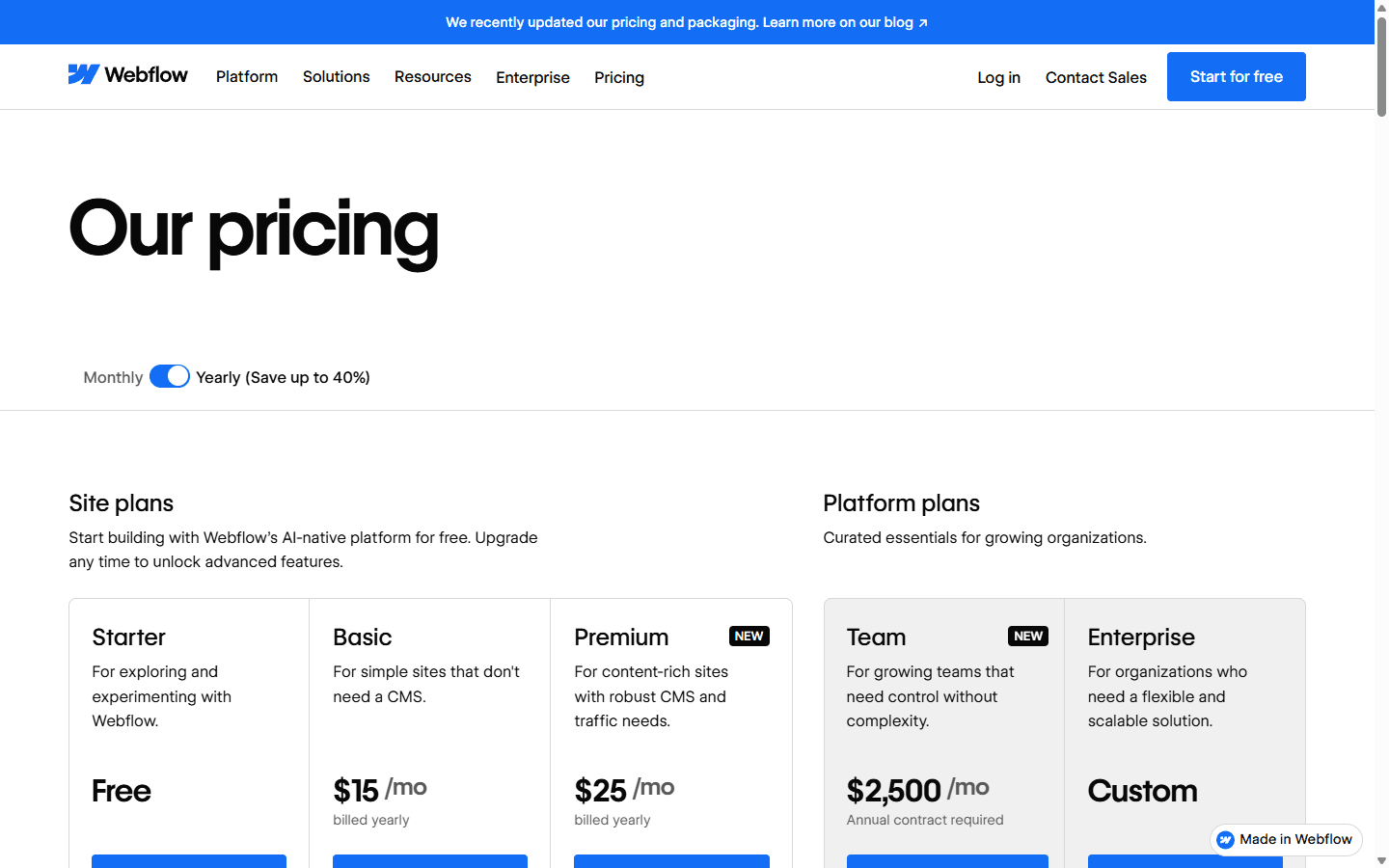
Webflow publishes plan prices and bundles hosting into Site plans. The current lineup includes free exploration and paid options for custom-domain sites, CMS needs, teams, and larger organizations. I also check Workspace requirements, seats, localization, bandwidth, forms, Ecommerce, and add-ons before I present the recurring total.
Webflow changed pricing and plan structure in 2026, which is why I use the live pricing page for every proposal. I do not let an old article or remembered plan name become a budget. I record the current plan, billing cycle, included limits, renewal assumptions, and the feature that forces each upgrade.
WordPress core is free software, but the working site has a cost shape rather than one price. I count hosting, domain, premium theme or development, plugins, backups, security, email, CDN, search, staging, monitoring, maintenance, and emergency support. Cheap hosting can be expensive when the team pays in slow pages and recovery work.
Migration cost
I treat either move as a rebuild with data attached.
Moving from WordPress to Webflow begins with subtraction. I identify which plugins and workflows are essential, which can become Webflow features or integrations, and which should disappear. Then I map posts, pages, custom fields, taxonomies, authors, and media into a Webflow content model that respects platform limits.
Moving from Webflow to WordPress begins with architecture. I choose hosting, theme strategy, content types, fields, plugins, permissions, backups, and deployment before I import content. Exported code does not become a native WordPress theme and Webflow CMS behavior does not automatically become WordPress admin screens.
In both directions, the design needs native rebuilding. I recreate components, templates, responsive behavior, forms, and interactions in the destination system. I preserve URLs where possible, prepare redirects, move metadata, verify internal links, and test the pages that currently bring traffic or leads.
I schedule migration around release risk rather than the prettiest launch date. I keep the old site available, test the new one privately, change DNS during a monitored window, and watch errors, forms, analytics, Search Console, and conversions. The move is complete when the new owner can make the next update safely.
Inventory
I list pages, posts, authors, taxonomies, custom fields, forms, media, scripts, plugins, redirects, analytics, users, and integrations before I rebuild anything.
Content mapping
I map WordPress post types and fields to Webflow Collections, or Webflow Collections to WordPress post types and custom fields. A CSV moves rows, not editorial logic.
Design rebuild
I expect to recreate templates, components, responsive behavior, and interactions. Neither platform turns the other site's design system into a native editable build.
URL protection
I crawl the current site, preserve important slugs, prepare redirects, and verify canonicals, metadata, internal links, and sitemap output before launch.
Release
I test forms, search, analytics, mobile pages, permissions, media, and high-traffic landing pages before DNS changes, then monitor errors and conversions afterward.
Reddit complaints
I use community complaints to expose missing ownership.
In recent Reddit discussions, Webflow users often describe relief from WordPress maintenance. They mention plugin updates, security work, backups, hosting problems, and monthly care plans that felt like a tax on keeping the site alive. I see the frustration, but I separate poorly governed WordPress stacks from the capabilities of WordPress itself.
WordPress users push back on Webflow pricing, platform limits, CMS ceilings, and dependence on a hosted product. They value the ability to choose hosting, plugins, code, and infrastructure. I take that seriously when the organization has technical ownership. Freedom without an operator is only a longer list of possible failures.
Agency discussions reveal another tension. Webflow can reduce routine maintenance retainers, while WordPress creates obvious ongoing service work. I do not choose a platform to manufacture a retainer. I charge for useful outcomes such as publishing support, conversion improvements, accessibility, analytics, content operations, and reliable maintenance where maintenance is genuinely required.
The best Reddit comments describe a concrete stack and team. A ten-year WordPress publisher, a solo designer, an enterprise marketing department, and a local business owner are not asking the same question. I use their complaints as test cases, then return to the people who will own the actual site.
Who should choose what
I pick the smaller responsibility set that still supports the business.
I recommend Webflow when the website is primarily a marketing and content property, the design team wants direct visual control, and the business prefers a managed platform. I want a clear component system, a content model that fits Webflow Collections, and one owner for publishing quality.
I recommend WordPress when the site needs broader publishing workflows, specialized functionality, deep integrations, custom application behavior, or infrastructure choice. I also want technical ownership, tested backups, plugin governance, and a maintenance budget that matches the stack.
I avoid Webflow when the roadmap already depends on capabilities that require repeated workarounds or when platform portability is a firm requirement. I avoid WordPress when the buyer wants infinite flexibility but refuses to decide who will maintain the resulting system.
My final question is not which logo looks more modern. I ask who updates the site, who fixes it, who pays when requirements grow, and how the business leaves. The platform that gives those people the clearest answer usually wins.
I choose Webflow for
Design-led company sites, portfolios, campaign systems, and structured marketing sites where a small team wants strong visual control without managing a server and plugin stack.
I do not choose Webflow for
Projects that depend on a broad plugin ecosystem, complex application behavior, unusual editorial operations, infrastructure portability, or a content model that pushes past the platform's comfortable limits.
I choose WordPress for
Content-heavy sites, memberships, publications, directories, multilingual operations, integration-heavy projects, and teams that value an open stack with many implementation choices.
I do not choose WordPress for
Owners who want no maintenance plan, teams that will install plugins without governance, or small sites where the stack creates more operating work than business value.
FAQ
The questions I settle before I recommend either CMS.
Is Webflow better than WordPress?
I consider Webflow better for design-led marketing sites that benefit from managed hosting and a smaller maintenance surface. I consider WordPress better when an open stack, plugins, custom development, hosting choice, or complex publishing workflows matter more.
Is Webflow easier to maintain than WordPress?
I usually spend less time on platform, theme, plugin, cache, and server maintenance in Webflow. WordPress maintenance can still be predictable when I use good hosting, a restrained plugin stack, tested updates, backups, and clear ownership.
Which is better for SEO, Webflow or WordPress?
I can build technically sound, indexable sites on both. Webflow gives me integrated page and CMS controls. WordPress gives me more implementation choices through core, themes, plugins, and code. Content quality, site architecture, internal links, performance, and consistent publishing decide more than the platform name.
Is WordPress cheaper than Webflow?
It can be, but I compare total cost. WordPress software is open source, while hosting, premium themes or plugins, development, backups, security, and maintenance can add cost. Webflow bundles more of the operating environment into its plans but may cost more as site, seat, localization, or usage needs grow.
Can I migrate from WordPress to Webflow?
Yes, but I plan a rebuild. I map content into Webflow Collections, recreate templates and components, replace plugin-driven behavior, preserve URLs, prepare redirects, test forms and analytics, and monitor search performance after launch.
Sources
The live pages I use to verify the platform details.
I checked Webflow's design, CMS, pricing, Site plan, Workspace, SEO, and 2026 pricing documentation. I checked WordPress.org's features, plugin management, administration, themes, download, and developer resources. I revisit live plan and product pages before a purchase because pricing, limits, releases, and recommended workflows change.
- Webflow design tools
- Webflow CMS
- Webflow pricing
- Webflow Site plan guide
- Webflow Workspace and Site plan overview
- Webflow 2026 plan update
- WordPress.org features
- WordPress plugin management
- WordPress administration screens
- WordPress developer resources
Read related articles
Keep reading practical SwitchMyTool guides after this one.

Qodo vs Codacy in 2026: Better AI Review or Stronger Merge Gates?
I compare Qodo and Codacy by AI review, static analysis, security gates, pricing, migration cost, team fit, and common Reddit complaints.
Read more
Qodo vs Graphite Agent in 2026: Better Review Governance or a Better PR Workflow?
I compare Qodo and Graphite Agent by review quality, stacked pull-request workflow, pricing, team fit, migration cost, and common Reddit complaints.
Read more
Qodo vs Bito in 2026: Better Review Governance or Broader Developer Coverage?
I compare Qodo and Bito by review governance, Git and IDE coverage, repository rules, pricing, team fit, migration cost, and Reddit complaints.
Read more