 SwitchMyTool

My working verdict
I choose Squarespace when the owner needs to run the site. I choose Webflow when a design team needs to run the system.
- I pick Squarespace for a faster launch, a composed visual system, and routine editing by nontechnical owners.
- I pick Webflow for responsive control, structured CMS work, custom motion, and a team that understands how the site is built.
- I decide from the person making the fiftieth update, not the person approving the first homepage.
My verdict
My Squarespace vs Webflow choice depends on ownership after launch.
I have built enough websites to distrust the first hour of any builder comparison. A fresh template looks tidy, the demo copy fits, and nobody has yet asked for a strange campaign page on Friday afternoon. The useful differences appear later, when a real person has to publish, correct, reorganize, and explain the site to somebody else.
Squarespace gives me a narrower, more composed system. I can make a polished service site, portfolio, restaurant site, small store, or publication without designing every structural rule from scratch. That limitation is often an advantage. It keeps an owner from accidentally turning one page into a separate design universe.
Webflow gives me a visual development environment. I can think in sections, containers, grid, flex layouts, classes, breakpoints, components, dynamic fields, and interactions. I get much closer to front-end control without writing the complete interface by hand. The price of that freedom is responsibility. Somebody must understand the system well enough to keep it coherent.
My answer to squarespace vs webflow therefore changes with the operating model. I use Squarespace when the website is one responsibility among many. I use Webflow when the website is an active marketing product with a named owner, a design system, and a publishing process.
| My situation | What I choose | Why I choose it |
|---|---|---|
| A consultant or local business edits its own site | Squarespace | I get a composed visual system and a smaller editing surface that a nontechnical owner can learn without becoming the site designer. |
| A design team needs custom responsive layouts | Webflow | I can control structure, spacing, breakpoints, interactions, and reusable components much closer to the way I think about front-end work. |
| A content team publishes a conventional blog | Squarespace | I prefer the direct publishing workflow when the content model is familiar and the team values speed over schema flexibility. |
| A marketing site has several structured content types | Webflow | I can model resources, customers, jobs, authors, locations, and landing pages as separate Collections with shared templates. |
| A founder wants to launch alone this weekend | Squarespace | I can start from a strong template, settle the typography and sections, and publish without first learning how a visual CSS system behaves. |
| An agency will retain ownership of design operations | Webflow | The extra control pays back when somebody is responsible for components, CMS structure, QA, and future campaign work. |
Building the site
Squarespace gets me to a credible first version faster.
When I start in Squarespace, I spend less time deciding how basic layout behavior should work. The section system, typography controls, spacing, and templates give me boundaries. I can focus on the offer, page order, proof, images, and calls to action. For a founder who needs to launch alone, that is real value rather than beginner training wheels.
I still have to resist template thinking. A beautiful starting point does not know which customer question deserves its own page or why a visitor should trust the business. I outline the navigation and write the hard pages before I decorate anything. Squarespace then helps me turn that plan into a consistent site without asking me to define every class.
Webflow starts slower for me because I make more structural choices. I decide how containers behave, how spacing scales, which classes deserve reuse, how components expose content, and what changes at each breakpoint. I can move quickly once those rules exist, but the first version carries more setup work.
That setup pays back on a custom marketing site. When the art direction depends on a particular grid, layered media, detailed responsiveness, or a distinctive transition, Webflow lets me build the idea instead of negotiating with a template. I only take that route when the result or future workflow earns the extra time.
Editing after launch
The handoff tells me whether I chose well.
I never call a site easy to use because I can edit it. I know where the settings live and I am willing to learn the platform. The real test is whether the owner can change a service, publish an article, replace an image, and fix a typo without calling the original designer.
Squarespace usually wins that test for a small business. The editor still has quirks, and a determined person can make a mess anywhere, but the editing surface matches the mental model of many owners: open the page, edit the section, update the content, and save. They do not need to understand a class cascade before changing a heading.
Webflow can provide a clean content workflow when I prepare it properly. I use components, CMS fields, clear labels, and permissions so an editor sees the content they should change rather than the full design machinery. If I skip that work, the client inherits a powerful tool with a cockpit full of controls they never asked for.
I also test the handoff with the actual future editor. A twenty-minute call exposes more than a polished training document. If the person hesitates at every step, I simplify the system before launch. I would rather remove cleverness than sell ongoing dependence as a feature.
| Common update | How I handle it in Squarespace | How I handle it in Webflow |
|---|---|---|
| Change a phone number or paragraph | I expect an owner to make this safely after a short Squarespace walkthrough. | I can make it easy in Webflow, but only if I built a clear component and content editing system first. |
| Publish a new article | I get a familiar editor and a built-in blog structure with fewer schema decisions. | I get more control over fields and templates, but the content model needs deliberate setup. |
| Build a campaign page | I can move quickly within established sections, but unusual layouts may push against the system. | I can design the page more freely, reuse components, and tune each breakpoint with much finer control. |
| Protect the design from accidental changes | The narrower set of choices does much of the protection for me. | I define roles, components, naming, and editing boundaries. Webflow gives me control, not automatic governance. |
CMS and publishing
Webflow wins when content has a real schema.
Squarespace handles familiar publishing jobs well. A blog already understands posts, authors, categories, tags, dates, and feeds. Portfolio and product collections cover other common cases. When the content fits those shapes, I appreciate not having to design a database before I publish the first item.
I reach for Webflow when the site has several types of structured content that need to appear in different places. A B2B site might have customer stories, industries, integrations, authors, resources, jobs, and events. I can create a Collection for each type, define fields, connect references, and design one template that powers every item.
The benefit is not that Webflow has a CMS badge. The benefit is that I can model the business more accurately. One customer record can feed a case study page, a homepage logo strip, an industry page, and a related-content module. The team updates the source rather than hunting through several static pages.
The same freedom can become busy work. I have seen people build elaborate schemas for a site with six articles and no publishing calendar. I use the smallest content model that supports the next year of work. If a normal Squarespace blog covers the job, a custom CMS does not make the content more important.
Design and motion
Webflow lets me control the exceptions instead of hiding them.
Squarespace can produce a strong site, especially when photography, typography, and restrained composition do most of the work. I can tune site styles, build varied sections, and keep the result coherent. For many service brands, that is enough. The work looks intentional because the system discourages unnecessary invention.
I feel the boundary when the layout needs behavior the editor does not naturally support. I may be able to reach it with code, but every custom patch changes the maintenance story. A clever override that only the original designer understands is not free design control. It is a future support ticket.
Webflow is more comfortable when the design depends on exact responsive relationships. I can build grids that recompose, components with controlled variants, sticky narratives, reveal sequences, and interactions tied to a clear visual idea. I can inspect the structure instead of stacking workarounds on top of a section preset.
I still edit myself. Motion is easy to add and hard to justify. I use it to explain hierarchy, preserve context, or make state changes legible. If an animation only proves that I found the interaction panel, I remove it. Webflow's freedom helps most when I am willing to leave some of it unused.
SEO control
I can do serious SEO work on either platform, but I get there differently.
Squarespace covers a broad technical baseline. Its documentation describes generated sitemaps, clean URLs, structured data, mobile optimization, and page controls. I like that a small team does not have to assemble plugins to create an indexable site. The platform handles routine plumbing while I work on useful pages and internal links.
That convenience does not rank a weak site. I still need to understand search intent, choose a page for each job, write titles and descriptions, use a sensible heading structure, add descriptive image text, connect related pages, and update content when the business changes. A sitemap can expose a page to a crawler. It cannot make the page deserve attention.
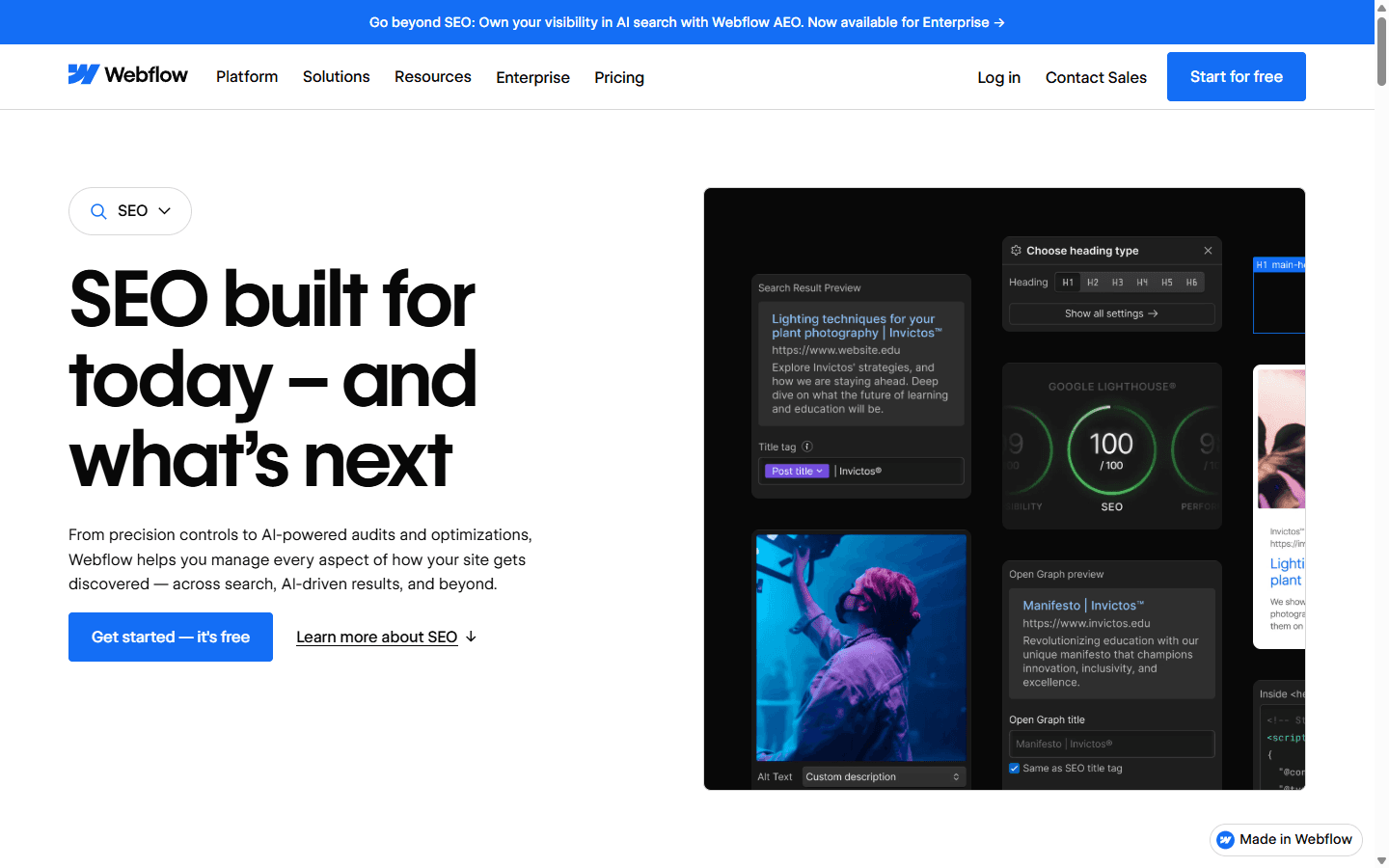
Webflow gives me more visible control over page metadata, heading structure, canonical settings, Open Graph information, redirects, and dynamic SEO patterns for Collection pages. I value that when a marketing team has a deliberate information architecture or when hundreds of pages inherit fields from a content model.
More controls also create more ways to be inconsistent. I have audited Webflow sites with attractive pages and missing metadata because nobody owned the publishing checklist. My SEO preference follows the team. I choose explicit control when somebody will use it, and dependable defaults when nobody wants another settings panel.
Pricing and billing
Webflow's sticker price is only part of the operating cost.
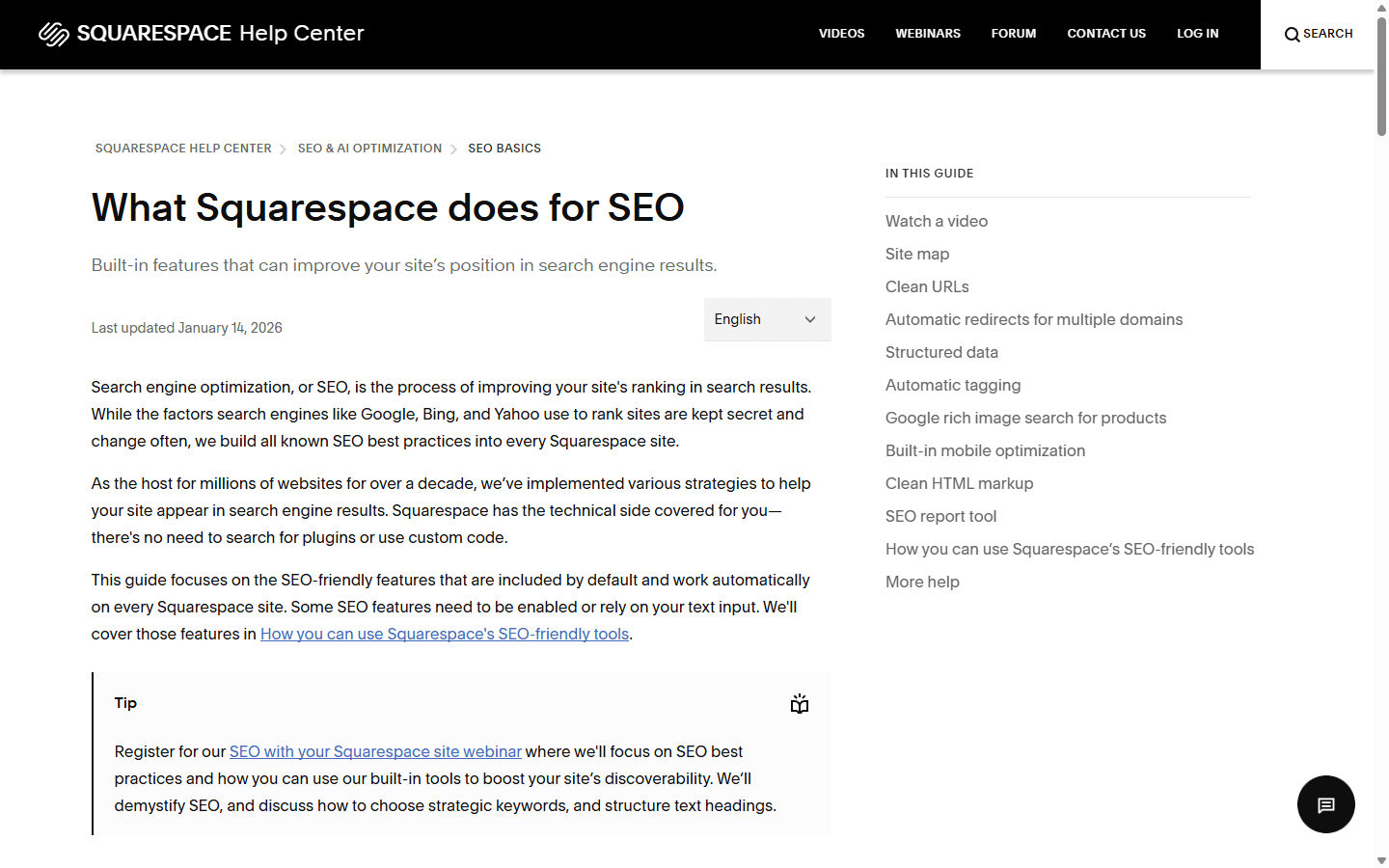
I compare live checkout details rather than memorizing a price table. Both companies can change plans, limits, currency, annual discounts, and included features. Squarespace currently offers a 14-day trial rather than a permanent free website plan, and its annual plans can include savings and a first-year domain. I confirm the exact region before I write a budget.
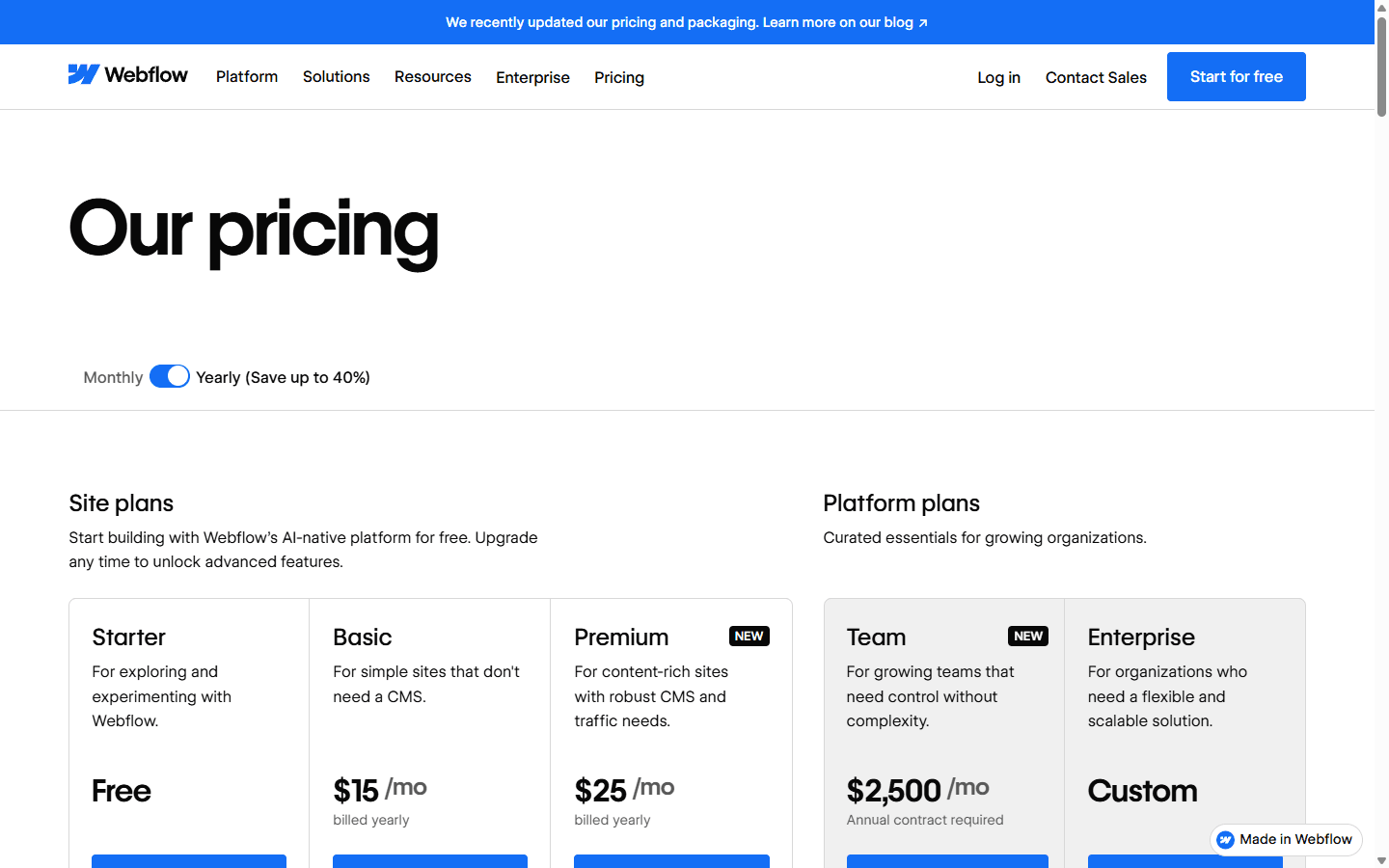
Webflow currently has a free Starter route for exploration, but publishing a normal custom-domain site requires a paid Site plan. Its help material separates Site plans from Workspace plans, and that distinction matters. I check the site, the people building it, client seats, localization, bandwidth, CMS needs, and any add-ons before I call the monthly cost complete.
Webflow also changed its Site plan lineup in 2026. The current pricing page shows Basic and Premium alongside larger team options. That is another reason I link to live sources instead of turning this article into a price promise. A plan name that was correct during proposal week can mean something different at renewal.
The largest cost is often labor. Squarespace can cost more when I keep fighting its design boundaries or rebuilding pages that need a real content model. Webflow can cost more when a simple site requires a specialist for every update. I calculate the subscription, build time, training, ongoing publishing, and the likely cost of leaving.
Migration cost
I budget for a rebuild, not a platform transfer.
A Squarespace to Webflow migration sounds simple until I list everything the website includes. Text and images are only the visible layer. URLs, forms, analytics, scripts, metadata, redirects, product or member behavior, CMS relationships, and domain records all need a destination.
Moving to Webflow usually means I redesign the component system and remodel structured content. I can import CMS rows through CSV, but I still map the fields, references, slugs, templates, and media. I also decide which old Squarespace conventions should survive and which ones only existed because of the previous platform.
Moving from Webflow to Squarespace requires a different compromise. I can preserve content and URLs where possible, but custom layouts, interactions, class systems, and Collection relationships do not become native Squarespace sections. I decide what the simpler operating model is worth, then rebuild the design around it instead of making a brittle imitation.
I never change DNS as the first migration step. I build privately, crawl the old site, prepare redirects, test forms and analytics, compare mobile pages, and verify the important search landing pages. After launch I monitor error reports, Search Console, conversions, and the future editor's first real update.
Content inventory
I list every static page, CMS item, form, image, downloadable file, embed, script, and integration before I rebuild anything.
URL map
I record current URLs, traffic pages, backlinks, and redirect targets. I refuse to trade a tidy redesign for a pile of avoidable 404s.
Design rebuild
I recreate layouts and components because neither platform exports a complete editable site into the other. The visual resemblance can hide a substantial rebuild.
CMS remodel
I map fields, references, authors, categories, and templates. A CSV can move rows, but it cannot decide how the new content system should work.
Release and monitoring
I test forms, analytics, mobile layouts, redirects, metadata, and search pages before DNS changes, then watch the site after real traffic arrives.
Reddit complaints
I use Reddit to find the uncomfortable test cases.
In recent Webflow discussions, pricing changes and billing complexity come up repeatedly. Freelancers and agencies talk about the awkwardness of explaining per-site hosting, Workspace needs, seats, localization, and changed limits to clients. I do not treat every complaint as universal, but I do put the complete recurring cost in the proposal before anybody approves the design.
I also see a handoff argument. Some people love Webflow because it lets them build a controlled marketing system. Others call it overkill for a small client who wants to change opening hours twice a year. Both can be right. The difference is whether the client receives a prepared editing workflow or the raw design environment.
Squarespace complaints usually point in the opposite direction. Owners appreciate the easier start, then resent the platform when a particular layout, content relationship, checkout behavior, or custom workflow falls outside its comfortable range. I test the hardest planned page before I commit, because a homepage demo rarely exposes that boundary.
Reddit skews toward technical users, agencies, and frustrated people. I use it as a list of failure modes rather than a vote. A specific account of a broken handoff, surprising renewal, CMS ceiling, or design workaround is useful because I can reproduce the scenario. A one-line claim that either platform is terrible is mostly mood.
Who should choose what
I pick the platform that the next owner can operate without pretending.
I recommend Squarespace when a business wants a polished, managed site and the owner or a generalist marketer will handle most updates. It works well when the content types are conventional, the visual direction fits a composed section system, and the website should not require a specialist to stay current.
I recommend Webflow when the site is a serious design and publishing system. I want it for a team that values responsive detail, custom components, structured Collections, dynamic landing pages, and controlled motion. I also want a named person who understands how those pieces fit together.
I avoid Squarespace when the roadmap already contains several unusual content models or a design system that needs fine control. I avoid Webflow when a small owner is buying a beautiful machine with no operator. Neither product deserves the project merely because its template looks better during the pitch.
My final test is simple. I ask who will publish the fiftieth page, fix the urgent typo, update the navigation, and explain the monthly bill. If the answer is the owner, Squarespace usually gets stronger. If the answer is a design or web team, Webflow's control can earn its keep.
I choose Squarespace for
Consultants, photographers, restaurants, studios, local services, small publishers, and founders who want a polished site they can keep current themselves.
I do not choose Squarespace for
Projects that depend on unusual responsive systems, extensive interaction design, several connected content types, or a design team that wants front-end-level control.
I choose Webflow for
Design-led marketing teams, agencies, funded startups, content programs with structured Collections, and sites where motion and layout detail influence the brand.
I do not choose Webflow for
Owners who dislike technical concepts, tiny brochure sites that do not need custom design, or teams without a clear person responsible for the system after launch.
FAQ
The questions I answer before I recommend either builder.
Is Webflow better than Squarespace?
I consider Webflow better for custom responsive design, structured CMS work, and teams with a capable design owner. I consider Squarespace better when a smaller team wants a polished site with simpler day-to-day editing.
Is Squarespace easier to use than Webflow?
I find Squarespace easier for most nontechnical owners because it gives me fewer structural decisions and a more guided editing model. Webflow becomes efficient after I understand its box model, classes, breakpoints, components, and CMS relationships.
Which is better for SEO, Squarespace or Webflow?
I can build an indexable, well-structured marketing site on either platform. Webflow gives me more explicit control, while Squarespace handles more technical defaults. Content quality, information architecture, internal links, intent, and maintenance matter more than the builder name.
Can I move a Squarespace site to Webflow?
Yes, but I budget for a rebuild. I can move some content through exports or CSV files, then I recreate the design, CMS model, forms, metadata, integrations, and redirects before changing the domain.
Is Webflow too complicated for a small business?
It can be. I use Webflow for a small business when the design or content system earns the added complexity and somebody will own it. I use Squarespace when the owner mainly needs dependable pages and straightforward updates.
Sources
The live pages I use to verify the current product details.
I checked Squarespace's pricing page, SEO guide, and page settings documentation. I checked Webflow's pricing page, Site and Workspace plan documentation, CMS guide, SEO controls, canonical documentation, and 2026 pricing update. I revisit live plan pages before a purchase because prices, limits, and billing rules change faster than comparison articles.
- Squarespace pricing
- Squarespace SEO features
- Squarespace page settings
- Webflow pricing
- Webflow Site plans
- Webflow Workspace and Site plan overview
- Webflow CMS guide
- Webflow SEO title and description controls
- Webflow 2026 pricing update
Read related articles
Keep reading practical SwitchMyTool guides after this one.

Qodo vs Codacy in 2026: Better AI Review or Stronger Merge Gates?
I compare Qodo and Codacy by AI review, static analysis, security gates, pricing, migration cost, team fit, and common Reddit complaints.
Read more
Qodo vs Graphite Agent in 2026: Better Review Governance or a Better PR Workflow?
I compare Qodo and Graphite Agent by review quality, stacked pull-request workflow, pricing, team fit, migration cost, and common Reddit complaints.
Read more
Qodo vs Bito in 2026: Better Review Governance or Broader Developer Coverage?
I compare Qodo and Bito by review governance, Git and IDE coverage, repository rules, pricing, team fit, migration cost, and Reddit complaints.
Read more