 SwitchMyTool

My verdict
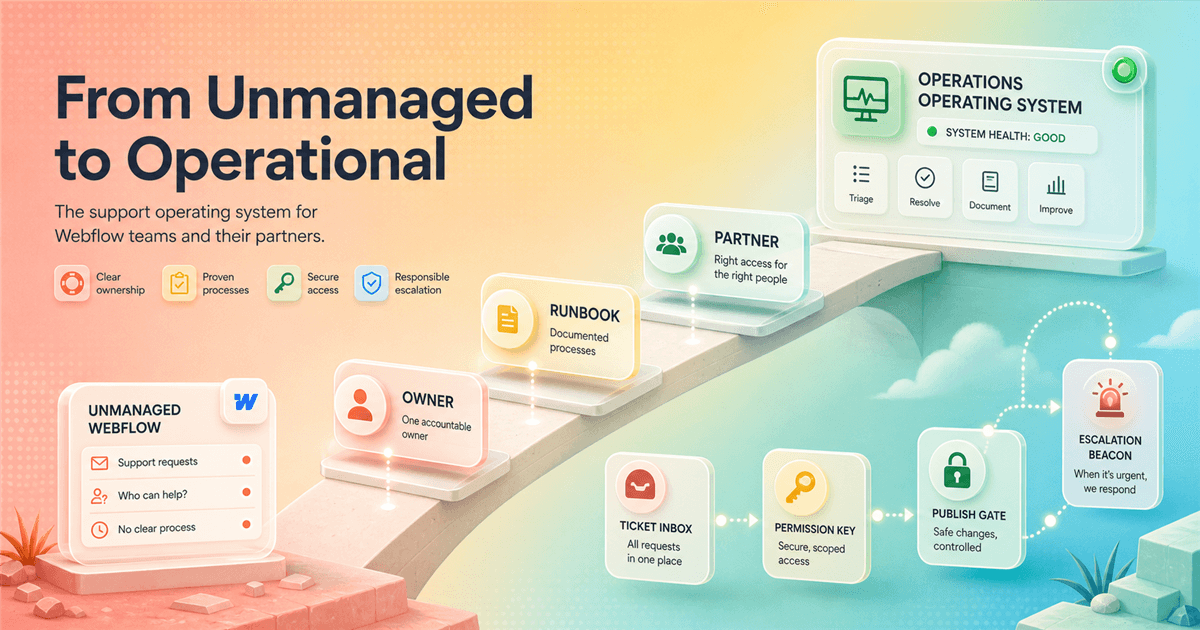
An unmanaged account is fine. Unowned work is not.
I have run enough Webflow launches to know that a named Customer Success Manager is useful, but not magical. A CSM can add cadence, context, and a route through the organization. They cannot decide who on your team owns the domain, approve Friday's campaign page, or repair a release process nobody wrote down.
People searching for customer success unmanaged Webflow are usually trying to answer a blunt question: what happens when Webflow matters to the business, but the account does not include a dedicated success relationship? My answer is to build a small customer-success function around the account. I assign an owner, narrow access, route requests, review releases, rehearse incidents, and keep a specialist path open.
For a five-person marketing team with a stable site, that can work better than buying organizational ceremony you do not need. For a global team shipping every day, it can become false economy. The deciding factor is not whether Webflow is 'easy.' It is whether the consequences of a slow answer or bad release are larger than the cost of better support and governance.
Start with the contract
What I mean by managed and unmanaged
Unmanaged is not an official plan name I would put in a procurement spreadsheet. I use it as operating shorthand for an account that does not have a named, continuing Customer Success relationship attached to the commercial agreement. The account still has documentation, product support routes, a status page, University material, community knowledge, and whatever service its plan promises.
That distinction matters because teams often confuse three separate jobs. Product support helps investigate a product or account problem. Customer success connects product use to business goals and adoption. A solutions architect or specialist partner helps with technical design and implementation. One friendly support reply does not quietly include all three jobs.
Before I design a process, I read the order form and plan terms. I write down the support channel, hours or priority stated in the agreement, named contacts, renewal owner, and any partner scope. I do not build an incident plan around a service level somebody remembers from a sales call.
The useful comparison
Enterprise shows which jobs somebody must own
Webflow describes its Enterprise experience as a dedicated partnership that can include Customer Success, technical expertise from a Solutions Architect, training, Enterprise Support, and centralized visibility. I read that list as a map of operational work. If my account does not buy that bundle, the work does not disappear. It moves to my team, an agency, or a mixture of both.
The important part is the rhythm. Enterprise Customer Success is positioned around success planning, business reviews, adoption, and guidance. I reproduce a lighter version with a quarterly review: what changed, what shipped, what failed, who still has access, what the next campaign needs, and which recurring problem deserves investment.
I do not imitate the promise. A self-managed checklist is not 24/7 priority support, and a freelancer on a monthly retainer is not automatically a Solutions Architect. I name the gap honestly so stakeholders understand what risk they are accepting.
The playbook
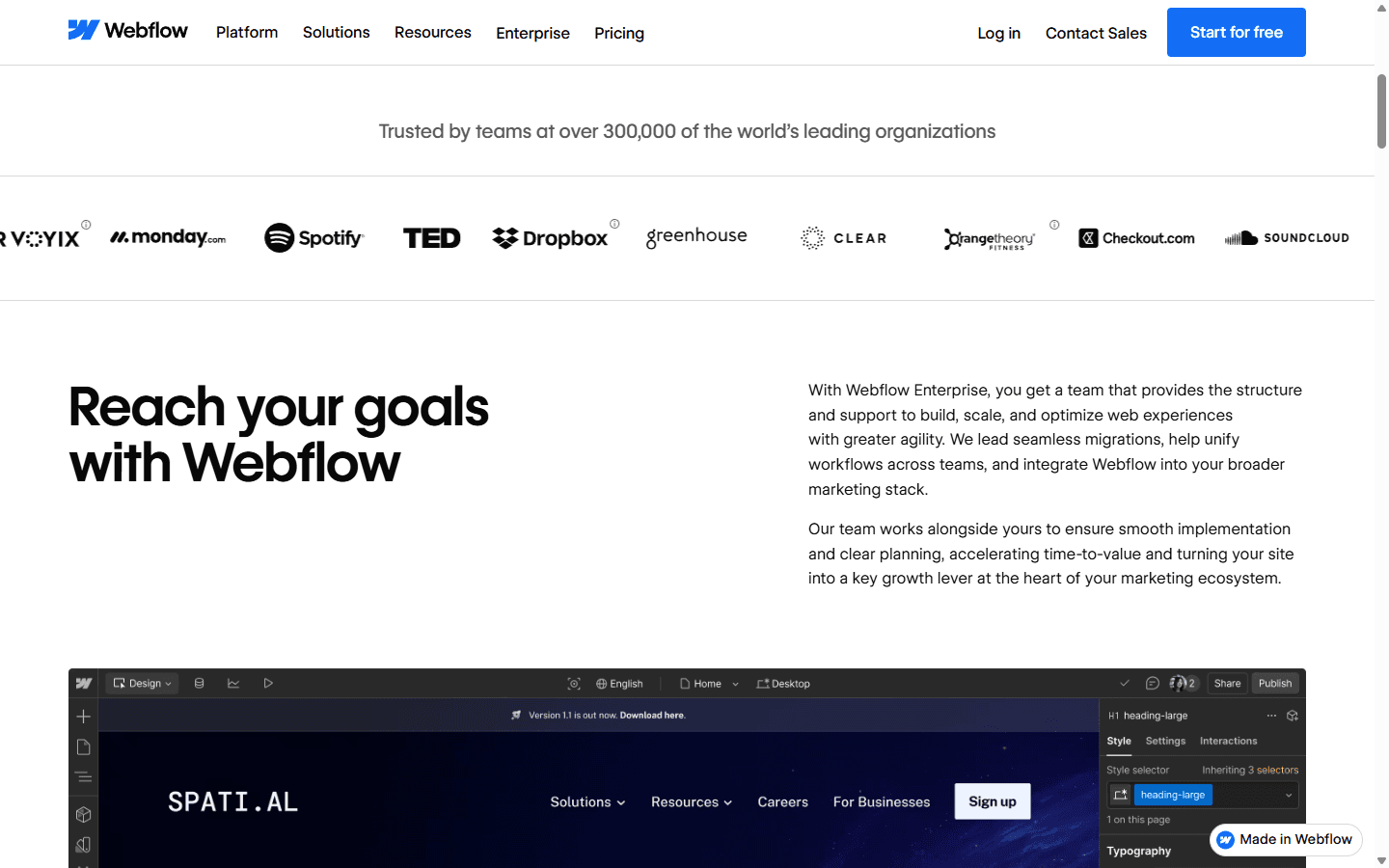
My five-part customer-success operating system
My system fits on one page. That is deliberate. A forty-page governance document becomes expensive wallpaper. Each part answers a question that appears during ordinary work: who decides, where does this request go, who can publish, what happens when it breaks, and who helps when the internal team is out of its depth?
I keep the plan next to the site inventory and release checklist. New team members can understand it in twenty minutes. At the quarterly review, I update names and links rather than rewriting a strategy deck.
| Control | What it prevents | Minimum artifact |
|---|---|---|
| Accountable owner | One person owns the platform decision, access reviews, renewal context, and the answer to 'who decides?' | Named owner, deputy, and quarterly review date |
| Request intake | Every change enters through one queue instead of chat messages, meeting notes, and hallway promises. | Request, reason, owner, risk, due date, acceptance check |
| Publish gate | A second person reviews meaningful changes before the production domain receives them. | Preview link, mobile check, forms, SEO, accessibility, rollback note |
| Incident path | The team separates content mistakes, design bugs, DNS trouble, billing issues, and platform incidents before escalating. | Severity, evidence, last good state, owner, next update time |
| Outside expertise | A partner handles work that exceeds the internal team's time or technical confidence. | Defined scope, response expectation, access level, and handback checklist |
Control one
Name one owner, then give that person a deputy
My owner is not necessarily the best Webflow designer. The owner is the person accountable for the platform as a business system. They know who owns the workspace, where the domain lives, which forms feed which systems, who can publish, what the partner covers, and when the commercial agreement renews.
I also name a deputy. A platform that depends on one person's memory is already an incident waiting for annual leave. The deputy should be able to find billing contacts, production domains, current users, support links, recent releases, and the last good state without asking for a guided tour.
Once a quarter, the owner reviews access, integration credentials, abandoned staging sites, old collaborators, failed form routes, redirects, and upcoming campaigns. This is not glamorous customer success work. It is why the glamorous launch does not turn into a Monday morning archaeology project.
Control two
Treat permissions as workflow design
Webflow separates workspace roles from site roles and provides roles such as Site Manager, Designer, Marketer, Content editor, and Reviewer. I start with the smallest role that lets somebody complete their actual job. Job title alone is not a permission model.
Reviewers need to comment, not redesign the navigation. Editors need to change approved content, not repair component structure. A developer working on one property does not automatically need administrative reach across every site. Publishing deserves its own decision because content access and production authority are different risks.
I review permissions when somebody joins, changes role, leaves, or when an agency handoff completes. Waiting for the quarterly review is too slow for offboarding. I also record who owns the underlying workspace and site because client handoffs become painful when everyone assumes ownership transferred with a login invitation.
| Person | Typical access | Boundary I set |
|---|---|---|
| Business owner | Workspace administration, billing visibility, ownership decisions | Avoid routine design work unless this person actually maintains the site |
| Web lead | Site Manager or the smallest role that covers daily operations | Owns access reviews, release calendar, and escalation |
| Designer or developer | Designer access for the sites they actively build | Avoid broad workspace privileges by default |
| Marketing editor | Marketer or Content editor role, with publishing only when the workflow supports it | Keep structural changes outside the routine publishing lane |
| Stakeholder | Reviewer access for comments and approvals | Do not buy or grant build access just to collect feedback |
Control three
A preview link is not a release process
My publish gate has three stages: build, review, release. The builder checks responsive behavior, interactions, forms, links, headings, metadata, and changed CMS relationships. The reviewer checks the request against the acceptance criteria. The releaser confirms the production scope and communicates what changed.
Small copy edits can use a lighter path. Structural changes, redirects, domain work, scripts, components, forms, localization, or shared CMS changes get a second pair of eyes. I do not let urgency erase the review; I reduce the scope until it can be reviewed safely.
I record the preview link, approver, publish time, affected pages, and a short recovery note. Webflow's Enterprise activity features and single-page publishing can add visibility and control for eligible accounts, but I still need a human answer to what should have changed and why.
Control four
Put every request through one front door
A surprising amount of Webflow chaos begins with a harmless sentence in chat: 'Can you just change this before lunch?' The change is not the problem. The missing context is. Nobody records the owner, reason, deadline, affected pages, approval, or definition of done.
My intake can be a form, ticket queue, or project-management list. I capture the business reason, desired outcome, content owner, due date, risk, dependencies, and acceptance check. I add a link to the design or copy source, not a stack of contradictory attachments.
Comments inside Webflow are useful for page-specific feedback, especially for reviewers. I still keep the request system as the source of truth. A comment can explain that a heading is wrong; the ticket explains why the campaign, legal review, and publish date matter.
Control five
Triage before escalating
When something breaks, I first decide which system failed. A missing CMS item, an expired automation credential, a registrar change, and a Webflow platform incident can all appear to a stakeholder as 'the website is down.' Sending that sentence to support wastes the first response.
My incident note includes the affected URL, time first observed, last known good state, exact behavior, browser or device where relevant, recent changes, reproduction steps, business impact, and current owner. I check the Webflow status page before making speculative production edits.
For a severe incident, I set the next communication time even when there is no fix yet. Customers and executives handle uncertainty better when they know who owns the problem and when they will hear again.
| Incident type | First clue | First response |
|---|---|---|
| Content error | Wrong copy, image, link, or CMS item | Correct in the editor, review the affected page, publish through the normal gate |
| Layout regression | Breakpoint failure, broken interaction, class change, or component issue | Reproduce on staging, identify the changed element, repair, and test neighboring pages |
| Form or integration failure | Submission does not arrive or automation stops downstream | Test the form, destination, credentials, quota, and integration history before blaming hosting |
| Domain or DNS issue | Certificate, record, redirect, or propagation problem | Record current DNS values, confirm ownership, check Webflow status, then involve the registrar or support |
| Platform incident | Multiple unrelated workflows fail and Webflow reports disruption | Stop speculative changes, preserve evidence, follow the status page, and communicate the next update time |
The honest gap
I add a partner before I add heroics
An unmanaged account does not require the internal team to become expert in everything. I use a Webflow specialist when a migration, integration, design system, localization rollout, accessibility remediation, or complex CMS model exceeds the team's experience. That is capacity planning, not failure.
The partner agreement needs sharper boundaries than 'help with Webflow.' I define covered sites, working hours, response expectation, included change volume, incident contact, access level, documentation, and what happens when work returns to the internal team. I keep the client as the owner and grant the partner the access they need.
If the organization needs continuous technical guidance, formal business reviews, broad training, priority support, and governance across many teams, I stop trying to simulate Enterprise with scattered retainers. At that point I compare the full commercial options against the cost of coordination and risk.
Buyer fit
Who can stay self-managed, and who should not
I make this decision with operational evidence. Site count, release frequency, number of publishers, revenue exposure, languages, integrations, compliance needs, and incident history tell me more than company headcount.
A solo marketer running one stable site may need a dependable freelancer twice a quarter. A twenty-person web program may need a managed relationship and technical architecture help. The middle is where clear ownership and a good partner can buy a lot of runway.
Best for
A small marketing or web team with one accountable owner, a modest release cadence, and enough discipline to maintain a queue, permissions, and a release checklist.
Not for
A regulated, global, or high-change operation that needs contractual response terms, continuous architecture advice, advanced auditability, or several teams publishing at once.
Stay unmanaged when
The site is stable, internal ownership is clear, incidents are rare, and the cost of a few hours of specialist help is lower than a larger contract.
Add a certified partner when
The platform still fits but the team lacks design-system, CMS, migration, localization, accessibility, integration, or release-management capacity.
Discuss Enterprise when
Webflow has become business-critical and the organization values a dedicated success relationship, technical guidance, around-the-clock Enterprise support, and stronger visibility more than a lean self-managed model.
Customer research
The Reddit complaints I would take seriously
In Reddit discussions about Webflow handoffs, workspace plans, and client ownership, I repeatedly see confusion about who should own the workspace, whether an agency should remain after launch, what guest access covers, and why seats or plan changes affect the handoff. I also see clients asking for ongoing help after both sides treated launch as the end of the relationship.
The useful lesson is contractual. Ownership, maintenance, access, and response expectations need agreement before launch. Otherwise every later product change feels like a surprise charge or a broken promise, even when the underlying issue is an undefined service relationship.
Another common complaint is complexity appearing after a simple start. That is normal for a growing website, but unmanaged teams feel it sooner because nobody is responsible for turning new capabilities into a coherent operating model. I answer that with fewer owners, fewer queues, and clearer boundaries, not another tool.
Implementation
My 90-day plan for an unmanaged account
I do not upgrade or hire from anxiety. I run this plan for ninety days, measure where work stalls, and then buy the missing capability. Some teams discover they only needed ownership and a release checklist. Others discover that their web operation has quietly become too important for an informal support model.
| Period | Work | Evidence |
|---|---|---|
| Days 1 to 15 | Name the owner and deputy. Inventory workspaces, sites, domains, forms, integrations, billing contacts, active users, and outside collaborators. | An ownership sheet and access list that a second person can understand without a meeting |
| Days 16 to 30 | Remove stale access, map each person to the smallest useful role, and document where production publishing is allowed. | A permission model with fewer accidental administrators and a recorded review date |
| Days 31 to 45 | Create one request queue, one preview convention, and a release checklist covering responsive behavior, forms, links, SEO, accessibility, and approval. | A repeatable route from request to reviewed release |
| Days 46 to 60 | Write incident notes for content, layout, integration, domain, and platform problems. Run a tabletop exercise using a realistic failure. | A team that knows what evidence to collect and whom to contact |
| Days 61 to 75 | Measure request age, failed releases, emergency publishes, access exceptions, and recurring work that needs specialist help. | Enough operational evidence to separate inconvenience from real platform risk |
| Days 76 to 90 | Decide whether to remain self-managed, retain a partner, or discuss Enterprise. Price the operational gap, not just the software tier. | A documented support decision with scope, owner, budget, and next review date |
FAQ
Questions I hear about unmanaged Webflow customer success
What does an unmanaged Webflow account mean?
I use unmanaged to describe an account without a named, ongoing Customer Success partnership in its commercial arrangement. It does not mean the site lacks Webflow support, documentation, status information, or community resources. The exact service terms still depend on the plan and contract.
Does every Webflow customer get a Customer Success Manager?
Webflow publicly presents dedicated Customer Success as part of its Enterprise experience. I would not assume a named Customer Success Manager is included in another plan unless the order form or account team confirms it.
Can a small team run Webflow without a dedicated CSM?
Yes, when one person owns the platform, access is controlled, changes move through a review gate, and the team has a clear incident and partner path. The arrangement becomes risky when responsibility is shared in theory but owned by nobody in practice.
When should I hire a Webflow partner instead of upgrading?
I hire a partner when the platform still fits but a project needs specialist execution, such as migration, CMS architecture, integrations, accessibility, localization, or a design system. I discuss Enterprise when ongoing governance, technical guidance, support coverage, and organizational scale are the bigger needs.
What should be in a Webflow customer success plan?
My minimum plan names the owner, deputy, role model, request queue, publish checklist, incident categories, support contacts, partner boundary, platform goals, and a quarterly review date. It should be short enough that the team actually uses it.
Primary sources
Where I checked the current product details
- Webflow Enterprise experience and success
- Webflow site roles and permissions
- Webflow Site Activity log
- Webflow comments
- Webflow content editor guidance
- Webflow status
Read related articles
Keep reading practical SwitchMyTool guides after this one.

Qodo vs Codacy in 2026: Better AI Review or Stronger Merge Gates?
I compare Qodo and Codacy by AI review, static analysis, security gates, pricing, migration cost, team fit, and common Reddit complaints.
Read more
Qodo vs Graphite Agent in 2026: Better Review Governance or a Better PR Workflow?
I compare Qodo and Graphite Agent by review quality, stacked pull-request workflow, pricing, team fit, migration cost, and common Reddit complaints.
Read more
Qodo vs Bito in 2026: Better Review Governance or Broader Developer Coverage?
I compare Qodo and Bito by review governance, Git and IDE coverage, repository rules, pricing, team fit, migration cost, and Reddit complaints.
Read more