 SwitchMyTool

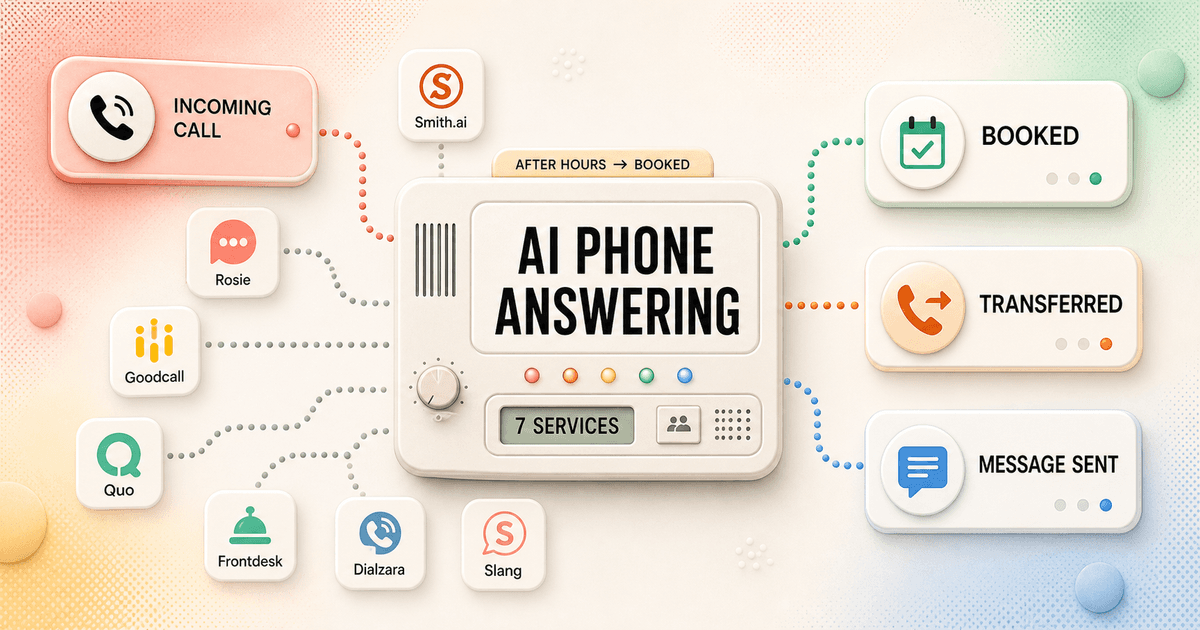
A missed call rarely looks dramatic. It rings while a plumber is under a sink, a dentist is with a patient, or a restaurant host is seating a party. The caller hangs up, tries the next company, and disappears without becoming a tidy lost-lead statistic.
That is why an ai phone answering service for small business sounds attractive. It promises 24/7 pickup, appointment booking, lead qualification, and fewer interruptions at a fraction of a receptionist's salary. Some services can do those jobs well. None deserves every caller on day one.
I compare these systems by the state they leave behind. Was the appointment actually written to the right calendar? Did an urgent caller reach a person? Did the owner receive name, service, location, urgency, and a callback number? A pleasant voice that creates cleanup work is voicemail wearing a blazer.
My verdict
Smith.ai is the safest default. Rosie is the easiest small-team starting point.
I would choose Smith.ai when one qualified lead can pay for the monthly difference. Live-agent standby makes the failure path less brittle than a fully automated line. A law office, home-services company, or high-value sales team can route routine calls through AI without trapping an unusual or upset caller.
Rosie is my cleaner choice for a straightforward local business. Its $49 Professional plan includes 250 minutes, and higher plans add calendar booking, warm transfers, texting, and more message scenarios. The product is easier to reason about than a contact-center suite, which matters when the owner is also the administrator.
Goodcall has the most interesting pricing model. It includes unlimited minutes and charges by unique customers, so a repeat caller with a long question does not burn a minute bundle every time. Quo Sona makes sense for an existing Quo team. Dialzara is the cheapest credible pilot. Frontdesk earns a place for omnichannel lead capture. Slang AI is the restaurant specialist.
I would start with after-hours and overflow calls, review the outcomes every morning, and widen coverage only after the agent handles the ugly cases: an angry customer, an urgent request, a double-booking risk, a noisy line, and a caller who simply asks for a person.
Best overall
Smith.ai for AI efficiency with a human escape route.
Best simple setup
Rosie for ordinary booking and message workflows.
Best pricing model
Goodcall for long calls and repeat customers.
Best first deployment
After-hours and overflow, not an immediate full replacement.
Buying standard
The call must end in an outcome, not merely a transcript.
I use five outcomes as the buying standard: booked, transferred, qualified, resolved, or safely deferred. Every call should land in one of those states, and the owner should be able to see which one happened. A call summary is not enough when somebody must still work out what the caller wanted.
The knowledge boundary matters as much as voice quality. A useful agent knows hours, service areas, allowed price ranges, appointment types, cancellation rules, and the questions it must not answer. It should admit uncertainty before it invents policy. The best configuration is often smaller than the sales demo suggests.
Transfers need a real ladder: primary number, backup, final message path, and separate emergency rules. If nobody answers, the caller should not bounce back to the beginning. The system should explain what happened, collect the minimum useful details, and send them to a channel the team already watches.
I also check caller ID, spam filtering, hold time, line noise, accents, recording notices, and integration downtime. Those details decide whether the service survives a busy Tuesday. The dramatic demo voice does not.
At a glance
Seven services compared by cost, workflow, and the catch.
| Service | Model | Public starting point | Best fit | Main catch |
|---|---|---|---|---|
| Smith.ai | AI plus live agents on standby | $95 for 50 calls | High-value leads | Higher per-call cost |
| Rosie | AI booking and transfers | $49 for 250 minutes | Local service teams | Limited entry-plan scenarios |
| Goodcall | Unlimited minutes by unique caller | $79 for 100 customers | Repeat callers | Flow limits matter |
| Quo Sona | AI inside Quo | $25 add-on for about 40 calls | Existing Quo teams | Requires a paid Quo plan |
| Frontdesk | Voice, SMS, chat, forms, and CRM | $79 annually billed plan | Omnichannel lead capture | More setup and usage math |
| Dialzara | Minute-bundle AI receptionist | $29 for 60 minutes | Budget pilots | Warm transfer costs more |
| Slang AI | Restaurant call automation | $399 per location | Reservation-heavy restaurants | Narrow and expensive |
Public list prices checked July 15, 2026. Annual discounts, overages, taxes, phone plans, SMS, add-ons, and custom contracts can change the bill.
Best overall
1. Smith.ai: what I trust when a real person still matters.
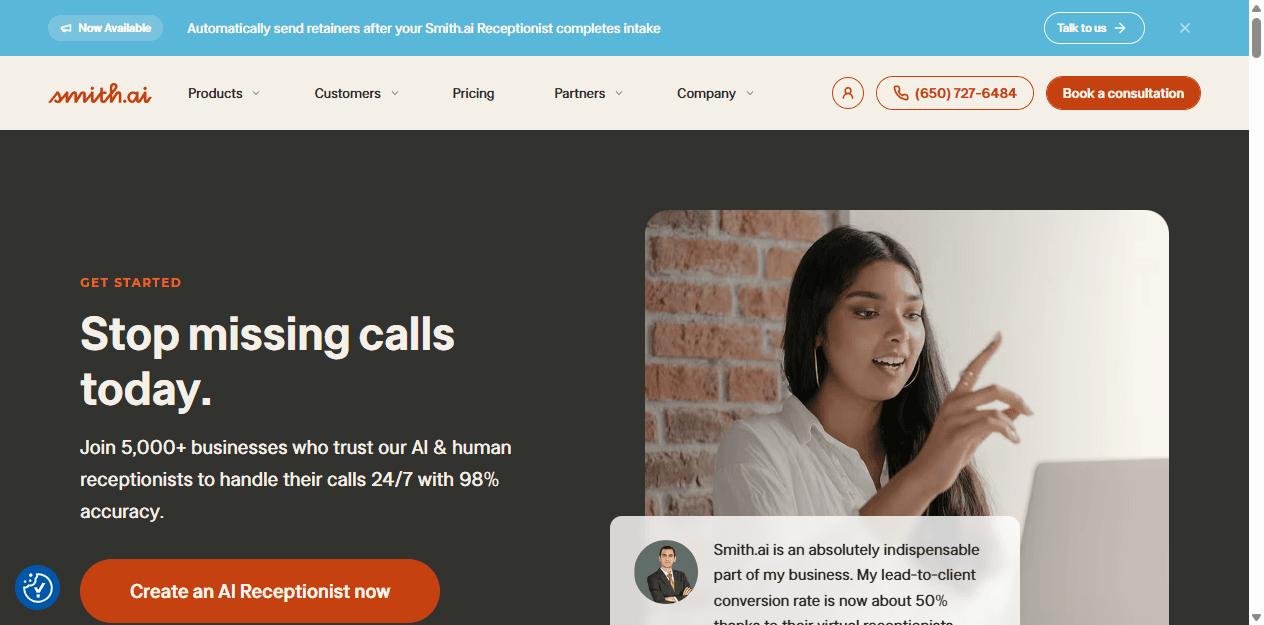
Smith.ai makes human backup part of the standard AI-receptionist offer. Its current setup page says every plan includes 24/7 live agents on standby. That is the feature I care about when a caller is upset, valuable, confused, or refuses to continue with AI.
Starter costs $95 monthly for 50 calls, followed by 150 calls for $270 and 500 calls for $800. The per-call model is simple, but it can get expensive with low-value traffic. I would use spam blocking and qualification so the paid calls are worth handling.
Smith.ai also covers English and Spanish, intake, appointment booking, CRM integrations, recordings, and transcripts. White-glove setup lowers the burden, although the business still has to define its rules. Give the agent a narrow approved price range and transfer custom quotes. Letting AI improvise a five-figure estimate is an exciting way to meet your insurer.
It fits law firms, contractors, agencies, finance, and other businesses where one lead can be expensive. It is a poor fit for a low-margin shop with hundreds of repetitive calls. Migration cost is moderate, but setup help and standby agents reduce first-month risk.
Choose it when
A failed high-value call costs more than the higher fee.
Avoid it when
Call volume is high, margins are thin, and questions are routine.
First test
Ask an unusual pricing question, request a person, then make the main transfer number unavailable.
Best simple setup
2. Rosie: a sensible first receptionist for a local business.
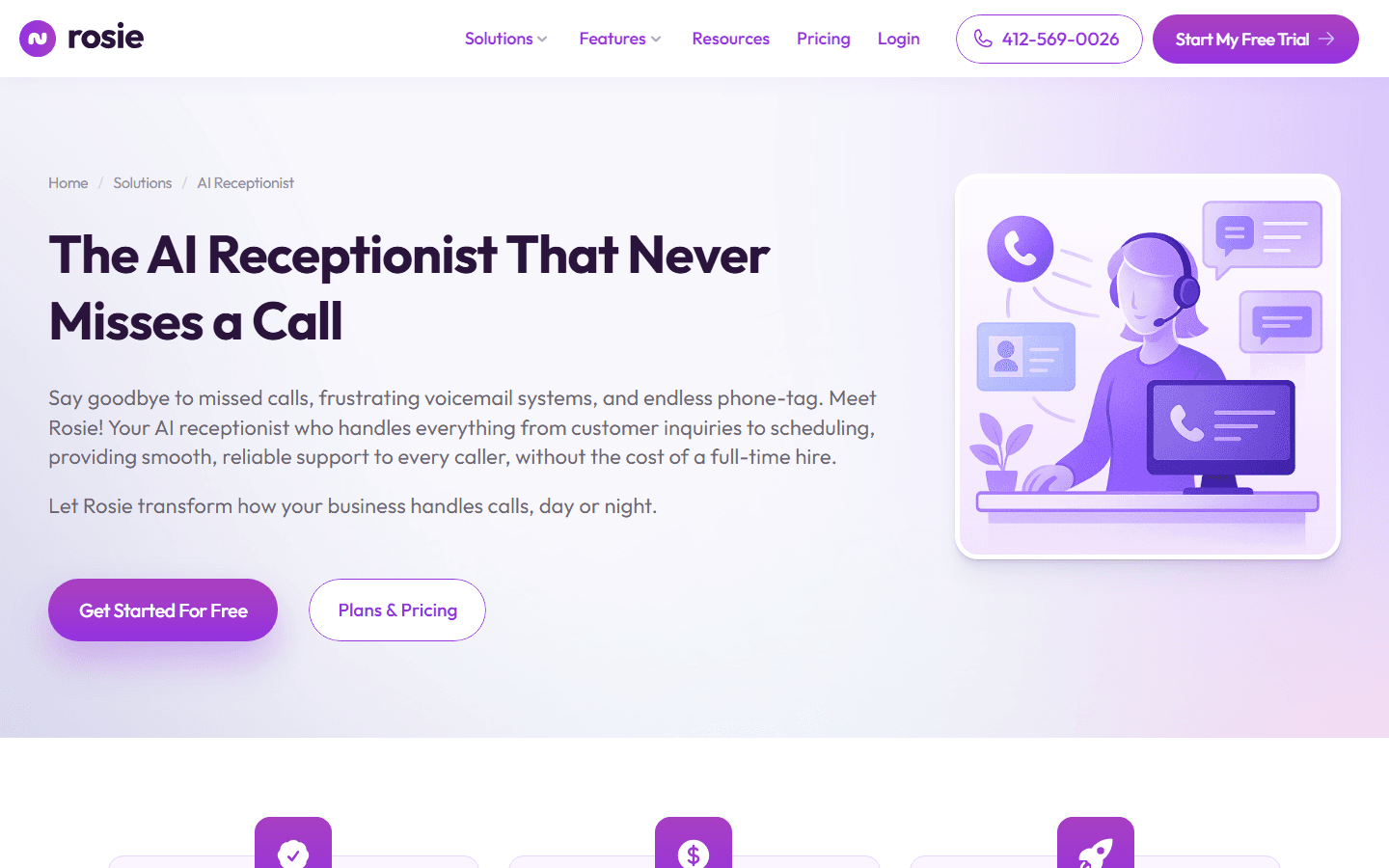
Rosie stays close to the small-business job: answer, provide basic information, take a useful message, book, or transfer. Its seven-day trial includes all features, which is the right way to test. A restricted trial can hide the transfer or booking behavior that later causes trouble.
Professional costs $49 monthly for 250 minutes and two message scenarios. Scale costs $149 for 1,000 minutes and adds five scenarios, calendar booking, warm or live transfers, and texts. Growth costs $299 for 2,000 minutes, unlimited scenarios, waterfall transfers, and more training. Rosie supports English and Spanish, recordings, summaries, apps, and Zapier.
I like it for HVAC, plumbing, cleaning, salons, and solo professional services with a compact menu of intents. Two scenarios can cover new lead and existing customer. Once a business needs separate paths for five locations, warranties, billing, dispatch, and different calendars, the cheap simplicity disappears.
Migration is low to moderate. Forward the number, define the message fields, connect one calendar, and build the transfer ladder. Review the first fifty calls and add rules only for recurring misses.
Best pricing model
3. Goodcall: unlimited talk time without unlimited complexity.
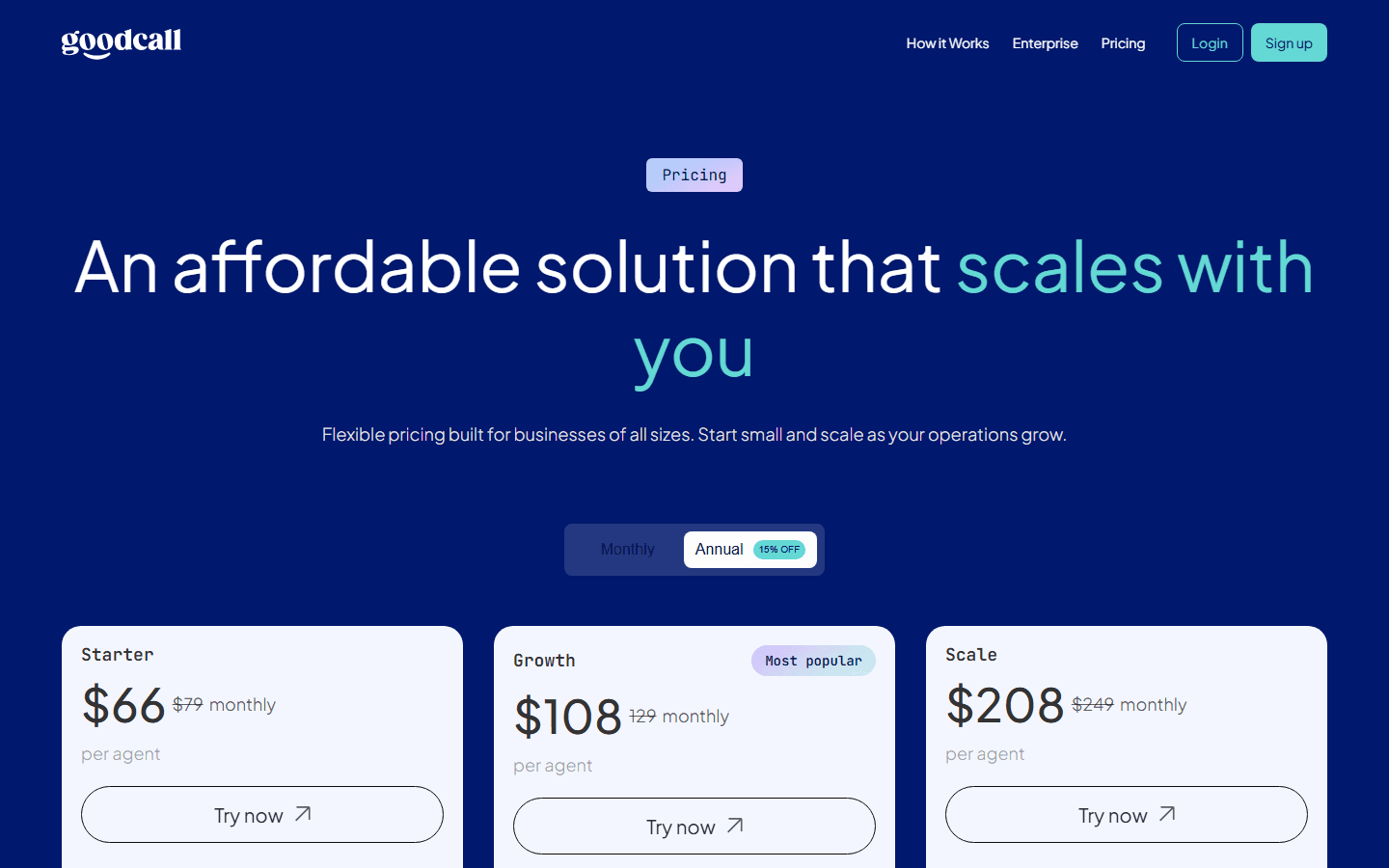
Goodcall prices by unique customers instead of minutes. Starter is $79 monthly for one agent, one logic flow, and 100 unique customers. Growth is $129 for three flows and 250 customers. Scale is $249 for 25 flows and 500 customers. Annual billing lowers the effective monthly prices shown on the official page.
A unique customer is a phone number that speaks with the agent during the month. Repeat calls from that number count once; spam and immediate hangups are excluded. That can work well for property managers, repair companies, clinics, and membership businesses with long repeat calls.
Unlimited minutes does not mean unlimited operational capacity. Logic flows, directory contacts, team members, and history are the constraints. Map new lead, existing job, billing, reschedule, emergency, vendor, and spam before choosing a tier.
This is better for a team comfortable maintaining automation than one that wants a live rescue path. Migration cost is moderate: pricing is friendly to call length, but directories, integrations, transfer destinations, and workflow ownership still need work.
Best for Quo users
4. Quo Sona: tidy when the phone system is already Quo.
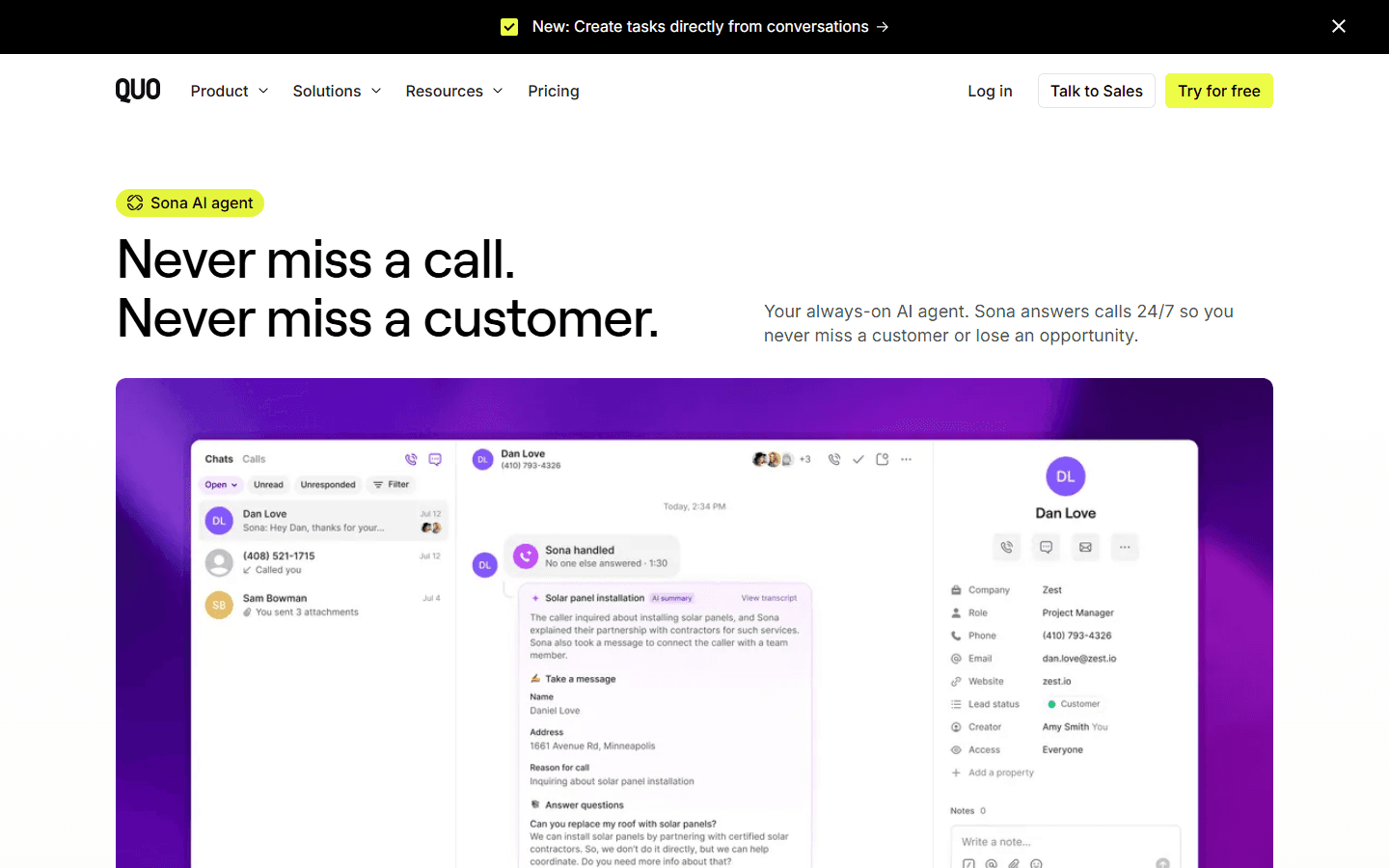
Sona is built inside Quo, formerly OpenPhone. Calls, contacts, summaries, messages, and follow-up stay in one workspace. That avoids the common mess where one tool answers, another hosts the number, and a third receives transcripts nobody opens.
Every Quo plan includes 1,000 automation credits, roughly ten Sona calls. Paid tiers start at $25 for about 40 calls, then $49 for 100, $99 for 250, and $199 for 600. Calls under 15 seconds do not count. Overage is off by default, so Sona follows a fallback rather than silently creating an unlimited bill.
The catch is that Sona requires a paid Quo plan. Compare the combined seats, credits, and overages with a standalone receptionist. Existing Quo teams may save more through shared context than they would with a cheaper separate agent. Teams on another phone system face a much larger migration than the $25 headline suggests.
Test the credit limit, a failed transfer, and what happens when the user who owns the workflow leaves. It is a good fit for collaborative service teams, not for a business that needs live-human backup or specialist booking.
Best omnichannel option
5. Frontdesk: useful when leads arrive by phone, text, chat, and form.
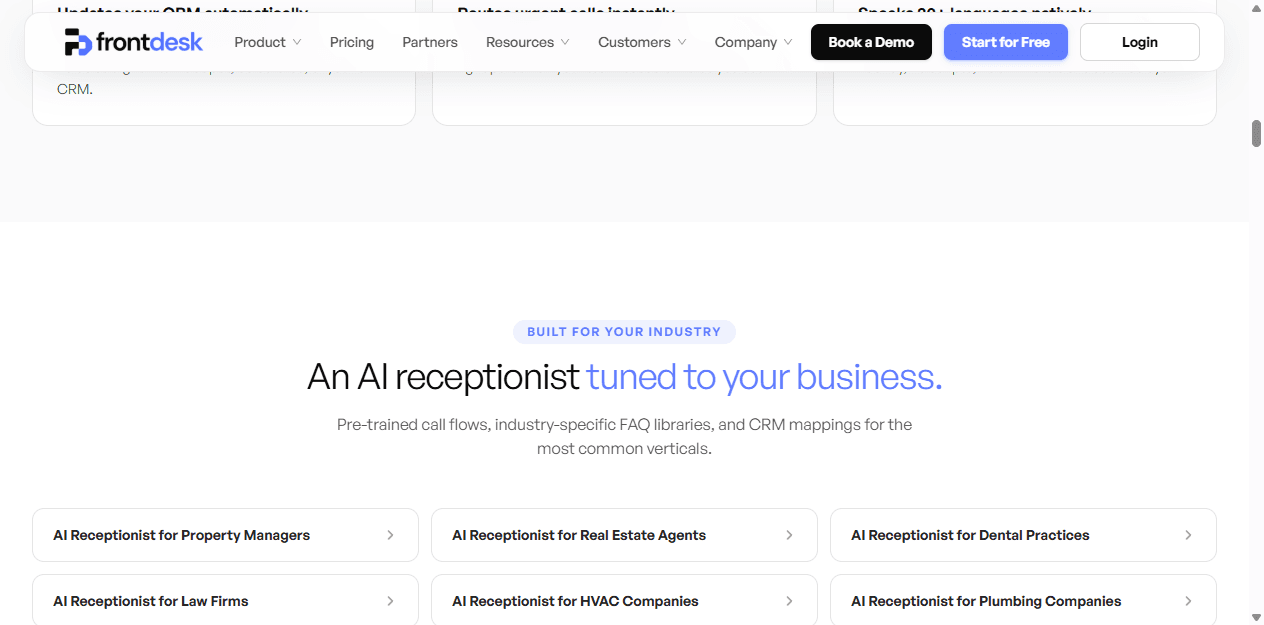
Frontdesk combines an AI receptionist with SMS, web chat, forms, CRM, calendars, tickets, and automation. I would shortlist it when the same team loses leads in several places and wants one customer record instead of another isolated phone inbox.
Business-in-a-Box is listed at $79 monthly on annual billing and includes 200 voice minutes, 400 SMS messages, 100 chat interactions, 300 form interactions, 20 knowledge pages, Zapier, a verified outbound number, and two editor seats. Overage uses credits; voice currently works out to $0.25 per minute.
Breadth creates setup work. A quote call may become a CRM lead, text, calendar event, and sequence. That is valuable when fields and ownership are correct. It is noise when every interaction creates four half-useful records. Implement one complete path before turning on the rest.
Frontdesk fits growing service and property teams replacing several disconnected tools. It is too much for a solo owner who only needs overflow messages. Migration cost is medium to high because the work extends into data mapping, permissions, and automation maintenance.
Best budget pilot
6. Dialzara: the cheapest serious way to learn from real calls.
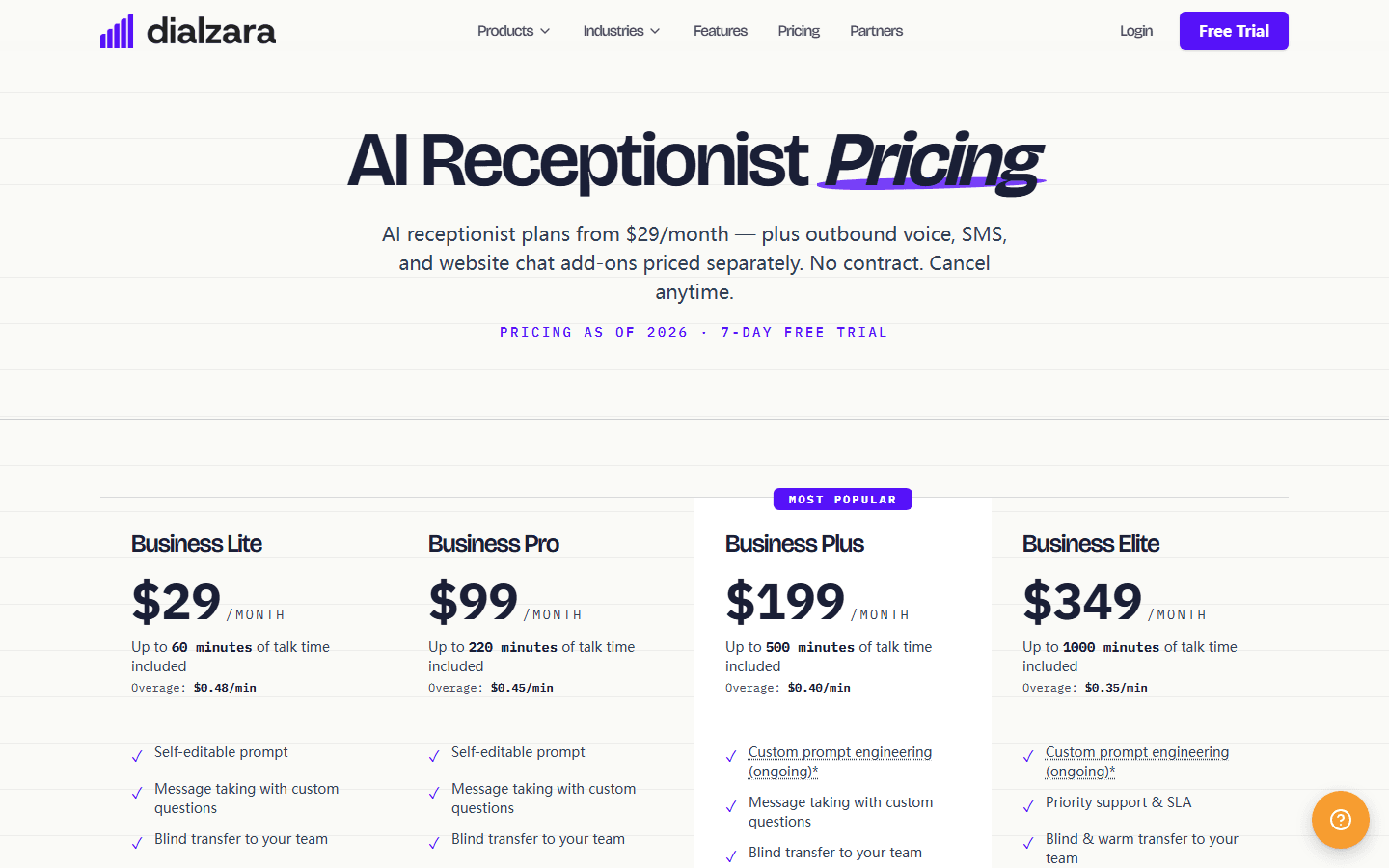
Business Lite starts at $29 monthly for 60 minutes with $0.48 overage. Pro is $99 for 220 minutes and adds warm transfer, after-hours and escalation rules, English and Spanish, and Google or Outlook calendars. Plus is $199 for 500 minutes, while Elite is $349 for 1,000.
I would use Lite to learn, not to declare the project finished. Blind transfer is its main limitation: the caller is sent without a proper handoff. Warm transfer starts on Pro, and that matters when an employee needs context before accepting an upset or urgent caller.
Dialzara offers a seven-day trial, no contract, recordings, summaries, alerts, and more than fifty voices. The company says most businesses can go live in about fifteen minutes. Number forwarding may be that fast. Responsible escalation rules and call review are not.
This is my budget pick for a solo service business with low volume and simple messages. It is not a shortcut for medical triage, complex dispatch, or several live departments. Migration is low with forwarding and alerts, then rises with calendars, languages, and warm transfers.
Best for restaurants
7. Slang AI: expensive for a generic business, rational for a busy restaurant.
Restaurant calls are different. A caller wants a reservation, changes a party size, checks allergies, requests a private event, or needs directions while the host stand is busy. A general agent can answer. Slang AI is built around what should happen next.
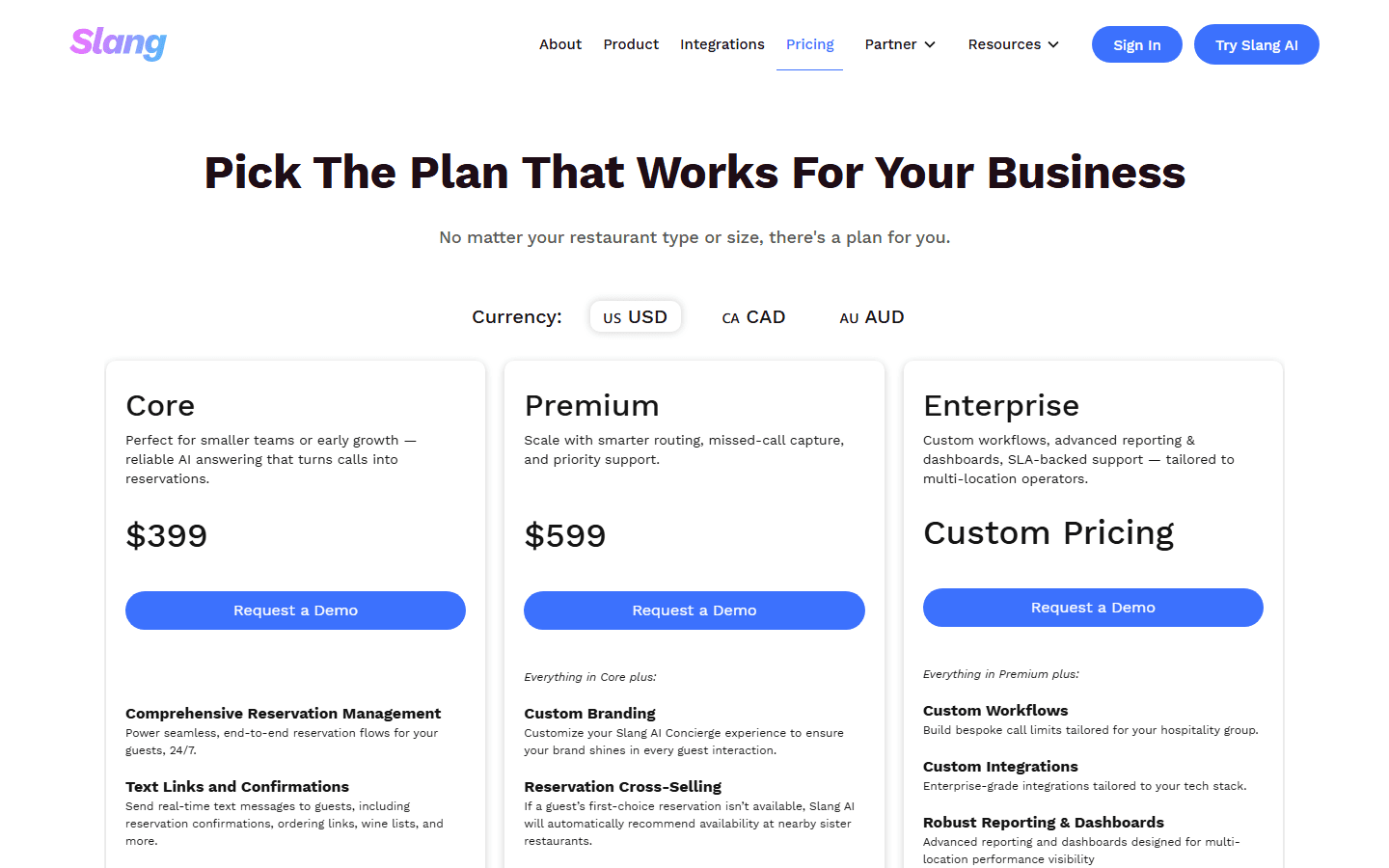
Core starts at $399 per location and includes reservation management, text links, recordings, summaries, and integrations including OpenTable and SevenRooms. Premium starts at $599 and adds branding, sister-restaurant cross-selling, alerts, texting, and insights. Spanish is $99 monthly; private-events automation starts at $199.
That price is hard to defend for a consultant or plumber. For a restaurant missing reservation calls during service, measure recovered reservations, host interruptions, private-event leads, and abandonment by location. If those outcomes do not move, the voice is an expensive party trick.
Slang fits reservation-heavy restaurants and multi-location groups. It is a poor fit for takeout-only locations with few calls or any non-restaurant workflow. Migration is moderate because menus, hours, policies, events, VIP rules, and location exceptions need ownership.
Buyer fit
The strongest use cases are repetitive, valuable, and easy to escalate.
I would buy for a home-service company that misses leads while technicians work, an appointment business with predictable booking questions, a restaurant with a busy host stand, a property team handling repeated FAQs, or an office that needs after-hours intake. These calls have clear fields, next steps, and a person to involve when the script breaks.
I would not use one as the sole front door for emergencies, complex medical or legal conversations, grief, crisis support, aggressive collections, unusual insurance issues, or bespoke quotes. The agent can collect a name and callback number, but the boundary must be narrow and the human path immediate.
A business also needs enough repetition to justify maintenance. If the phone rings ten times a month and every call is unusual, a human service may be simpler. If it rings 300 times and 220 calls ask the same five questions, automation has room to work.
Good fit
After-hours intake, overflow, booking, FAQs, qualification, reservations, and structured messages.
Poor fit
Emergency judgment, professional advice, high-empathy calls, sensitive payments, and custom promises.
Minimum escape path
A request for a person must trigger a tested transfer or immediate callback.
Success metric
Good outcomes minus corrections, abandoned calls, refunds, and cleanup time.
Customer research
Reddit's recurring complaint is not the voice. It is the bad edge case.
On Reddit, owners describe the same starting problem: they miss calls while doing the work and cannot justify a full-time receptionist. The caution is consistent too. Callers may hang up when they hear AI, and a smooth voice can misunderstand an unusual question, urgency, accent, or noisy connection.
Several owners argue that FAQ-only agents create a dead end. The caller asks something specific, gets a generic answer, and is told to call again. That is worse than a clear message workflow because it consumes patience without moving the request. I would rather have the agent admit uncertainty and collect a clean callback.
Another useful point is that trust is tested by state, not naturalness. Did the agent capture name, number, service, location, urgency, and preferred time without repeating itself? Did it know when to stop? Did the team receive the result immediately? That standard is better than arguing whether a voice sounds 92 percent human.
Threads also attract recommendations from people who appear to sell the product they praise. I treat names as research leads, not proof. Product pages verify limits; test calls verify behavior; real outcomes verify the purchase.
- Owners discussing accuracy, customization, and human alternatives
- Discussion of specific questions, frustration, and after-hours scope
- Debate about trust, capture, escalation, and summaries
- The difference between answering and completing the work
Switching cost
Most migration work is rules, ownership, and cleanup.
A vendor can forward a number in minutes. That does not make migration cheap. The work is turning habits into rules: which calls are urgent, who receives them, what may be promised, which fields a booking needs, where messages go, and who fixes a bad workflow.
I would budget two to five staff days for a simple pilot and several weeks for multi-location, regulated, or integrated work. The bill includes listening, rewriting knowledge, mapping fields, testing calendars, training staff, updating consent language, and assigning ownership.
Keep the old voicemail path during the pilot. Export recordings, transcripts, labeled failures, dispositions, contact fields, and configuration before changing vendors. A folder of audio is not a migration package. The useful asset explains what failed and what should happen next.
| Area | What to move | Why it matters |
|---|---|---|
| Phone setup | Forward first; port only after the pilot. | Forwarding is reversible. A rushed port can create an outage. |
| Call knowledge | Hours, services, boundaries, service area, and forbidden promises. | The agent needs a narrow truth set, not the whole website. |
| Outcome rules | Booking fields, transfer order, urgency, message format, and fallback. | A fluent call is useless if the result lands nowhere. |
| Connected systems | Calendar, CRM, field service, reservation book, SMS, and email. | Most implementation work hides in field mapping and exceptions. |
| Risk controls | Consent, retention, deletion, sensitive data, and human escalation. | A cheerful voice does not remove privacy or safety duties. |
| Review data | Failed transfers, corrections, bookings, and qualified leads. | Labeled failures make the next migration easier. |
30-day pilot
Make the agent earn daytime calls one outcome at a time.
- Week 1: define the lane. Use after-hours or overflow. Publish hours, service areas, appointment types, price boundaries, forbidden answers, transfer order, and fallback.
- Week 1: run a hostile call matrix. Test an FAQ, booking, cancellation, unavailable slot, emergency, custom quote, wrong number, spam, noisy line, accent, upset caller, and a request for a person.
- Week 2: review every outcome. Label booked, transferred, qualified, resolved, abandoned, repeated, incorrect, and human-corrected calls.
- Week 3: connect one system. Choose the calendar or CRM that removes the most work. Verify duplicates, required fields, time zones, notifications, and downtime.
- Week 4: calculate cost per good outcome. Add subscription, overages, add-ons, review, corrections, and complaints. Divide by qualified leads or completed bookings, not calls answered.
- Expand after the escape path works. Add daytime traffic only when transfers, callbacks, consent, deletion, and outage behavior are tested.
FAQ
Practical questions before an AI receptionist gets your number.
What is the best AI phone answering service for small business?
Smith.ai is my safest overall choice when each lead is valuable because a live agent can take over. Rosie is easier to justify for a straightforward local service workflow, while Goodcall can be more predictable when repeat callers talk for a long time. Restaurants should evaluate Slang AI separately.
How much does an AI answering service cost?
The services here start at $29 monthly for Dialzara and reach $399 per location for Slang AI. Include overages, the base phone plan, SMS, extra locations, integrations, setup time, and staff corrections when comparing the real cost.
Can an AI receptionist book appointments?
Yes. Several services can write appointments to connected calendars. Test double-booking, cancellation, time zones, buffers, appointment types, required fields, and unavailable slots before allowing unsupervised booking.
Will callers know they are speaking with AI?
Disclosure varies. I prefer a brief, plain introduction. Trying to fool callers creates more trust risk than it saves, especially when the agent cannot answer an unusual question or a caller asks for a person.
Can I keep my current business number?
Usually. Most services support forwarding, and some support porting. Forward first because it is easier to reverse. Port only after transfers, caller ID, voicemail, emergencies, and after-hours behavior work reliably.
Is an AI phone agent safe for healthcare, legal, or emergency calls?
Not by default. Those workflows need explicit contracts, data controls, consent rules, and a tested human path. Do not let a general agent collect sensitive data, give professional advice, or judge emergencies without an appropriate compliant design.
Sources


