 SwitchMyTool

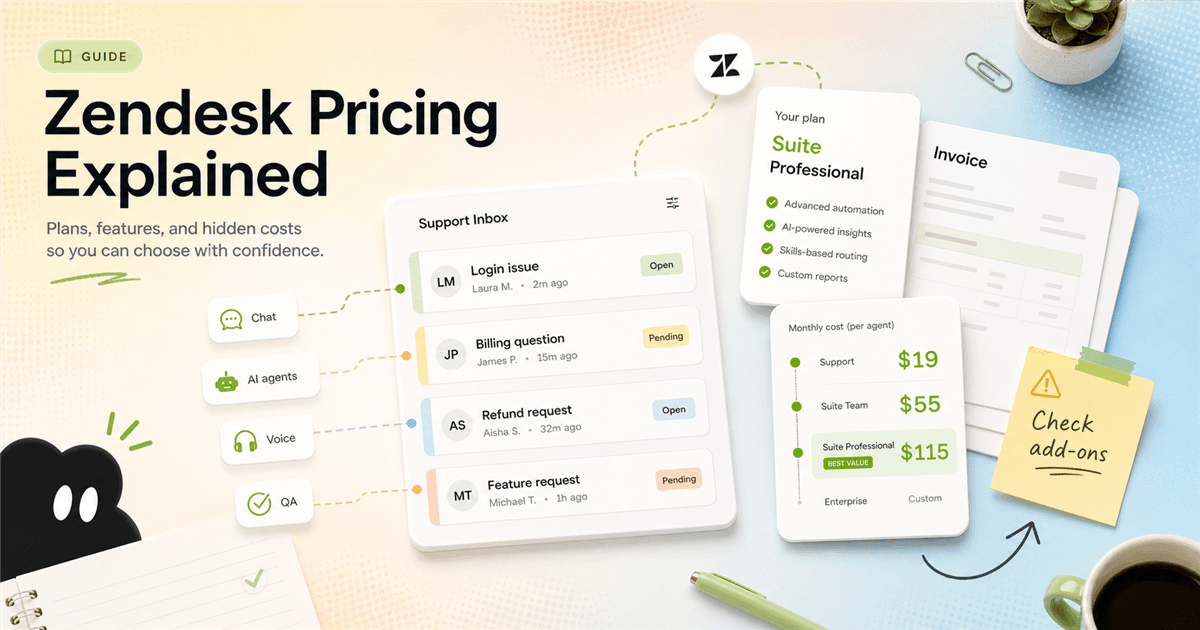
Zendesk is one of those tools that can be boring in the best way. Tickets arrive, agents work, managers see the queue, and customers stop vanishing into a shared inbox. The price problem starts when buyers treat that simple story as the whole bill.
This guide answers two questions people search together more often than vendors probably enjoy: what is Zendesk, and what does Zendesk pricing actually cost once you include the work a support team needs? The short version is not "Zendesk is expensive". That is too lazy. The better answer is that Zendesk gets expensive when you buy the wrong tier for the wrong team, then discover the missing pieces after rollout.
If you arrived by searching for zendesk pricing or what is zendesk, start with the uncomfortable part: the product can be legitimate, powerful, and still wrong for your team's size. That is where most bad purchases happen.
I used Zendesk's official pricing, service, AI agents, Contact Center, and support-plan pages as the factual base. I also used the Reddit screenshot you supplied as customer research. The screenshot is messy in a useful way. Some posts ask whether Zendesk is a scam. Others complain about burnout, add-ons, simple alternatives, generic replies, and whether AI agents should sit on top of Zendesk at all.
The buying lesson is simple: quote the workflow, not the logo. If your workflow is email tickets plus a few macros, that is one purchase. If your workflow is live chat, knowledge base, AI agents, voice, QA, workforce management, and reporting, that is a different animal with a different bill.
My buying rule
- Zendesk is easiest to justify when support is already a real operation: multiple agents, multiple channels, a help center, routing rules, reporting, and someone responsible for administration.
- Zendesk pricing looks simple at the first card, but the real bill depends on seats, Suite tier, add-ons, usage-based features, voice, AI, and contract choices.
- A small team can outgrow a shared inbox and still not be ready for a full Zendesk setup. That middle zone is where buyers get annoyed.
- The Reddit complaints are not all the same complaint. Some are about scams using the Zendesk name, some are about agent burnout, and some are about add-ons making the bill feel different from the headline price.
Definition
What is Zendesk, in plain English?
Zendesk is customer service software. Companies use it to collect support requests, organize tickets, route work to agents, keep customer context in one place, publish help center articles, support chat or messaging, run voice support, measure service quality, and automate parts of the queue with AI.
Zendesk's own "What is Zendesk?" page says it helps companies equip customer service agents and sales teams. The same page says more than 100,000 businesses rely on Zendesk, and that Zendesk serves customers across industries in more than 30 languages. That is why the product can feel both familiar and oversized. It is built for a lot of company shapes.
For a buyer, the important distinction is between Zendesk as a ticketing tool and Zendesk as an operating system for support. Ticketing is the easy part to understand. A customer emails support, a ticket appears, an agent replies, the case gets solved. The operating system part is where the decision gets heavier: routing, permissions, channels, macros, knowledge base, AI behavior, reporting, QA, workforce planning, and integrations.
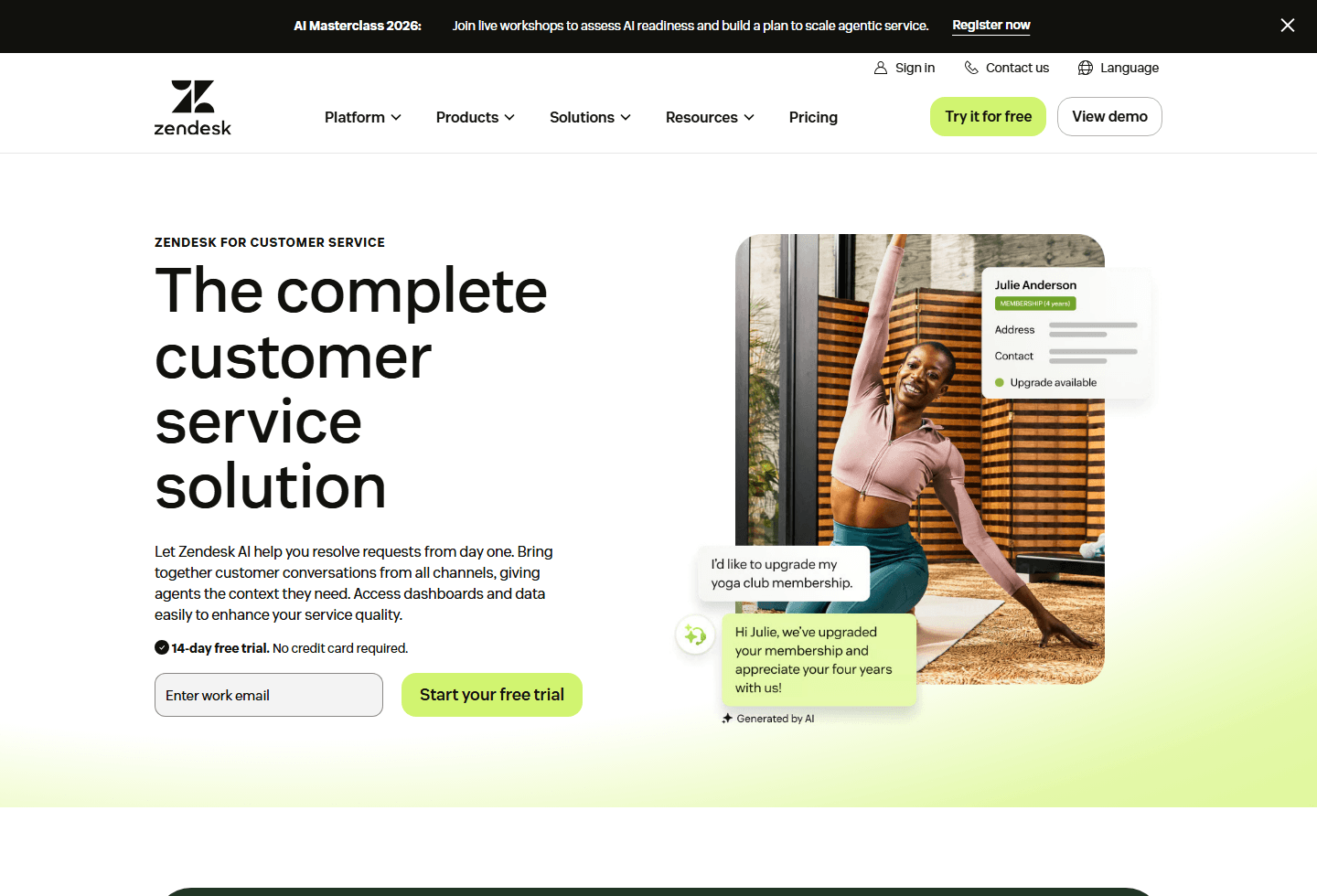
The customer service page shows the larger promise. Zendesk talks about bringing conversations from all channels together, giving agents customer context, using dashboards, automating repetitive tasks, and improving service quality. That is the real reason teams buy it. Nobody wakes up excited to own a ticket table. They want fewer missed requests, faster answers, cleaner escalation, and managers who can tell what is actually happening.
The same strength creates the small-team trap. If your team has enough volume and process pain, Zendesk can bring order. If your team has three people answering a modest queue, it may feel like you bought airport control software to manage a driveway. Reddit has a talent for making that point less politely.
Pricing cards
Zendesk pricing starts with seats, but it does not end there.
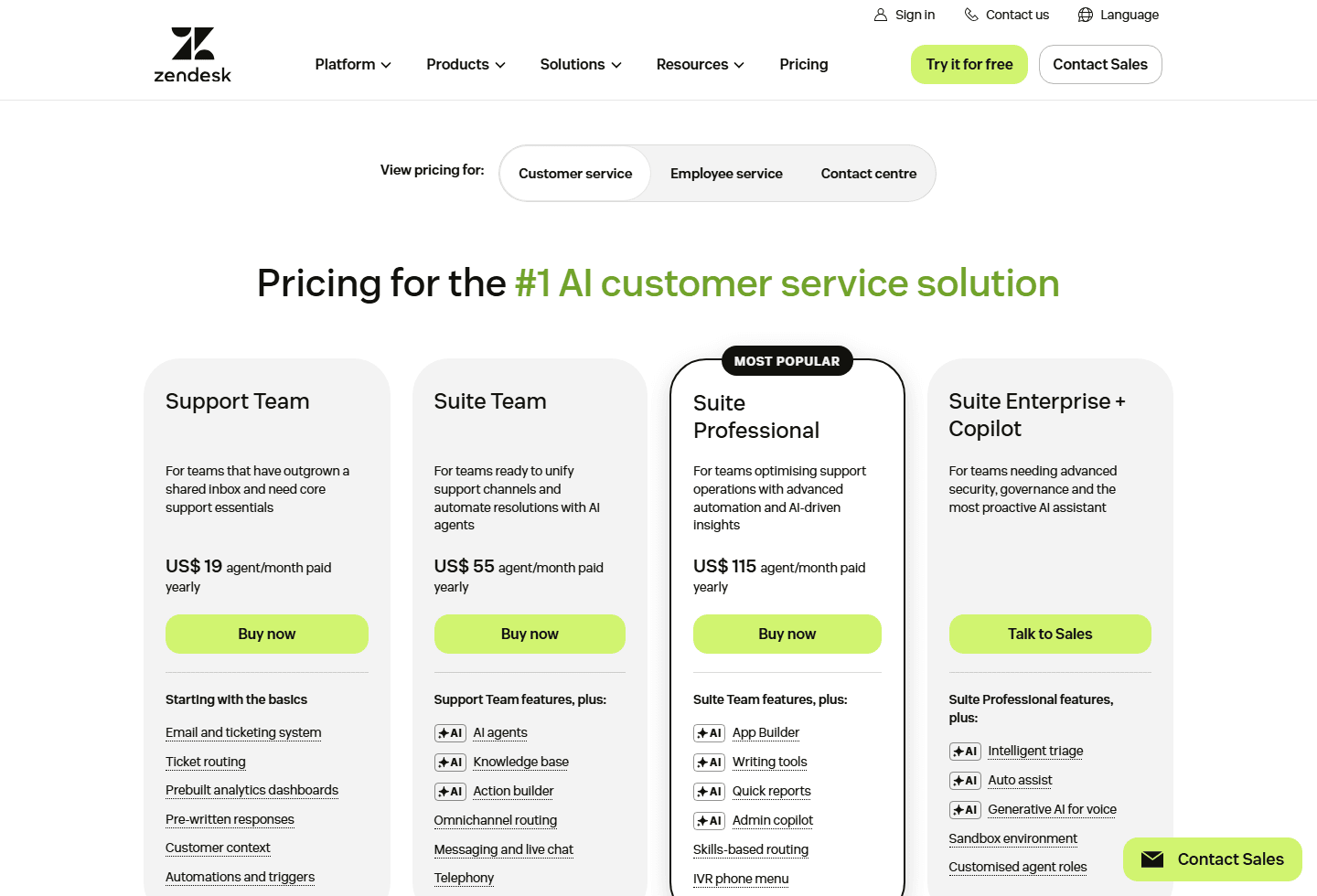
The official Zendesk pricing page I captured shows customer service pricing across Support Team, Suite Team, Suite Professional, and Suite Enterprise + Copilot. The visible annual paid prices were US$19, US$55, and US$115 per agent per month for the first three cards. Enterprise required talking to Sales.
Those numbers are useful, but they are only the first pass. The same page lists add-ons, explains that pricing is seat-based, and says certain features can be usage-based. It also separates Support plans from Suite plans. That is where buyers get tripped up. You can be honest about the plan card and still underprice the project.
| Plan | Official visible price | Best fit | Visible feature shape |
|---|---|---|---|
| Support Team | US$19 per agent/month, paid yearly | Teams that need email support and ticketing basics after a shared inbox stops working. | Email and ticketing, routing, prebuilt dashboards, pre-written responses, customer context, automations, and triggers. |
| Suite Team | US$55 per agent/month, paid yearly | Teams that want the main service suite instead of a mostly email-based support setup. | Support Team plus AI agents, knowledge base, Action Builder, omnichannel routing, messaging and live chat, and telephony. |
| Suite Professional | US$115 per agent/month, paid yearly | Teams optimizing a mature support operation with automation, reporting, routing, and admin help. | Suite Team plus App Builder, writing tools, quick reports, admin copilot, skills-based routing, and IVR phone menu. |
| Suite Enterprise + Copilot | Talk to Sales | Organizations that need advanced security, governance, roles, sandboxing, and proactive AI assistance. | Suite Professional plus intelligent triage, auto assist, generative AI for voice, sandbox environment, and customized agent roles. |
Support Team is the cleanest entry point. It is for teams that have outgrown a shared inbox and need core support essentials. The captured page lists email and ticketing, routing, prebuilt dashboards, pre-written responses, customer context, automations, and triggers.
Suite Team is where the buying conversation changes. The card adds AI agents, knowledge base, Action Builder, omnichannel routing, messaging and live chat, and telephony. If a buyer expected live chat or knowledge base to be part of the lowest support setup, this is where the "wait, what do we actually need?" moment starts.
Suite Professional is for teams that are already managing support operations, not just answering tickets. The visible card adds App Builder, writing tools, quick reports, admin copilot, skills-based routing, and IVR phone menu. At that point, Zendesk is not simply a help desk subscription. It is a workflow decision.
Real cost
The real Zendesk bill is the plan plus everything the workflow needs.
Seat count
Zendesk prices core plans per agent, per month. A 5-agent decision and a 50-agent decision are different purchases even if the plan name is the same.
Plan tier
Support Team is not the same buying motion as Suite Team or Suite Professional. The features that make Zendesk feel like a modern CX stack mostly live in Suite.
Add-ons
The official pricing page lists Copilot, Workforce Engagement Bundle, and Contact Center as paid add-ons. These can change the bill quickly.
Usage-based features
Zendesk says some features, including App Builder, Action Builder, and Voice, can be billed based on consumption beyond included allowances.
Billing term
The pricing page shows annual paid pricing. Monthly billing can be more flexible, but usually costs more per month.
The official pricing FAQ says Zendesk pricing is primarily seat-based, with plan tiers that include different features. It also says total cost can include base subscription, usage-based features, add-ons, and annual versus monthly billing differences. That paragraph is more useful than the plan cards if you are trying to budget.
Zendesk's add-ons are not weird by themselves. Mature support platforms often price advanced capabilities separately. The frustration comes from expectation mismatch. If a buyer thinks they are choosing a US$19 or US$55 product, then discovers the real workflow needs Copilot, QA, workforce engagement, contact center, or additional usage, the deal feels different.
The practical move is to build a feature checklist before you look at the card. Do you need email only, or chat too? Do you need a help center? Do agents need AI writing help? Do you need voice? Do managers need QA? Do you need skills-based routing? Do you need a sandbox? Every "yes" should map to a plan, add-on, or integration before anyone signs.
Support vs Suite
Support plans are not the same as Suite plans.
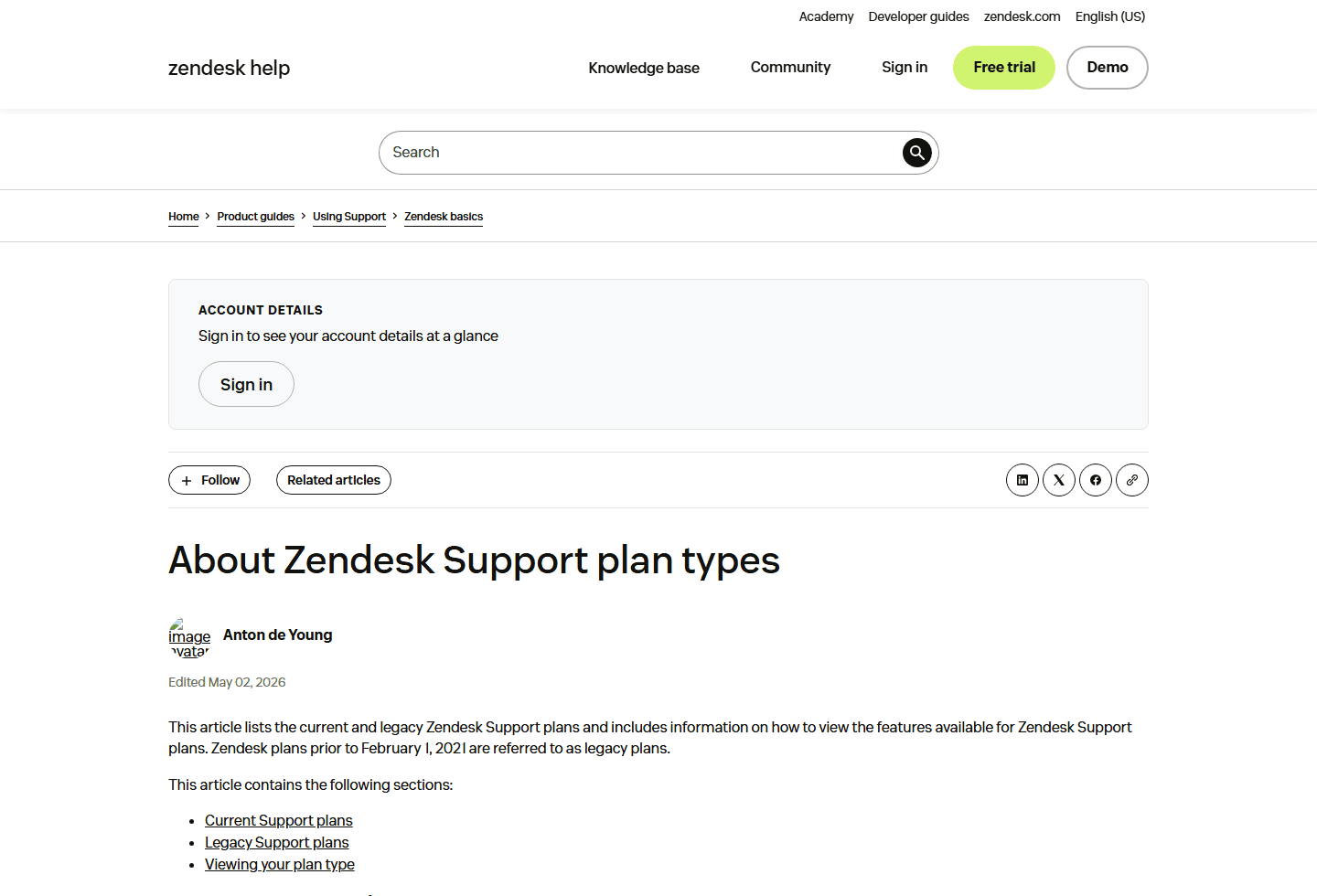
Zendesk's help center says current Support plans include Team, Professional, and Enterprise. It also explains that Support Team is included in Suite Team or available as a stand-alone plan, Professional is included in Suite Growth and Professional or available stand-alone, and Enterprise maps into Suite Enterprise tiers or stand-alone availability.
That sounds like billing housekeeping, but it matters in real buying conversations. A company might say "we need Zendesk Support" when the workflow actually requires Zendesk Suite. Another company might buy Suite when Support would have handled the first six months just fine.
Support is the ticketing foundation. Suite is the broader service layer. Suite makes more sense when the support job spans channels and self-service: messaging, live chat, help center, voice, AI agents, and omnichannel routing. If those words are not part of your real workflow, slow down before you upgrade.
AI agents
Zendesk AI agents need real ticket tests, not calculator faith.
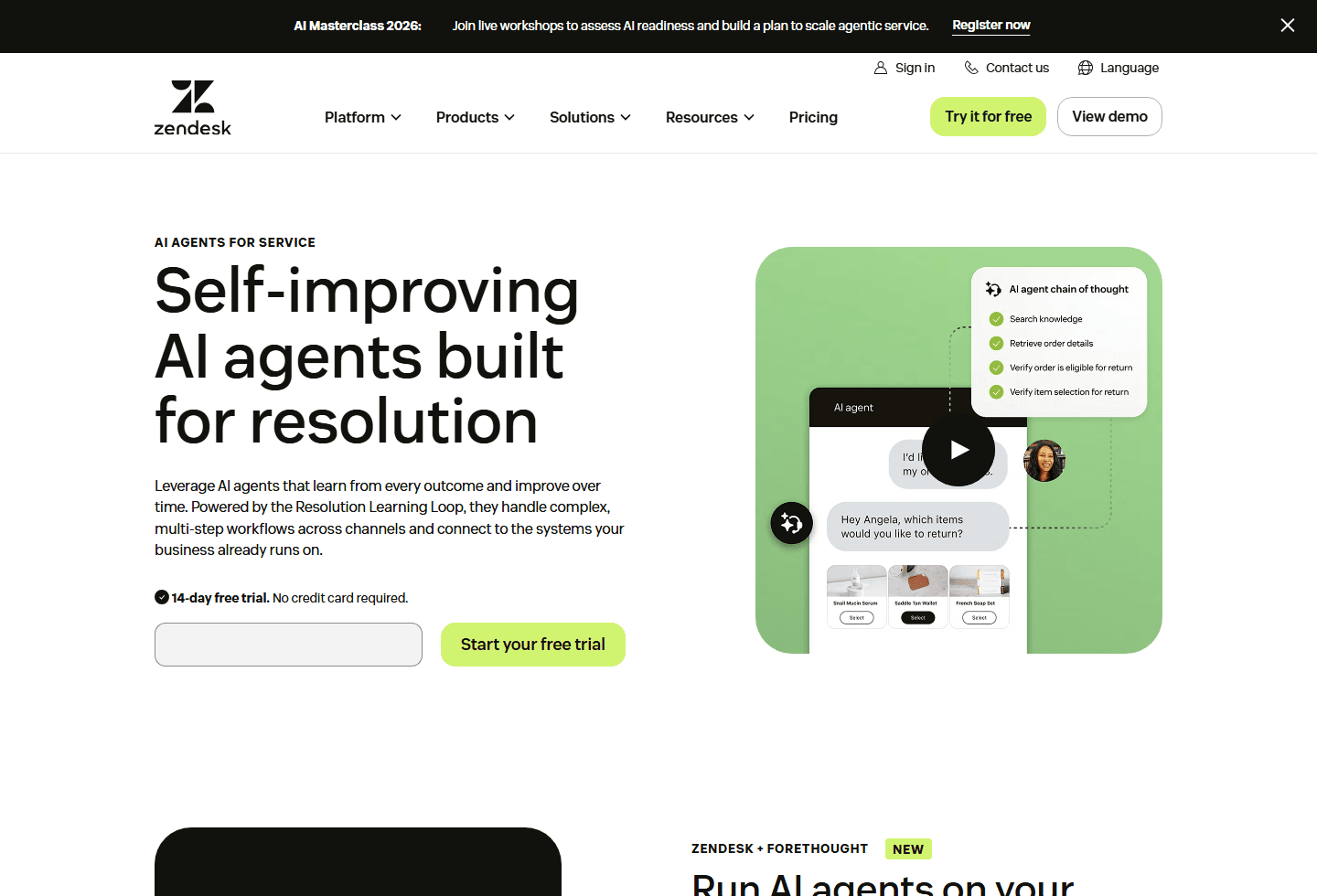
Zendesk's AI agents page talks about self-improving AI agents built for resolution. The page says they can handle complex, multi-step workflows across channels, connect to existing systems, and improve over time through a Resolution Learning Loop. It also describes built-in QA controls and policy governance.
That is the appealing version. The buyer version is less glamorous: gather the last 200 real tickets and sort them by automation risk. Password reset? Maybe. Refund exception? Check policy. Angry customer with billing history and a partial shipment? That one needs a much harder test.
The AI agents page includes an ROI calculator, but Zendesk says the estimates are illustrative and actual results may vary. Take that sentence seriously. AI savings depend on knowledge quality, policy clarity, system access, escalation design, and whether your customers accept the bot's first answer. A calculator can start the conversation. It cannot finish procurement.
Voice costs
Voice and Contact Center can turn a simple quote into a second quote.
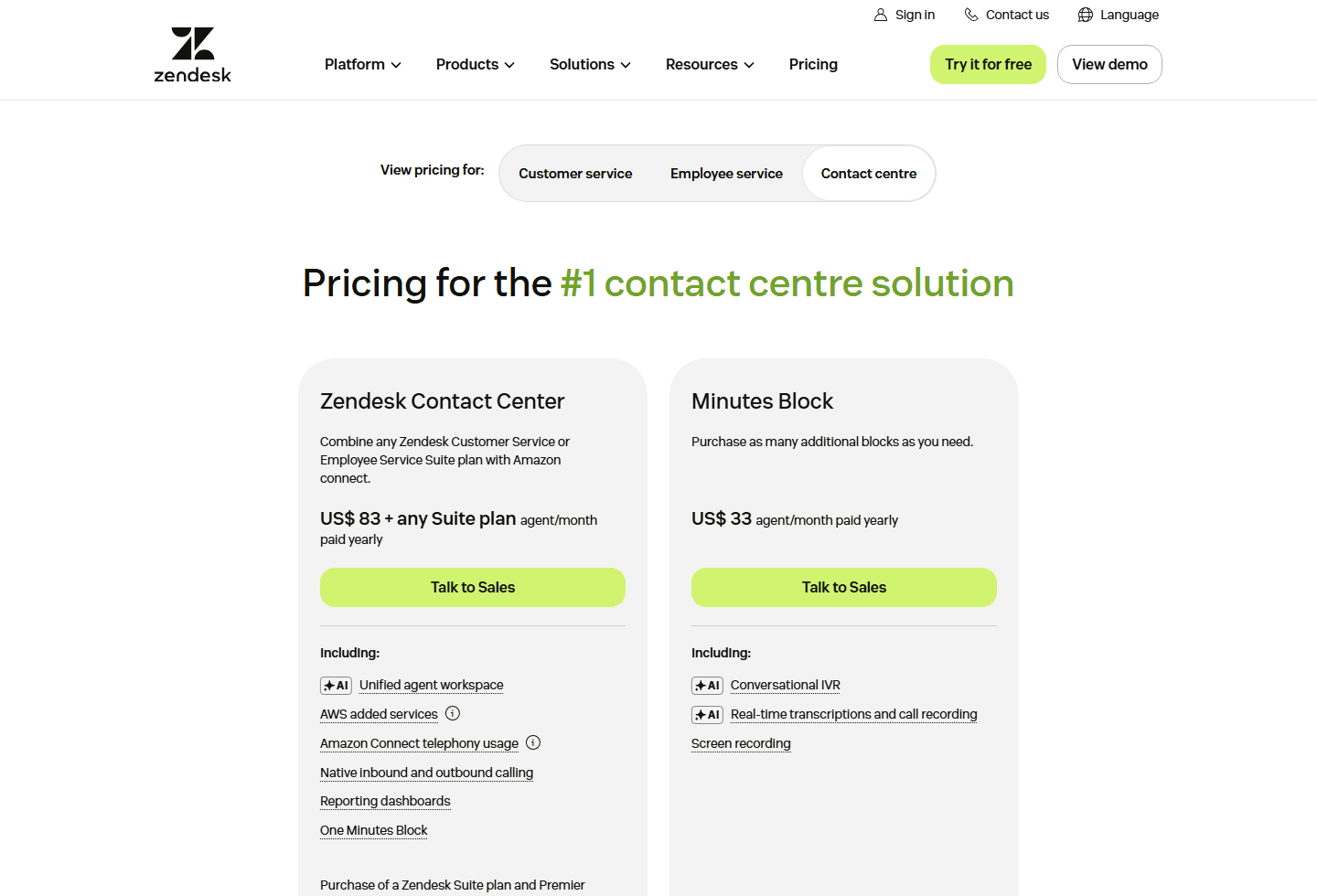
The Contact Center pricing page is a useful reality check. The captured page shows Zendesk Contact Center at US$83 plus any Suite plan per agent/month paid yearly, with a sales-assisted purchase path. It also shows Minutes Blocks at US$33 per agent/month paid yearly.
Zendesk says Contact Center typically needs a Zendesk Suite plan as the base subscription. The FAQ also mentions a per-agent license fee, Minutes Blocks, AWS Added Services, and Amazon Connect telephony usage. That is not a footnote if your support team takes calls all day.
This is why "Zendesk pricing" should never be a single screenshot in a budget doc. Voice-heavy teams need to model minutes, call recording, transcription, IVR, screen recording, and Amazon Connect usage. Otherwise the first quote becomes a teaser trailer.
Community research
The Reddit complaints are messy, but they point to real buying risks.
The Reddit screenshot includes several different emotions wearing the same jacket. "Zendesk is a scam" is not the same complaint as "Zendesk caused burnout" or "Feeling ripped off". A good buyer separates those themes instead of treating Reddit as one angry blob.
The scam posts are partly about trust confusion. Zendesk is a real company and a legitimate ticketing system. But people also receive phishing emails, fake job interview messages, and suspicious support-looking notifications. If a customer asks "what is this Zendesk stuff?" the answer may be: a company is using Zendesk to run support. It may also be: verify the sender before clicking anything.
The burnout and job posts point to a different problem. Zendesk can make work visible. That is useful for managers and dangerous in a bad culture. Reporting can catch bottlenecks, but it can also catch agents in a constant performance trap. Software will not fix a support organization that treats every dashboard as a weapon.
The pricing complaint is the one buyers should take most literally. The Reddit screenshot says the base plan lists a low per-agent price, but live chat and other features can require add-ons or higher tiers. That is exactly why this guide keeps coming back to workflow pricing. Price the thing you will use, not the cheapest possible version of the brand.
Scam confusion
The screenshot includes posts asking whether Zendesk messages are scams. Zendesk is a legitimate platform, but scammers can spoof emails, fake job interviews, or abuse familiar support-brand language.
Burnout
One Reddit result says Zendesk caused burnout in a tech support job. Treat that as a culture and workflow warning: reporting can help, but it can also turn support into a scoreboard nobody enjoys.
Add-on frustration
The strongest buying complaint says the base plan looks low, then live chat or other core features can require add-ons or a higher tier. That maps directly to why buyers should quote the full workflow, not the first card.
Small-team mismatch
Another Reddit result compares Zendesk to buying a battleship for a 3-person team crossing a river. Dramatic, yes. Also a useful reminder that enterprise-grade tooling can be overkill.
AI agents uncertainty
The screenshot includes a thread about using AI agents on top of Zendesk. Buyers should test AI on real tickets, policy edge cases, and escalation rules before assuming automation will lower cost.
Confidence level: medium. The screenshot is a useful sample of buyer language, not a statistically balanced study. Reddit overrepresents people who are annoyed enough to post. Still, the themes line up with the official pricing structure: add-ons exist, voice has a separate layer, and AI needs careful testing before anyone promises savings.
Fit check
Zendesk is a strong fit when support is already operationally complex.
Best for
Support teams with enough ticket volume to need routing, analytics, knowledge base work, agent context, multiple channels, and a person who can own admin setup.
Not for
A two or three person team that mainly needs email support, a simple shared inbox replacement, and a bill that will not require a spreadsheet to explain.
Migration cost
Medium to high. Expect work around importing users, rebuilding macros, mapping queues, cleaning tags, writing help center content, training agents, and deciding which add-ons are worth paying for.
Reddit common complaints
People complain about confusing add-ons, feeling ripped off after seeing higher-tier requirements, agent burnout from heavy reporting, scam confusion, and Zendesk feeling too large for small teams.
Best first test
Run one support queue through Zendesk for 30 days. Track first response time, resolution time, agent effort, admin time, and the actual quote after add-ons.
Zendesk makes sense when support is no longer a side task. If you have a real queue, multiple agents, multiple channels, recurring requests, escalation rules, reporting needs, and a manager who owns the operation, Zendesk can bring structure. It can also help when your current stack is a collection of inboxes, spreadsheets, chat widgets, and "ask Jamie, she knows" tribal knowledge.
It is harder to justify when the team is small and the workflow is still simple. A 3-person ecommerce team might need faster replies and cleaner ownership, not a full enterprise support cockpit. In that case, a lighter tool may give the team 80% of the value with less admin work and less billing surprise.
The hidden migration cost is process clarity. Zendesk will not write your support policy for you. It will not decide which tickets count as urgent, which macros are safe, which customers deserve escalation, which AI answers are allowed, or when an agent should stop chatting and refund the order. You still need the messy human decisions.
Buying test
Run a 30-day workflow quote before trusting the plan cards.
| Situation | Likely move | Why |
|---|---|---|
| You only need email tickets and simple assignment | Start with Support Team or a lighter help desk | Zendesk can work, but do not buy Suite just because the brand feels safer. |
| You need live chat, messaging, knowledge base, and AI agents | Look at Suite Team first | This is where Zendesk starts to behave like a unified support stack instead of a ticket inbox. |
| You need skills routing, IVR, reporting, and admin copilot | Compare Suite Professional against your current stack | The price jump needs a workflow reason. Name what it replaces before you upgrade. |
| You need voice-heavy contact center work | Price Contact Center separately | The Contact Center page adds a separate pricing layer, minutes blocks, and Amazon Connect usage considerations. |
| Your team already feels watched, measured, and burned out | Fix operations before buying more dashboards | Zendesk reporting will not save a team that uses metrics as a hammer. |
Start with last month's support data. How many tickets arrived? Which channels created them? How many needed live chat, voice, refunds, shipping lookups, account changes, or manager approval? How many could a help center answer? How many could AI safely resolve if the knowledge base were clean?
Then build three quotes. First, price the smallest Zendesk plan that technically works. Second, price the plan that matches the workflow your agents actually want. Third, price the plan plus add-ons that leadership will ask for after seeing the demo. The gap between those three quotes is where bad procurement meetings are born.
During the trial, measure boring things. First response time. Resolution time. Reopen rate. Agent touches per ticket. Admin hours. Macro quality. Customer satisfaction. Escalation count. If AI is part of the pitch, measure containment and failed containment separately. A bot that closes easy tickets is nice. A bot that confidently mishandles exceptions is an expensive apology machine.
My recommendation
Buy Zendesk when it replaces chaos, not when it creates a new admin job.
If I were a growing support team with email, chat, a help center, and managers asking for better routing and reports, I would test Zendesk seriously. I would probably start the evaluation at Suite Team, not Support Team, because the modern support workflow usually needs more than email tickets.
If I were a mature team with queues by product line, specialized agents, phone workflows, QA, and executive pressure to reduce handle time, I would compare Suite Professional, Contact Center, and the relevant add-ons against the current stack. But I would only buy after seeing the full quote. The add-ons are not decoration. They may be the point.
If I were a tiny team looking for my first support tool, I would slow down. Zendesk may still be the right choice if I expect rapid growth or need a serious process from day one. But if the current pain is just "we need to stop losing emails," I would test a lighter inbox-style help desk first and revisit Zendesk when the workflow earns it.
Zendesk is not a scam. It is also not automatically the right tool because everyone has heard of it. The honest buying question is whether your support operation is complex enough to benefit from the platform, and disciplined enough to avoid paying for features nobody owns.
FAQ
Questions buyers ask before paying for Zendesk.
What is Zendesk?
Zendesk is customer service and customer experience software. Companies use it for support tickets, agent workspace, knowledge base, messaging, live chat, voice, routing, automation, analytics, and AI agents.
How does Zendesk pricing work?
Zendesk pricing is mainly per agent, per month, with different tiers. The final cost can also include add-ons, usage-based features, voice or contact center costs, and annual or monthly billing differences.
Is Zendesk good for a small support team?
Zendesk can work for small teams that already need ticketing discipline, routing, and reporting. It can feel too heavy for very small teams that only need shared inbox basics and simple live chat.
Why do people complain about Zendesk pricing?
Common complaints center on add-ons, higher-tier requirements, voice or chat costs, and the gap between a low entry price and the full workflow a team actually wants.
Is Zendesk a scam?
Zendesk is a legitimate customer service software company. Some scam confusion comes from fake emails, fake job posts, or phishing messages that mention Zendesk or imitate support workflows.
Sources
Official pages and community research used for this guide.
Official Zendesk sources
- Zendesk pricing
- What is Zendesk?
- Zendesk for customer service
- Zendesk AI agents
- Zendesk Contact Center pricing
- About Zendesk Support plan types
Community section based on the Reddit screenshot supplied for this article, covering common complaints about scam confusion, support burnout, add-ons, AI agents, and small-team fit.


