 SwitchMyTool

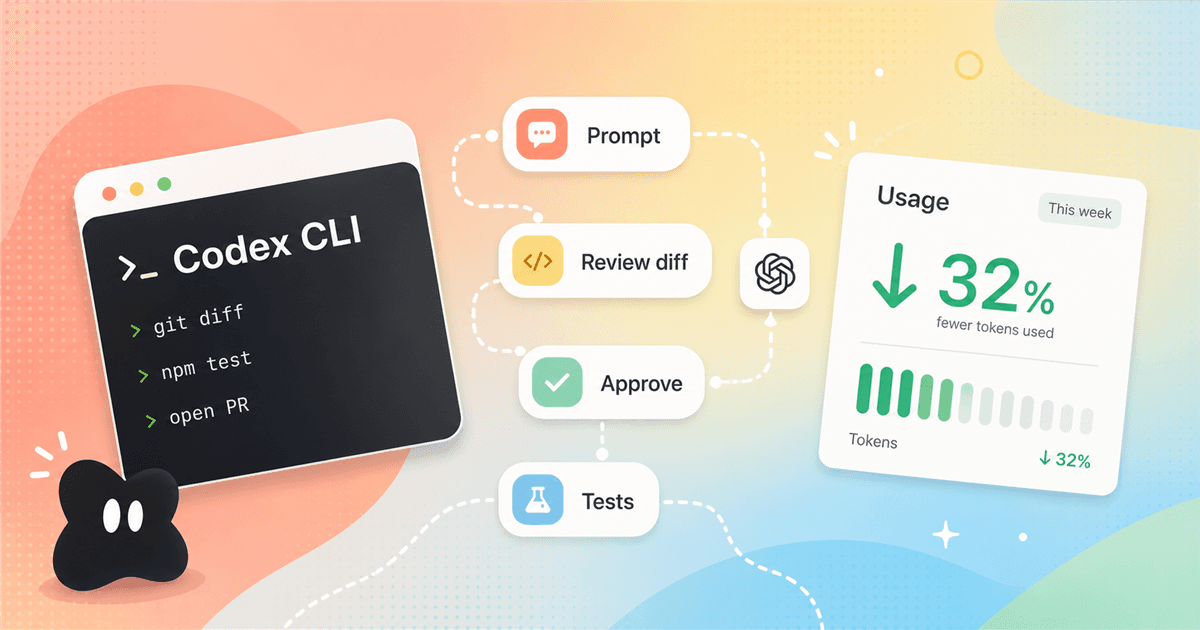
Codex CLI is not magic, and that is the useful part. The best version of it feels less like a ghostwriter and more like a very fast teammate sitting in your terminal, waiting for you to define the next move.
The honest Codex CLI question is not "can it code?" It can. The better question is whether your workflow can catch bad changes before they become your problem. That is where most of the hype and most of the fear come from.
I wrote this guide for developers searching for codex cli advice after seeing both sides: people who say it makes them dramatically faster, and people who feel like the CLI rewrote half the repo while they were trying to understand the first file. Both can be true. The difference is the loop around the agent.
This is also a codex usage guide in the practical sense. It covers installation, approvals, usage limits, `codex exec`, Windows setup, and the boring habits that make coding agents tolerable: commits, branches, tests, small tasks, and reading the diff even when the agent sounds extremely sure of itself.
My working rule
- Codex CLI is best when you already trust your Git habits. Commit first, ask for one bounded change, then read the diff before you let the next task start.
- The strongest codex usage pattern is not bigger prompts. It is a tighter loop: prompt, inspect plan, approve, run tests, review diff, commit or revert.
- The Reddit complaint about black-box autonomy is fair. Codex CLI can feel spooky when the repo has no tests, no branch discipline, and no clear definition of done.
- Use the CLI when terminal control matters. Use the web or IDE surfaces when the task is more about review, cloud work, or staying inside your editor.
The tension
Codex CLI feels risky when it moves faster than your review loop.
The Reddit screenshot you shared starts with a familiar complaint: the CLI has too much autonomy, rewrites too much, and leaves the user wondering whether it tested anything. That is not just fear of new tools. That is exactly what a coding agent feels like when the human has no checkpoint.
A human teammate can also make a giant messy diff. The difference is social friction. You can ask why a teammate changed a file. You can request a smaller PR. You can reject a design before it touches production. With Codex CLI, that same discipline has to be built into the workflow because the agent will keep going if the task and permissions let it.
The most useful replies in the Reddit thread were not defensive fan comments. They were process comments: commit before asking the agent to work, inspect `git diff`, use branches or worktrees, run tests, and keep tasks atomic. That is the real dividing line. Codex CLI rewards people who can review code. It punishes people who want to skip review.
First setup
Install it, but do not start with a production-sized task.
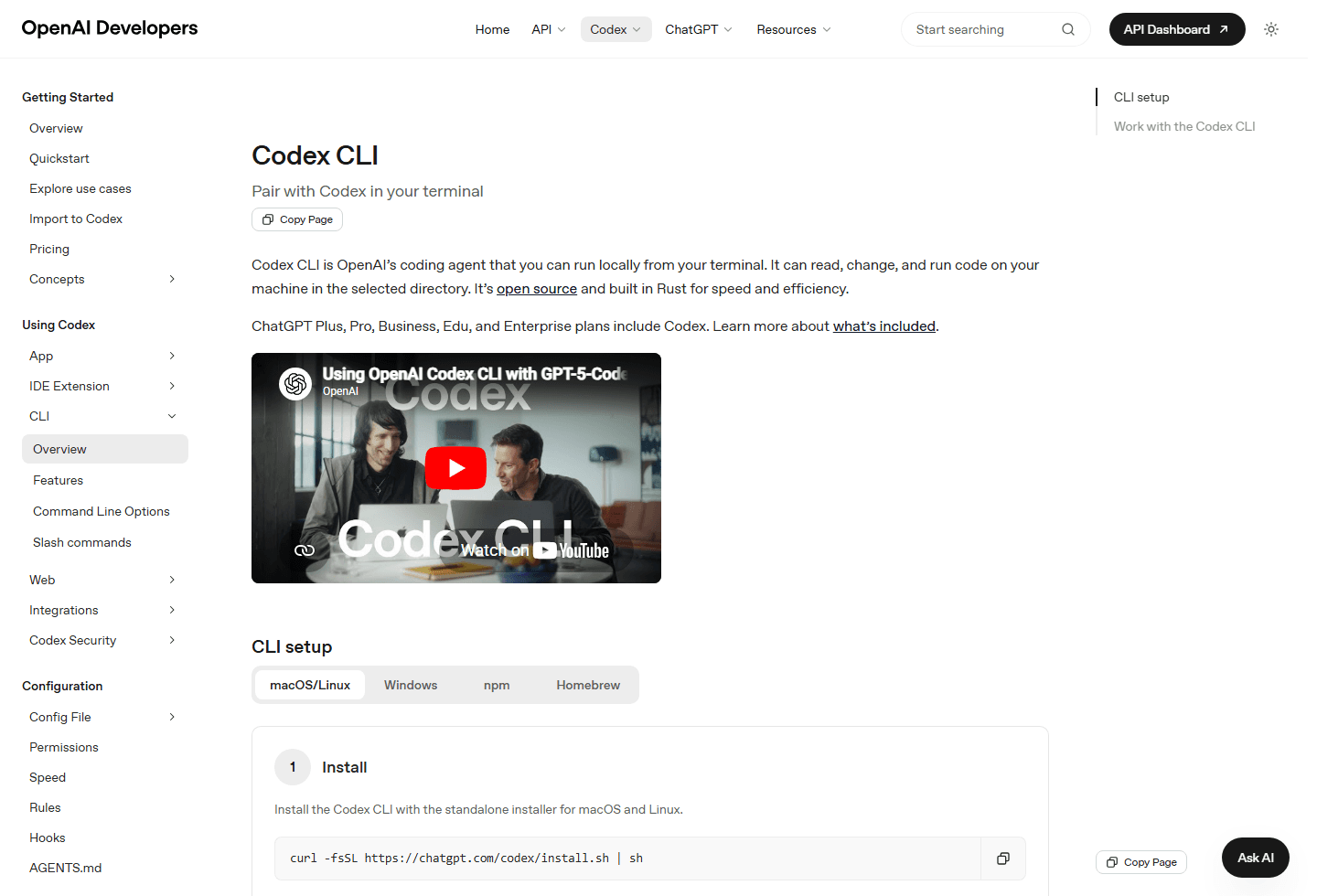
The official Codex CLI page describes it as OpenAI's coding agent that runs locally from your terminal. It can read, change, and run code on your machine in the selected directory. OpenAI also states that the CLI is open source and built in Rust. That matters because the tool is not just a hosted chat box. It is a local development surface.
The setup page currently shows a standalone installer for macOS and Linux, plus Windows, npm, and Homebrew tabs. The first run is simply `codex`, then you sign in with a ChatGPT account or an API key. That is the easy part. The part that decides whether you like the tool comes next.
Do not make your first task "refactor the auth system" or "build the whole dashboard". Start with a small change that has a visible success condition: fix one failing test, add one validation rule, write one helper, explain one subsystem, or update one component. You want to learn the agent's habits before it touches something painful.
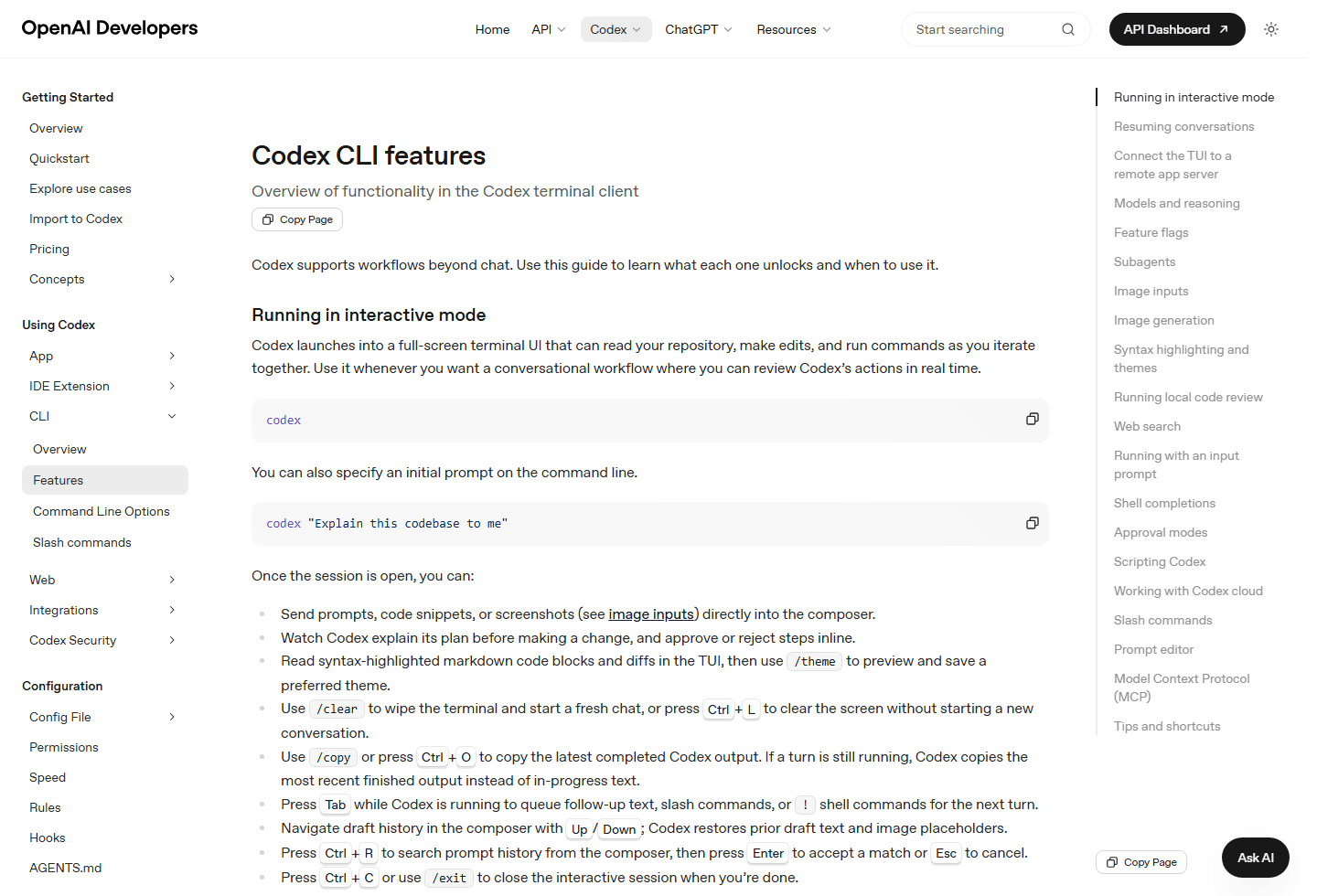
The features page shows why people get excited. Codex CLI can run as an interactive terminal UI, resume conversations, switch models, accept image inputs, generate images, run local code review, use web search, work with Codex Cloud tasks, and run non-interactively with `codex exec`. That is a lot of surface area.
More surface area means more responsibility. If you enable web search, screenshots, local edits, shell commands, and subagents in one giant prompt, you have created a lot of paths for the agent to drift. Use the feature set like a toolbox, not like a confetti cannon. Pick the smallest tool that fits the job.
Daily loop
The best Codex CLI workflow is small, reviewable, and boring.
| Stage | What to do | Why it matters |
|---|---|---|
| Before starting | Create a clean branch, commit the current state, and write the job in one paragraph. | You need a known rollback point. Otherwise every agent mistake turns into archaeology. |
| During the run | Watch the plan, keep approvals tight, and interrupt when the scope drifts. | The CLI is powerful because it can act. That same power needs boundaries. |
| After edits | Run the same checks a teammate would run: lint, tests, build, and a manual diff read. | Do not treat a passing agent message as verification. Treat it as a claim. |
| Before commit | Review `git diff`, remove accidental churn, and write a normal commit message. | The review habit is where Codex CLI becomes useful instead of mysterious. |
| For repeat work | Move repeated rules into AGENTS.md, config, scripts, or skills. | If you keep typing the same warning, make it reusable. |
My normal loop starts with a clean working tree. I create a branch, commit the baseline if needed, then ask Codex for one job. If the task is fuzzy, I ask it to plan first. If the plan names too many files or starts solving a different problem, I stop it early. This is not micromanagement. This is how you keep the diff readable.
After the edit, I run the checks myself. I do not care if the final agent message says everything passes. I care what the terminal says, what the browser says, and what `git diff` says. Codex is fast enough that this review step can feel slow, but the review step is the product. The agent is only useful if you can absorb the change safely.
This is where a lot of disappointed codex usage starts to make sense. People hand the CLI an app-sized request, get an app-sized diff, then feel trapped because the work is too large to review. Shrink the task until review feels boring. Boring is good. Boring means you still own the code.
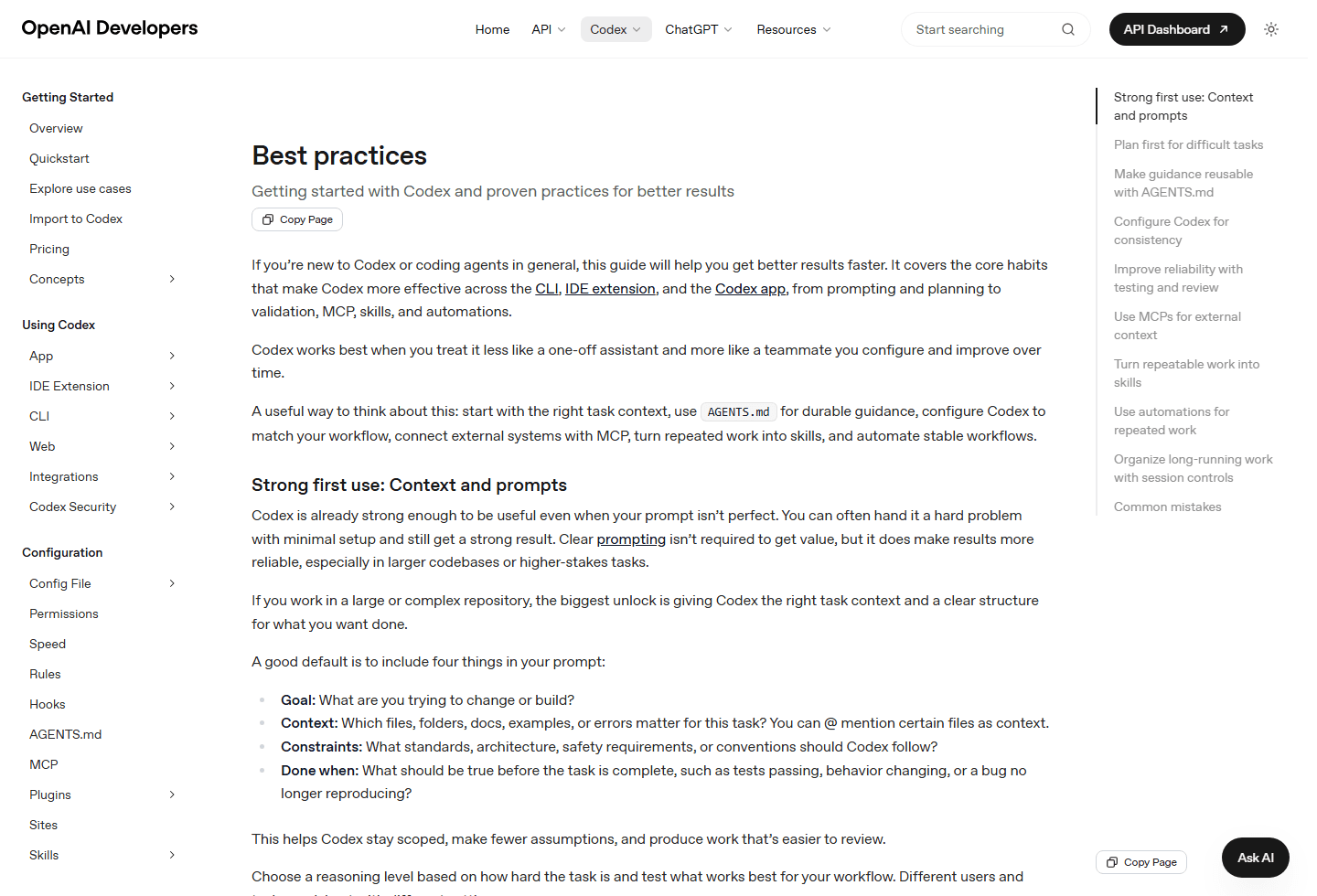
OpenAI's best-practices guide recommends giving Codex a goal, context, constraints, and a clear "done when" condition. That advice sounds obvious until you compare it with the prompts people actually write. "Fix this" is not a task. It is a wish with a stack trace attached.
AGENTS.md is the other important piece. If your repo has rules about tests, copy style, design constraints, branch workflow, risky commands, or deployment checks, put them where Codex can read them automatically. Repeating the same warning in every prompt is a smell. A short useful AGENTS.md beats a long inspirational one every time.
Approvals
Do not loosen permissions before you have proof you can review the output.
Default beginner posture
Keep sandboxing and approvals conservative.
Trusted repo posture
Loosen permissions only after you know the repo, checks, and rollback path.
Automation posture
Use `codex exec` with explicit sandbox flags and machine-readable output where needed.
High-risk posture
Keep manual approval and avoid broad access for database, deployment, or destructive filesystem work.
Approval modes are not just security theater. They shape how the work feels. Tight approvals make the first sessions slower, but they teach you what Codex wants to run. Loose approvals can be great in a trusted repo with a strong test suite, but they are a bad way to learn the tool.
The rule is simple: loosen only after the repository earns it. A repo with tests, type checks, linting, fixtures, review habits, and clean rollback points can tolerate more agent speed. A repo with mystery scripts and no tests should be treated like a kitchen where every drawer might contain a knife. Open slowly.
Also separate read-only thinking from writing. Many Codex CLI tasks start better as investigation: explain the system, list risky files, propose the plan, or identify which tests would prove the fix. You can approve edits after the plan makes sense. There is no prize for letting the agent write first.
Pricing and limits
Watch Codex usage before a long session watches your allowance for you.
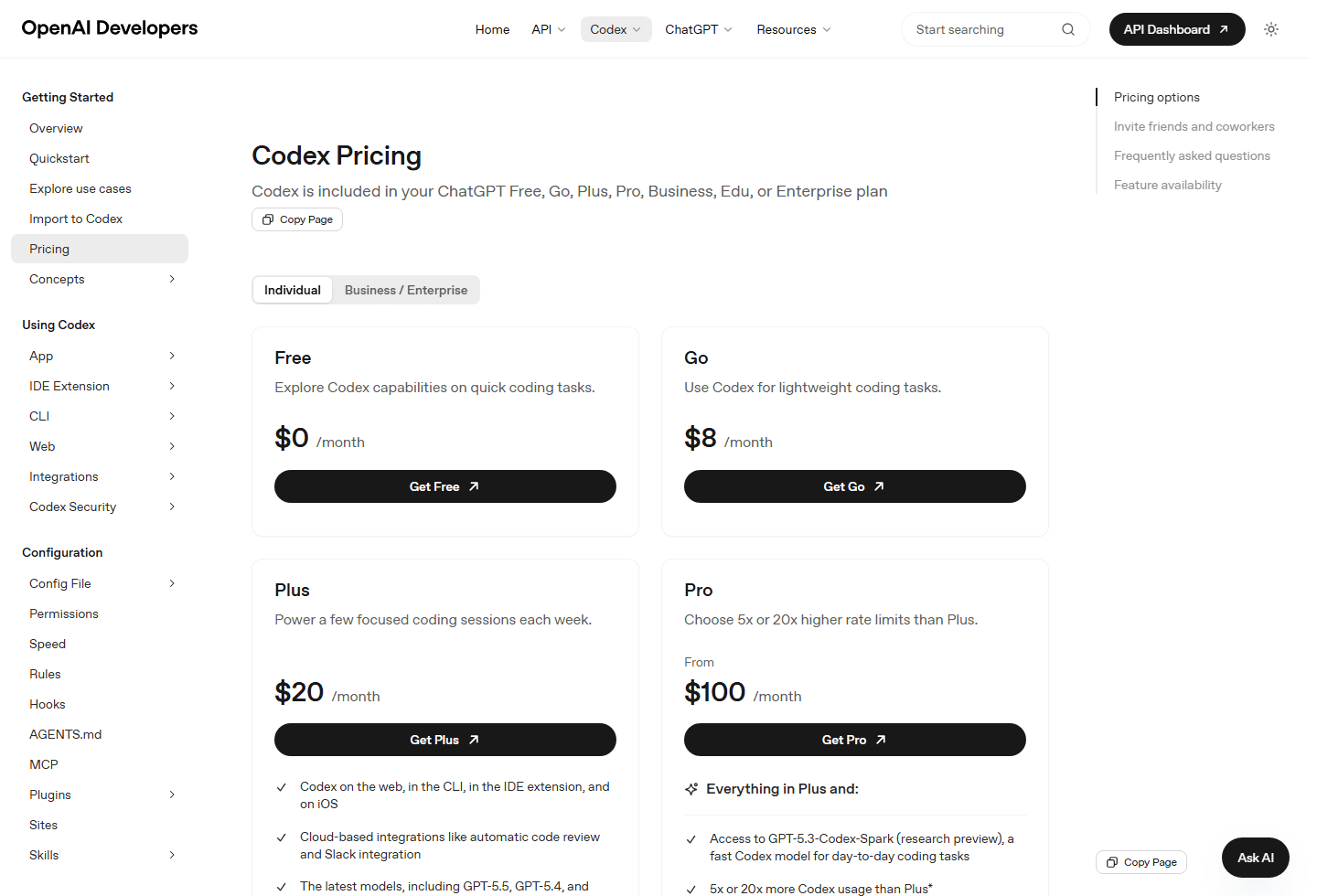
The Codex pricing page currently says Codex is included in ChatGPT Free, Go, Plus, Pro, Business, Edu, and Enterprise plans. The captured page shows Free, Go, Plus, Pro, and API key paths, with Codex on the web, CLI, IDE extension, and iOS appearing in the Plus card. Pricing can change, so use the official page as the source of truth before you make a budget call.
The more important part is usage shape. OpenAI says usage limits depend on model, task size, complexity, and whether work runs locally or in the cloud. Large codebases, long sessions, broad tasks, image generation, and repeated retries can burn through limits faster than small local edits. This is not a moral issue. It is just how agent work consumes context.
If you care about codex usage, make it visible. Use `/status` during CLI sessions when you need remaining limits, check the usage dashboard, and switch to smaller models for routine work when the task does not need the biggest reasoning budget. The cheapest agent turn is the one you never ask because your first prompt was scoped correctly.
Community research
Reddit complaints are really workflow warnings.
The Reddit screenshot for this article is useful because it is not just a list of hot takes. It captures the split between people who expect the CLI to behave like a safe autocomplete tool and people who treat it like a junior teammate with shell access. Those are very different expectations.
The original post says the CLI makes it easy to lose track of what changed, feels like vibe-coding instead of controlled work, and creates fear around untested changes. That maps to a real buyer concern: teams do not just buy speed. They buy a workflow they can trust.
The replies offer the antidote. One commenter says Codex is where you want fine control over the agent. Another says they read and understand diffs, let the agent make a test pass, revert when it fails, and commit stable points. Others mention branches, PRs, worktrees, and reviewing every change before it lands. That is not hype. That is operating procedure.
Black-box concern
The Reddit screenshot complains that Codex CLI can rewrite too much and leave the user unsure what happened. That is not a silly complaint. It is a workflow smell.
Diff discipline
Several replies push the opposite view: Codex is useful when you inspect diffs, commit often, use source control, and keep a human in the loop.
Task sizing
The practical advice was to create small, atomic tasks, then review each step. Big vague requests make the agent feel more mysterious.
Tests and branches
The strongest comments mention tests, PRs, feature branches, and worktrees. In other words, the fix is not blind trust. The fix is boring engineering hygiene.
Usage anxiety
Codex usage can climb fast on large repos, long sessions, image generation, and repeated retries. Watch the usage dashboard and use smaller models or tighter prompts when the job allows it.
My confidence in these themes is medium, not because the complaints are weak, but because one Reddit screenshot is not a survey. Still, the pattern matches what I see in real agent work: people who already understand review flows get leverage, while people who skip review get anxiety with better formatting.
Fit check
Use Codex CLI when terminal control is worth the review cost.
Best for
Developers who already use Git, tests, branches, PRs, and terminal workflows. Codex CLI shines when you want the agent close to the repo and you are willing to review the work like code.
Not for
People who want to hand over a product idea and stop paying attention. If you will not read diffs, run tests, or define scope, Codex CLI can turn confidence into a very expensive cleanup.
Migration cost
Low for terminal-heavy developers, medium for teams that need rules, approvals, and CI habits first. The real migration is not installing Codex. It is building a workflow that can absorb agent changes safely.
Reddit common complaints
Users worry about autonomy, surprise rewrites, unclear test coverage, usage cost, and the feeling that the agent made a lot of changes before the human understood the plan.
Best first test
Ask Codex to make one small change in a clean branch, then inspect every file it touched. If the diff is easy to review, move to a second task. If not, shrink the prompt.
Codex CLI is especially good for codebases where the next step is clear but tedious. Fix this test. Update this component. Add this script. Explain this module. Convert this repeated task into a checklist. Review this diff before I commit. Those are jobs where terminal proximity helps.
It is weaker when the work is product discovery disguised as coding. If you do not know what you want, the agent can still produce a lot of code. That is not always helpful. A fast implementation of a confused idea is still a confused idea, now with files.
The migration cost is mostly cultural. Installing a CLI is cheap. Teaching a team to commit often, write better tasks, keep AGENTS.md current, review diffs, and reject unreviewable changes is the real work. The teams that handle that work will get more value from Codex than teams that only chase a faster keyboard.
Automation
Use `codex exec` for repeatable work, not for unattended chaos.
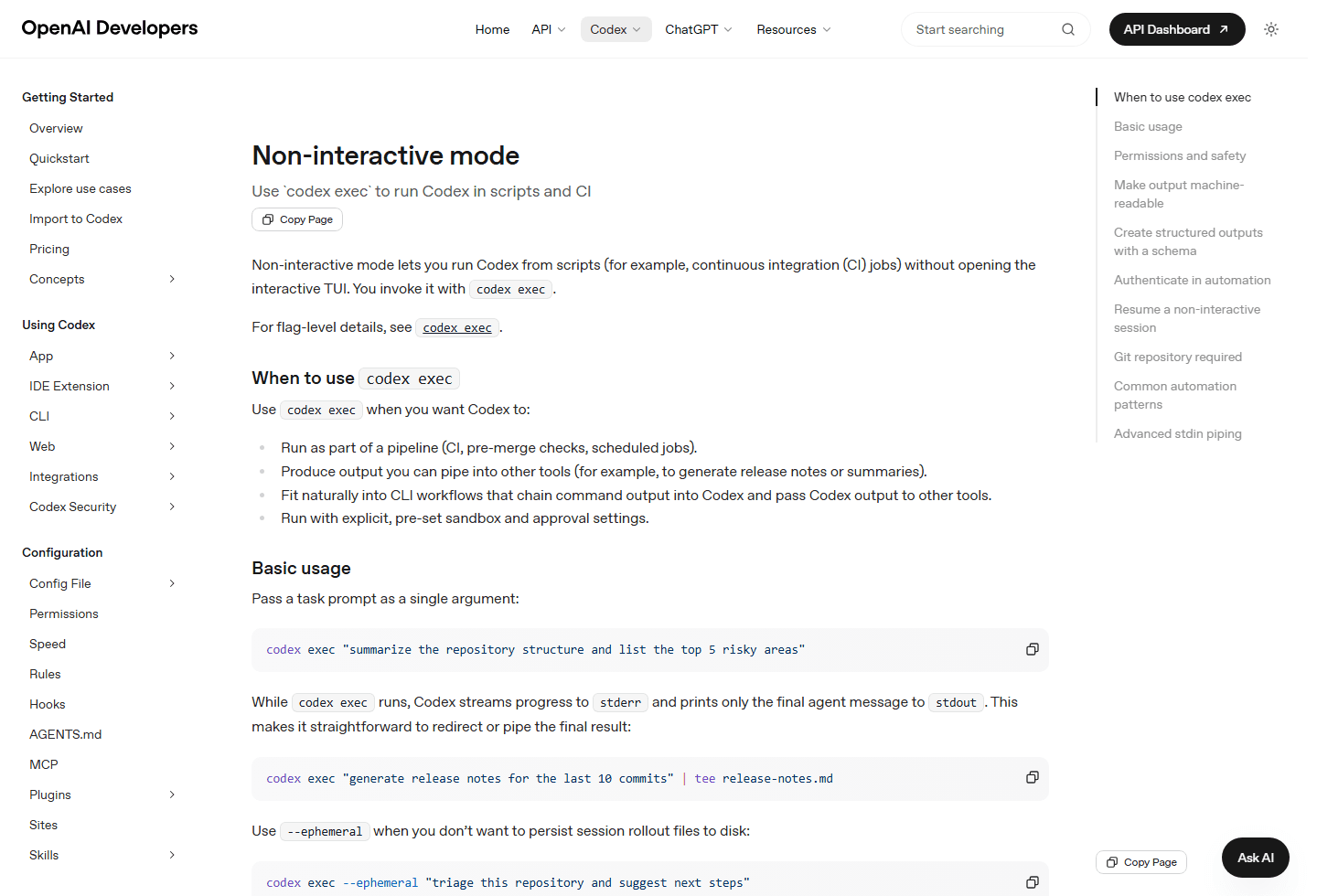
Non-interactive mode is where Codex CLI starts to look like infrastructure. The official docs describe `codex exec` as the way to run Codex from scripts and CI without opening the interactive TUI. It can stream progress to stderr, print the final message to stdout, emit JSON Lines, and produce structured output with a schema.
This is powerful, but it should make you more cautious, not less. The official docs say `codex exec` runs in a read-only sandbox by default, and they recommend explicit sandbox flags for workflows that need edits. That is the right mental model: automation should say exactly what access it needs.
Good automation jobs are narrow. Generate release notes. Review a diff. Summarize risky areas. Triage test failures. Produce a JSON report. Bad automation jobs sound like "fix whatever is wrong and push it". That kind of prompt creates the same black-box worry from Reddit, except now it happens inside a pipeline where nobody is watching the terminal.
Windows notes
On Windows, sandbox choices are part of the workflow.
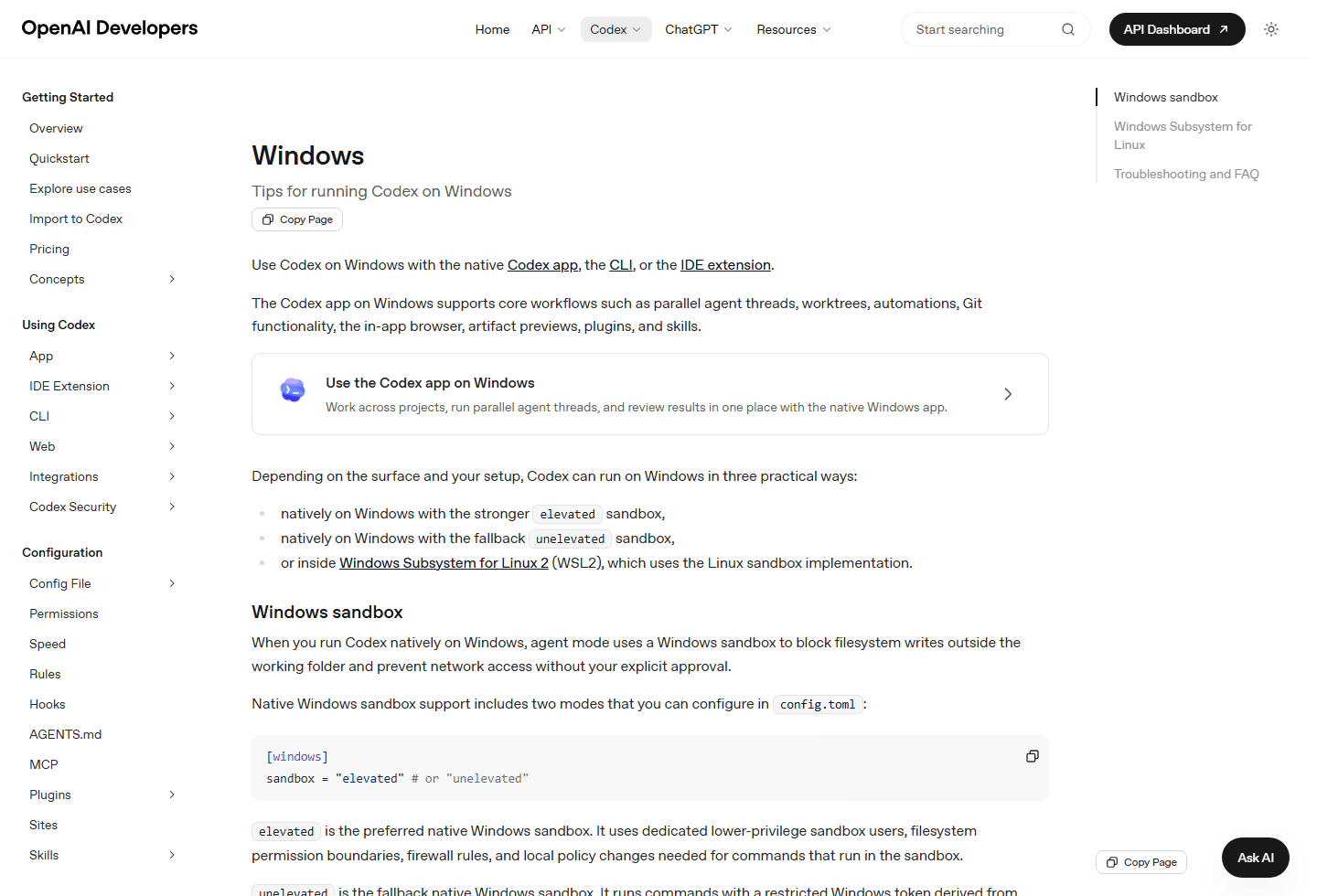
The Windows docs matter for this site because a lot of real developers use PowerShell, Windows Terminal, and WSL2 every day. OpenAI's Windows guide says Codex can run natively on Windows with a sandbox or inside WSL2 for Linux-native workflows. It also warns that full access mode is not limited to the project directory and can lead to unintended destructive actions.
If your repo lives in WSL2 and your tools are Linux-first, run Codex where the tools live. If your repo is a Windows project, native PowerShell can be the cleaner path. The important part is not the logo on the terminal. It is whether the agent can run the same commands a human developer would run, inside the right sandbox, with approvals you understand.
My recommendation
Treat Codex CLI like a fast teammate who needs small tickets.
My recommended first week is simple. Day one, use Codex CLI to explain the repo and identify test commands. Day two, ask for a one-file fix. Day three, ask it to write or update one test. Day four, ask it to review your own diff. Day five, try a slightly larger change in a separate branch. Do not start with a heroic refactor. Heroic refactors are where weekends go to disappear.
Keep the prompt plain. "Goal: add an empty-state message to this component. Context: use the existing component style. Constraints: do not change routing or data fetching. Done when: tests pass and the diff only touches these files." That prompt is not glamorous, but it gives the agent rails.
When Codex does well, turn the lesson into repo guidance. Add the test command to AGENTS.md. Add the design constraint. Add the build command. Add the review checklist. The goal is to stop relying on heroic prompting and make the repo easier for every future agent turn.
My final take is blunt: Codex CLI is worth using if you want more control, not less. It belongs in a workflow where the human still owns scope, approvals, testing, and review. If you want the agent to disappear into the repo and come back with a finished product, you are likely to recreate the Reddit complaint. If you want a fast terminal partner for bounded tasks, Codex CLI can be very good.
FAQ
Questions developers ask before using Codex CLI.
What is Codex CLI used for?
Codex CLI is used to work with OpenAI's coding agent from a terminal. It can inspect a repository, edit files, run commands, review code, handle screenshots, search the web, and run non-interactive tasks with codex exec.
Is Codex CLI safe to use on a real repository?
It can be safe when you use branches, commits, tests, approval modes, sandboxing, and human diff review. It becomes risky when you run broad tasks in a dirty repo and accept changes without inspection.
How should I control codex usage?
Keep tasks small, choose the smallest model that works, use /status during CLI sessions, avoid unnecessary image generation, and check the Codex usage dashboard before long sessions. Large repos and long-running tasks consume more.
Should beginners use Codex CLI?
Beginners can use it for explanation, small fixes, and guided learning, but they should keep approvals tight and review every diff. The CLI is not a substitute for understanding Git, tests, and the code being changed.
When should I use codex exec instead of interactive Codex CLI?
Use codex exec for repeatable scripts, CI jobs, summaries, structured outputs, or tasks where you want a preset sandbox and approval policy. Use the interactive TUI when you want to steer the work in real time.
Sources
Official pages and community research used for this guide.
Official OpenAI sources
- Codex CLI setup
- Codex CLI features
- Codex pricing
- Codex best practices
- Codex non-interactive mode
- Codex Windows guide
- OpenAI Codex on GitHub
Community section based on the Reddit screenshot supplied for this article, covering common complaints about Codex CLI autonomy, review, tests, branches, and usage cost.


