 SwitchMyTool

Practical take
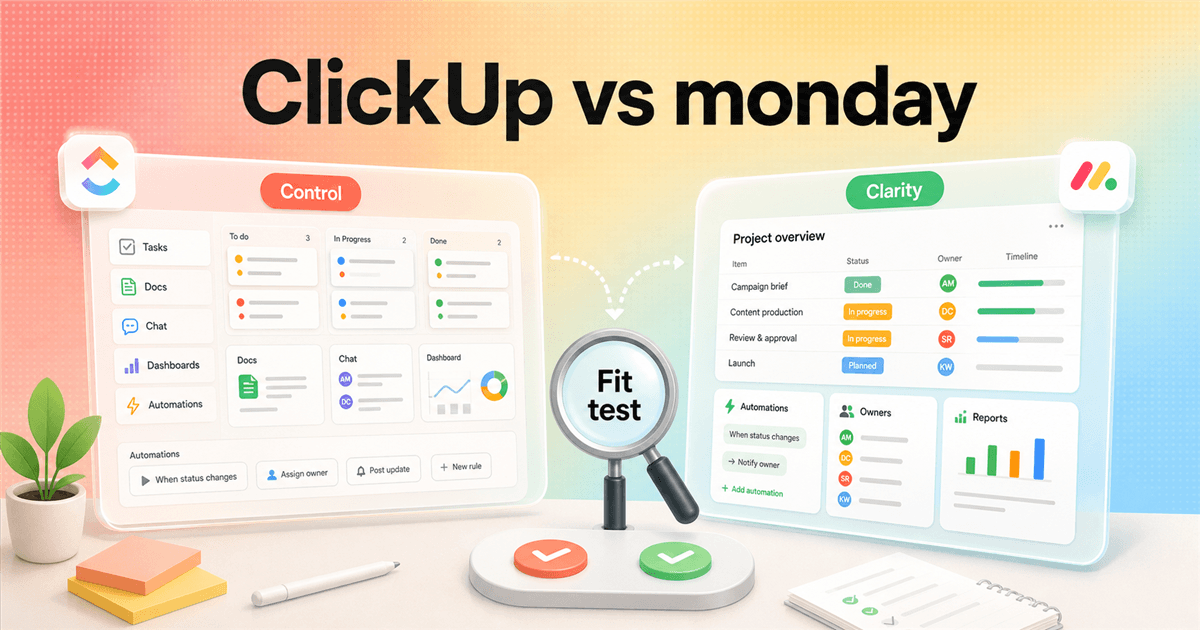
ClickUp vs monday is really control vs adoption.
- ClickUp vs monday is not a simple feature checklist. It is a question about how much workflow control your team can handle.
- ClickUp is stronger when you need one configurable workspace for tasks, docs, chat, dashboards, forms, goals, custom fields, and automation-heavy work.
- monday is stronger when the team needs cleaner adoption, visual boards, predictable ownership, and fewer ways to build a messy internal maze.
- The pricing comparison can mislead you. ClickUp shows a lower entry paid price, while monday prices by seats and plan limits such as automations, integrations, and API calls.
- The Reddit screenshot points to the same pattern: people like ClickUp's depth, but they warn that someone has to maintain the system. monday gets credit for simplicity, but some users outgrow it.
The actual choice
The demo makes both tools look easy. The second month is where the difference shows up.
ClickUp vs monday is a messy comparison because both products sell a similar promise: one place to manage work. They both have boards. They both have automations. They both have templates, views, dashboards, and enterprise stories. In a demo, the gap can look smaller than it really is.
The real difference appears when your team starts using the product with actual work. ClickUp gives you more ways to model the work: lists, folders, spaces, custom fields, docs, chat, dashboards, forms, dependencies, whiteboards, goals, and automations. monday gives you a cleaner board-first operating layer that many business teams understand faster.
That does not mean ClickUp is for advanced teams and monday is for simple teams. That is too neat, and it misses how teams buy software. A small agency with weird workflows may love ClickUp. A large operations team may choose monday because adoption matters more than another configuration menu. The question is not which tool has more features. The question is which tool your team can run without turning work management into a side job.
I would treat this as a 30-day operating test, not a spreadsheet war. Pick one real workflow, put it in both tools, and watch where the friction appears. Does ClickUp make the process clearer or tempt the team into building a tiny software company inside a task app? Does monday keep people aligned or does it flatten important complexity until the process leaks back into Slack and spreadsheets?
Official pricing
ClickUp starts lower, but monday's plan limits change the math.
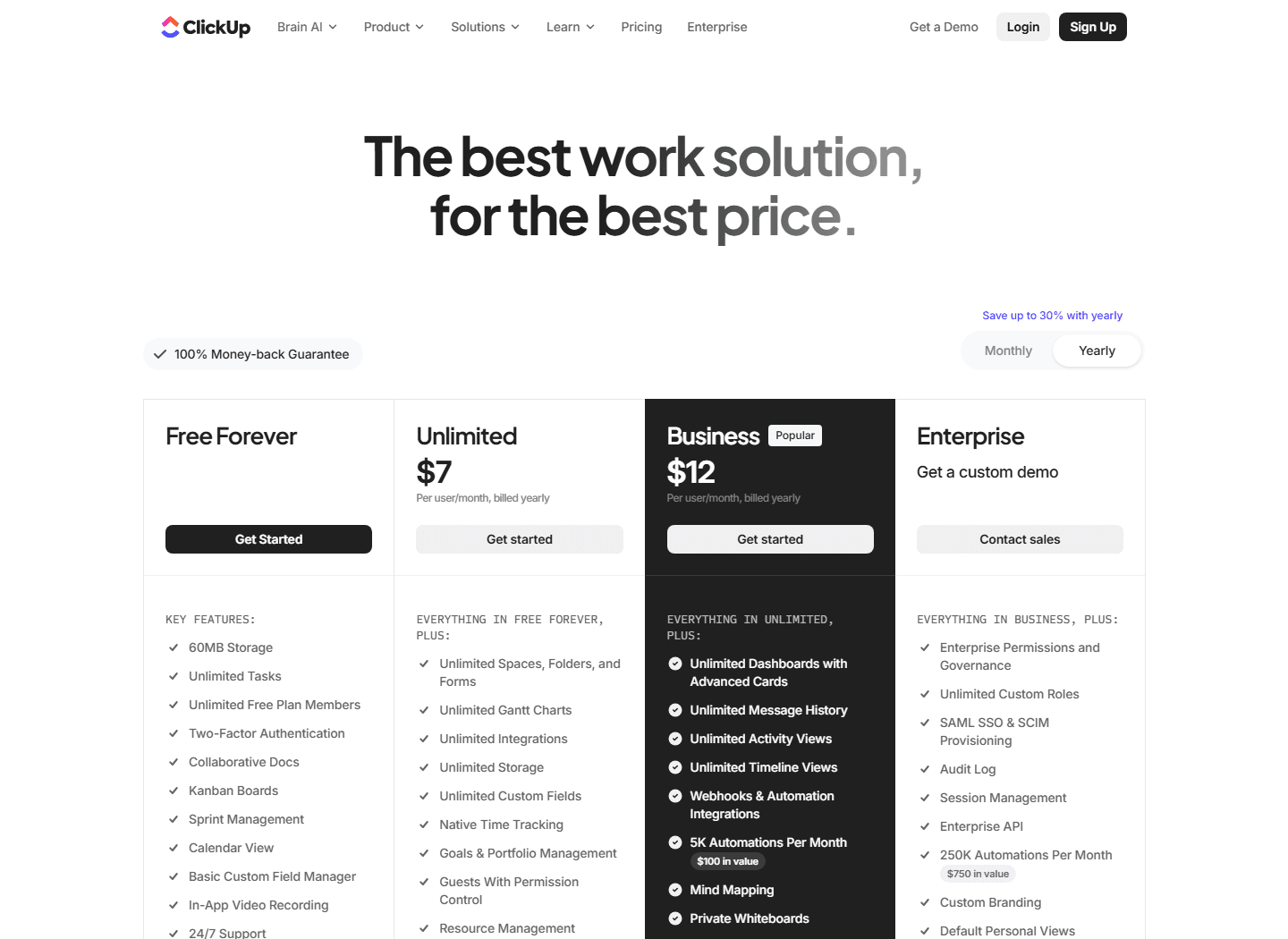
The official ClickUp pricing page, checked for this guide, shows Free Forever, Unlimited at $7 per user/month billed yearly, Business at $12 per user/month billed yearly, and Enterprise by custom demo. Business is the first plan that calls out Webhooks & Automation Integrations and 5K automations per month.
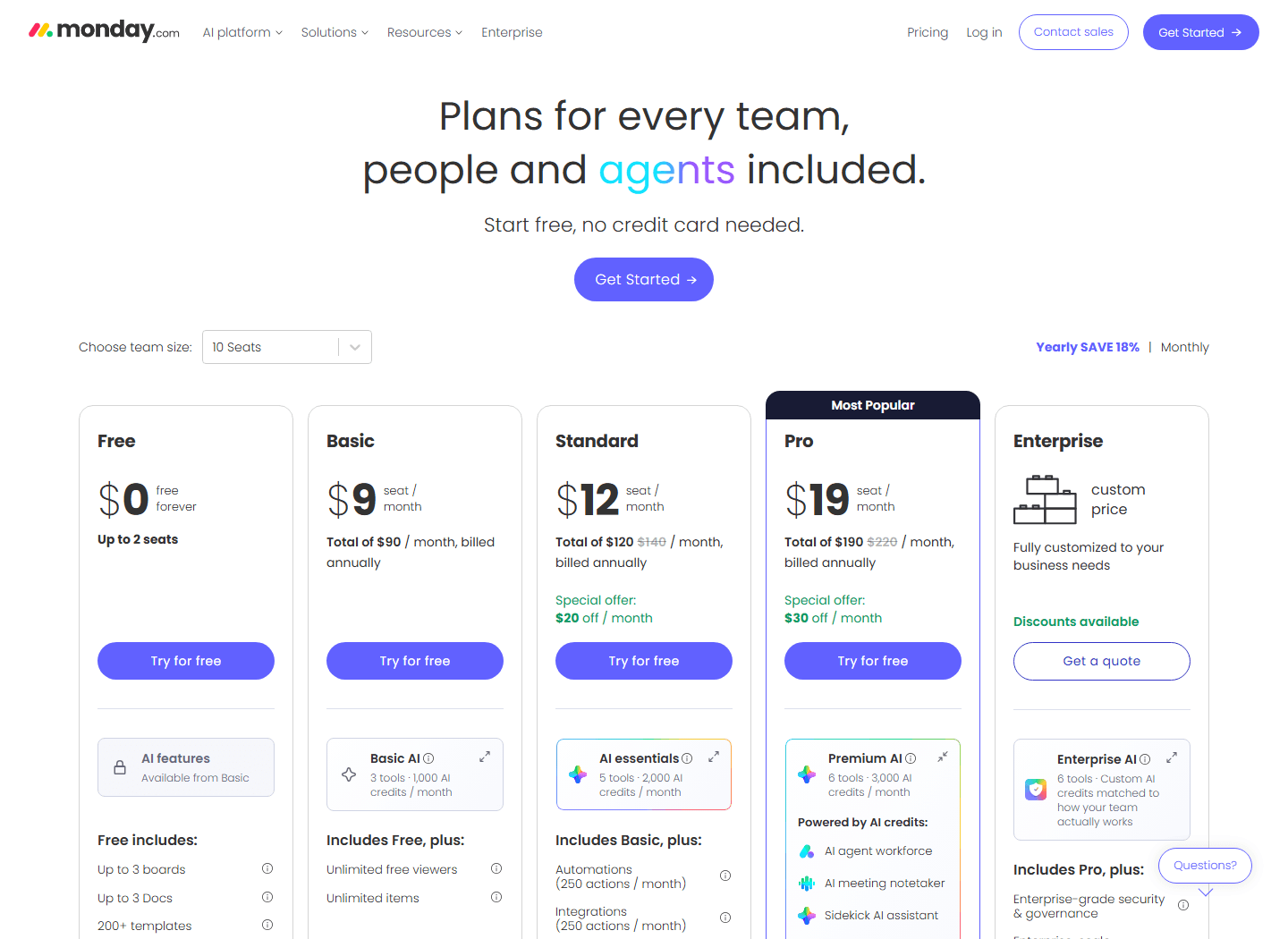
The official monday work management pricing page shows Free up to 2 seats, Basic at $9 per seat/month, Standard at $12, Pro at $19, and Enterprise by custom quote when billed annually. The same pricing page says monday's paid plans start from 3 users in its FAQ. The captured screenshot uses the 10-seat selector, so totals appear as monthly account totals as well as per-seat numbers.
On paper, ClickUp looks cheaper. That can be true. But the clean comparison is not ClickUp Unlimited against monday Basic unless your needs are basic. Many teams should compare ClickUp Business at $12 with monday Standard at $12, then look at what each plan includes. monday Standard lists 250 automation actions and 250 integration actions per month. monday Pro jumps to 25,000 for each. ClickUp Business lists 5K automations per month on the pricing page.
This matters because work management bills are rarely just seats. They are seats plus admin time, automation usage, integration needs, guest rules, reporting expectations, and the cost of people not using the tool. A $2 difference per seat is not the story if one tool needs a part-time admin and the other gets adopted in a week.
| Decision point | ClickUp | monday | How to read it |
|---|---|---|---|
| Entry paid price | Unlimited at $7 per user/month billed yearly. | Basic at $9 per seat/month billed annually on the work management pricing table. | ClickUp looks cheaper per seat at the first serious paid tier. monday's Basic plan is more limited, and many teams compare ClickUp Unlimited with monday Standard instead. |
| Common growth tier | Business at $12 per user/month billed yearly. | Standard at $12 per seat/month billed annually, with 250 automation actions and 250 integration actions per month. | The sticker price can match, but the plan shape does not. Compare automation volume, views, dashboards, guests, and reporting before calling it equal. |
| Higher operating tier | Enterprise by custom demo. Business already includes Webhooks & Automation Integrations and 5K automations per month. | Pro at $19 per seat/month billed annually, with 25,000 automation actions and 25,000 integration actions per month. Enterprise is custom. | monday puts large automation and integration action pools on Pro. ClickUp puts many operating features on Business but still has Enterprise controls above it. |
| Free plan | Free Forever with unlimited tasks and free plan members, but 60MB storage on the pricing page. | Free forever up to 2 seats on the work management pricing table. | Both can work for trials. Neither free plan should decide a serious team rollout by itself. |
Workflow shape
ClickUp wants to become the workspace. monday wants the work to stay visible.
ClickUp's center of gravity is customization. You can start with a simple list, then add folders, spaces, custom fields, relationships, dashboards, forms, docs, chat, automations, goals, and reporting. That range is the reason people choose it and the reason some teams bounce off it.
monday's center of gravity is visual work tracking. A board shows items, owners, status, timelines, automations, and reports in a way non-technical teams usually understand quickly. That clarity is the reason people choose it and the reason some teams eventually find it too shallow for complex operations.
The decision comes down to the shape of the work. If the process changes every week, has several sub-workflows, and needs a lot of custom fields, ClickUp gives you more room. If the process is mainly about visibility, ownership, deadlines, and moving work through predictable stages, monday may be calmer.
The dangerous middle is a team that says it needs flexibility but really needs discipline. ClickUp will let that team build everything. monday will push the team toward a simpler model. Neither product can replace a clear operating rule.
| Category | Likely winner | Why | Risk |
|---|---|---|---|
| Customization | ClickUp | More views, fields, task hierarchy, docs, chat, whiteboards, dashboards, and workflow knobs in one place. | Useful when teams have different work styles, but risky when nobody owns the structure. |
| Adoption speed | monday | Cleaner visual boards, friendly onboarding, and simpler mental model for teams that mostly need ownership and status visibility. | The product can still get expensive or limiting when you need deeper reporting, dev workflows, or heavy automation. |
| Automation depth | Depends | ClickUp Business shows 5K automations per month. monday Standard shows 250 automation actions per month, while Pro jumps to 25,000. | Do the math on actual automation actions, not the feature name. |
| Portfolio and reporting | Depends | ClickUp gives more raw control. monday can feel cleaner for executive boards and simple portfolio views. | Pick based on who reads the report and who has to maintain the fields behind it. |
| All-in-one work hub | ClickUp | ClickUp pushes tasks, docs, chat, dashboards, forms, clips, calendar, whiteboards, and automations into one workspace. | Good when consolidation is the goal. Bad when your team only needs a better board. |
ClickUp case
Pick ClickUp when the work is too varied for one clean board.
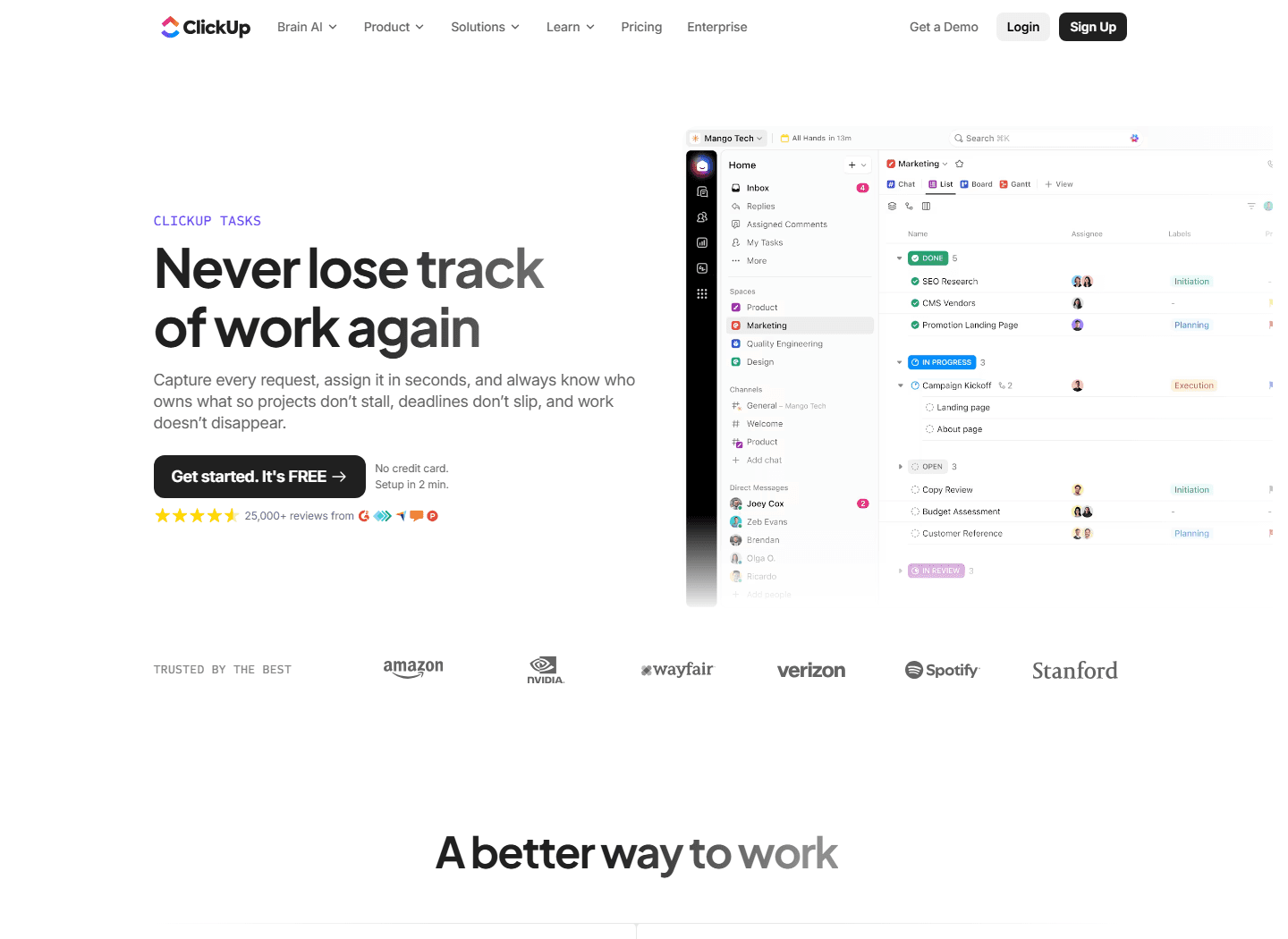
ClickUp's official Tasks page says the product helps teams capture requests, assign work in seconds, and always know who owns what. The page also lists custom fields, multiple views, automations, dependencies, subtasks, checklists, multiple assignees, recurring tasks, comments, clips, and time tracking.
That is the best ClickUp argument in plain terms. It is not just a board. It can become a system for intake, planning, execution, documentation, review, and reporting. For teams that currently juggle Trello, Google Docs, Slack, spreadsheets, and a weekly status deck, that consolidation can be a relief.
The catch is that ClickUp asks for taste. Someone has to decide what a space is, what belongs in a folder, what statuses mean, which fields are official, which dashboards matter, and when an automation is helpful instead of clever. Without taste, ClickUp becomes a museum of abandoned views.
That is why ClickUp fits operators who enjoy system design. The best ClickUp admins think in workflows. They can say no to extra fields. They can clean up dead statuses. They can explain the difference between a task, a doc, a comment, and a dashboard without making everyone feel like they joined a certification program.
For those teams, ClickUp is strong. It can support product launches, content calendars, agency production, support escalations, sprint-ish work, client projects, internal requests, and executive reporting from the same workspace. But if your team only wants a simple board with less ceremony, ClickUp can be too much tool for the job.
Best for
Operations-heavy teams, agencies, product teams, marketing teams, and founders who want one configurable workspace for tasks, docs, dashboards, chat, forms, and automations.
Not for
Teams that need a narrow board tool, hate admin work, or do not have one person willing to own statuses, fields, automations, permissions, and cleanup.
Reddit pattern
Several comments in the supplied screenshot describe ClickUp as powerful and customizable, but warn that it can become a lot of configuration for smaller teams.
First test
Build one real workflow with intake, assignment, dependencies, reporting, and one automation. If the team asks for a maintainer by day three, listen.
monday case
Pick monday when the team needs a board people will actually keep clean.
monday is easiest to defend when adoption is the risk. If the team has ignored the last three project management tools, the winner may be the one that makes ownership obvious in the first meeting. monday is good at that kind of visibility.
A monday board can show what exists, who owns it, where it stands, and what happens next without asking everyone to understand a deep hierarchy. For marketing, operations, HR, sales handoffs, events, simple product workflows, and leadership reporting, that can be enough. Enough is underrated.
The product still has real depth. The official pricing page lists automations, integrations, Timeline and Gantt views, calendar view, guest access, and API calls on Standard. Pro adds much larger automation and integration action limits, private boards and docs, advanced board views, time tracking, advanced columns, and more API calls.
The tradeoff is that monday can feel like a clean visual layer over work that eventually wants more structure. If the team needs nested work, deep dependencies, docs and chat tied tightly to execution, or several very different workflow models under one roof, monday can start to feel like the polite version of a spreadsheet.
That is still the right product for many teams. A spreadsheet people keep updated is better than an elegant operating system nobody opens. monday wins when people use it without a weekly lecture.
Best for
Teams that want visual work tracking, simple ownership, clean boards, timelines, automations, and reporting without letting every department invent its own system.
Not for
Teams that need deep hierarchy, complex custom fields, one app for docs plus chat plus tasks, or the freedom to model several very different workflows in one place.
Reddit pattern
The screenshot includes users who say monday is pretty good at one thing, but it can feel limiting once the workflow gets more mature.
First test
Run one weekly operating meeting from a monday board. If decisions, owners, due dates, and status changes survive the week, the simplicity is doing its job.
Automations and integrations
Count actions, not just automation features.
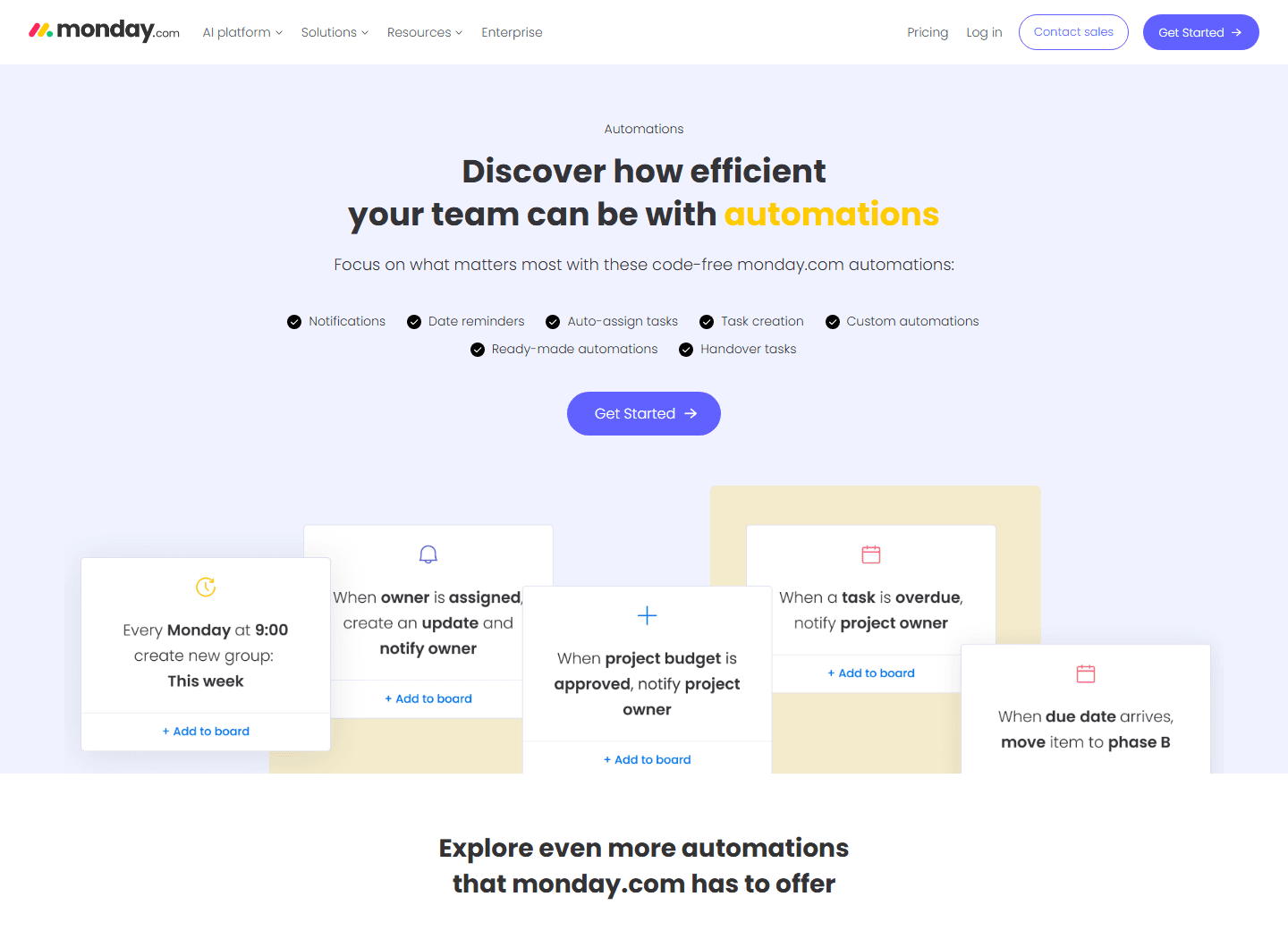
monday's official automations page emphasizes code-free automations for notifications, date reminders, auto-assigning tasks, task creation, custom automations, ready-made automations, and handover tasks. That is exactly where monday is strongest: visible, business-friendly automation for normal team work.
ClickUp also has automation depth. Its pricing page lists Webhooks & Automation Integrations on Business, and its broader feature pages tie tasks to automations, dependencies, docs, dashboards, and chat. If you want the tool to behave like a configurable operations layer, ClickUp gives you more places to connect behavior.
Neither tool should be bought because automation looks fun in a demo. Automations are expensive when the underlying process is unclear. If a task can be overdue for five different reasons, do not automate the overdue reminder yet. Fix the workflow language first.
The practical test is boring and useful. Pick one trigger, one condition, one action, and one owner. For example: when a client brief moves to approved, assign the designer and notify the project channel. If that one automation works for a month, add the next one. If it breaks twice in a week, the tool is not the problem yet.
Customer research
Reddit complaints point to adoption, not just feature gaps.
The Reddit screenshot supplied for this article is from a thread asking about monday vs Asana vs ClickUp. It is a useful thread because the replies do not sound like vendor copy. People talk about learning curves, dashboards, visualizations, maintenance, feature bloat, and whether the team will keep using the system after the trial glow wears off.
The strongest ClickUp compliment in the thread is also the warning: if you want everything customizable and do not mind the learning curve, ClickUp makes sense. That is exactly how I would frame it to a buyer. ClickUp gives you more control, but control has a maintenance cost.
monday gets described as pretty good at one thing. That can sound like faint praise, but it may be the whole point. Some teams do not need a work operating system with every knob exposed. They need a shared place where status is visible and people update their work without being chased.
The thread also shows how broad this buying category is. People bring up Teamwork, Productive, Stackfield, Jira, Linear, Airtable, Smartsheet, Wrike, and Asana. That means buyers are not only comparing ClickUp vs monday. They are asking what kind of work system their team can tolerate.
My read: the complaint is rarely just product capability. It is product fit plus team behavior. A flexible tool fails when nobody maintains it. A simple tool fails when the workflow needs more depth. A loved tool fails when the team never adopts it.
ClickUp control comes with maintenance
One visible comment says ClickUp is better if you want everything customizable and do not mind the learning curve. That is the cleanest ClickUp warning in the thread.
monday is simpler, until it is not
Several replies describe monday as solid for simple work management, but not always enough when teams want deeper structure, PM tooling, or specialized workflows.
Adoption beats feature count
A commenter says long-term fit matters more than feature lists. Another says adoption is the biggest factor because software only wins if the team actually uses it.
Tool overlap is real
Asana, Teamwork, Productive, Stackfield, Jira, Linear, Airtable, Smartsheet, and Wrike all appear in the discussion. People compare ClickUp and monday against a broader messy stack, not in isolation.
Reddit bias warning
Reddit skews toward opinionated users with fresh frustration. Use it for language and edge cases, not as a clean market survey.
Choose ClickUp
Choose ClickUp when you need control and can afford the admin discipline.
ClickUp is the better bet when your team is already stitching together work across docs, spreadsheets, Slack, task boards, forms, dashboards, and meeting notes. If the pain is fragmentation, ClickUp's all-in-one ambition is useful.
It is also better when different departments need different views of the same work. An executive wants a dashboard. A project manager wants a list. A producer wants a board. A manager wants workload. A client needs a filtered view. ClickUp is comfortable with that kind of multi-view reality.
The best ClickUp rollout starts small. Build one space for one team. Define statuses. Define required fields. Build one intake form. Add one dashboard. Add one automation only after the workflow is stable. Then expand. If you start by recreating the entire company, you will spend the next month apologizing for your own ambition.
Choose ClickUp if someone on the team is excited to own the system. Not vaguely responsible. Actually excited. They should care about cleanup, naming, permissions, templates, and dashboards. Without that person, ClickUp can become a junk drawer with better branding.
Choose monday
Choose monday when the team needs a clean operating board more than infinite configuration.
monday is the better bet when adoption is the hard part. If your team is non-technical, allergic to process, or tired of tools that require a resident architect, monday's board-first model can be the sensible choice.
It is also a strong fit for repeatable business workflows: campaign calendars, content production, onboarding, hiring, simple product requests, operations checklists, event planning, and executive status tracking. These workflows need visibility and rhythm more than deep modeling.
The risk is outgrowing the simple model. If you need heavy custom relationships, complex dependencies, docs and chat deeply tied to execution, or several products in one operating layer, monday may start to feel boxed in. You can still do a lot with automations and integrations, but the question is whether you are fighting the product's shape.
Choose monday if the team will keep the board current without ceremony. That sounds small. It is not. A current board beats a powerful system nobody trusts.
Switching cost
The migration cost is mostly hidden in habits.
Switching from monday to ClickUp or ClickUp to monday is not just export, import, done. The expensive part is not the file transfer. It is rebuilding the habits around the work.
Start with the fields. Status names, owners, priority, due dates, effort, client, budget, project phase, sprint, department, channel, and blocker fields may not map cleanly. If your current system has ten similar labels for almost the same thing, fix that before importing.
Then rebuild automations. A workflow that sends a reminder, assigns an owner, updates a status, and posts to a channel is not just one rule. It is a series of assumptions. Who owns the next step? What happens if the date changes? Does the client see it? Does the manager need a report? These details decide whether the migration feels smooth.
Reporting is another trap. A dashboard in one tool rarely becomes the same dashboard in another. Rebuild only the reports people actually use. If nobody has opened a chart in 60 days, let it die peacefully.
The final cost is retraining. ClickUp asks people to understand a more flexible system. monday asks people to keep a simpler board clean. Both sound easy until Friday afternoon when someone updates the wrong status and the automation does exactly what you told it to do.
Board and task import
Map boards, lists, statuses, owners, dependencies, subtasks, comments, files, and custom fields before moving anything. A messy import makes the new tool look worse than it is.
Reporting rebuild
Dashboards rarely move cleanly. Rebuild the reports that managers actually read, then ignore vanity charts for the first month.
Automation rewrite
Automations usually need to be rebuilt. Count triggers, conditions, notifications, and external tool connections before you promise an easy migration.
Team retraining
Switching from monday to ClickUp means teaching hierarchy and customization rules. Switching from ClickUp to monday means teaching restraint and a simpler board model.
Governance cost
Decide who can create boards, statuses, fields, views, automations, and dashboards. Without that rule, both products can become a junk drawer.
30-day test
Run a boring pilot. It will tell you more than another demo.
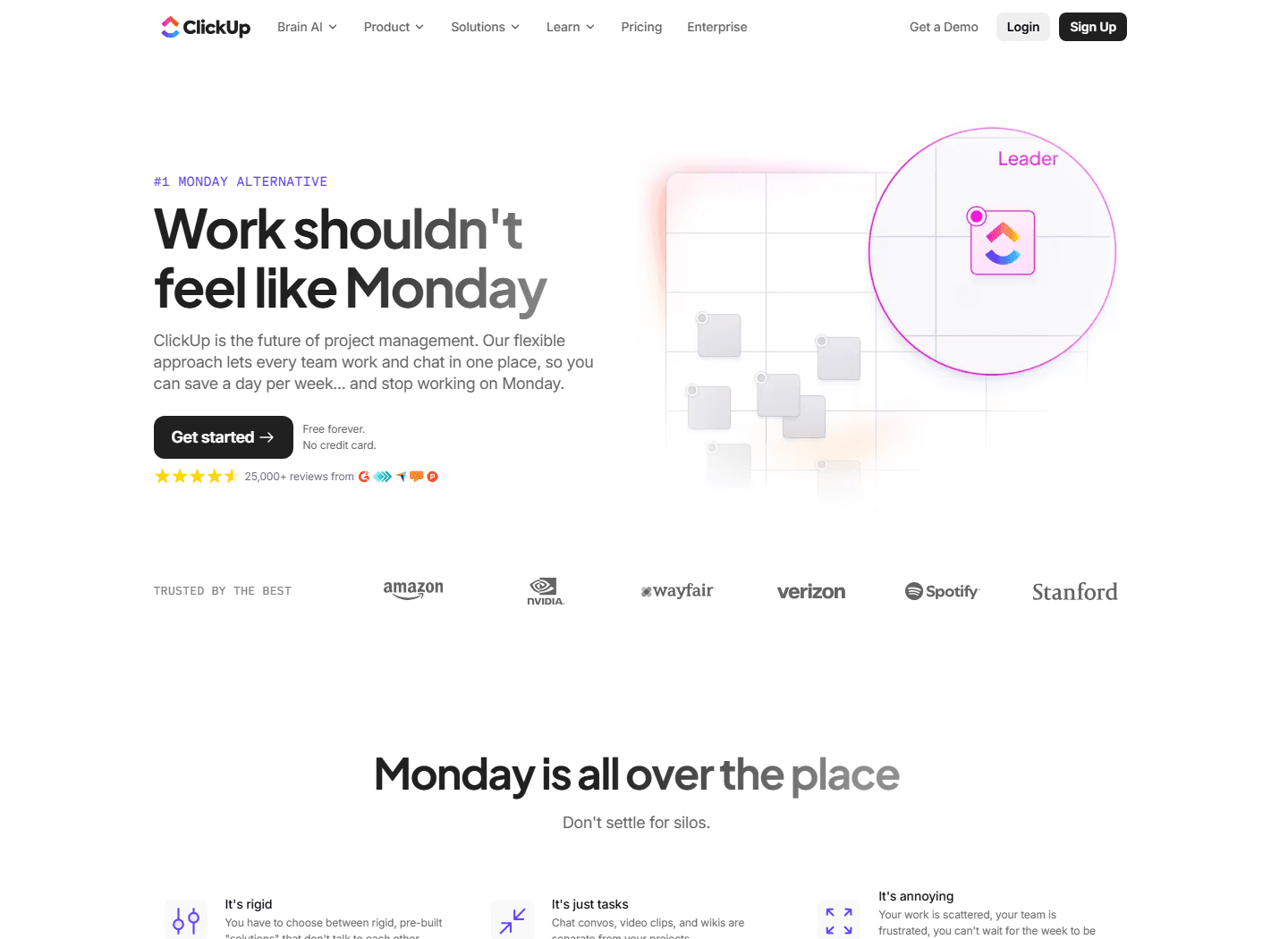
ClickUp's own monday comparison page frames ClickUp as the more complete alternative. That is vendor positioning, so treat it carefully. It is still useful because it shows the fight ClickUp wants to have: all-in-one work, connected conversations, docs, dashboards, tasks, and less app sprawl.
monday's strongest counterargument is less flashy: teams use what they understand. If monday makes the work visible and prevents the team from falling back into scattered spreadsheets, that is a serious win.
The cleanest decision test is a 30-day pilot with one real workflow. Use the same project in both tools. Include intake, ownership, status movement, due dates, one automation, one dashboard, and one weekly review. Do not use dummy tasks. Dummy tasks lie.
At the end, ask practical questions. Which tool had fewer missed handoffs? Which dashboard did managers trust? Which setup took less maintenance? Where did people ask for workarounds? Did anyone go back to Slack or spreadsheets? Which tool made the work feel calmer after the first week?
If ClickUp wins, you will feel it in control and consolidation. If monday wins, you will feel it in adoption and board hygiene. If neither wins, your problem may be process clarity, not software.
Choose ClickUp if
You need deep customization, one workspace for several work types, complex task structures, docs and chat near the work, and someone can own admin cleanup.
Choose monday if
You need faster adoption, cleaner boards, simple visibility, and a tool that business users can understand without a week of system design.
Pause if
The team cannot agree on statuses, owners, or what a completed task means. A new platform will not solve unclear operating rules.
Run this test
Pilot one real project for 30 days in both tools. Measure missed handoffs, setup time, reporting quality, automation failures, and how often people go back to spreadsheets or Slack.
FAQ
Common questions about ClickUp vs monday.
Is ClickUp better than monday?
ClickUp is better if your team needs deeper customization, more connected work types, and one place for tasks, docs, chat, dashboards, forms, and automations. monday is better if adoption speed and visual clarity matter more than deep system design.
Which is cheaper in ClickUp vs monday?
ClickUp's official pricing page shows Unlimited at $7 per user/month billed yearly and Business at $12. monday's work management pricing page shows Basic at $9 per seat/month, Standard at $12, and Pro at $19 when billed annually. The cheaper option depends on seats, automation volume, integration actions, and which tier your workflow actually needs.
Who should choose ClickUp?
Choose ClickUp if you need flexible task hierarchy, custom fields, docs, chat, dashboards, forms, dependencies, time tracking, and automations in one workspace, and you have someone who can maintain the setup.
Who should choose monday?
Choose monday if your team needs a cleaner visual board, faster onboarding, simple ownership, easy automations, and enough reporting without opening up too many configuration choices.
What do Reddit users complain about in ClickUp vs monday?
The supplied Reddit screenshot shows a common split: ClickUp is praised for customization but criticized for maintenance and learning curve, while monday is described as simpler and easier until the workflow needs more depth.
Official sources


