 SwitchMyTool

Practical take
Circleback AI is worth testing if meeting follow-up is where your work leaks.
- Circleback AI is best understood as a meeting memory system: notes, transcripts, action items, search, automations, desktop recording, and mobile recording in one product.
- The clearest reason to care is bot-free desktop recording. Circleback says its desktop app can record Zoom, Google Meet, Microsoft Teams, or other platforms without a Circleback bot joining as a participant.
- The official pricing page lists Individual at $20.83 per user/month billed yearly and Team at $25 per user/month billed yearly. Enterprise is sales-led.
- The Reddit signal is unusually practical: people like the transcription, action items, integrations, and lack of an awkward meeting bot, but some still worry about price and access to calendars, meetings, and cloud tools.
- Circleback AI fits consultants, founders, sales teams, customer teams, recruiters, operators, and anyone whose meetings create follow-up work. It is less useful if you only need occasional transcripts or cannot give a note taker access to sensitive meeting context.
The actual question
The question is not whether Circleback AI can take notes. It is whether it changes what happens after the call.
A lot of AI meeting tools look the same from a distance. They record, transcribe, summarize, and promise to rescue you from your calendar. Then the second week starts, the notes pile up, nobody checks the action items, and the team is back to asking, who owns this?
Circleback AI is interesting because it does not only pitch cleaner summaries. The product is built around notes, action items, automations, search, desktop recording, mobile recording, and app connections. That makes it less like a transcript drawer and more like a meeting memory layer.
The part that made me pay attention is the desktop app. Circleback says it can record Zoom, Google Meet, Microsoft Teams, or other platforms without a Circleback bot joining as a participant. That is a real wedge. Some clients hate visible meeting bots. Some hosts do not admit them. Some calls simply feel better when another named participant is not sitting there silently.
That does not make Circleback AI an automatic yes. Meeting notes are sensitive. The tool wants calendar context, audio, transcripts, connected apps, and sometimes CRM access. A buyer has to weigh convenience against permissions, security review, and whether the team will use the notes after they are generated.
So this Circleback AI review focuses on the practical decision: who should pay, who should skip it, what the official pages actually say, and what Reddit-style complaints reveal about the buying anxiety around price, bots, and access.
Product shape
Circleback AI turns meetings into notes, tasks, search, and workflow triggers.
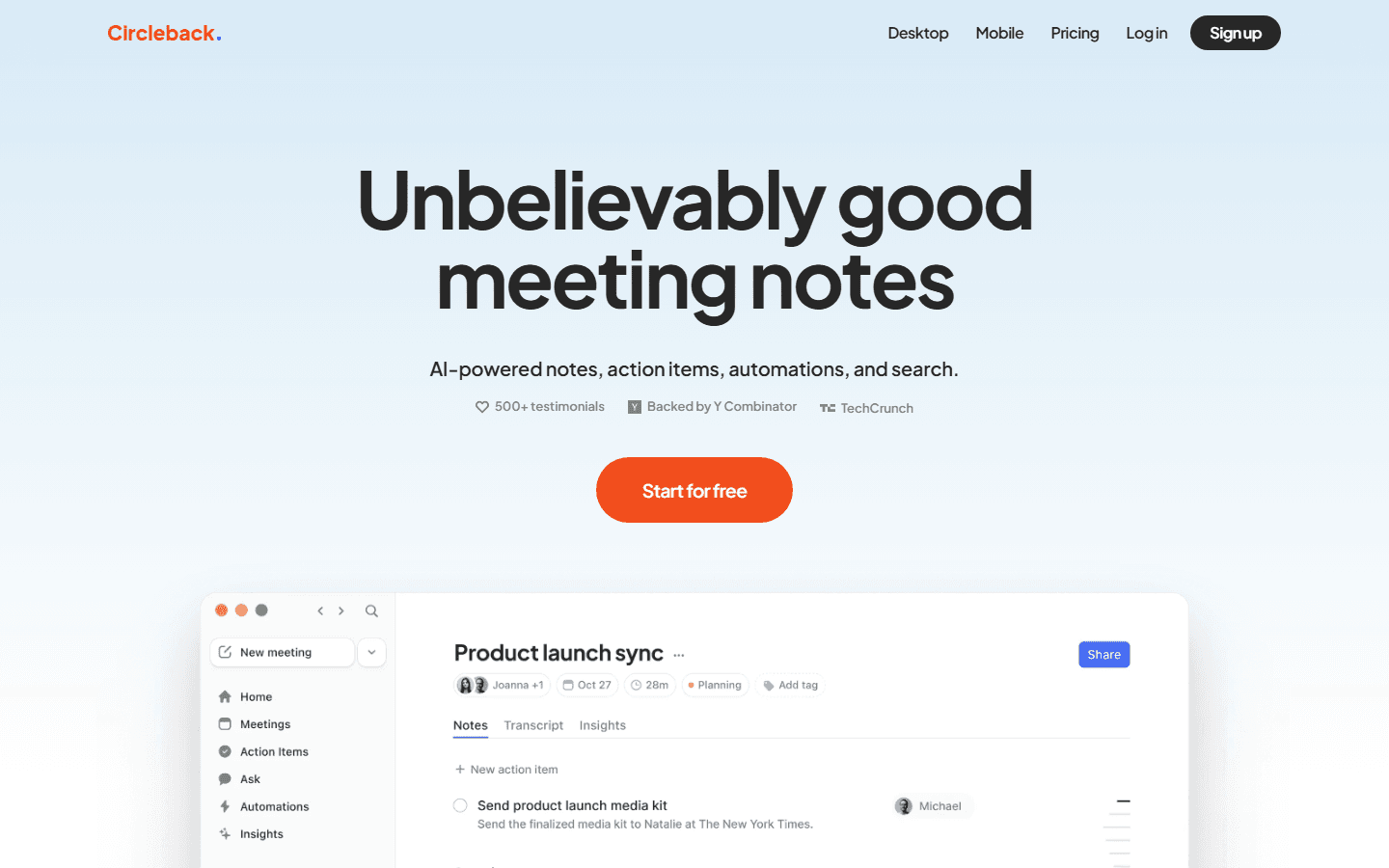
Circleback's home page describes the product as AI-powered notes, action items, automations, and search. That is the right frame. The product is not only trying to capture what was said. It is trying to organize what happens next.
The home page also calls out automatic action items, search across meetings, transcription accuracy with speaker recognition, support for more than 100 languages, and connections to tools like Google Calendar, Gmail, Outlook, Slack, HubSpot, Salesforce, Attio, Linear, Notion, monday.com, Zoho, Zapier, Make, webhooks, MCP, and CLI access.
That matters because meeting notes by themselves are often a dead end. A summary sits in a meeting record. Someone forgets it exists. The useful version is different: action items show up where the team works, customer context lands in the CRM, and old conversations become searchable when a client asks, did we ever decide this?
Circleback AI's strongest use case is the person who has too many meetings and too many small promises. The founder who says yes to six things before lunch. The consultant who needs a clean client recap. The sales rep who needs CRM notes without spending Friday afternoon rewriting calls. The operator who remembers that someone mentioned a blocker, but not which meeting it was in.
The weak use case is the person who mostly wants occasional raw transcripts. If you only need a record once in a while, Circleback may feel overbuilt. The value comes from repeated use, search, follow-up, and automation.
Official pricing
Circleback AI pricing is simple. The buyer math is not.
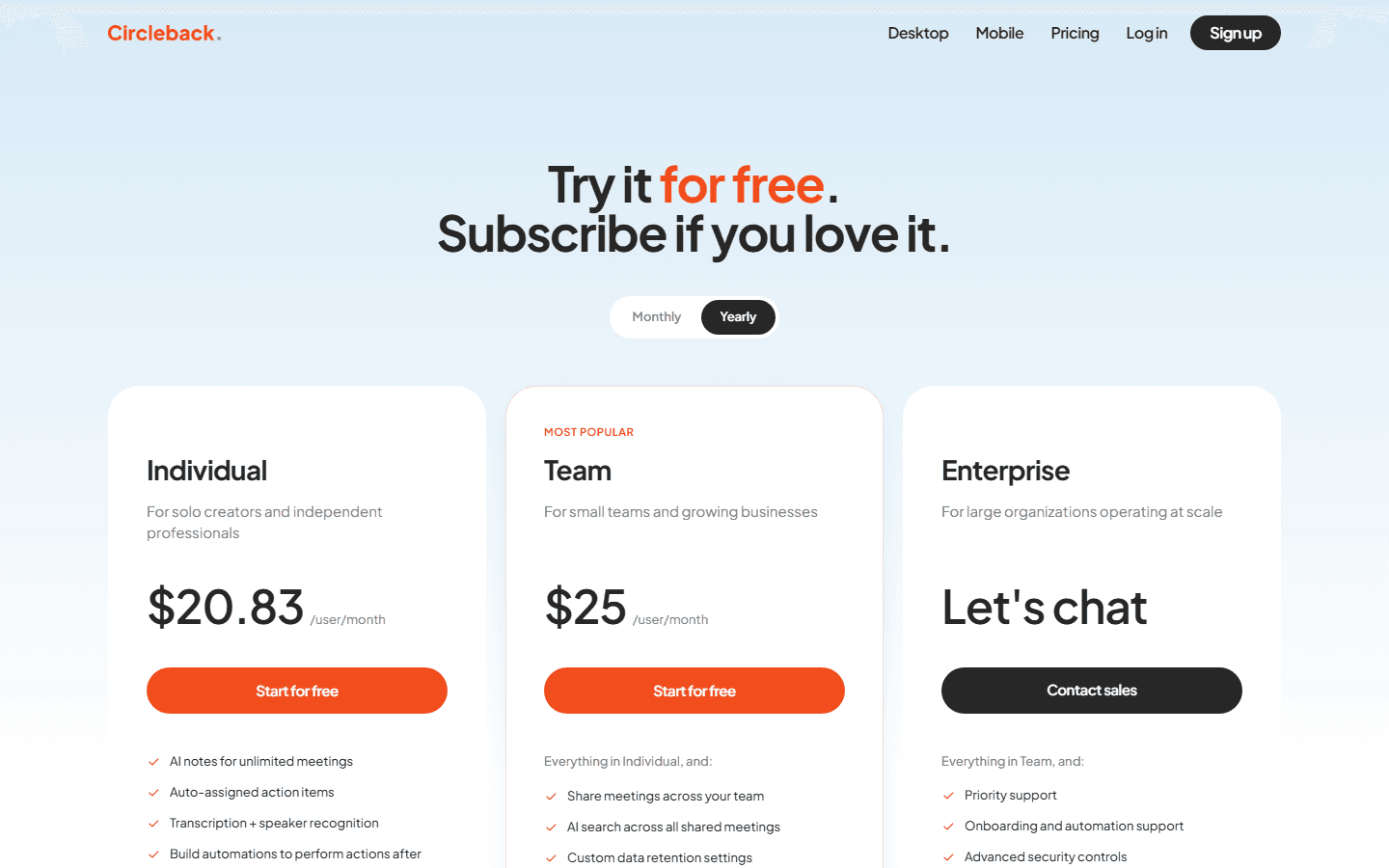
Circleback's pricing page uses the line, try it for free and subscribe if you love it. On the yearly toggle, it lists Individual at $20.83 per user/month, Team at $25 per user/month, and Enterprise by contact sales.
Individual includes AI notes for unlimited meetings, auto-assigned action items, transcription with speaker recognition, automations, meeting video and audio playback, ask and search across conversations, in-person recording, imports, 1,000+ app integrations, automatic notes sharing, support for more than 100 languages, and AI-generated custom insights.
Team adds shared meetings, AI search across shared meetings, custom data retention settings, Slack huddles support, inline comments, default and enforced team settings, shared team automations, centralized billing, usage dashboards, meeting participant customization, and access management controls.
Enterprise adds priority support, onboarding and automation support, and advanced security controls. If you are buying for a regulated company, the Enterprise conversation should start before the workflow test ends.
The pricing complaint on Reddit makes sense. $20.83 per month is not a casual note app price. But it is cheap if it saves one missed client follow-up, one forgotten sales commitment, or thirty minutes of post-call cleanup several times a week. The honest question is meeting volume, not sticker shock.
| Plan | Official price | Best fit | How to read it |
|---|---|---|---|
| Individual | $20.83 per user/month on the yearly toggle | Solo creators and independent professionals who want AI notes, unlimited meetings, action items, transcription with speaker recognition, automations, video and audio playback, search, in-person recording, imports, and app integrations. | The price is easy to justify if meetings generate paid work or client follow-up. It is harder to justify for casual personal notes. |
| Team | $25 per user/month on the yearly toggle | Small teams and growing businesses that need shared meetings, shared search, custom data retention settings, Slack huddles support, comments, team settings, centralized billing, and access controls. | This is the practical team plan if meeting notes need to become shared company memory instead of one person's private archive. |
| Enterprise | Contact sales | Large organizations that need priority support, onboarding and automation support, and advanced security controls. | Enterprises should evaluate security, retention, admin controls, procurement, and legal review before the workflow test. |
Desktop recording
The desktop recorder is the cleanest reason to try Circleback AI.
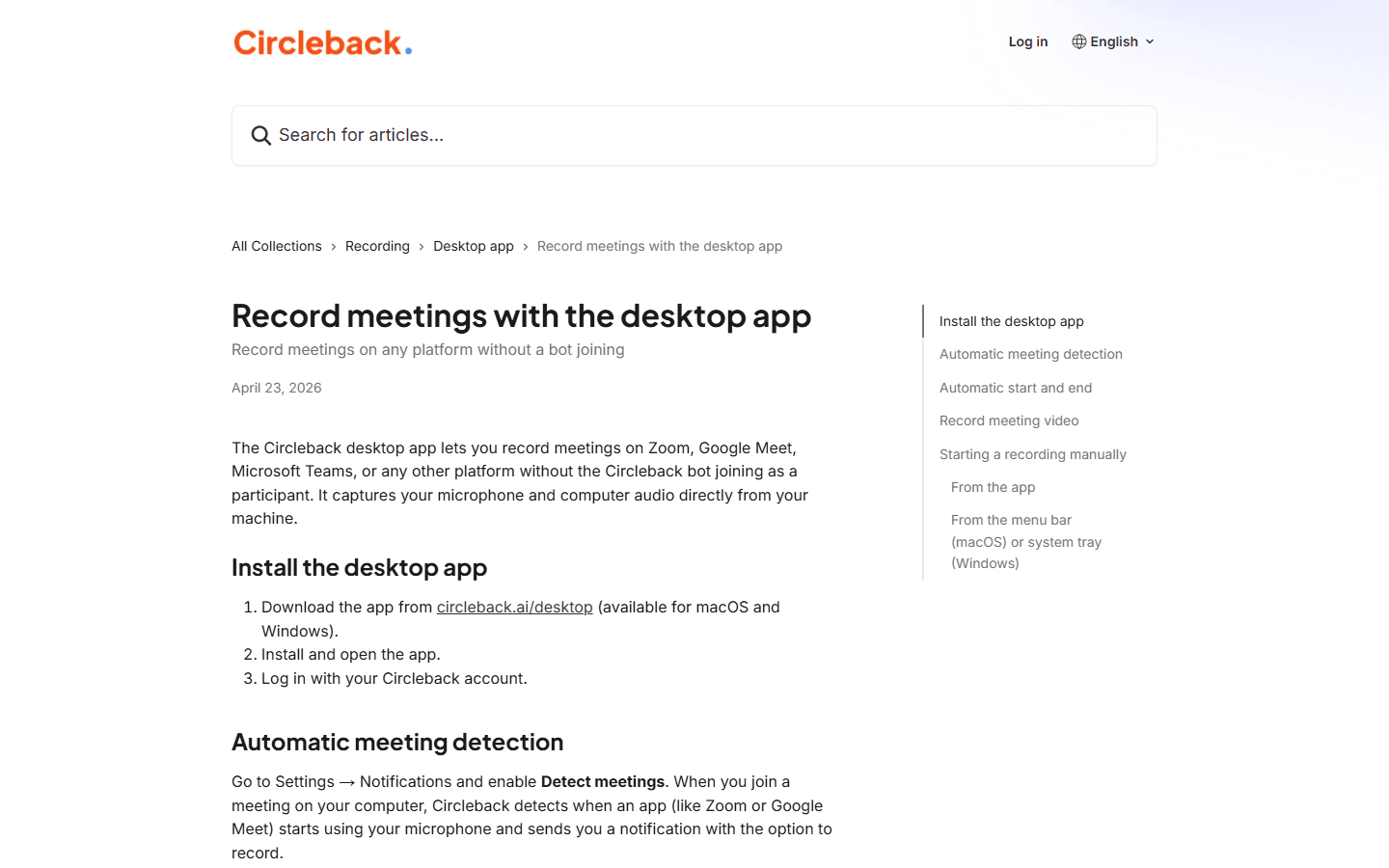
Circleback's desktop recording doc is unusually important for this category. It says the desktop app can record meetings on Zoom, Google Meet, Microsoft Teams, or any other platform without the Circleback bot joining as a participant. It captures microphone and computer audio directly from the user's machine.
That solves a common meeting-notes annoyance. A bot joins a client call. Someone asks what it is. The host forgets to admit it. A guest feels watched. The tool becomes part of the meeting instead of disappearing into the background.
The desktop app does not remove every policy question. You still need permission to record. You still need to tell people when recording is happening. You still need internal rules for interviews, customer calls, therapy-adjacent contexts, medical contexts, legal calls, and any meeting where privacy expectations are higher.
But from a workflow standpoint, bot-free recording is useful. It means the meeting notes can happen even when a platform blocks bots, when a host forgets to admit them, or when you simply do not want another participant listed on the call.
The support doc also describes automatic meeting detection, automatic start and end, optional meeting video, manual recording from the app, and menu bar or system tray recording. That is more than a nice extra. It is the difference between a tool you remember to use and a tool you only remember after the important call is over.
Best part
The desktop app can record meetings without the Circleback bot joining. That matters for client calls where visible bots feel awkward or distract from the conversation.
Supported meeting shape
The support doc names Zoom, Google Meet, Microsoft Teams, and any other platform, because the desktop app captures microphone and computer audio from the machine.
Fallback behavior
Circleback says it can first try a bot participant if joining preferences are enabled, then fall back to desktop recording if the bot cannot join.
Buyer caveat
Bot-free does not mean friction-free. You still need the desktop app installed, the right permissions, and a recording policy your clients and teammates understand.
Mobile and in-person
Mobile recording makes Circleback useful away from Zoom.
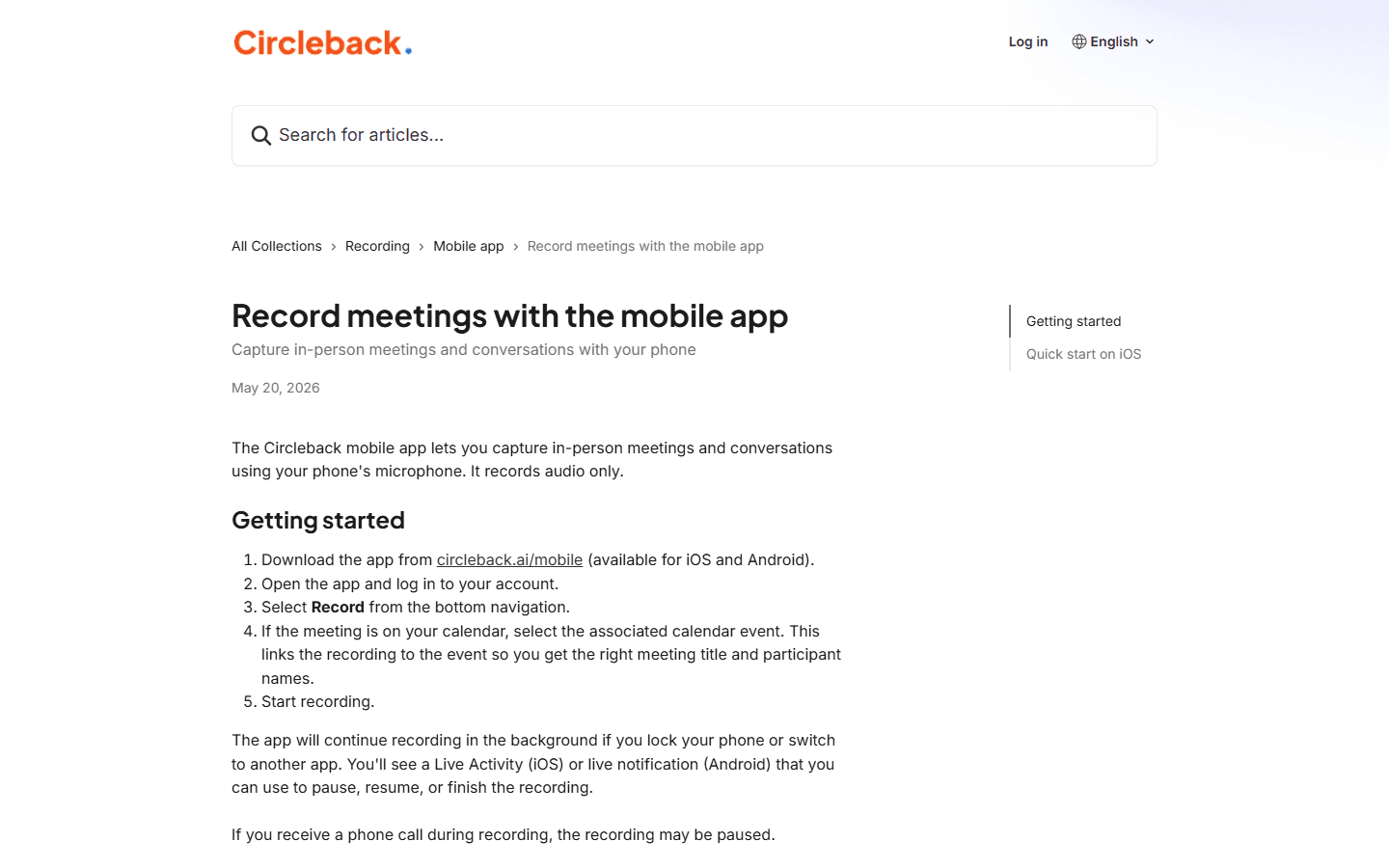
The mobile app matters because not every useful conversation happens in a video meeting. Circleback's mobile recording doc says the app captures in-person meetings and conversations using the phone microphone, and that it records audio only.
The doc says users can link a recording to a calendar event so the meeting gets the right title and participant names. It also says the app can continue recording in the background, with a Live Activity on iOS or a live notification on Android for pausing, resuming, or finishing the recording.
That makes Circleback AI more flexible than a tool that only waits for calendar links and bots. It can cover a client lunch, office conversation, recruiting screen, workshop, or conference hallway conversation, assuming your recording policy allows it.
There are limits. Phone calls may pause recording. iOS background settings can affect upload timing. And in-person recording has the same consent issue as desktop recording, with less built-in meeting context. You should not treat mobile recording as a stealth feature. Treat it as a way to capture agreed-upon conversations that would otherwise vanish.
For solo operators, mobile recording is one of the reasons Circleback can feel like a second brain rather than only a meeting bot replacement. The product follows the conversation, not only the calendar invite.
Automations
Circleback AI gets more useful when notes move into the tools you already use.
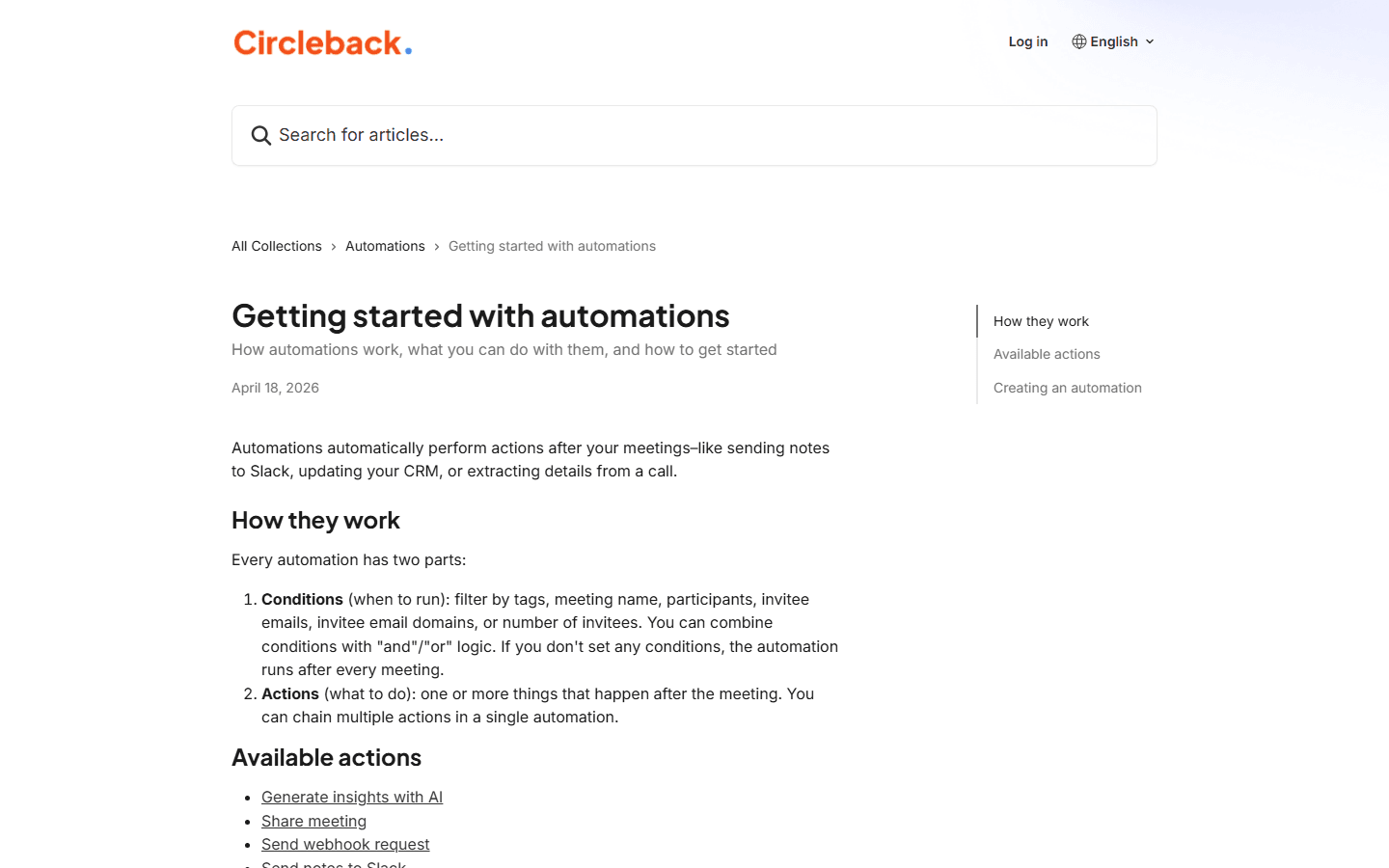
Circleback's automations doc says automations perform actions after meetings, such as sending notes to Slack, updating a CRM, or extracting details from a call. That is exactly where meeting notes tools usually succeed or fail.
A good meeting summary is nice. A good meeting summary that moves a follow-up into Slack, updates the CRM, creates a Linear issue, or updates a Notion database is harder to ignore. It pushes the meeting back into the operating system of the team.
The doc describes two parts: conditions and actions. Conditions can filter by tags, meeting name, participants, invitee emails, invitee email domains, or number of invitees. Actions can include AI insights, sharing a meeting, sending a webhook, sending notes to Slack, updating Notion, creating Linear issues, updating HubSpot, Salesforce, Attio, Zoho, monday.com, and sending notes to Zapier.
That is powerful, but it needs restraint. If every meeting pushes notes everywhere, everyone learns to ignore the output. Start with one automation that solves one repeat problem. For example: send client recap notes to the account channel, or create a CRM note after sales calls with tagged prospects.
The right automation test is not whether Circleback can connect to many apps. It can. The test is whether one connection saves a person from a real manual step they currently hate.
Conditions
Circleback automations can filter by tags, meeting name, participants, invitee emails, invitee email domains, or number of invitees. The doc says conditions can use and/or logic.
Actions
Available actions include AI insights, sharing a meeting, sending a webhook request, sending notes to Slack, updating Notion, creating Linear issues, updating HubSpot, Salesforce, Attio, Zoho, monday.com, and sending notes to Zapier.
Why it matters
A meeting note tool gets more valuable when it moves follow-up work into the tools people already use. Otherwise notes become another inbox.
Risk
Automating messy follow-up can make the mess faster. Start with one repeatable action before wiring meeting data into half the stack.
Search and context
Search is where meeting notes become memory instead of storage.
Circleback's home page talks about asking questions and getting answers from conversations. It also mentions Gmail and Outlook context, calendar connections, and search across meetings. This is the part that separates a useful notes tool from a pile of transcripts.
Search matters because people do not usually need meeting notes in chronological order. They need answers. Did the customer mention security? Who agreed to send pricing? What did we decide about the renewal? Which candidate asked about remote work? When did the partner say they would send the file?
A searchable meeting archive can save embarrassing follow-up. It can also create risk if the wrong people can search the wrong conversations. That is why team settings, access controls, data retention, and workspace search matter in the Team and Enterprise plans.
The practical buying question is simple: how often do you need to recover something from a past conversation? If the answer is once a month, Circleback AI may feel expensive. If the answer is every week, search becomes one of the main reasons to pay.
Security and access
Circleback AI deserves a real permissions conversation before rollout.
Meeting note tools handle unusually sensitive data. Customer calls, hiring conversations, product debates, pricing discussions, internal disagreements, legal-adjacent topics, health context, and executive decisions can all land in the same archive.
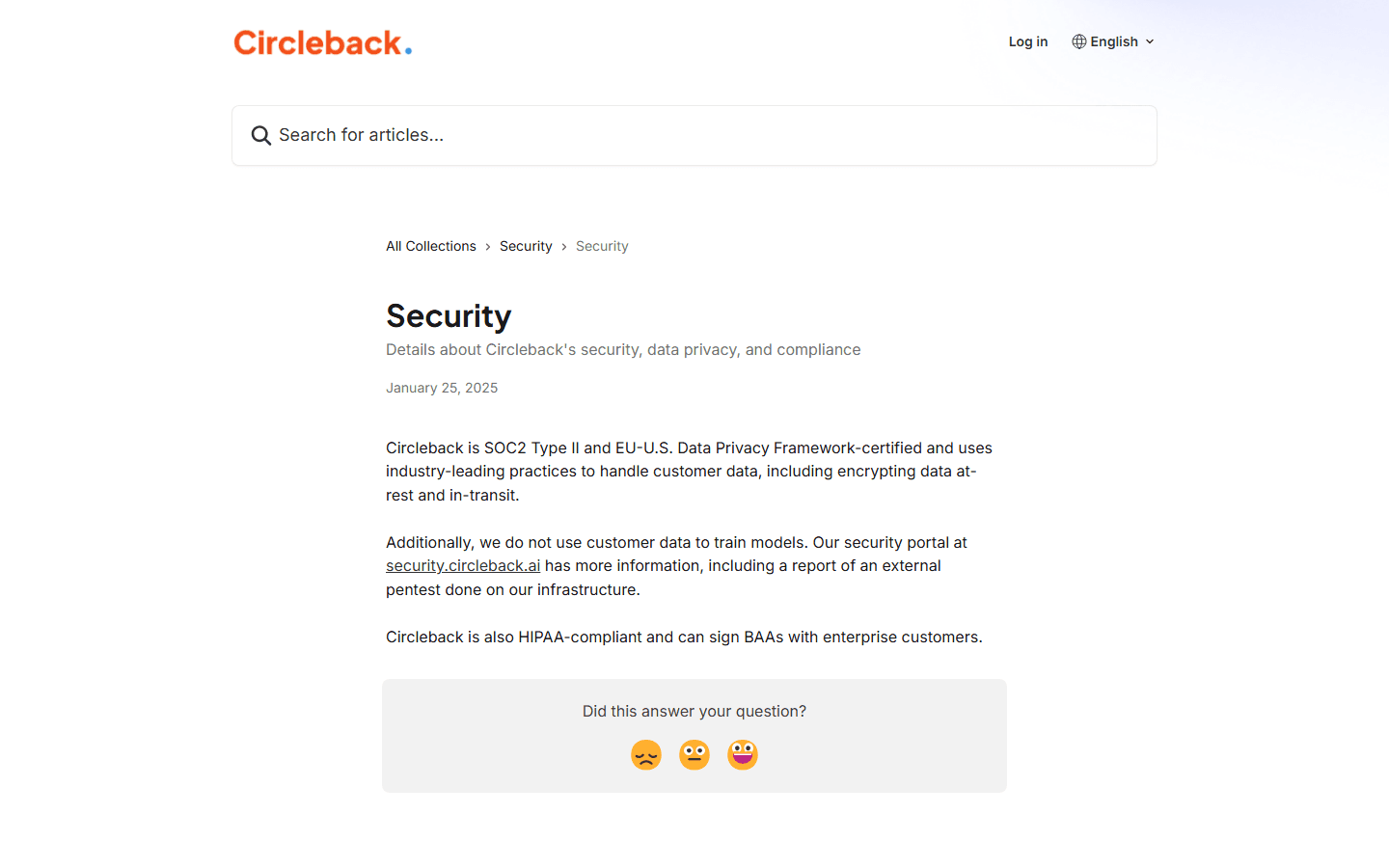
Circleback's security doc says the company is SOC2 Type II and EU-U.S. Data Privacy Framework certified, encrypts data at rest and in transit, and does not use customer data to train models. It also says Circleback is HIPAA compliant and can sign BAAs with enterprise customers.
Those claims are helpful, but they are not a substitute for your own approval process. The right review depends on your company. A solo consultant may need a clear client consent habit. A startup may need admin rules and retention settings. An enterprise may need procurement, legal, security, and a BAA.
The permission conversation should include calendars, microphones, meeting recordings, app integrations, CRM updates, Slack sharing, Notion databases, and who can search shared meetings. If that sounds like too much work, that is a sign the tool touches important data, not a reason to skip the review.
Circleback AI can reduce memory debt. It should not create privacy debt.
Certifications
Circleback's security doc says the company is SOC2 Type II and EU-U.S. Data Privacy Framework certified.
Encryption
The same doc says customer data is encrypted at rest and in transit.
AI training
Circleback says it does not use customer data to train models.
Healthcare use
The security doc says Circleback is HIPAA compliant and can sign BAAs with enterprise customers.
Customer research
Reddit complaints are mostly about price, trust, and bot fatigue.
On Reddit, the Circleback AI discussion I found was more useful than the usual one-line tool recommendation. A user described roughly five months of usage and framed the product in plain terms: it records meetings, transcribes them, creates summaries, and pulls out action items and decisions.
The praise was specific. The user said transcripts were accurate enough that they stopped double-checking them, including with accents and non-English calls. They liked that Circleback could push information to Slack, Notion, CRMs, and task tools without heavy setup. They also liked that it can work without a bot awkwardly joining a meeting.
Other comments matched the same pattern. One person liked it but thought the monthly plan was a little much. Another said they loved it for business use and valued how it captured international calls and adapted after correcting names or technical terms. That is useful buyer language because it separates business value from casual curiosity.
The complaints are just as useful. No permanent free plan. A trial instead of a free tier. Access to calendars, meetings, and cloud tools. None of that means the product is bad. It means Circleback AI belongs in a paid-work context, not as a toy recorder someone opens twice a month.
The biggest customer insight is that bot fatigue is real. A visible meeting bot can annoy clients, hosts, and teammates. Circleback's desktop recorder speaks directly to that worry. If that is your pain, this product deserves a closer look.
Positive signal
On Reddit, the useful praise is specific: users mention accurate enough transcripts, action items, integrations, desktop and mobile apps, and the ability to work without a meeting bot.
Price complaint
The main complaint I saw is not that Circleback AI fails. It is that the monthly plan can feel expensive if the user only needs occasional notes.
Access concern
People also notice the permission tradeoff. A tool that records meetings, reads calendar context, and connects to cloud apps needs trust before it gets rolled out.
No free plan concern
A Reddit user described the trial as useful but still pointed out the absence of a permanent free plan. Treat that as a fit question: do you have enough meetings to justify paying?
Bot fatigue
Several comments around the category complain about visible meeting bots. Circleback's desktop recorder is a direct answer to that buyer anxiety.
Best fit
Circleback AI fits people whose meetings create obligations.
Circleback AI is strongest when every meeting creates follow-up. Client work, sales calls, customer success calls, recruiting conversations, founder meetings, internal operating reviews, and product discovery calls all fit the pattern.
The product also fits people who need to search old conversations. If your job involves remembering what a customer said three calls ago, what a candidate asked last week, or what the team decided before the roadmap changed, searchable meeting memory is valuable.
The best buyers are not necessarily the people with the most meetings. They are the people whose meetings produce expensive misses when follow-up fails. A consultant who forgets one client commitment feels it. A sales rep who misses one buying signal feels it. A founder who loses track of investor or customer details feels it.
Circleback AI also fits teams that want meeting notes to move into Slack, Notion, HubSpot, Salesforce, Attio, Linear, Zoho, monday.com, Zapier, Make, or a webhook. If your current note tool ends at a transcript, Circleback's automation layer may be the upgrade.
Consultants and agencies
Good fit if every client call creates action items, follow-up emails, CRM notes, project tasks, or reusable context.
Sales and customer teams
Good fit if reps need searchable call history, accurate summaries, action item capture, and CRM updates without manual cleanup.
Founders and operators
Good fit if meetings create dozens of tiny promises that get lost between Slack, email, calendar, and task tools.
Recruiters and interview teams
Good fit if interview notes need to be accurate, searchable, and tied to follow-up decisions without adding a bot to every call.
Skip it if
Circleback AI is probably too much if meetings are not a real workflow.
Skip Circleback AI if you only need occasional transcription. Built-in Zoom, Google Meet, or Teams notes may be enough. So might a cheaper recorder. Paying every month makes sense when meetings create repeated follow-up work.
Skip it if you cannot approve the access model. Circleback touches calendars, audio, recordings, transcripts, connected apps, and sometimes shared workspace search. If your company will not approve those permissions, the product will stall before it gets useful.
Skip it if nobody will review action items. AI can capture tasks, but it cannot force a team to care. If action items already die in project tools, they can die in a prettier notes system too.
Skip it if you need a permanent free plan. Circleback's pricing page points users toward trying it for free, then subscribing. That is a fair model for a serious product, but it is not right for everyone.
Skip if
You only need a transcript once in a while. A cheaper recorder or built-in platform transcript may be enough.
Skip if
Your company will not approve calendar, microphone, meeting, or app access for an AI note tool.
Skip if
You need a permanent free plan. Circleback's own pricing page emphasizes trying it for free, then subscribing if you love it.
Skip if
Your team will never process action items after calls. Better notes do not fix a culture that ignores follow-up.
Migration cost
The switching cost is mostly permissions and habits.
Moving to Circleback AI is not like switching from one notes app to another. The product sits near your calendar, microphone, meeting platforms, transcripts, app integrations, and follow-up workflows. That makes setup more sensitive.
Start with recording policy. Who can record? Which meetings are excluded? What do you tell clients? What happens in interviews? Do in-person recordings need explicit confirmation? Bot-free recording reduces awkwardness, but it does not remove consent obligations.
Then map destinations. If notes go to Slack, which channels? If action items go to Linear or monday.com, who owns them? If CRM notes go to HubSpot or Salesforce, which fields matter? If Notion gets updated, which database receives the output?
Finally, decide how old recordings and old habits move. Circleback's pricing page says users can import past recordings. Start with a small batch. Check transcript quality, speaker names, search usefulness, and privacy expectations before importing a huge archive.
A good rollout should feel narrow at first. One team. Two meeting types. One or two automations. One review ritual. Expand after the notes start changing behavior.
Calendar permissions
Decide which calendars Circleback should see, who can connect them, and how meeting titles and participant names should be handled.
Recording policy
Write a simple policy for client calls, internal calls, interviews, and in-person conversations. The desktop app reduces bot awkwardness, but consent still matters.
Tool connections
Pick the first two destinations for notes or tasks. Slack and a CRM are often enough for a first rollout. Adding every integration on day one creates noise.
Action ownership
Decide who checks action items after calls. Circleback can capture work, but a person still needs to decide what gets done.
Old recordings
The pricing page says users can import past recordings. Do a small import first, then check transcript quality, search quality, and privacy expectations.
Decision test
Run 20 real meetings through Circleback AI before deciding.
A real Circleback AI test should use real meetings, not demo calls. Put it on sales calls, client calls, recruiting calls, product calls, or internal reviews where follow-up actually matters.
Track a few boring numbers. How often did you trust the summary? How often did you search a past conversation? How many action items moved into another tool? How often did you avoid rewriting notes manually? Did the desktop recorder avoid bot awkwardness? Did anyone complain about access or consent?
Also track misses. Did speaker names need correction? Did an automation create noise? Did notes go to the wrong Slack channel? Did the mobile app pause during a phone call? Did the transcript fail on a difficult accent or technical term?
At the end, answer the business question. Did Circleback AI save enough follow-up work to justify $20.83 or $25 per user/month? If yes, keep it. If the notes are nice but nothing changes after meetings, cancel it before the tool becomes another archive nobody opens.
Choose Circleback AI if
You want meeting notes, action items, search, automations, desktop recording without a bot, mobile recording, and app integrations in one focused workflow.
Pause if
You have not agreed on recording consent, calendar access, CRM update rules, or who owns follow-up work.
Compare against
Fireflies, Read AI, Otter, Granola, Fathom, built-in Zoom or Google Meet notes, and whatever your CRM already offers.
Run this test
Use Circleback AI for 20 real meetings. Count how often you search old calls, trust the notes, move action items into another tool, and avoid a follow-up mistake.
FAQ
Common questions about Circleback AI.
What is Circleback AI?
Circleback AI is a meeting notes app for AI-generated notes, transcripts, action items, search, automations, desktop recording, mobile recording, and app integrations.
Does Circleback AI work without a meeting bot?
Yes. Circleback's desktop recording doc says the desktop app can record Zoom, Google Meet, Microsoft Teams, or other platforms without a Circleback bot joining as a participant.
How much does Circleback AI cost?
Circleback's pricing page lists Individual at $20.83 per user/month on the yearly toggle, Team at $25 per user/month, and Enterprise by contact sales.
Who is Circleback AI best for?
Circleback AI is best for consultants, founders, sales teams, customer teams, recruiters, and operators whose meetings create follow-up work, CRM updates, decisions, or searchable context.
What do Reddit users complain about with Circleback AI?
The common complaints are practical: price can feel high for light users, there is no permanent free plan, and buyers need to be comfortable granting access to calendars, meetings, and connected tools.
Sources


