 SwitchMyTool

My working verdict
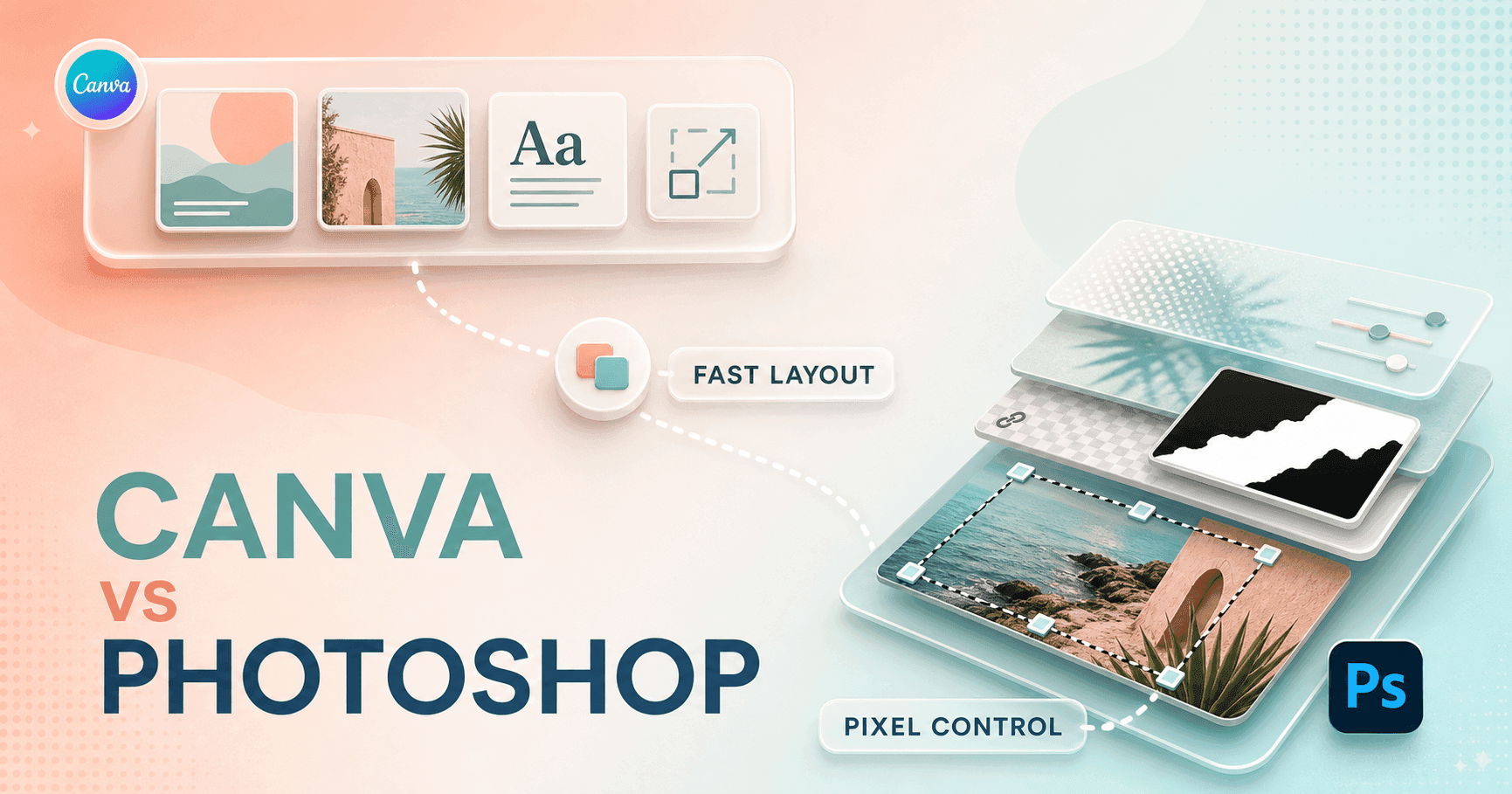
I use Canva to get the design moving. I use Photoshop when the image itself has to hold up.
- I choose Canva for fast layouts, templates, browser collaboration, and the moment a design has to become six campaign sizes before lunch.
- I choose Photoshop for masks, layers, detailed selections, color control, retouching, and a source file I can revise without flattening my earlier decisions.
- I do not see Canva as cheap Photoshop or Photoshop as difficult Canva. I see a publishing system and a specialist image editor with a useful area of overlap.
- My most practical workflow uses both: I finish the difficult image in Photoshop, then assemble and distribute the campaign in Canva.
My verdict
My Canva vs Photoshop answer changes when I define the deliverable.
I can make a social graphic in either product. That fact creates most of the confusion in the Canva vs Photoshop debate. The finished JPEG might look similar at phone size, yet the work behind it can be completely different. Canva starts me near a publishable layout. Photoshop starts me near an editable image workshop.
When I need to isolate a difficult subject, rebuild a background, combine several photographs, match color across product shots, or preserve a layered master for future revisions, Photoshop wins. Canva can produce a convincing quick result, especially with its AI tools. Photoshop gives me more ways to inspect why an edge, shadow, texture, or color still looks wrong.
My recommendation is not based on which product has the longer feature page. I choose Canva when speed, templates, collaboration, and reuse define success. I choose Photoshop when precision, reversibility, image quality, and a durable source file define success.
| Job | My choice | Why I choose it | What I check |
|---|---|---|---|
| Fast social graphic | Canva | I can start with the correct canvas size, pull in a template, replace the image, and publish without building a file structure first. | I still have to remove decorative clutter and check whether the result looks like everybody else's template. |
| Complex photo composite | Photoshop | I get layers, masks, selections, blend modes, adjustment layers, and much more control over each part of the image. | I have to bring my own idea, assets, and file discipline. Photoshop does not rescue a vague brief. |
| One-person marketing workflow | Canva | I can move from a post to a presentation, flyer, short video, or resized campaign asset inside one visual workspace. | The Pro boundary appears around several high-value AI and background tools. |
| Reusable image master | Photoshop | I can preserve editable layers and nondestructive decisions for future variants or demanding client revisions. | The next editor needs Photoshop skills and the linked fonts or assets. |
| Team template handoff | Canva | I can give a non-designer a controlled layout and let them change copy or images in the browser. | A permissive template can still drift when too many people improvise. |
My Canva experience
Canva made the first ten minutes feel unusually productive.
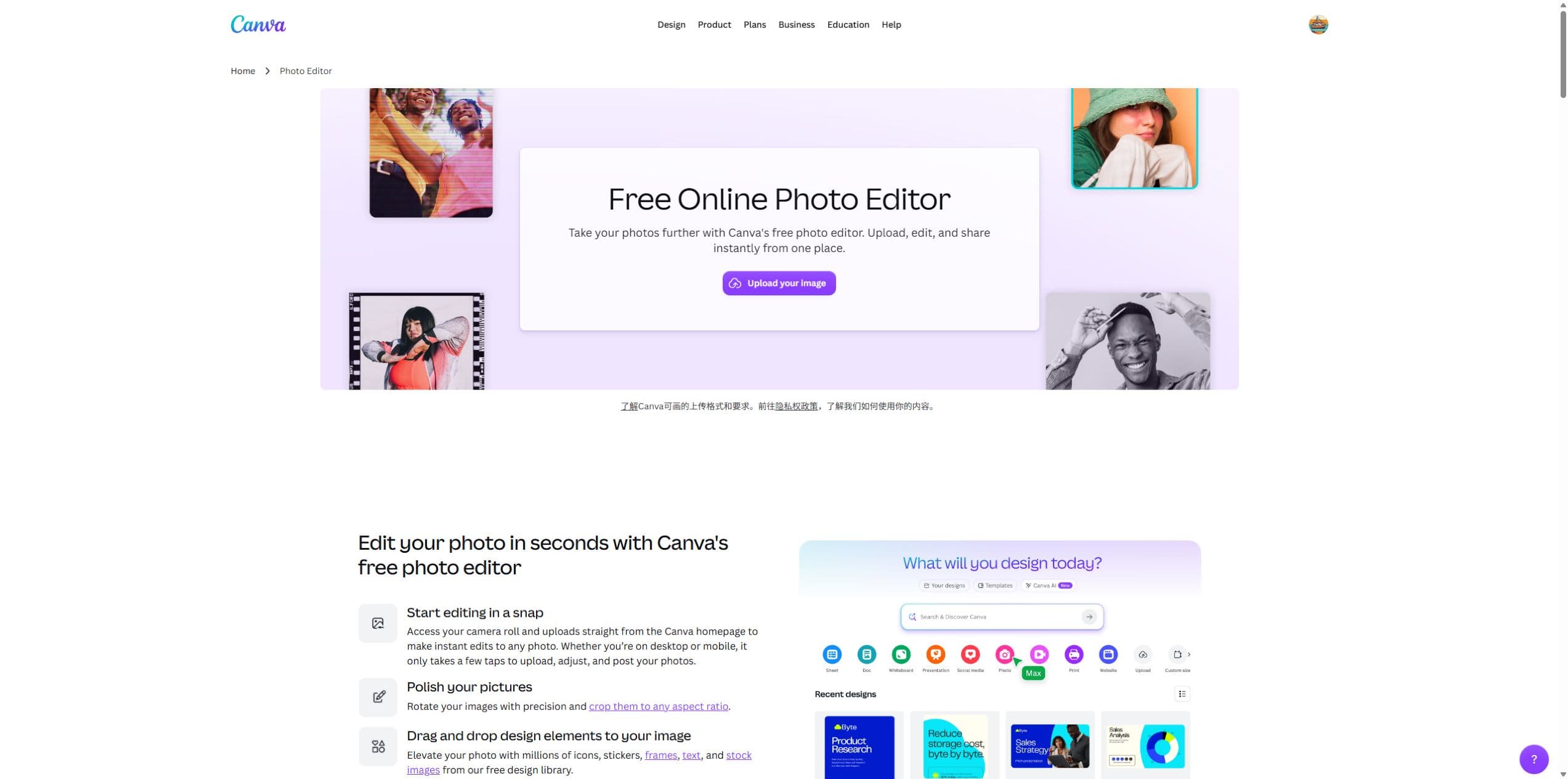
The strongest thing I felt while using Canva was momentum. The product knew I probably wanted a deliverable, not a lesson in document setup. I could choose a format, browse a visual direction, swap the main image, edit copy, and stay close to something I could actually publish.
That matters more than designers sometimes admit. A blank canvas is not neutral when I am tired, the brief is vague, and the client expects three options. Canva's templates, stock library, type combinations, and task-specific sizes reduce the number of small decisions between me and a coherent draft. I can argue with the template after it gives me something to argue with.
The downside showed up in the same place as the speed. Canva makes popular choices easy. If I accept the first template, keep every decorative object, and replace only the words, my work can look polished but anonymous. I got better results when I deleted ornaments, simplified the color palette, changed the crop, and treated the template as a rough composition rather than a finished identity.
My Photoshop experience
Photoshop slowed my start and improved my control over the finish.
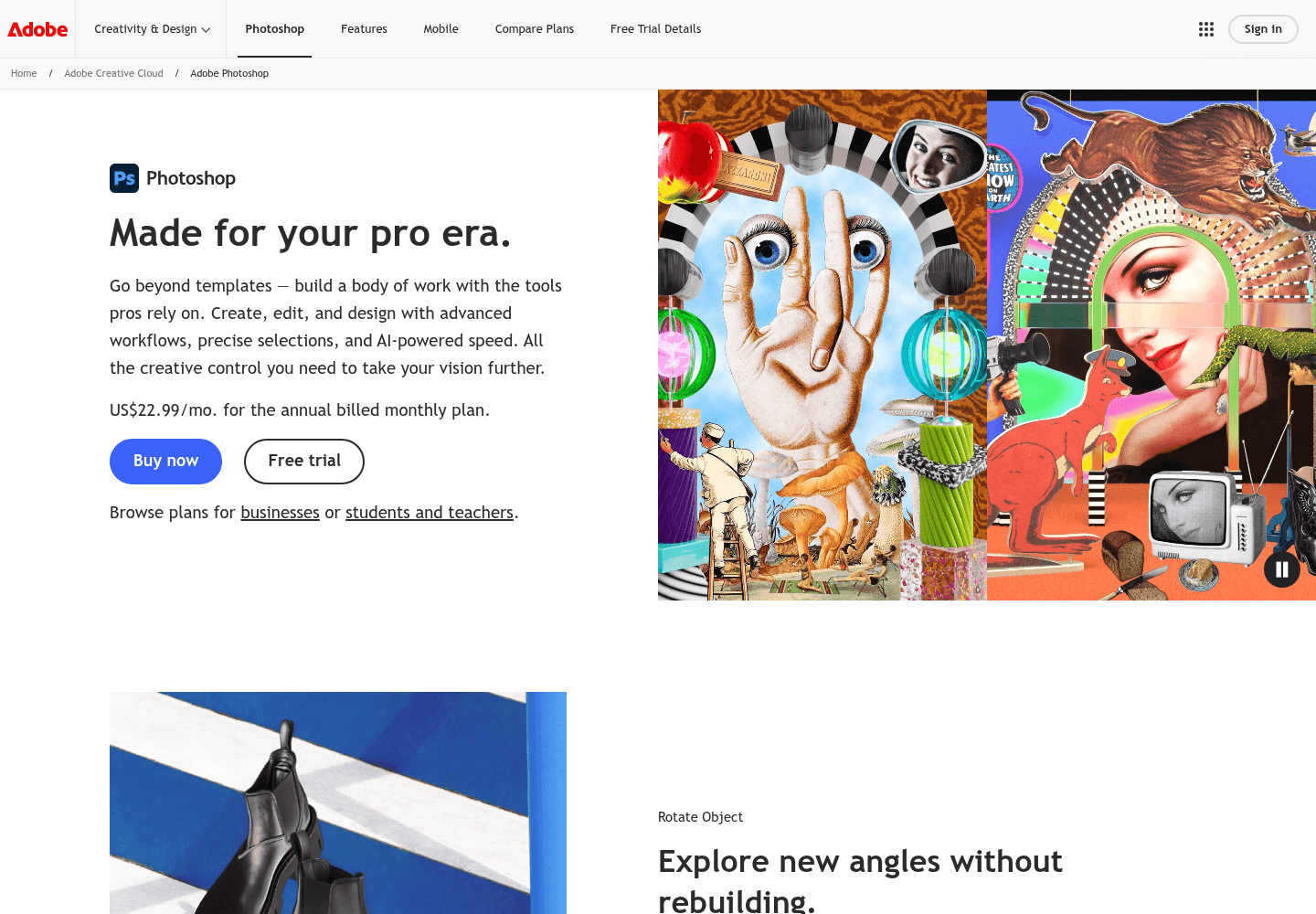
I notice the advantage as soon as the edit becomes conditional. I want the color change on the jacket but not the skin. I want the new background behind the hair but inside the transparent fabric. I want the shadow softened without flattening the product. I want two art directions in one file. Photoshop gives me a mature language for those decisions: selections, masks, groups, smart objects, adjustment layers, blend modes, and a history I can revise.
For a one-off social tile, that insurance can be excessive. For product photography, campaign key art, retouching, or any image that will appear in many layouts, I usually want it. The closer the image gets to a reusable source asset, the more Photoshop's slower start pays me back.
Editing control
Layer masks are where the comparison stops being cosmetic.
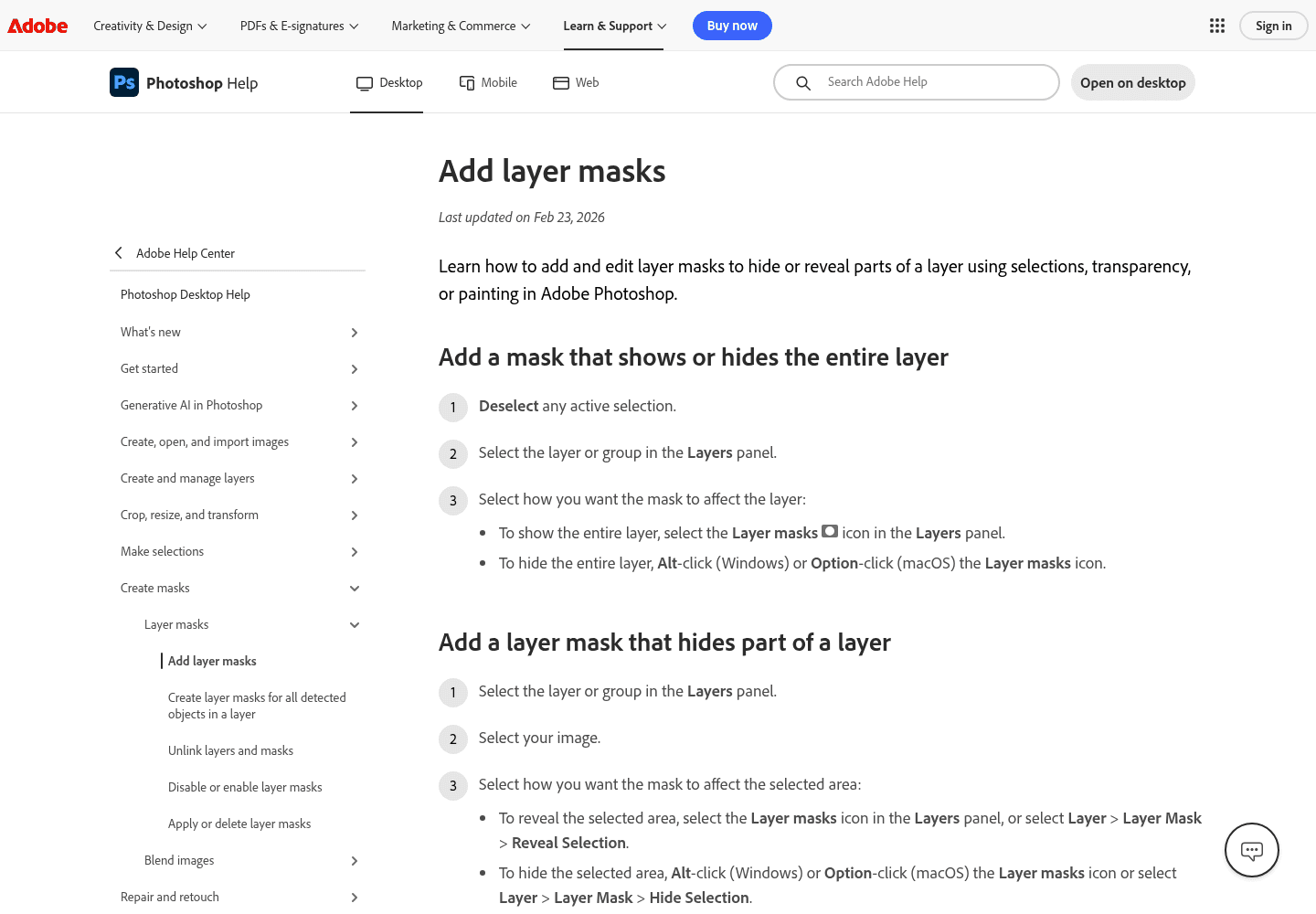
I use a layer mask when I want to hide part of a layer without throwing those pixels away. That single habit changes how confidently I edit. I can refine an edge, reverse the decision, duplicate a version, or let another editor understand what I changed. Adobe's current help page describes masks in exactly that hide-and-reveal model.
Canva's automatic background and object tools are faster when the subject is clean and the output is forgiving. I can remove a simple background in seconds and move on. The gap appears around hair, translucent objects, reflections, motion blur, soft shadows, or a product that shares colors with the background. Photoshop gives me more ways to inspect and repair the result instead of accepting one automatic interpretation.
I would not buy Photoshop merely to crop, brighten, add text, or remove an easy background. Canva handles those jobs with less friction. I buy Photoshop's complexity when the quality of the image itself is the deliverable and I need to explain, repeat, or reverse the edit later.
| Control area | How I use Canva | How I use Photoshop |
|---|---|---|
| Object structure | I work with straightforward page elements and simple positioning. | I work with a deep layer stack, groups, smart objects, masks, channels, and adjustment layers. |
| Selections | I use Canva when automatic subject handling is enough for the job. | I use Photoshop when hair, glass, fabric, shadows, or overlapping edges need inspection and repair. |
| Color work | I make quick visual adjustments that suit publishing and campaign consistency. | I use targeted corrections, curves, masks, blend modes, and a more controlled image pipeline. |
| Repeat edits | I duplicate a design or resize it for another channel. | I preserve a layered master and create variants without flattening the original decisions. |
| Learning cost | I can understand the main workflow in one sitting. | I expect to keep learning because the useful depth is also the source of the complexity. |
AI tools
I use AI for the tedious step, then judge the edge it leaves behind.
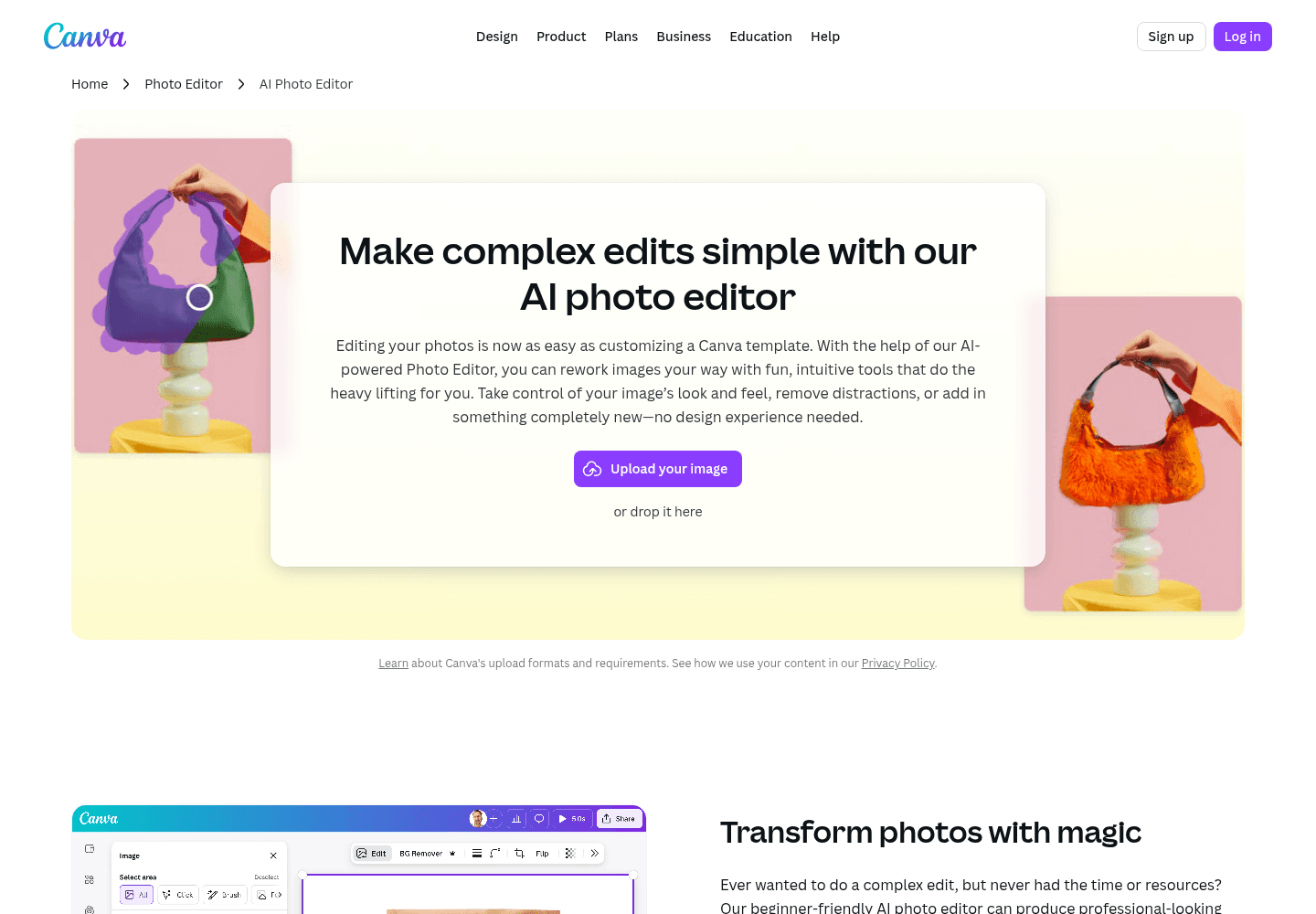
Canva's AI Photo Editor is designed to make a complex edit feel like part of a template workflow. I can remove a distraction, alter a background, or add an element without first building a deep layer stack. That is exactly what I want when the image supports the layout and the deadline matters more than preserving a technical master.
Adobe brings generative tools into Photoshop while keeping them close to selections, layers, masks, and manual correction. I prefer that environment when the generated result is only the first pass. I can constrain the area, compare variants, mask the useful part, correct color, rebuild an edge, and keep the rest of the composition intact.
Neither product removes the need to inspect the output. I zoom in on hands, hair, product edges, type, reflections, repeated textures, and shadows. I also check whether I have the rights and approvals required for the source material and final use. A fast result that fails review is not fast.
My rule is to match the AI workflow to the tolerance of the deliverable. For a small social image, Canva's speed can be the rational choice. For a campaign master, ecommerce image, or client composite, I want Photoshop's correction path after the AI has guessed.
Templates and assets
Canva removes the resource hunt. Photoshop protects the custom result.
The Reddit thread that best matched my experience came from a creator who had moved from Canva to Photoshop. They loved the creative freedom and complex work in Photoshop but missed Canva's easy access to resources. I understand that immediately. Canva gives me templates, stock images, graphics, type ideas, and output sizes in the same place where I build the layout.
Photoshop gives me fewer shortcuts to a complete marketing layout, but it gives me a stronger environment for creating the custom image that makes the layout distinctive. That is why my two-tool workflow works: Photoshop creates the visual asset; Canva turns that asset into a family of practical outputs.
Collaboration
I hand Canva to a content team and Photoshop to an image owner.
Canva is easier for me to share with people who need to change copy, replace a date, swap a photograph, or produce the next channel size. The browser workflow, comments, templates, and brand controls reduce the amount of design software knowledge required for a routine update.
Photoshop collaboration is more specialized. I can share a layered file, library asset, or cloud document, but the next person benefits from understanding masks, linked assets, fonts, color, and layer organization. I use Photoshop handoff when another image professional will continue the work or when the master file itself has long-term value.
For mixed teams, I keep a clear boundary. The Photoshop file is the image source of truth. The approved export goes into Canva. Canva owns the campaign layouts and editable content versions. When the hero image changes, I update it from the master instead of letting several flattened copies drift apart.
Pricing
Canva has the stronger free starting point. Photoshop asks me to justify a specialist subscription.
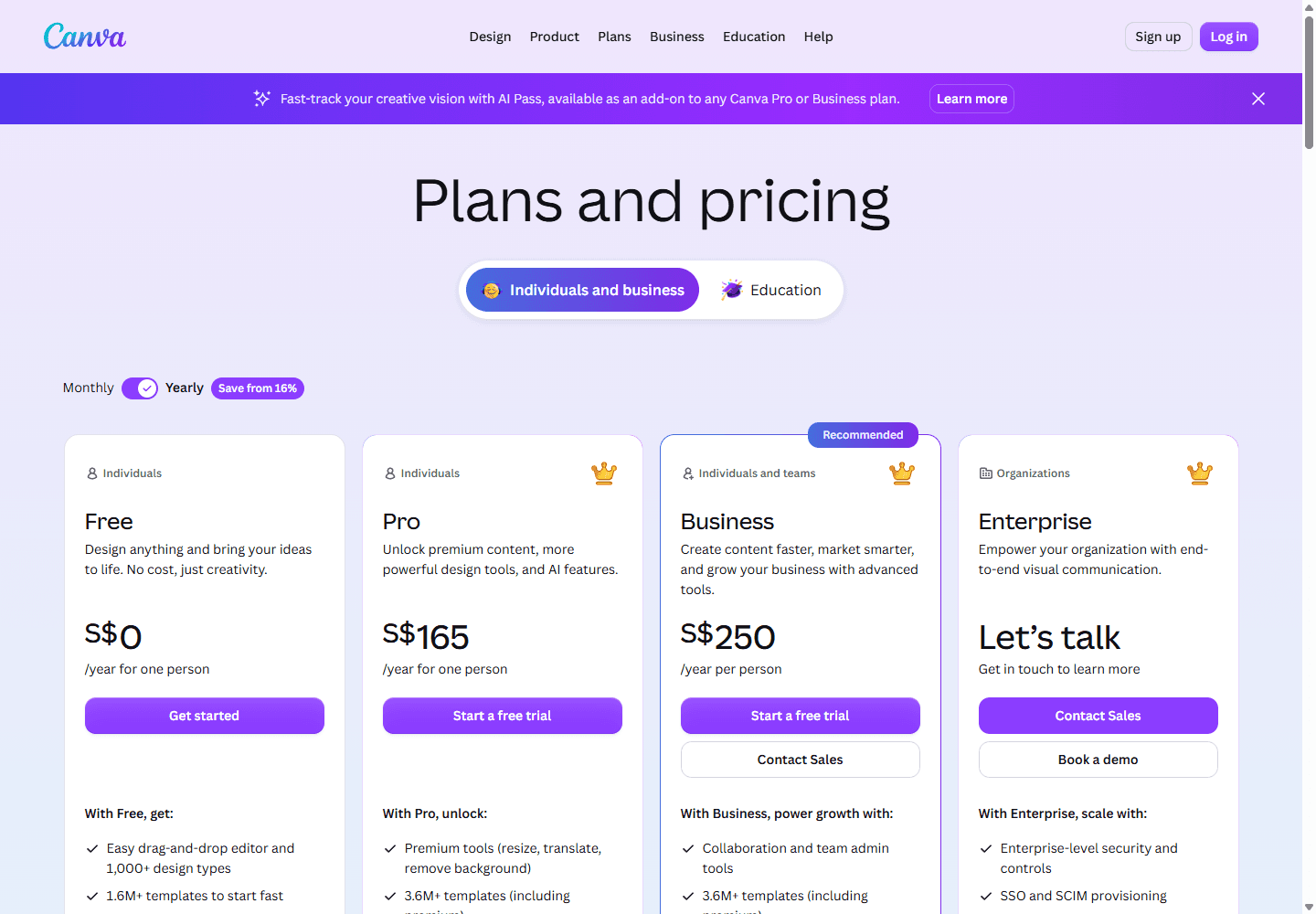
I can do meaningful work on Canva Free. The current pricing page presents Free as an ongoing individual starting point, then places additional premium content, stronger AI tools, brand features, storage, and team controls in paid plans. The exact paid price I see depends on location, tax, billing cycle, and the plan available to my account, so I check the live page instead of copying an old number.
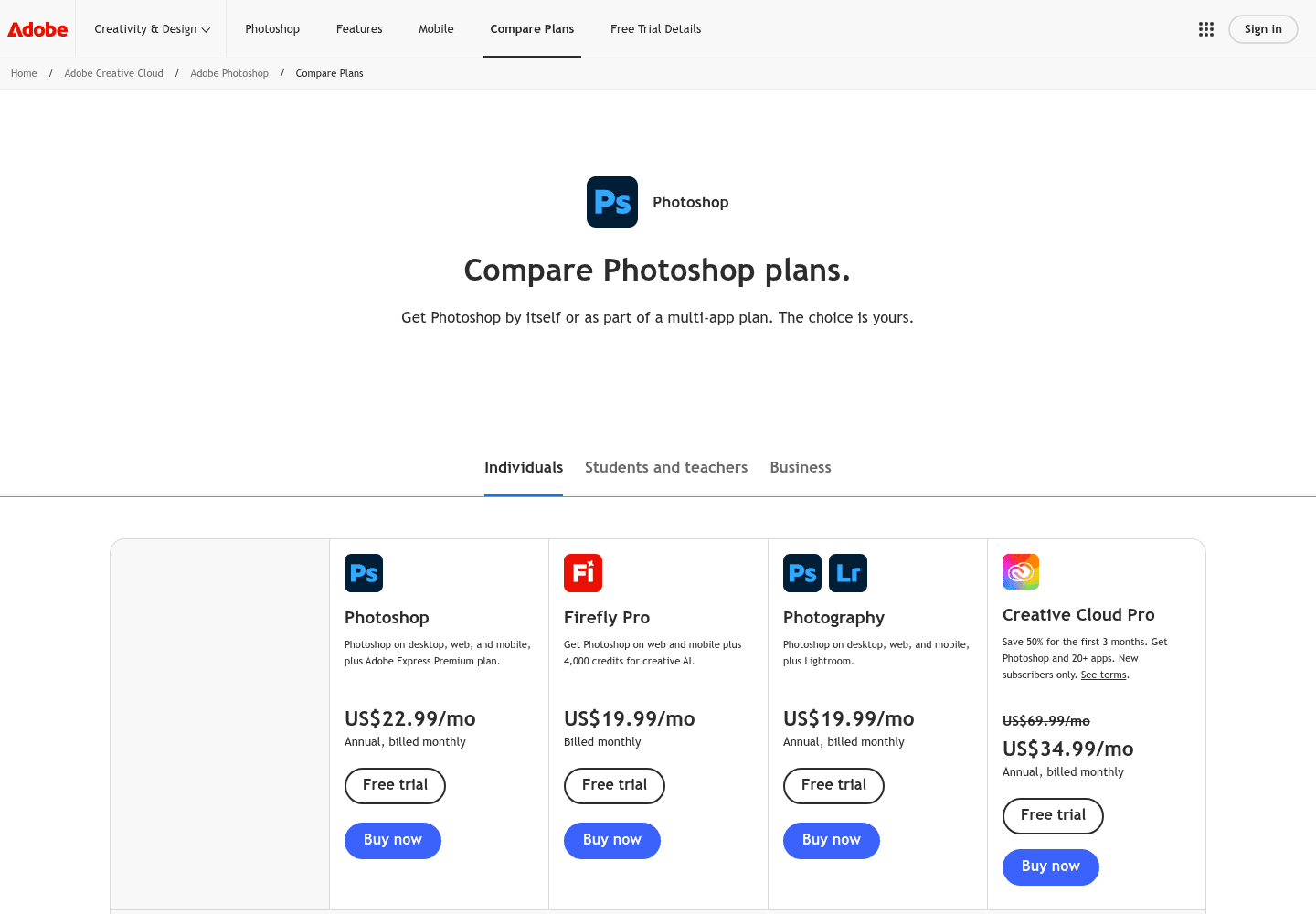
Adobe's US page listed standalone Photoshop at US$22.99 per month on an annual plan billed monthly when I checked on July 10, 2026. It included Photoshop on desktop, web, and mobile, Adobe Express Premium, 100 GB of cloud storage, and 25 monthly generative credits. Adobe also listed a seven-day trial and other bundles, including a Photography plan.
The subscriptions are not equivalent. Canva Pro is a broad content-production purchase. I get more value when I use templates, stock media, brand controls, resizing, collaboration, and multiple output types every week. Photoshop is a specialist image-production purchase. I get more value when detailed edits, layered masters, and revision control are routine rather than occasional.
I also read the cancellation and billing terms before starting a trial. An annual commitment billed monthly is not the same as a month-to-month plan. That sentence has saved me more money than most comparison tables.
| Cost area | How I price Canva | How I price Photoshop |
|---|---|---|
| Free use | I can keep using Canva Free for common layouts, basic photo edits, templates, collaboration, and exports. | I can use Photoshop through a seven-day free trial, but Adobe does not offer a permanent free desktop Photoshop plan. |
| Paid individual plan | Canva localizes its plans and pricing. I check the live account page because country, tax, billing cycle, and plan names can change the number. | Adobe listed standalone Photoshop at US$22.99 per month on an annual plan billed monthly when I checked on July 10, 2026. |
| What I am buying | I am buying a broad visual content system with premium templates, stock assets, brand controls, AI features, and multiple output formats. | I am buying a professional image editor on desktop, web, and mobile, plus Adobe Express Premium, cloud storage, and a monthly generative-credit allowance. |
| Hidden cost | I count template cleanup, premium asset dependence, and the time needed to keep a team on brand. | I count training, subscription continuity, asset management, and the time needed to maintain editable source files. |
Reddit complaints
The common complaints describe the tradeoff better than the feature lists do.
I saw two complaints repeat in different forms. Canva users worried about sameness and the limits of a template-first system when the work becomes more technical. Photoshop users worried about the blank canvas, the learning curve, resource gathering, and the ongoing Adobe subscription.
Adobe pricing anger was even easier to find. I do not repeat Reddit numbers as plan facts because posts age and regional offers differ. I verify the current price on Adobe's own page. I still take the sentiment seriously because billing predictability and subscription fatigue affect switching decisions even when the software remains capable.
The most useful signal was not a winner. It was the hybrid stack. I saw designers describe jobs that expect Canva or Figma alongside Photoshop. That matches my practical experience. Fast content production and precision image work are separate needs, and modern teams often pay for both because forcing one tool across the whole workflow creates labor elsewhere.
Canva can feel repetitive
I repeatedly saw concern about recognizable templates and work that looks finished before it looks specific. I treat a template as scaffolding, then remove more than I add.
Photoshop can feel like a blank room
I saw users praise its creative freedom while complaining that they must find fonts, images, textures, and other resources before the design starts moving.
The learning curve is part of the product
I found comments warning that Photoshop has a narrower professional role than Canva and requires continued practice. I agree. Its depth is valuable only when I need that depth.
Adobe subscription fatigue is real
I saw recurring anger about subscriptions and pricing changes. I use Adobe's current plan page for exact facts, but I treat the frustration itself as a meaningful switching signal.
Many jobs expect both
I found designers describing roles that ask for Canva or Figma alongside Photoshop. I read that as a workflow signal: fast distribution work and precision image work often coexist.
Choose Canva
I choose Canva when the work must be easy to start, repeat, and hand over.
I recommend Canva when the bottleneck is getting a coherent visual out of a small team. A solo marketer can create a social post, presentation, flyer, thumbnail, and short video without rebuilding the design language in unrelated applications. A founder can update the date. A teacher can duplicate the lesson. A community manager can create next week's version without waiting for the original designer.
I particularly like Canva when the design system can be expressed through templates and brand guardrails. I can solve the hard layout once, then let the team change approved content inside a controlled structure. The value is not only speed. It is fewer routine requests returning to the person with the specialist software.
I do not recommend Canva as the only tool when the organization regularly produces demanding image masters. If product color must be accurate, a transparent object needs careful masking, or a campaign composite will be revised for months, I want a professional image file upstream of Canva.
I choose it for
Social posts, thumbnails, one-page graphics, event materials, quick presentations, simple photo cleanup, and campaigns that need several sizes fast.
I recommend it to
Solo marketers, founders, teachers, creators, community teams, small businesses, and non-designers who need a reliable first draft without a long setup.
I avoid it when
The image needs intricate masking, serious retouching, print-specific control, advanced color work, or a layered master another image professional will continue editing.
I test this first
I build one complete campaign asset, resize it twice, remove a background, invite one teammate, and export every format the real job requires.
Choose Photoshop
I choose Photoshop when the image needs precision and a memory.
I recommend Photoshop when each change needs to remain understandable and reversible. Photographers, retouchers, visual designers, ecommerce teams, and agencies often need more than a good-looking export. They need the source to remember how the result was built.
That memory lives in layers, masks, smart objects, adjustment layers, names, groups, and linked assets. A good file lets me change the background, product color, crop, or headline treatment without flattening the other decisions. It also lets another trained editor continue the work without guessing which pixels I deleted.
I do not recommend Photoshop merely because it is the professional-sounding option. If the daily work is resizing approved graphics, changing text, or creating routine social assets from a template, Photoshop can become an expensive way to manufacture friction. I want its depth only when the deliverable rewards it.
I choose it for
Complex composites, product image cleanup, selective color correction, detailed retouching, reusable layered artwork, and any job where edge quality survives close inspection.
I recommend it to
Photographers, retouchers, visual designers, agencies, ecommerce teams, and marketers who routinely need precise image control rather than a fast layout system.
I avoid it when
The real task is a routine social tile, a quick flyer, or a template a non-designer must update tomorrow. Photoshop can do those jobs, but I rarely enjoy paying the complexity tax.
I test this first
I mask hair, replace a background, create two color variants, keep every decision editable, and ask the next editor to change the composition without rebuilding it.
My two-tool workflow
I stop the comparison and use each product for the stage it handles best.
My preferred workflow begins with the hardest reusable asset. I clean the source image in Photoshop, make the selection, repair the edge, control color, and keep a layered master. I export an approved high-resolution PNG, JPEG, or other required format for layout work.
I then place that approved asset in Canva and build the campaign system around it. I create the social sizes, presentation slide, flyer, thumbnail, or event graphic. I keep text and channel-specific layout decisions in Canva because those are the parts a marketer or content owner is most likely to update.
This split has a migration cost. I maintain two sources and need a naming rule. I accept that cost because it is smaller than asking a non-designer to edit a complex Photoshop file or asking Canva to preserve a demanding image composite as a technical master.
Decision test
I run one 45-minute job before I buy or switch.
I use the same imperfect product or portrait image in both tools. I remove or replace the background, correct color, add a headline and call to action, create a square version and a wide version, invite another person to change the copy, and export the final files.
I deliberately include one difficult edge such as hair, glass, fabric, or a soft shadow. An easy subject makes every automatic tool look brilliant. The difficult edge shows me whether I can correct the result without starting over.
I keep the clock running through the second version and the handoff. Canva often wins the first draft and extends its lead during resize and collaboration. Photoshop often loses the first ten minutes and gains ground when I make a precise revision or preserve the source for another campaign.
I score time to first usable draft, time to approved output, edge quality at full resolution, number of destructive shortcuts, ease of producing the second size, and whether the next editor can make a safe change. I choose the tool that wins the real job, not the product tour.
My default remains Canva for fast visual production, Photoshop for serious image finishing, and both when the image has long-term value but the campaign needs frequent everyday updates.
| My decision | My rule |
|---|---|
| I pick Canva | The deliverable is a layout, the deadline is close, the audience will view a finished output, and a non-designer needs to maintain it. |
| I pick Photoshop | The deliverable is the image itself, edge quality matters, revisions may be surgical, and I need a layered source file that preserves every important decision. |
| I use both | I prepare and finish the hero image in Photoshop, then assemble campaign versions, copy, and channel-specific layouts in Canva. |
| I pause | Nobody has defined the final sizes, output formats, edit owner, approval process, or whether the source file must stay editable after delivery. |
| I measure | Time to first usable draft, number of export fixes, revision time, confidence at full resolution, and whether the next editor can make a change without calling me. |
FAQ
Questions I hear about Canva vs Photoshop
Is Canva better than Photoshop?
I think Canva is better for fast layouts, templates, browser collaboration, and campaign assets that a non-designer must update. I think Photoshop is better for detailed photo editing, compositing, masking, retouching, and layered source files. I choose by deliverable, not by feature count.
Can I use Canva instead of Photoshop?
I can replace Photoshop with Canva when my work consists of social graphics, thumbnails, simple background removal, quick adjustments, presentations, flyers, and other template-led outputs. I do not treat Canva as a full replacement when I need intricate masks, advanced color correction, detailed retouching, or a reusable layered image master.
Is Canva or Photoshop easier to learn?
I found Canva much easier in the first hour because the templates, assets, and task-specific starting points reduce setup. Photoshop takes longer because I have to understand layers, masks, selections, resolution, color, and file structure. That learning pays back only when the work needs the extra control.
Which is cheaper, Canva or Photoshop?
I can use Canva Free indefinitely for many common jobs, while Photoshop uses a time-limited trial before requiring a subscription. Paid value depends on the workflow: Canva Pro buys a broad visual content system, while Photoshop buys a specialist image editor and related Adobe services. I always check the live local plan pages before deciding.
Do professional designers use Canva?
I have seen professional workflows use Canva for fast production, controlled templates, and handoff to marketers while keeping Photoshop or another specialist editor for image finishing. I do not see that as a contradiction. The tools solve different stages of the job.
Sources


