 SwitchMyTool

Practical take
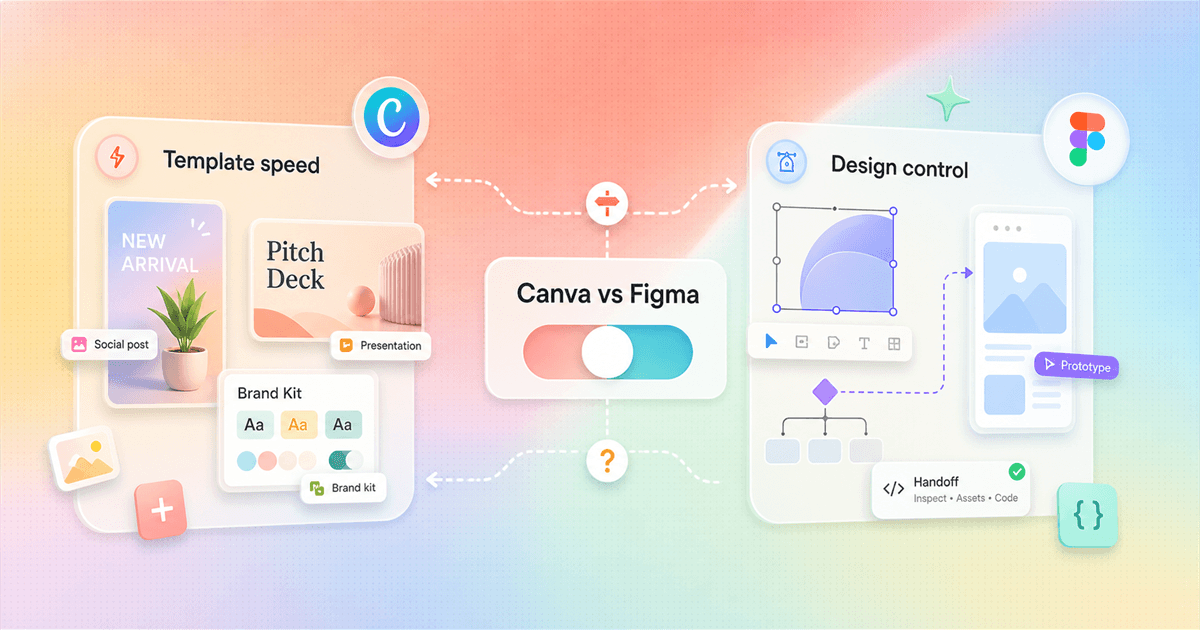
Canva vs Figma is template speed vs design control.
- Canva vs Figma is not a question of beginner tool versus professional tool. It is template speed versus design control.
- Canva is the better fit when the job is social posts, presentations, simple brand assets, videos, flyers, quick mockups, or content that non-designers need to publish without waiting on a design team.
- Figma is the better fit when the job is product design, web design, reusable components, variants, design systems, prototypes, developer handoff, or any workflow where one layout needs to stay consistent across many screens.
- For board game and print-heavy creators, neither tool is always the final production app. Canva is fast for inspiration and prototypes. Figma is better for controlled layouts and repeated components. Inkscape, Affinity, Scribus, Photoshop, Illustrator, Dextrous, or a print layout tool may still enter the workflow.
- The best 30-day test is simple: create one social campaign in Canva and one reusable component system in Figma. The winner is the tool that leaves fewer manual cleanup tasks behind.
The real choice
The tool that feels easier on day one may not be the tool that saves you time on day thirty.
Canva vs Figma is one of those comparisons where people often argue past each other. One person is trying to make a sale graphic before lunch. Another person is building a component system for a product team. A third person is laying out cards for a board game and quietly wondering why neither tool feels like the final answer.
That is why the cleanest answer is not 'Canva is for beginners' or 'Figma is for professionals.' Canva can produce polished brand work when the workflow is template-driven. Figma can be overkill when the job is a simple flyer. The better question is what kind of design debt you want to manage.
Canva reduces blank-page anxiety. It gives you templates, stock assets, resize tools, quick social formats, presentations, videos, logos, posters, and brand controls. That makes it useful when the work has to ship, even if the person shipping it is not a designer.
Figma reduces repeated-layout pain. It gives you components, variants, constraints, shared libraries, prototyping, comments, and design-to-dev habits. That makes it useful when a small change should update many screens, cards, states, or layouts without a person nudging every item by hand.
So this guide treats canva vs figma as a workflow decision. I checked the official Canva and Figma pages, reviewed the Reddit discussion you provided, and wrote the comparison around the part that actually costs money: cleanup time.
Short version
Choose Canva for publishing assets. Choose Figma for reusable systems.
If you need the short version, here is the honest one. Use Canva when the work is mostly content: social posts, presentations, brand templates, simple videos, flyers, posters, lightweight websites, and assets that other teammates need to edit without learning design software.
Use Figma when the work is mostly systems: product screens, web pages, prototypes, reusable interface components, design libraries, handoff specs, repeated cards, layout variants, and anything where one design decision needs to stay consistent in many places.
Use both when the work has two audiences. Designers can build the system in Figma. Marketing, sales, support, or community teams can adapt approved assets in Canva. That handoff only works if someone owns the brand rules.
| Category | Likely winner | Why | Watch out for |
|---|---|---|---|
| Best default choice | Canva | Fast branded content, templates, presentations, social posts, videos, flyers, simple websites, and assets that non-designers can edit. | Pick it when publishing speed matters more than pixel-perfect systems. |
| Best default choice | Figma | Interface design, product design, website design, prototypes, components, variants, design systems, and developer handoff. | Pick it when consistency and control matter more than ready-made templates. |
| Learning curve | Canva | Most people can edit a template, swap images, change text, and export something useful in the first session. | That ease can become a ceiling when you need exact reusable systems. |
| Reusable systems | Figma | Components, variants, shared libraries, variables, grids, constraints, and prototyping make repeatable design work easier to maintain. | That power can feel like overhead when you only need a poster or Instagram carousel. |
| Print and board game layouts | Depends | Canva is quick for rough cards and promotional assets. Figma is better when every card shares a component structure. | For final print work, dedicated illustration or publishing tools may still be safer. |
Official positioning
Canva talks about creating content. Figma talks about designing products.
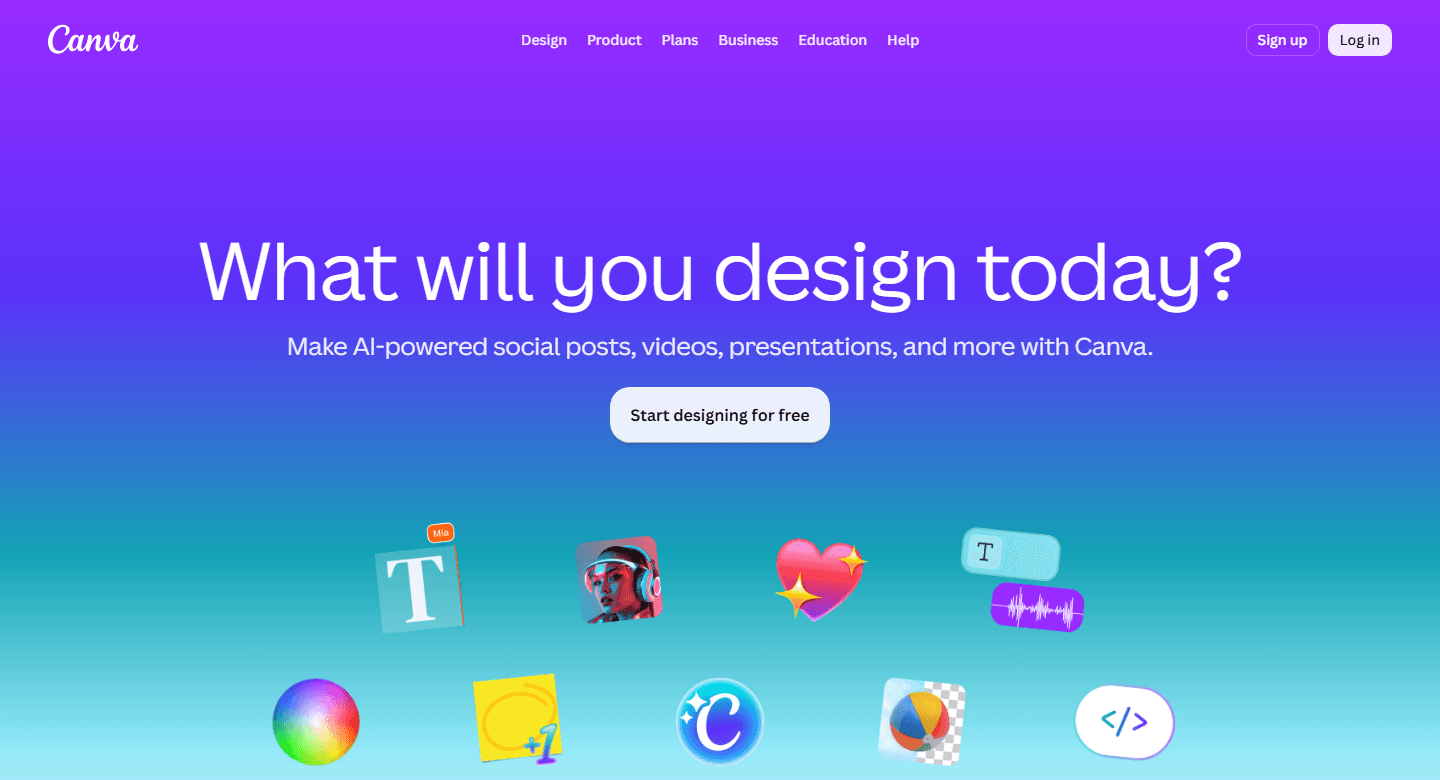
Canva's own home page says it is a free-to-use online graphic design tool for social media posts, presentations, posters, videos, logos, and more. The page leans into immediate creation: what will you design today, start designing for free, and AI-powered content formats.
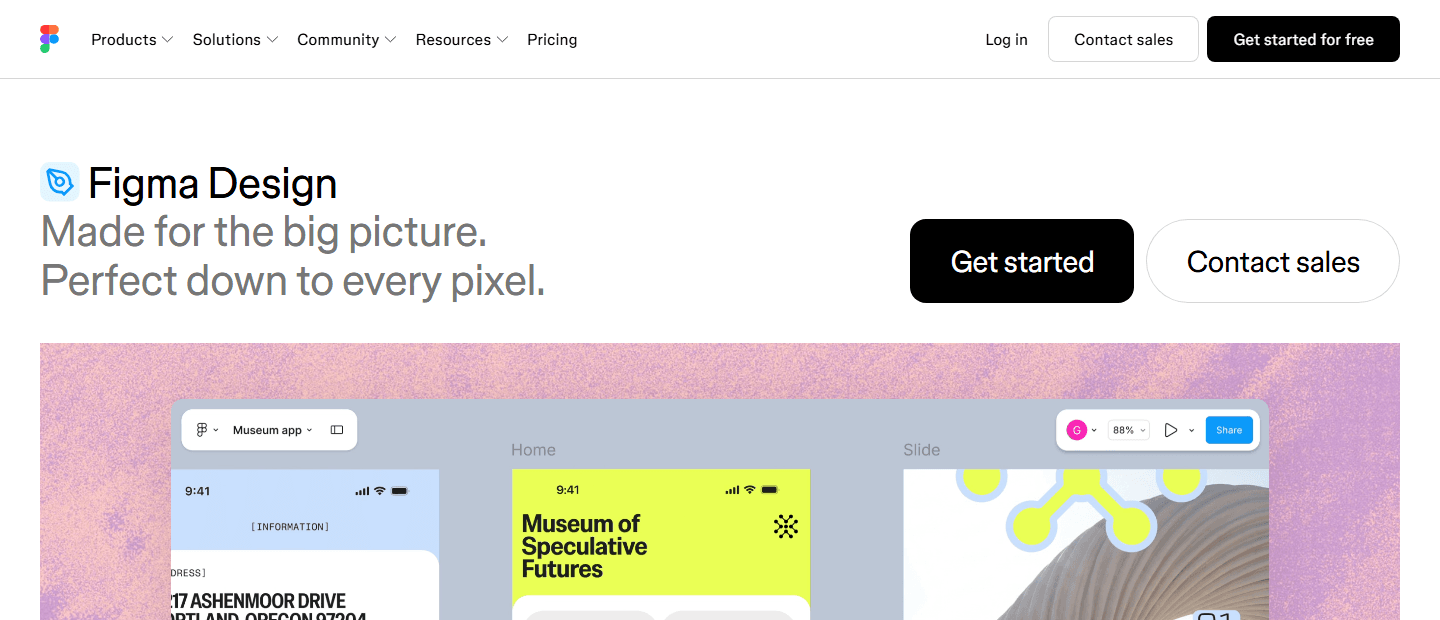
Figma's Design page uses a different frame. It describes website and product design software built for creating, collaborating, and streamlining a workflow. The page is not trying to get you from blank canvas to Instagram post. It is trying to make design work structured enough that a team can keep building on it.
That difference explains most of the Canva vs Figma debate. Canva's value is speed to a presentable asset. Figma's value is structure that survives iteration. The better tool depends on whether your next hour is spent publishing or systematizing.
Pricing and plans
Canva pricing is packaged for creators and businesses. Figma pricing is built around seats.
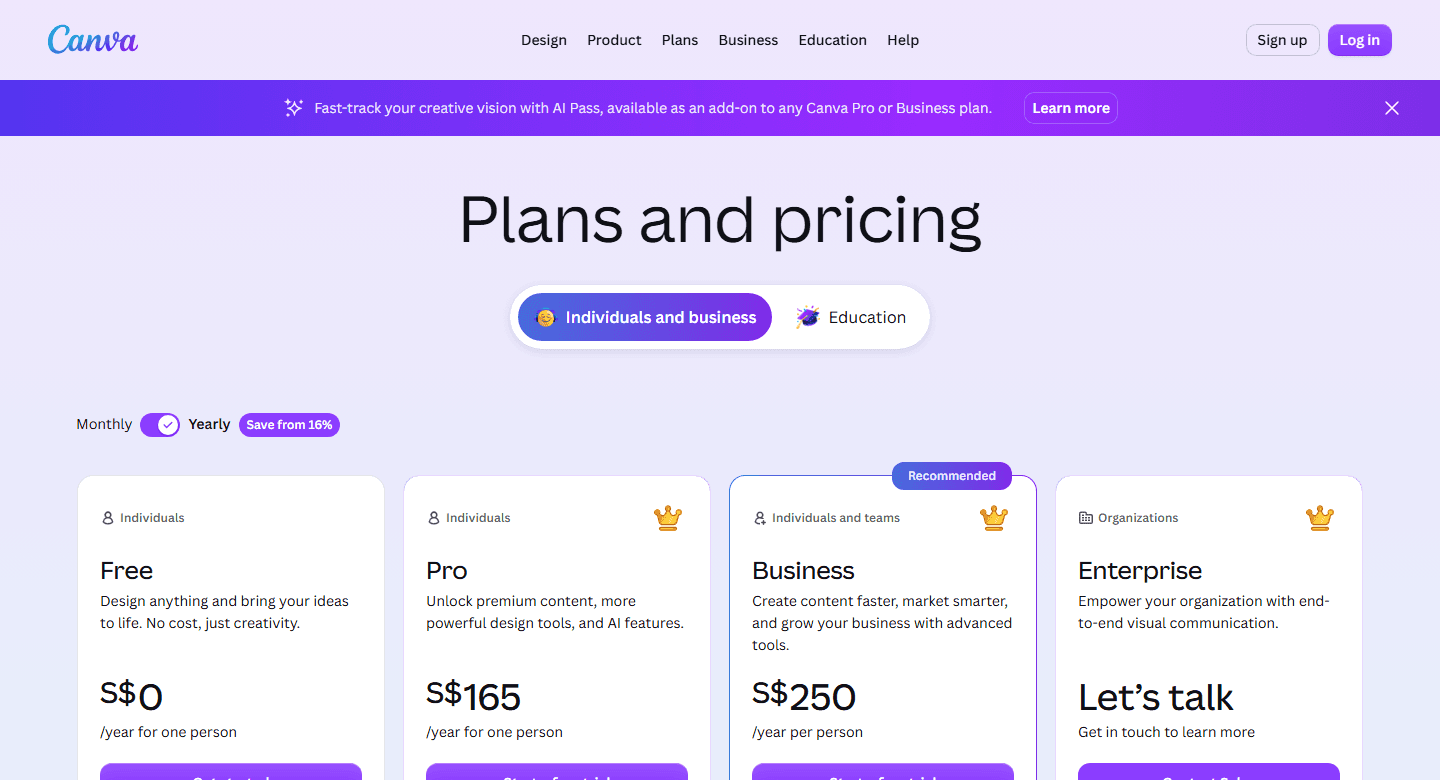
Canva's official pricing page, checked on July 9, 2026, compares Free, Pro, Business, and Enterprise plans. It localizes currency by region, so I would not use a random forum quote or someone else's invoice as your budget. Use the live pricing page or your billing settings before making a purchase decision.
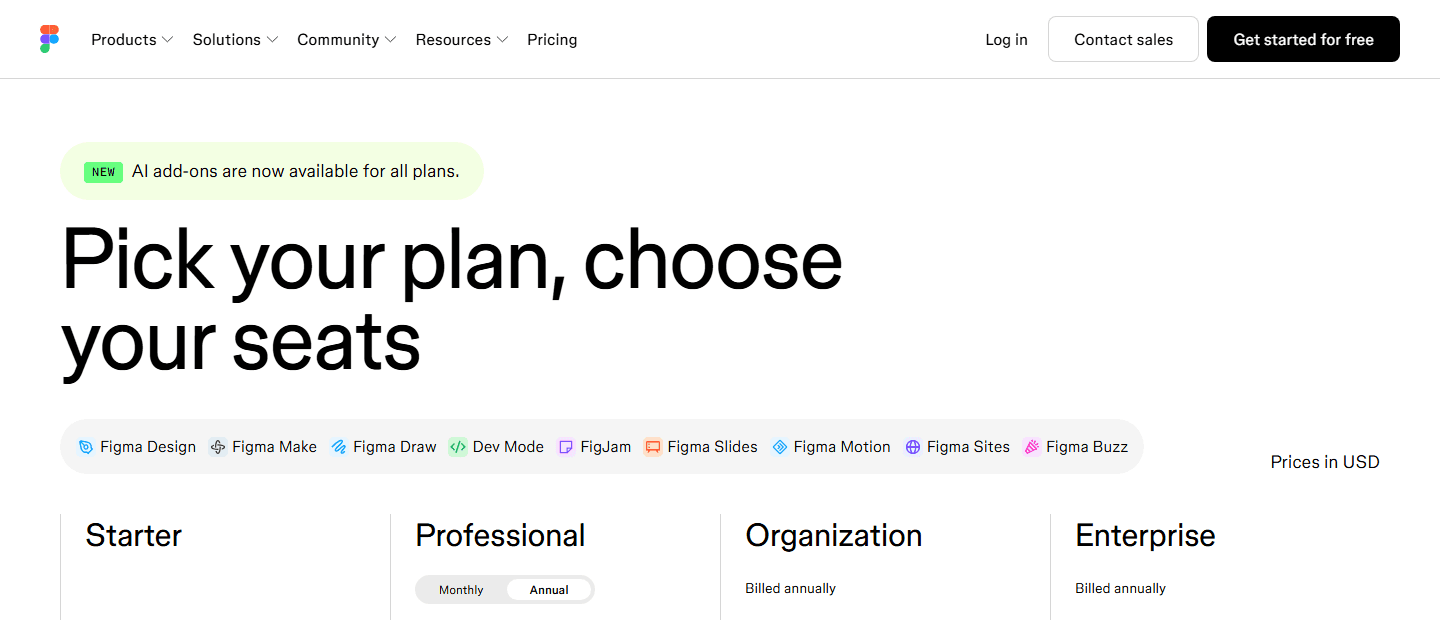
Figma's official pricing page, checked on the same date, shows Starter, Professional, Organization, and Enterprise. It also separates access by seat type. Full seats get broad product access. Dev and Collab seats have narrower roles. That makes Figma's bill more role-sensitive than Canva's creator-style packaging.
For a solo creator, Canva's pricing story is easier to understand. For a design organization, Figma's pricing story is more flexible but needs governance. A product team can buy different seats for designers, developers, and collaborators. That is useful, but only if someone reviews seats instead of letting every invitation become a full seat.
The practical rule is simple: price Canva by output volume and brand control. Price Figma by design-system ownership, developer collaboration, and the number of people who need edit-level access.
| Cost question | Canva | Figma | Decision note |
|---|---|---|---|
| Free use | Canva presents itself as a free-to-use online graphic design tool, with paid plans for Pro, Business, and Enterprise. | Figma lists a Starter plan with free limited access to Figma products. | Both are easy to try. Do not judge the paid decision from the free plan alone. |
| Paid plan shape | Canva pricing is packaged around individuals, business, organizations, and education. The live pricing page localizes currency and plan display by region. | Figma pricing is seat-based. The pricing page separates full seats, Dev seats, and Collab seats across Professional, Organization, and Enterprise. | Canva feels simpler for a creator or marketing team. Figma needs more billing attention when roles differ. |
| What gets expensive | The hidden cost is brand sprawl: many people can create many versions of a design unless templates and brand controls are governed. | The hidden cost is seat governance: full seats, dev seats, collab seats, AI credits, and admin permissions need active management. | Budget for administration, not just subscriptions. |
| Upgrade trigger | Upgrade Canva when brand kits, premium assets, AI features, background removal, team templates, approvals, or business controls save enough production time. | Upgrade Figma when shared libraries, design systems, org controls, Dev Mode, permissions, or team-wide collaboration become necessary. | The right upgrade trigger is workflow friction, not the urge to unlock every feature. |
Canva case
Canva wins when the asset needs to look good before the meeting starts.
Canva is the tool I would hand to a founder who needs a pitch deck tonight, a community manager who needs five posts for tomorrow, or a teacher who needs a worksheet without becoming a layout nerd. The product is built around recognizable outputs: presentations, social posts, posters, videos, logos, docs, whiteboards, websites, and print pieces.
The important word is output. Canva helps you ship a thing. You pick a format, start from a template, swap copy and images, use a brand kit, resize for another channel, and export. If the design only needs to be edited a few times, that workflow is hard to beat.
This is why Canva often wins inside small businesses. The design team, if there is one, cannot be the bottleneck for every LinkedIn banner and sales one-pager. Canva lets non-designers operate inside a more controlled sandbox. That is a real business advantage, not a toy feature.
Canva becomes weaker when the design is not one asset but a system. A product UI with many states, a web app with repeated patterns, or a card game with dozens of cards that share rules may outgrow Canva's template mindset. You can still make it work for some projects. You will just feel the manual updates sooner.
Best for
Solo creators, marketers, founders, educators, sales teams, local businesses, and content teams that need attractive assets quickly without opening a full design system.
Not for
Teams that need reusable interface components, complex variants, precise product specs, engineering handoff, or a source of truth for app and website design.
Reddit common complaint
Designers in the Reddit thread liked Canva's speed, but several treated it as a beginner-friendly or inspiration-first tool rather than the place where serious layout control lives.
Best 30-day test
Create one campaign kit: five social posts, a one-page flyer, a presentation, and a short video. If non-designers can keep the brand tidy without extra cleanup, Canva is doing its job.
Figma case
Figma wins when a design has to survive edits, variants, and handoff.
Figma is built for design work that keeps changing. That sounds obvious, but it is the whole point. If you are designing a product screen, a website, an app flow, a component library, or a repeatable card layout, the first version is not the work. The work is keeping every later version consistent.
Components and variants are the reason many designers refuse to give up Figma for repeated work. Change a button, card, modal, or layout rule once and the file can update everywhere that component is used. That is not exciting in a demo. It is exciting the fifth time a stakeholder changes a label.
Figma is also better when another person needs to inspect the design. Developers can review dimensions, assets, code hints, comments, and interaction states. Product managers can comment in context. Designers can keep decisions inside the file instead of scattering them across loose image exports, chat threads, and PDFs.
The cost is learning curve and ceremony. A sloppy Figma file is still a sloppy file. Someone has to name layers, organize components, define styles, maintain libraries, and explain how collaborators should use the system. Figma gives you structure. It does not magically make you disciplined.
Best for
Product designers, UX teams, web designers, founders building apps, agencies, design-system owners, and creators who need repeated layouts with components and variants.
Not for
People who mainly need ready-made templates, stock-heavy marketing assets, quick social content, print shop convenience, or a tool that a non-designer can use with almost no setup.
Reddit common complaint
The strongest Reddit praise for Figma was control: components, variations, plugins, and organizing publish versions. The complaint was that Canva feels quicker when the work is only rough inspiration or a simple prototype.
Best 30-day test
Build one reusable card, slide, landing-page block, or product screen with variants. If updates propagate cleanly and the file stays understandable, Figma is earning its keep.
Reddit signal
The Reddit thread points to the same split: Canva is quick, Figma is controllable.
The Reddit thread you provided came from a board game design context, which makes it more useful than a generic SaaS comparison. Board game creators care about repeated cards, print output, rulebooks, maps, icons, tokens, and versioning. That workload exposes the limits of both Canva and Figma quickly.
Several people leaned toward Figma because components and variations make repeated work easier. One designer described using Figma to organize publish versions and keep work-in-progress graphics aligned with final assets. That is exactly where Figma earns trust: one update can ripple through a system instead of becoming a manual checklist.
Canva's defenders were not wrong either. The thread treated Canva as fast and approachable. If the goal is to get inspiration, rough out a layout, or make a prototype before committing to final art, Canva can be the better starting point. Speed matters when the alternative is staring at a blank page.
The thread also had a useful reality check. People named Inkscape, Scribus, GIMP, Photoshop, Illustrator, Affinity Publisher or Designer, Dextrous, and Multideck. That tells you the mature workflow may not be Canva or Figma alone. For board game design especially, the best stack may combine rough layout, reusable components, illustration, print layout, and data-driven card generation.
| Theme | What it means |
|---|---|
| Control matters for repeated work | One theme in the Reddit discussion was that Figma works well when a creator needs components, variations, reusable layouts, and a way to keep several versions organized. |
| Canva is praised for speed | Canva was described as quick for prototyping and inspiration, especially when the creator wants to get something on the page before refining the real layout somewhere else. |
| Print creators may need other tools | Several comments brought up Inkscape, Scribus, GIMP, Photoshop, Illustrator, Affinity, Multideck, and Dextrous. That is a useful warning: Canva vs Figma is not the only decision for board game or print production. |
| Beginners and web designers want different things | A clean split appeared in the thread: Canva is easier for beginners, while Figma is more natural for web and interface design. |
| Reddit bias warning | Reddit overrepresents people who care enough to debate tools. Treat the thread as language and edge-case research, not a statistically clean survey. |
Choose Canva
Choose Canva when the editor is not supposed to become the job.
Canva is the better choice when the person doing the work needs a result more than a design education. That includes founders, marketers, teachers, creators, recruiters, real estate teams, sales teams, church volunteers, student groups, and small business owners who need decent-looking assets fast.
It is also the better choice when the design has a short shelf life. A holiday post, a workshop flyer, a sales slide, a hiring graphic, a classroom worksheet, a local event poster, or a quick internal announcement does not need a component library. It needs to exist, look on-brand enough, and be easy to edit later.
Canva gets even stronger when many non-designers need to participate. A designer or brand owner can create the guardrails, then teammates can work inside templates. That is not as pure as a design system, but purity is not the goal. Fewer bottlenecks are the goal.
Skip Canva as the main tool if your design work is full of states, variants, reusable modules, or engineering handoff. You can export images and share links, but the deeper logic is not the same as a maintained Figma system.
Choose Figma
Choose Figma when repeated design decisions need a home.
Figma is the better choice when the design will be touched over and over again. Product teams need this. Web teams need this. Agencies need this. Board game creators may need this when cards, boards, rulebook diagrams, or tokens share a reusable structure.
Figma is also stronger when you care about collaboration between design and engineering. A designer can prototype an interaction, a product manager can comment on it, and a developer can inspect spacing and assets without waiting for a PDF or a giant image export.
The tool shines when naming and structure matter. A clean component, a well-named variant, or a shared style can save hours later. That sounds boring until the client asks for a color change across 80 cards or the product team wants a button state updated across 40 screens.
Skip Figma as the main tool if the work is mostly one-off content and the team does not want to learn file structure. Figma can make a poster. It can make a social graphic. That does not mean it is the friendliest way for a busy non-designer to publish one.
Migration cost
Moving between Canva and Figma is usually a rebuild, not a clean transfer.
The migration cost is where many Canva vs Figma decisions get expensive. People assume the work can move later. It can move visually, but the structure rarely survives. A Canva asset can inspire a Figma design, and a Figma design can guide a Canva template. Neither direction gives you a perfect working file for free.
Moving from Canva to Figma usually means rebuilding the system. You can export images, text, and references, but the components, variants, constraints, styles, and libraries need to be made intentionally. If the original Canva file had ten slightly different versions of the same card, Figma will reveal that mess instead of solving it automatically.
Moving from Figma to Canva usually means simplifying. A designer may need to turn a robust component into a locked template that non-designers can safely edit. That can be a good thing. It forces the team to decide which parts are flexible and which parts are brand rules.
The cheapest migration is the one you avoid by choosing the right source of truth. Use Canva as the source of truth for campaign templates. Use Figma as the source of truth for product and system design. If you use both, write down which tool wins when the files disagree.
Canva to Figma
Expect to rebuild structure. Exporting a design does not give you clean components, variants, constraints, shared styles, or a maintainable product design file.
Figma to Canva
Expect to flatten logic. Components and variants become easier-to-edit templates only if someone intentionally rebuilds them for non-designers.
Brand assets
Move logos, colors, fonts, approved imagery, and export rules first. Without that base, both tools become places where people improvise.
Templates
Canva templates should be locked down enough that teammates cannot break them. Figma components should be named well enough that teammates can find and reuse them.
Training
Canva training is usually about brand discipline. Figma training is usually about file structure, components, variants, comments, and handoff habits.
Decision test
Run one real campaign and one reusable system before you commit.
If you are still stuck, stop comparing feature pages. Run a test with real work. Give Canva one campaign kit: social post, presentation slide, flyer, and short video. Give Figma one reusable system: a card layout, landing-page section, product screen, or board game component with variants.
Then measure what happens after the first draft. How many edits require manual cleanup? Can a non-designer make changes without breaking the layout? Can a designer update a repeated element once instead of hunting through copies? Does a developer or printer get what they need without another translation step?
Also measure where people cheat. If the Canva team keeps rebuilding assets in Figma, Canva is probably too loose for the work. If the Figma team keeps exporting to Canva to make simple marketing edits, Figma is probably too heavy for that audience.
The winning tool is not the one that looks smarter in a comparison table. It is the one that makes the next version less annoying.
| Decision | Use this rule |
|---|---|
| Choose Canva if | The work is mostly marketing content, presentations, social graphics, quick videos, simple flyers, lightweight websites, or branded assets created by non-designers. |
| Choose Figma if | The work is product design, web design, app UI, prototypes, reusable components, variants, design systems, or handoff to developers. |
| Use both if | Designers build systems in Figma, then marketing or sales teams adapt approved campaign assets in Canva. This is often cleaner than forcing one tool to do everything. |
| Pause if | Nobody can name the actual workflow. If the team says 'design stuff' and cannot separate marketing assets from product design, the tool debate will stay fuzzy. |
| Run this test | Give Canva one campaign and Figma one reusable system. Measure cleanup time, handoff quality, teammate adoption, and how often people export the work into another app to finish it. |
FAQ
Common Canva vs Figma questions
Is Canva better than Figma?
Canva is better than Figma for quick marketing assets, social posts, presentations, simple videos, flyers, and content that non-designers need to edit. Figma is better for product design, web design, components, prototypes, design systems, and developer handoff.
Is Figma better than Canva for professional design?
Figma is better for professional product and interface design because it supports reusable components, variants, prototypes, shared libraries, and developer workflows. Canva can still be professional for marketing content when the work is template-driven and brand governance matters more than component logic.
Should board game designers use Canva or Figma?
Board game designers can use Canva for fast mockups, inspiration, and simple print tests. Figma is stronger when card layouts, tokens, boards, or rulebook pieces need reusable components and repeated updates. Many board game creators still use Inkscape, Scribus, GIMP, Photoshop, Illustrator, Affinity, Dextrous, or similar tools for final production work.
Can Canva and Figma work together?
Yes. A common workflow is to create structured product or campaign systems in Figma, then rebuild approved marketing templates in Canva so non-designers can safely adapt them. The handoff only works if brand assets, export rules, and ownership are clear.
What is the safest way to decide between Canva vs Figma?
Run a 30-day test. Use Canva for one complete campaign kit and Figma for one reusable component system. Compare cleanup time, adoption, export quality, and whether the team keeps returning to another tool to finish the work.
Sources


