 SwitchMyTool

Practical take
Asana vs monday is a choice between project structure and visual adoption.
- Asana vs monday is not a question of which product has more features. It is a question of which operating style your team will keep updated after the demo buzz fades.
- Asana is stronger when the work needs owners, dependencies, timeline planning, status updates, portfolios, goals, and a cleaner project-management spine.
- monday is stronger when the team needs visual boards, faster adoption, approachable automations, and a flexible work hub that non-technical teams can read quickly.
- Pricing looks close at first. Asana Starter is $10.99 per user/month billed annually, while monday Standard is $12 per seat/month billed annually. But the useful comparison depends on automation needs, portfolio reporting, guests, and admin time.
- The most common Reddit-style complaint is not that either product is bad. It is that both tools can become messy when the team never agrees on statuses, ownership, and who maintains the system.
The actual choice
The right tool is the one your team still updates when nobody is watching.
The Asana vs monday debate usually starts with a feature checklist. That is understandable. Buyers want to know who has Gantt charts, automations, integrations, dashboards, forms, goals, and portfolio views. But checklists can make two products look more similar than they feel in real work.
Asana behaves like a project-management spine. It wants work to have owners, due dates, dependencies, views, status updates, goals, and reporting. monday behaves more like a visual work hub. It wants teams to see the work quickly, move it through boards, automate simple handoffs, and share dashboards without asking everyone to become a project manager.
That difference matters because most teams do not fail because a product lacks one more view. They fail because nobody updates the status, the owner is fuzzy, the dashboard is stale, and the weekly meeting still happens in a spreadsheet. The tool with the better demo may not be the tool your team will actually keep clean.
So I would not frame this as Asana vs monday in the abstract. Frame it as your team versus its habits. If people already respect task ownership and deadlines, Asana can give that discipline a stronger home. If the team needs a simpler visual system that people will open without groaning, monday may be the better operating surface.
The clean test is boring and useful: run one real workflow in both products for 30 days. Do not use dummy tasks. Include real owners, due dates, comments, one automation, and one manager who needs a weekly view. The winner will be obvious by how little chasing you need to do.
Official pricing
Pricing looks close until you compare the tier your workflow really needs.
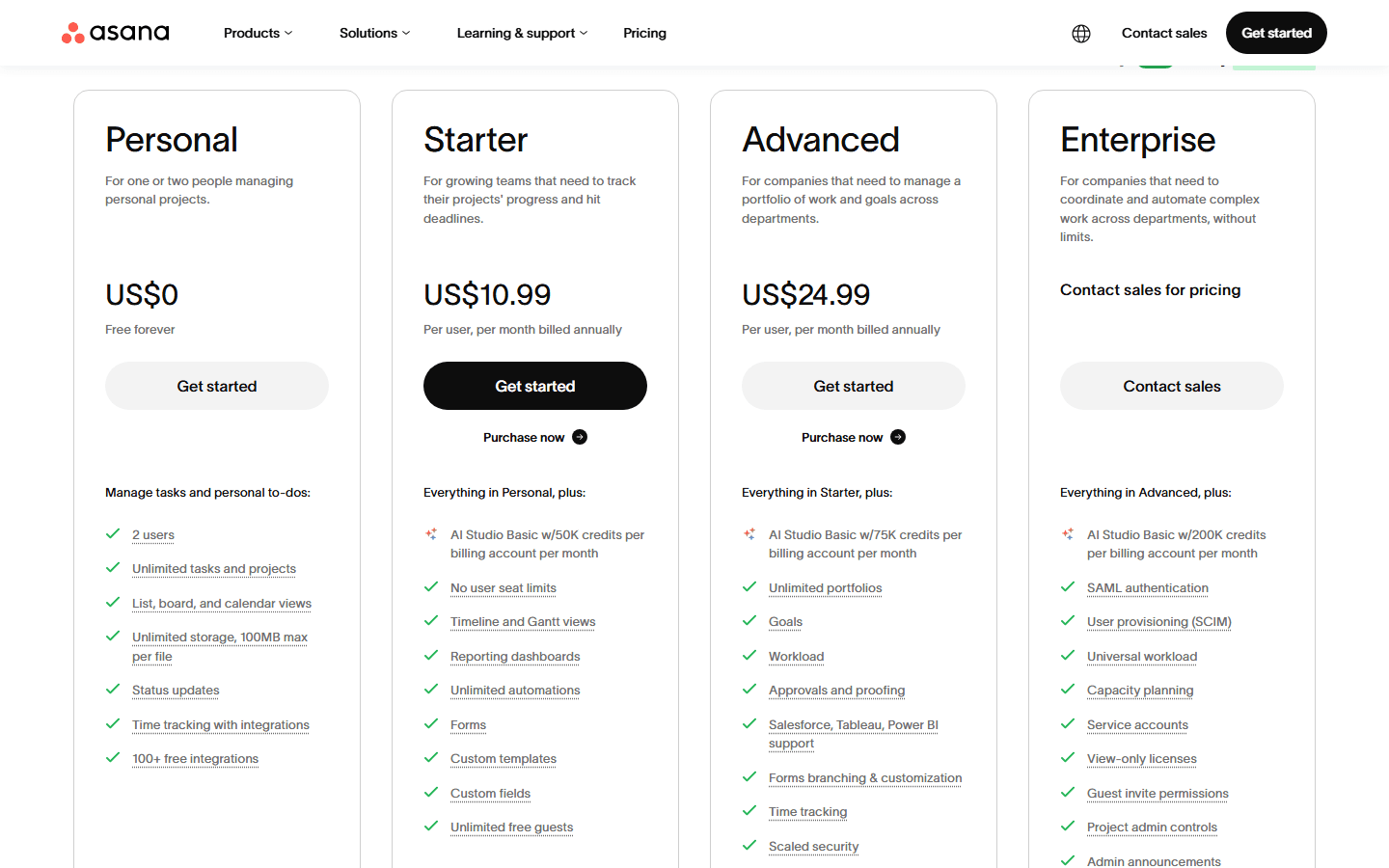
Asana's official pricing page lists Personal at US$0 for one or two people, Starter at US$10.99 per user/month billed annually, Advanced at US$24.99 per user/month billed annually, and Enterprise by contact sales. Enterprise+ is available for heavier security, compliance, and governance needs.
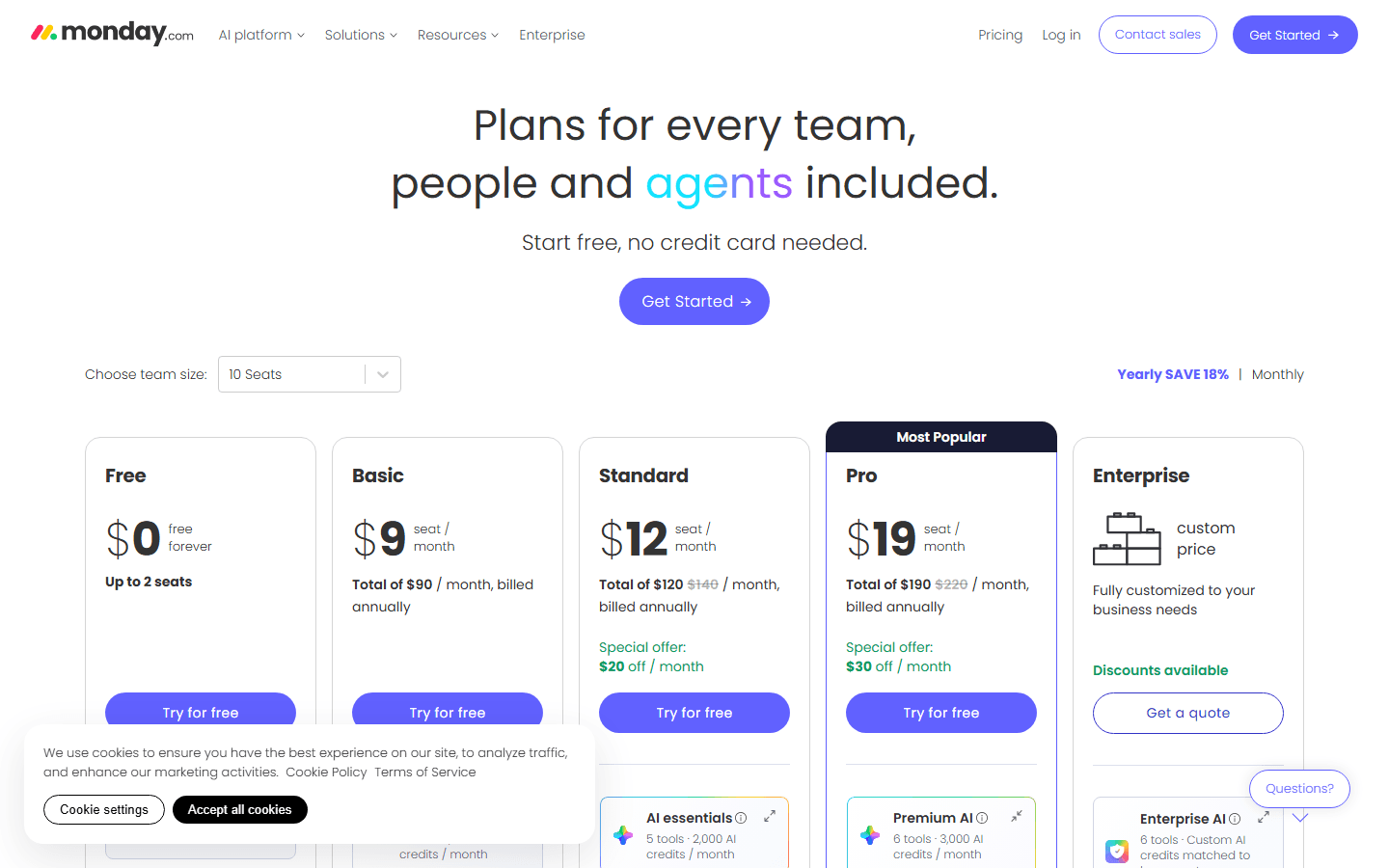
monday's official pricing page lists a Free plan up to 2 seats, Basic at $9 per seat/month billed annually, Standard at $12, Pro at $19, and Enterprise by quote. The page I checked was set to 10 seats, so it also displayed account-level monthly totals. For comparison, the per-seat numbers are what matter first.
The trap is comparing Asana Starter to monday Basic just because both are near the entry level. monday Basic is fine for simple board work, but many real teams need Standard because it adds automations, integrations, Timeline and Gantt views, calendar view, guest access, and more board capability. That makes Asana Starter vs monday Standard the cleaner early comparison for many buyers.
At the next tier, Asana Advanced and monday Pro answer different problems. Asana Advanced is more project and portfolio oriented, with portfolios, goals, workload, approvals and proofing, and stronger reporting. monday Pro is more operational-dashboard oriented, with larger automation and integration pools, private boards and docs, time tracking, advanced views, and more API capacity.
The cheapest tool is not always the cheapest system. A team that needs three months of admin cleanup can make a lower seat price look silly. A team that actually uses a simple board can make a slightly higher plan look cheap because meetings get shorter and handoffs stop leaking.
| Decision point | Asana | monday | How to read it |
|---|---|---|---|
| Free plan | Personal is $0 for one or two people managing personal projects. | Free is $0 and is listed as up to 2 seats. | Useful for trials and tiny personal systems. Do not use either free plan as the deciding factor for a real team rollout. |
| First serious paid tier | Starter is US$10.99 per user/month billed annually and adds Timeline and Gantt views, reporting dashboards, forms, custom fields, custom templates, unlimited automations, and unlimited free guests. | Basic is $9 per seat/month billed annually, but Standard at $12 is often the fairer work-management comparison because it adds automations, integrations, Timeline and Gantt views, and calendar view. | If your workflow needs automations or timeline-style planning, compare Asana Starter with monday Standard, not monday Basic. |
| Portfolio and reporting tier | Advanced is US$24.99 per user/month billed annually and adds unlimited portfolios, goals, workload, approvals and proofing, stronger integrations, and more admin controls. | Pro is $19 per seat/month billed annually and increases automations, integrations, dashboard scale, private boards and docs, time tracking, advanced board views, and more API calls. | Asana Advanced leans toward project and portfolio management. monday Pro leans toward operational dashboards and larger automation pools. |
| Enterprise | Enterprise and Enterprise+ are sales-led plans for security, governance, advanced admin, and compliance needs. | Enterprise is custom priced and includes enterprise-scale automations and integrations, enterprise support, security, and governance. | Bring procurement, security, and admins into the conversation early. The product comparison becomes a governance comparison at this level. |
Workflow shape
Asana wants clearer project discipline. monday wants work to stay visible.
Asana is strongest when the work has a shape. A launch has phases. A campaign has approvals. A client project has dependencies. A product workflow has owners and deadlines. In that world, Asana's task model, project views, dependencies, status updates, and portfolio features are useful because they reinforce how work should move.
monday is strongest when the work needs to be seen and updated by a broad group. A marketing team can scan a board. A people team can move candidates. An operations team can track requests. A leadership team can review dashboard status. The system feels friendlier because the board is the shared object.
This is why two teams can make opposite decisions and both be right. A program manager who needs dependency control may find monday too loose. A non-technical operations team may find Asana too much like homework. The right choice depends on the workflow's tolerance for structure.
Asana asks the team to respect the project model. monday asks the team to respect the board. Both can decay. In Asana, decay looks like stale tasks, unclear dependencies, and status updates nobody writes. In monday, decay looks like too many boards, too many columns, and dashboards that show colorful uncertainty.
| Category | Likely winner | Why | Risk |
|---|---|---|---|
| Core mental model | Asana | Projects, tasks, owners, dependencies, timelines, goals, and portfolio views. | Best when work has accountable owners and project managers need to see progress across teams. |
| Fast visual adoption | monday | Boards, statuses, owners, views, automations, and dashboards that business users can scan quickly. | Best when the main risk is that people will ignore the tool unless it is obvious. |
| Detailed project plans | Asana | The official project management page emphasizes list, calendar, timeline, Gantt, and Kanban views on the same work. | Good for launches, campaigns, cross-functional programs, and teams that care about handoffs. |
| Operations boards | monday | monday is strong when the workflow is a visible board with status, owner, date, dependencies, and lightweight reporting. | Good for marketing ops, HR workflows, sales handoffs, event plans, and repeatable internal processes. |
| Failure mode | Both | Asana can feel like project-management homework. monday can become a colorful spreadsheet with automations attached. | The tool will not fix unclear ownership. It will only make unclear ownership easier to see. |
Asana case
Choose Asana when the project needs a spine, not just a board.
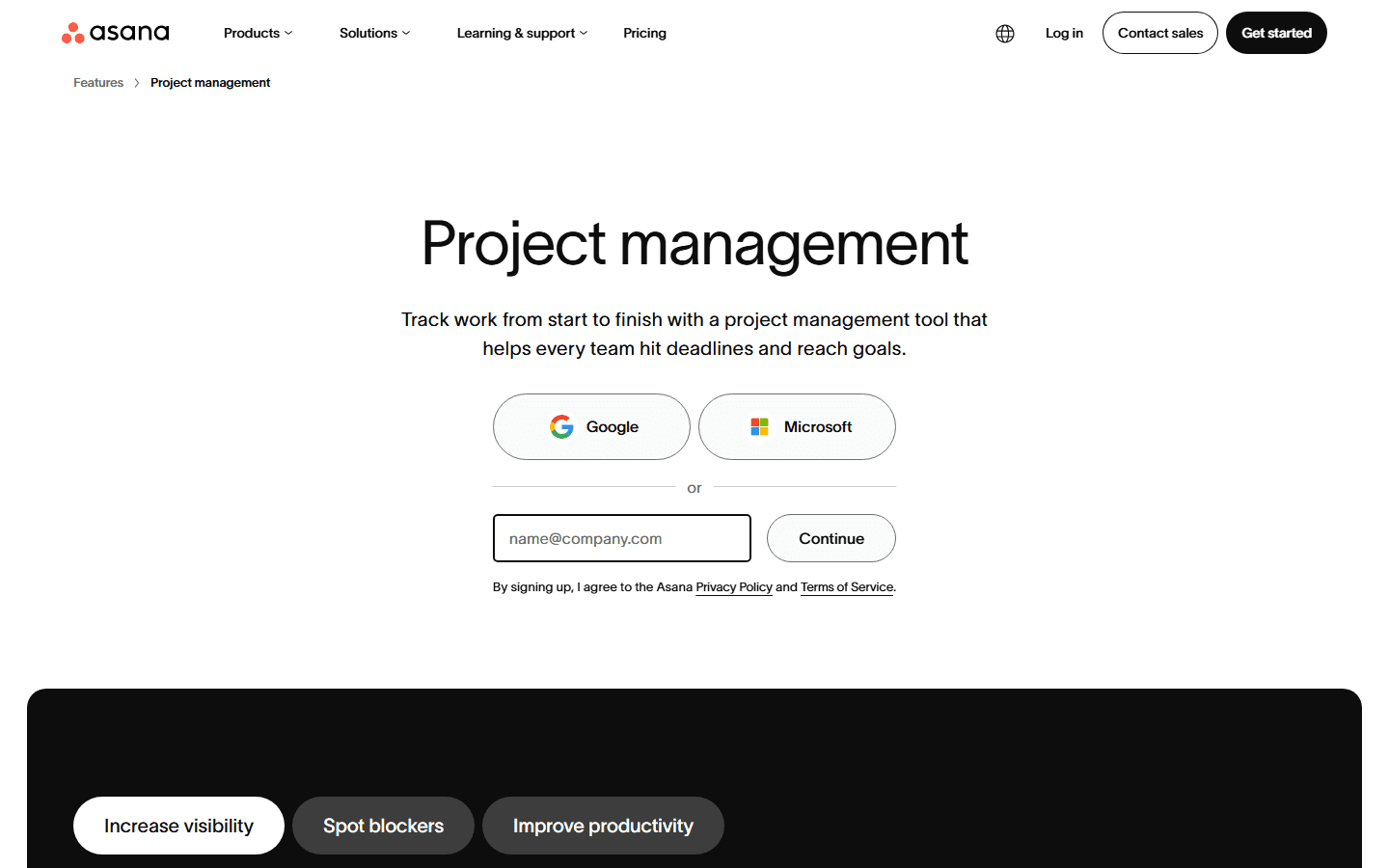
Asana's project management page says teams can track work from start to finish and view the same project as a list, calendar, timeline, Gantt chart, or Kanban board. That is the core Asana argument: the same work can be planned, reviewed, and reported in different ways without rebuilding the project.
This matters for cross-functional work. A project manager may need Timeline for sequencing. A contributor may live in My Tasks. A manager may read a dashboard. A team lead may write a status update. Asana gives each role a different angle on the same underlying project.
The product is not magic. Asana works best when teams write clear tasks, choose real owners, set dates carefully, and update status without being nagged. If the team treats Asana like a dumping ground, it becomes a nicer dumping ground. The same is true of every work tool, but Asana exposes weak ownership faster because ownership is central to the model.
Asana is also the safer choice when your company already speaks project-management language. Dependencies, milestones, portfolios, goals, workload, approvals, and reporting dashboards make sense to managers who need to plan across teams. If that language feels natural, Asana will probably feel more serious than monday.
The reason to skip Asana is equally practical. If the team only needs a visual status board, Asana can feel too formal. Some teams do not want a project-management spine. They want a place to see what is open, who owns it, and what moved this week. That is a monday-friendly job.
Best for
Teams that need real project structure: owners, dates, dependencies, milestones, status updates, cross-project visibility, portfolios, goals, and workload planning.
Not for
Teams that only want a lightweight status board and will rebel if every task needs careful naming, assignment, and upkeep.
Common complaint
People often like Asana's clarity but complain when it feels process-heavy, too notification-driven, or dependent on one person keeping the project model clean.
Best first test
Run one launch, content calendar, or client project with dependencies, one weekly status update, and one portfolio view. If managers trust the view by week three, Asana is doing its job.
monday case
Choose monday when adoption is the project.
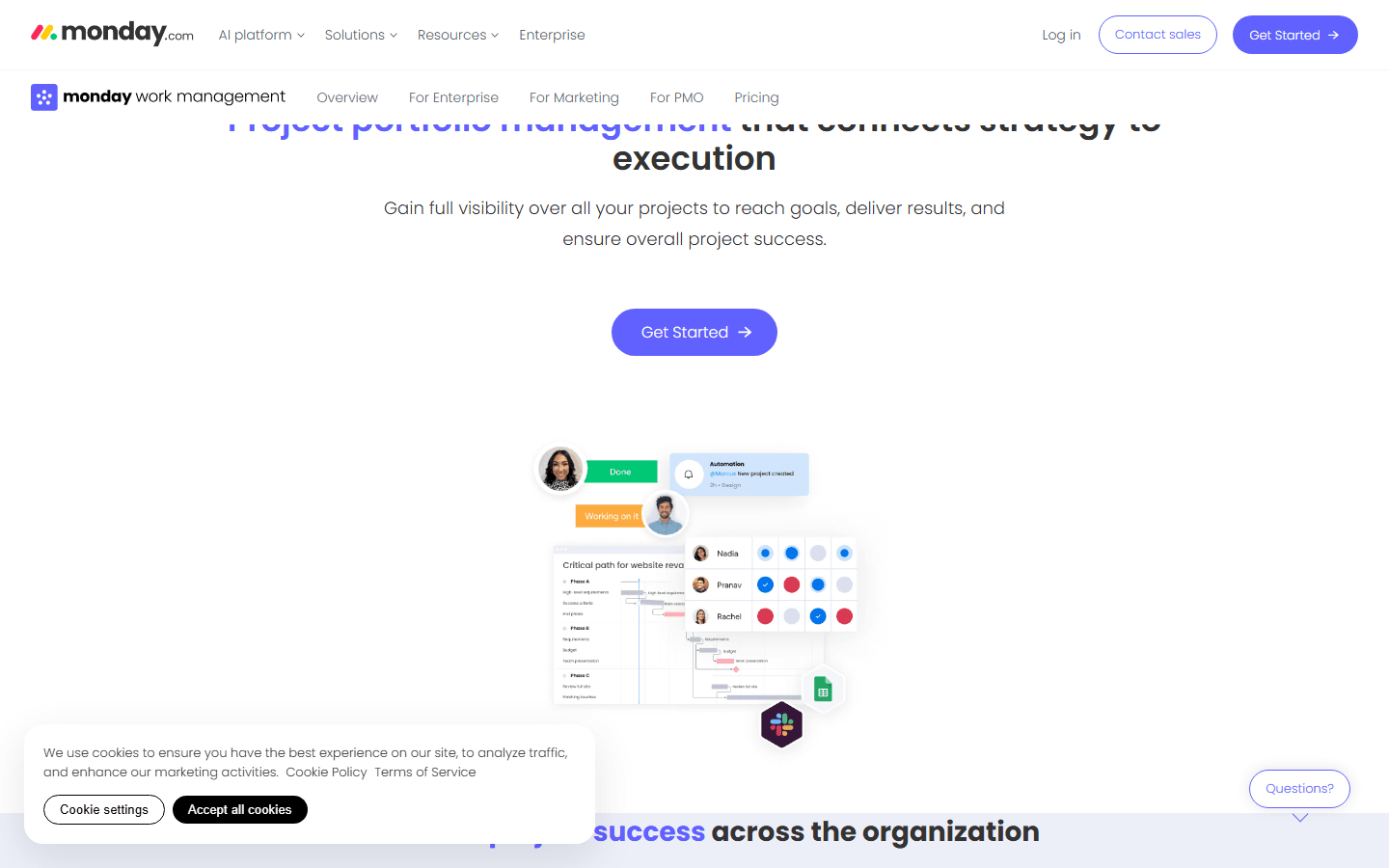
monday is easiest to defend when the team has ignored heavier tools before. The product's board-first feel makes ownership, status, and next steps visible quickly. For teams that live in spreadsheets and Slack, that visibility can be a real upgrade.
The official PMO page shows monday moving beyond simple boards into goals and OKRs, portfolio management, resource management, Gantt, milestones, critical path, dashboards, and reporting. So monday is not only a lightweight task board. It can support portfolio-style visibility when the workflow is built with care.
The difference is how the product feels. monday's first impression is visual and approachable. That is valuable for teams where the biggest risk is adoption. If people will not update a structured project plan, a clearer board may win because it gets used.
monday's risk is board sprawl. It is easy to create another board, another status, another dashboard, another automation, and another exception. At first that feels flexible. Later it can feel like someone poured the company's work into several attractive spreadsheets and forgot to name the rules.
The best monday teams have restraint. They know which boards matter, who owns each board, what statuses mean, when an automation should exist, and which dashboards managers trust. Without that restraint, monday can become busy without becoming reliable.
Best for
Teams that need visual work tracking, fast onboarding, friendly boards, simple ownership, light process automation, and dashboards people can read without training.
Not for
Teams that need stricter project management discipline, deep dependency logic, portfolio governance, or a system where every task owner and handoff must be unambiguous.
Common complaint
People often praise monday for simplicity, then complain when board sprawl, plan limits, automation usage, or loosely modeled workflows make the system harder to trust.
Best first test
Run one recurring team meeting from a monday board. If the team updates owners, dates, and statuses without reminders, monday has earned more attention.
Automations
Automations help only after the workflow is clear.
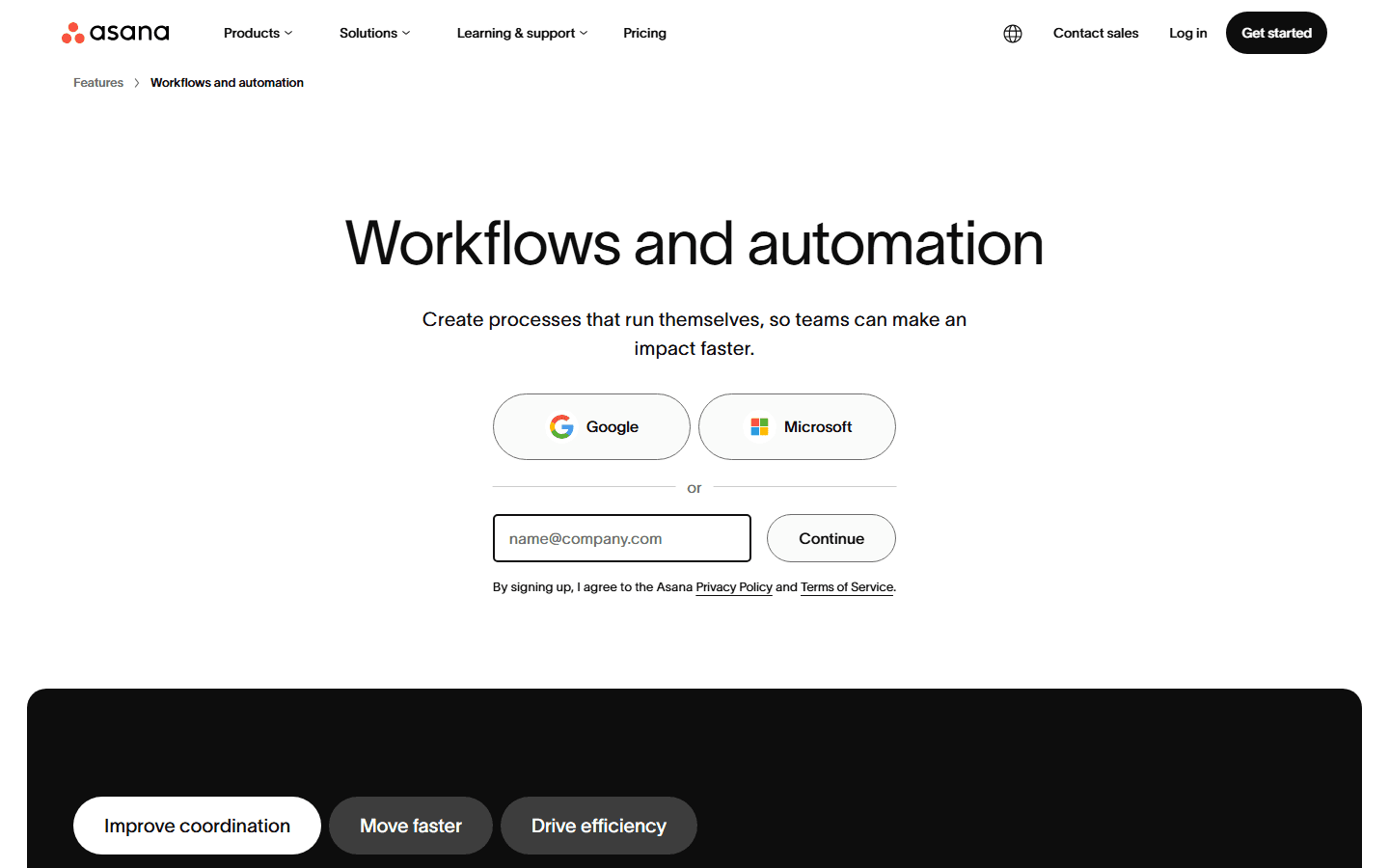
Asana's workflow automation page emphasizes templates, bundles, rules, forms, reporting dashboards, and integrations across 270+ apps. It also says Forms, Rules, Templates, and Bundles are available on Advanced, Enterprise, and Enterprise Plus plans. That matters because automation may live above the tier a small team first expected.
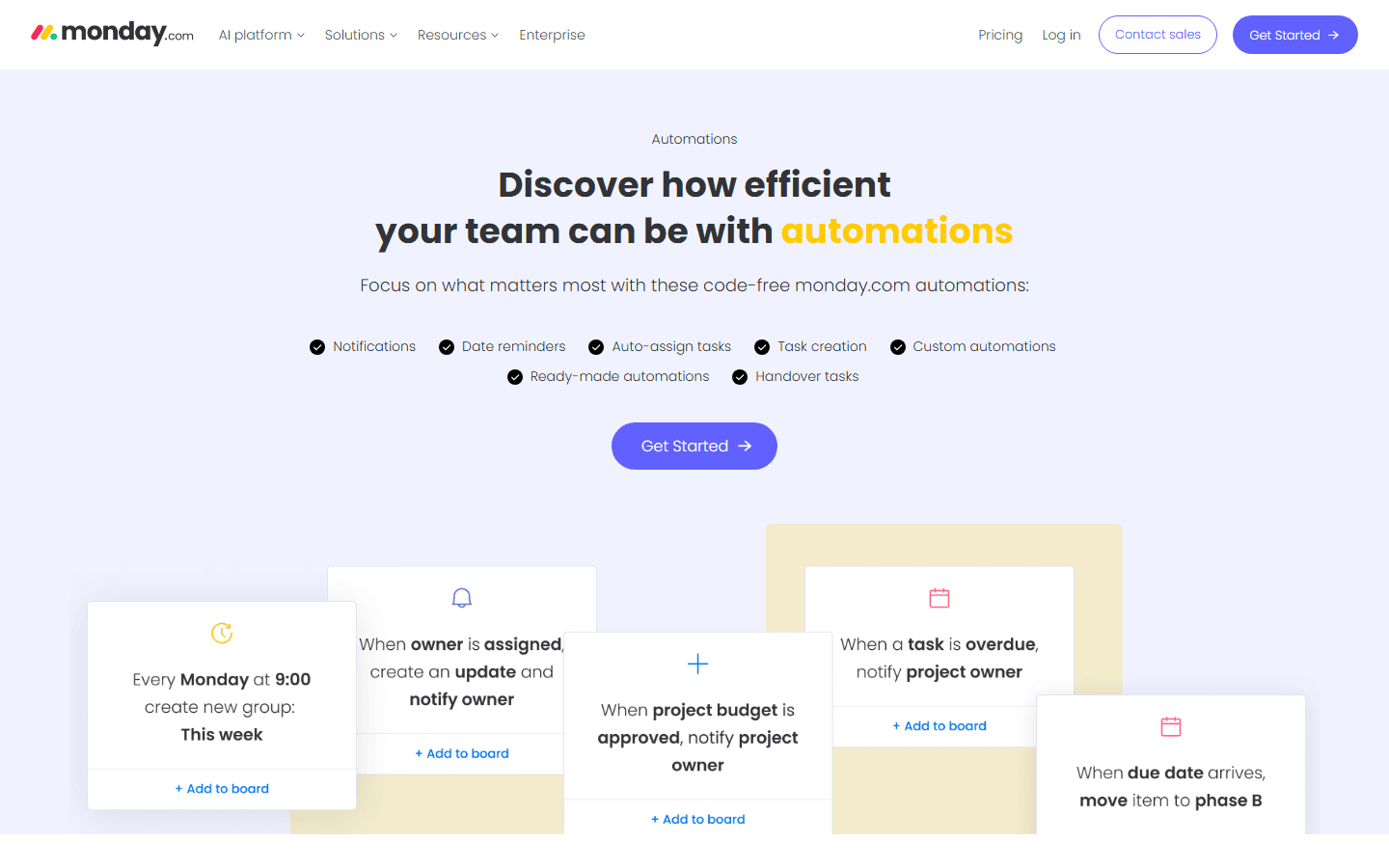
monday's automations page is more direct and business-friendly. It highlights notifications, date reminders, auto-assign tasks, task creation, custom automations, ready-made automations, and handover tasks. That is exactly where many teams need help: fewer manual nudges and fewer forgotten next steps.
In Asana, automation often works best inside a structured project process. A form creates a task. A rule assigns the owner. A field update moves work. A bundle keeps a repeated workflow consistent. In monday, automation often works best as visible board behavior: notify this person, move this item, set this date, create that handoff.
Do not buy either product because automations look fun. Automations are not free complexity. Every rule has an owner, an exception, and a future moment when somebody asks why the tool did something weird. The best first automation is boring: when intake is approved, assign the owner and notify the right channel. If that works for a month, add the next one.
Asana automation shape
Asana's workflow automation page highlights templates, bundles, rules, forms, reporting dashboards, and 270+ app integrations. It is strongest when automation supports a structured process.
monday automation shape
monday's automations page highlights notifications, date reminders, auto-assigning tasks, task creation, custom automations, ready-made automations, and handover tasks.
Plan reality
Asana says Forms, Rules, Templates, and Bundles are available on Advanced, Enterprise, and Enterprise Plus plans. monday's pricing page puts automations and integrations on Standard and above, with much larger monthly pools on Pro.
Buying rule
Do not buy automation as a feature name. Count triggers, actions, owners, exceptions, and the person who will fix a broken rule on a busy Tuesday.
Reporting and PMO
Dashboards are only as trustworthy as the habits behind them.
The reporting side of Asana vs monday is more interesting than the feature tables suggest. Both can show progress. Both can support leadership views. Both can help teams see what is blocked. The difference is where each product gets its reporting power.
Asana's reporting power comes from structured work. If tasks have owners, due dates, dependencies, statuses, portfolios, goals, and workload data, Asana can help managers understand project health. This is useful when leaders care about cross-functional delivery and not just whether a board looks green.
monday's reporting power comes from visual boards and dashboards. Its PMO material talks about goals, OKRs, portfolio performance, resource management, risks, Gantt, milestones, critical path, dashboards, and reporting. This is useful when the company wants a more visual operating layer across teams.
The bad version of both tools is the same: an executive dashboard that looks official but is based on stale inputs. If people update work in Slack, if due dates are guesses, or if owners are decorative, the dashboard is theater. Pretty theater, maybe. Still theater.
Before choosing, ask one manager to run a real weekly review from each tool. No side spreadsheet. No special slide deck. If the manager can make decisions from the product without apologizing for stale data, you have a real signal.
Asana reporting fit
Asana fits managers who want projects, status updates, portfolios, goals, workload, and reporting dashboards tied to task ownership.
monday reporting fit
monday fits teams that need portfolio dashboards, board-level rollups, Gantt views, milestones, critical path, and PMO-style visibility in a more visual surface.
Executive risk
Both tools can make beautiful dashboards that nobody trusts. The report only works if the underlying statuses, dates, owners, and dependencies are maintained.
Practical test
Ask one manager to run a weekly review from the tool without a side deck. If they still need a spreadsheet, the system is not ready.
Customer research
Reddit complaints point to maintenance, not a magic winner.
On Reddit, Asana vs monday threads usually have a familiar rhythm. One person wants a clean recommendation. The replies turn into stories about team habits, dashboards, learning curves, feature bloat, and whether people keep using the tool after the first week.
That is useful customer research because it sounds like how teams actually buy software. People rarely say, I selected this platform because row seven of the comparison table won. They say the team adopted it, or the team hated it, or the dashboard was useless, or the tool got messy, or nobody wanted to maintain it.
The Asana complaints tend to cluster around process weight. It can feel too formal for simple teams. Notifications can get noisy. Portfolio-style work can push teams upward in plan tiers. And if nobody owns the project structure, tasks get stale. That does not make Asana bad. It means Asana needs a team willing to operate it seriously.
The monday complaints tend to cluster around sprawl and depth. Teams like the visual boards, then eventually ask whether the setup has become a more colorful spreadsheet. Some teams hit automation or integration limits. Others want deeper project-management structure than their boards provide. That does not make monday bad either. It means monday needs discipline, not just enthusiasm.
My read is simple: if the team is allergic to structure, Asana may fail even if it is the stronger project tool. If the workflow needs structure, monday may fail even if people like the interface. The customer complaint is rarely just capability. It is capability plus team behavior.
Adoption beats feature count
On Reddit, Asana vs monday conversations usually turn into a practical question: which tool will the team keep clean after week two?
Asana complaints
Common Asana complaints include too much process for simple teams, notification noise, paid tiers for portfolio-style work, and projects that decay when nobody owns upkeep.
monday complaints
Common monday complaints include board sprawl, visual simplicity that hides weak process design, automation and integration limits, and workflows that start to feel spreadsheet-like.
Category complaint
Buyers often compare these tools with ClickUp, Airtable, Smartsheet, Jira, Linear, and Notion because the real job is not choosing a prettier board. It is choosing how the team will run work.
Research warning
Reddit is useful for language and edge cases, not as a clean survey. Treat complaints as failure modes to test, not as final verdicts.
Choose Asana
Choose Asana if your team needs clearer ownership and project rhythm.
Asana is the better bet for launch plans, client projects, content calendars, product campaigns, cross-functional initiatives, operational programs, and leadership-visible projects where ownership needs to be explicit.
It is also a better bet when the same work needs different views. Contributors may use task lists. Project managers may use timeline or Gantt. Managers may read dashboards. Executives may look at portfolios and goals. Asana is built for that kind of layered visibility.
The best Asana rollout starts with one project template, a short status vocabulary, a clear rule for task ownership, and one weekly status update. Keep the model dull at first. Dull is good. Dull means people can understand it.
Do not start by building the perfect project-management universe. Start with one workflow that already hurts. If Asana makes that workflow clearer, expand. If people spend more time maintaining Asana than doing the work, simplify before blaming the product.
Choose monday
Choose monday if the team needs a board it will actually use.
monday is the better bet for teams that need a shared operating board more than a formal project-management system. Marketing operations, HR, event planning, sales handoffs, internal requests, campaign calendars, and small PMO workflows can fit well.
It is especially useful when the audience includes non-technical teammates who do not want to learn a complex hierarchy. A good monday board can make the work visible in a meeting within minutes. That matters when adoption is the bottleneck.
The best monday rollout starts with fewer boards than people want. Define what each board owns, which statuses are allowed, who updates dates, and which automations are official. The product is friendly enough that people will want to build everything. Say no early.
Choose monday if the team values visibility, rhythm, and a calmer starting point. Skip it if you already know the work needs strict dependency control, heavy portfolio governance, or a project-management model that a board-first system will struggle to express.
Migration cost
Switching costs hide in fields, habits, and meetings.
The obvious migration work is easy to name: tasks, boards, projects, owners, due dates, comments, attachments, custom fields, dependencies, automations, and reports. The harder migration work is deciding what the old system was trying to say.
If a status called Review sometimes means legal review, sometimes manager review, and sometimes waiting on a client, do not migrate it blindly. If a field called Priority is really a mix of urgency, importance, and who shouted loudest, clean it before you move.
Switching from monday to Asana usually means adding more explicit project structure. You may need clearer task ownership, dependency rules, project templates, status updates, and portfolio logic. That can be a relief for managers and a nuisance for teams used to loose boards.
Switching from Asana to monday usually means simplifying the model. You may turn projects into boards, custom fields into columns, status updates into dashboards, and some dependency logic into lighter visual tracking. That can improve adoption and reduce ceremony, but it can also flatten nuance.
Either way, migration is a chance to kill dead process. Do not rebuild every old dashboard. Do not migrate every label. Do not preserve every weird field because someone might ask about it someday. The new tool should carry the work forward, not become a museum.
Status cleanup
Before moving, decide what statuses mean. If one team uses In progress for started work and another uses it for approved work, migration will not fix that.
Owner mapping
Map one accountable owner, collaborators, approvers, and watchers. Asana pushes ownership more directly. monday can support visibility, but messy ownership still leaks.
Field mapping
List every custom field, column, label, priority, date, dependency, project type, team, client, and budget field. Delete the ones nobody can explain.
Automation rewrite
Rebuild automations slowly. Start with one trigger, one condition, one action, and one owner. Migrating a rule you do not understand is how teams automate confusion.
Reporting rebuild
Rebuild dashboards from questions, not from old charts. What did a manager actually need to know last week? Start there.
Training cost
Asana training should focus on task ownership, project views, status updates, and portfolio hygiene. monday training should focus on board hygiene, status discipline, automations, and dashboard trust.
30-day test
Run one real workflow before you pick a side.
The best Asana vs monday test is small enough to finish and real enough to hurt. Pick one workflow with actual stakes: a campaign launch, onboarding process, product release, support escalation flow, or client delivery project.
Build it in both products. Include intake, owners, due dates, comments, one automation, one reporting view, and one weekly review. Give the same team the same work. Then watch what happens without rescuing the tool every day.
Measure boring things. How long did setup take? How many times did someone ask where the work lives? How many handoffs were missed? Did the dashboard match reality? Did people update statuses without reminders? Did anyone create a side spreadsheet? Which tool made the weekly meeting shorter?
If Asana wins, you will probably feel more confidence in structure, ownership, and cross-project reporting. If monday wins, you will probably feel less friction in adoption, board hygiene, and everyday visibility. If both feel bad, the process probably needs repair before the software decision.
That is the honest conclusion. Asana vs monday is not about finding a universally better product. It is about choosing the product that matches your team's workflow maturity, patience for structure, and appetite for maintaining the system after the buying committee moves on.
Choose Asana if
You need stronger project structure, cross-functional planning, dependencies, status updates, portfolios, goals, workload, and clearer task ownership.
Choose monday if
You need visual adoption, board-first operating habits, friendly automations, and dashboards that non-technical teams can understand quickly.
Pause if
Nobody can define the workflow in plain English. A new tool will not rescue unclear ownership, vague statuses, or managers who do not read the system.
Run this test
Pilot one real workflow for 30 days in both products. Track setup time, missed handoffs, dashboard trust, automation failures, and how often people go back to Slack or spreadsheets.
FAQ
Common questions about Asana vs monday.
Is Asana better than monday?
Asana is better when the team needs project structure, dependencies, portfolios, goals, workload planning, and status updates tied to task ownership. monday is better when the team needs visual boards, faster adoption, approachable automations, and dashboards that business users can keep current.
Which is cheaper in Asana vs monday?
Asana Starter is US$10.99 per user/month billed annually and Advanced is US$24.99. monday Basic is $9 per seat/month billed annually, Standard is $12, and Pro is $19. The cheaper choice depends on whether you need automations, integrations, dashboards, portfolio reporting, guests, and admin controls.
Who should choose Asana?
Choose Asana if your team runs launches, campaigns, cross-functional projects, client delivery, portfolio reviews, or goal-linked work where clear owners, dependencies, views, and status updates matter.
Who should choose monday?
Choose monday if your team needs a visual operating board, fast onboarding, simple ownership, repeatable workflows, code-free automations, and dashboards that non-technical teams can read without much training.
What do Reddit users complain about in Asana vs monday?
Common Reddit complaints are practical: Asana can feel too process-heavy or noisy for simple teams, while monday can sprawl into too many boards or feel like a spreadsheet when workflows get complex. The shared complaint is maintenance. Someone has to keep the system clean.
Sources


