 SwitchMyTool

Practical take
Airtable is cheap when it is a base. It gets expensive when it becomes the place work actually runs.
- Airtable pricing looks simple until a base becomes the place people run projects, approvals, customer data, content calendars, and automations.
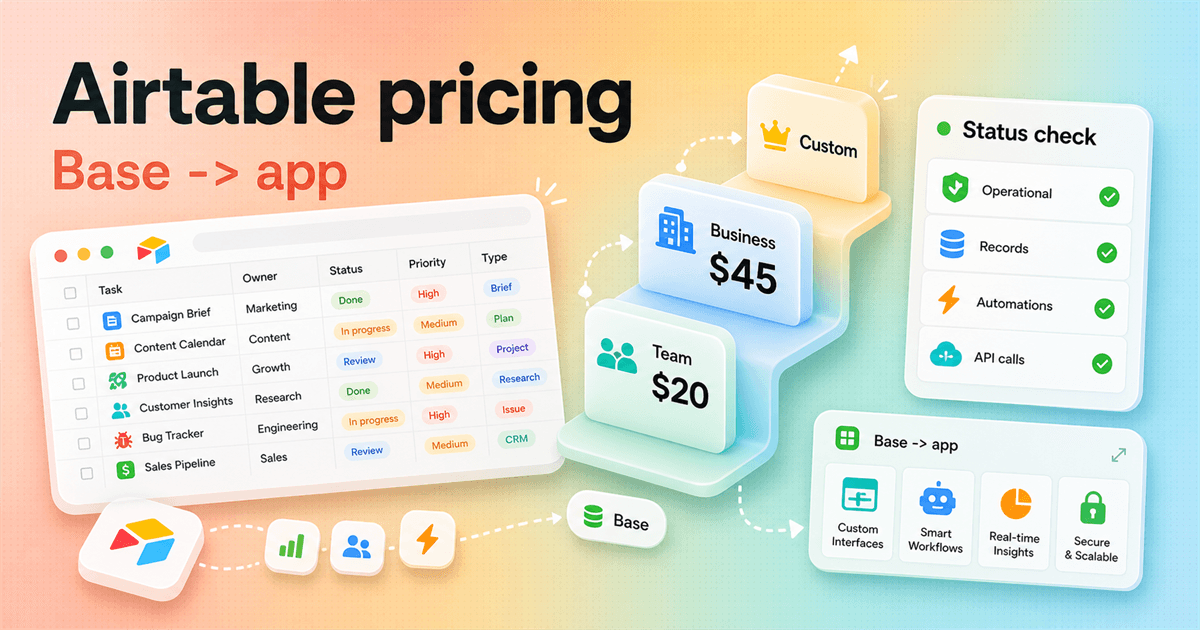
- The official pricing page lists Free, Team at $20 per seat/month billed annually, Business at $45 per seat/month billed annually, and Enterprise Scale by custom pricing.
- The official Airtable status page matters because a serious base is no longer a side spreadsheet. If it is down, work can stop.
- The common Reddit complaint is not that Airtable is useless. It is that Airtable starts simple, then the hidden complexity shows up after real work depends on it.
- Airtable fits teams that need flexible shared data and app-like workflows. It is weaker when the team really needs a governed database, a dedicated backend, or strict cost predictability.
The actual decision
Airtable pricing only makes sense after you decide how critical the base will become.
Airtable is easy to underestimate. A new base feels like a nicer spreadsheet. You add a few fields, invite two people, build a view, and suddenly the team has a lightweight system that looks less painful than whatever spreadsheet was being passed around before.
Then the base starts attracting real work. Someone adds a form. Someone builds an interface for leadership. Someone connects Slack. Someone asks whether customer records should live there too. The product did not become worse. The stakes changed.
That is why airtable pricing and airtable status belong in the same buying conversation. Pricing tells you what happens as records, editors, automations, API calls, attachments, and admin needs grow. Status tells you whether the thing people now depend on is healthy today and how recent incidents were handled.
A team using Airtable for a nice side tracker can be casual. A team using Airtable for launches, approvals, support handoffs, recruiting pipelines, or revenue operations needs a different standard. It needs plan math, governance, fallback behavior, and someone willing to keep the base clean.
The trick is to avoid buying Airtable as if it is either magic or dangerous. It is neither. It is a flexible app platform built around shared data. That flexibility is useful when the workflow has real structure. It gets messy when every department treats the base like a private scratchpad.
Product shape
Airtable is no longer just a prettier spreadsheet.
Airtable's platform page describes the product as a way to transform data into custom interfaces, automations, and agents. It also says teams can build apps on top of shared data, with a relational database foundation and synced data across workflows.
That matters because many people still evaluate Airtable as if it were Google Sheets with better colors. That is the wrong mental model for serious usage. A spreadsheet is usually a place to put information. Airtable can become the place where information moves, gets filtered, triggers work, and shows up differently for different roles.
That app-like shape is the reason Airtable works well for campaign operations, asset tracking, lightweight CRM, editorial calendars, user research repositories, recruiting pipelines, and internal request systems. The same shape is also why the tool can become hard to maintain. Once a base has forms, views, fields, linked records, interfaces, automations, and permissions, it has a design. Good or bad, someone designed it.
The cleanest way to think about Airtable is this: it sits between a spreadsheet and custom software. It gives non-engineering teams more control than a simple table and less control than a coded application. That middle ground is the product's appeal. It is also where buyers get surprised.
Official pricing
The visible prices are easy. The upgrade triggers are where Airtable gets interesting.
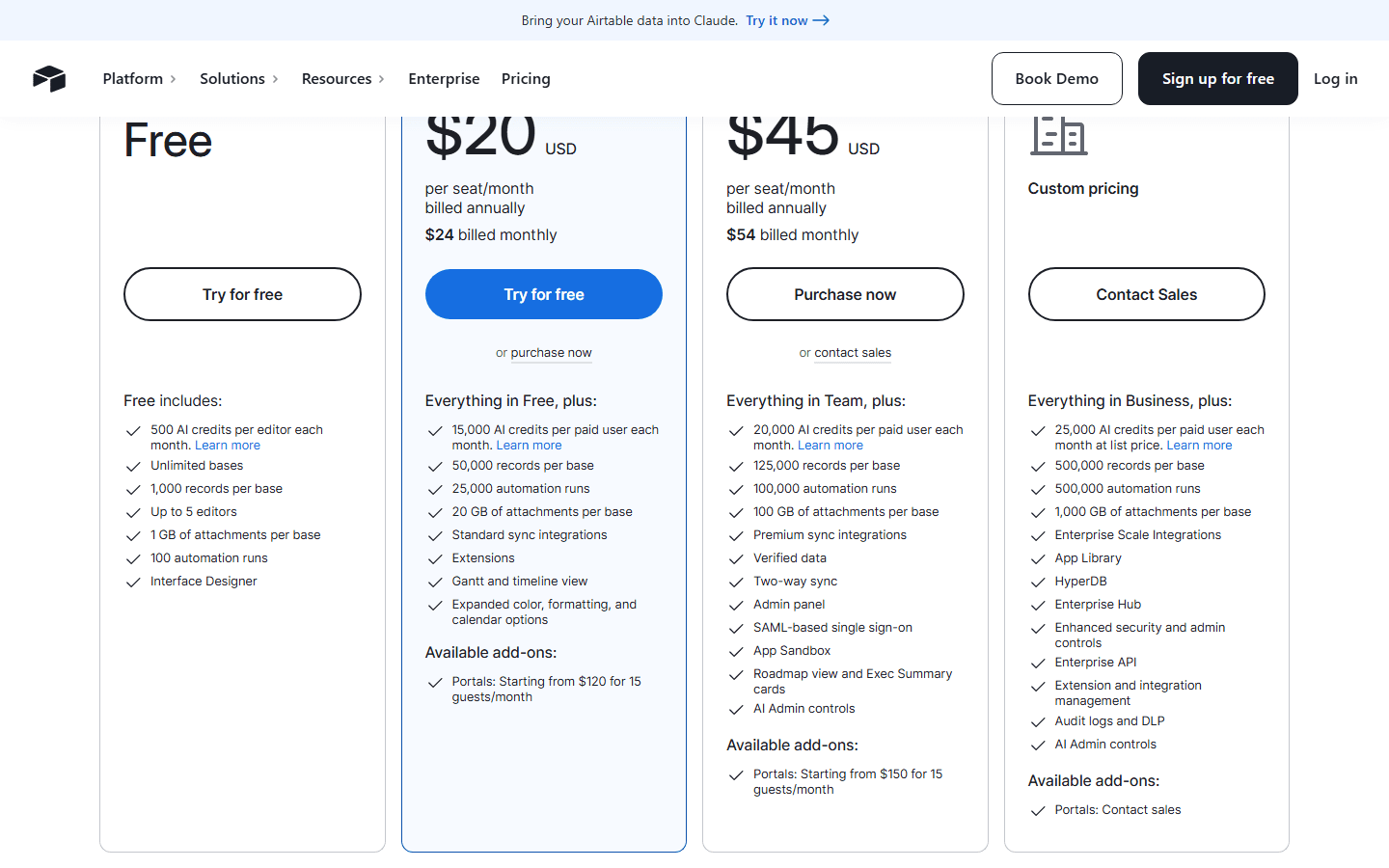
The official Airtable pricing page, checked for this guide, lists four main plan choices: Free, Team at $20 per seat/month billed annually, Business at $45 per seat/month billed annually, and Enterprise Scale with custom pricing. Team is $24 billed monthly, and Business is $54 billed monthly.
Free is not fake. It can work for a personal tracker, a tiny internal base, or a proof of concept. The pricing page lists unlimited bases, 1,000 records per base, up to 5 editors, 1 GB of attachments per base, 100 automation runs, and Interface Designer.
Team is the first serious paid tier for many groups. The pricing page says it includes everything in Free plus 50,000 records per base, 25,000 automation runs, 20 GB of attachments per base, standard sync integrations, extensions, Gantt and timeline view, and more formatting and calendar options.
Business is the tier where departments start getting more admin weight. The pricing page lists 125,000 records per base, 100,000 automation runs, 100 GB of attachments per base, premium sync integrations, verified data, two-way sync, admin panel, SAML-based single sign-on, app sandbox, AI admin controls, and roadmap or executive summary cards.
Enterprise Scale is where Airtable becomes an enterprise buying motion. The pricing page lists 500,000 records per base, 500,000 automation runs, 1,000 GB of attachments per base, Enterprise Scale Integrations, App Library, HyperDB, Enterprise Hub, enhanced security and admin controls, Enterprise API, extension and integration management, audit logs, DLP, and AI admin controls.
The important lesson: Airtable pricing is not only a seat question. It is a workflow maturity question. If you only need a few editors and a small base, the free or Team shape may feel generous. If the base becomes a department app with automations, API usage, syncs, controls, and permission needs, Business or Enterprise Scale can arrive faster than expected.
| Plan | Price | Best fit | Practical ceiling |
|---|---|---|---|
| Free | $0 | Very small teams, personal bases, experiments, and proof-of-concept workflows. | The official pricing page lists 1,000 records per base, up to 5 editors, 1 GB of attachments per base, and 100 automation runs. |
| Team | $20 per seat/month billed annually | Teams building apps to collaborate on shared workflows. | The official pricing page lists 50,000 records per base, 25,000 automation runs, 20 GB of attachments per base, standard sync integrations, and extensions. |
| Business | $45 per seat/month billed annually | Departments that need more records, more automation capacity, admin controls, SSO, and richer sync. | The official pricing page lists 125,000 records per base, 100,000 automation runs, 100 GB of attachments per base, verified data, two-way sync, admin panel, and SAML-based single sign-on. |
| Enterprise Scale | Custom pricing | Organizations that need governance, security controls, enterprise integrations, and larger limits. | The official pricing page lists 500,000 records per base, 500,000 automation runs, Enterprise Scale Integrations, Enterprise Hub, HyperDB, enhanced security controls, and Enterprise API. |
Limit math
Records, automations, API calls, and collaborators decide the real bill.
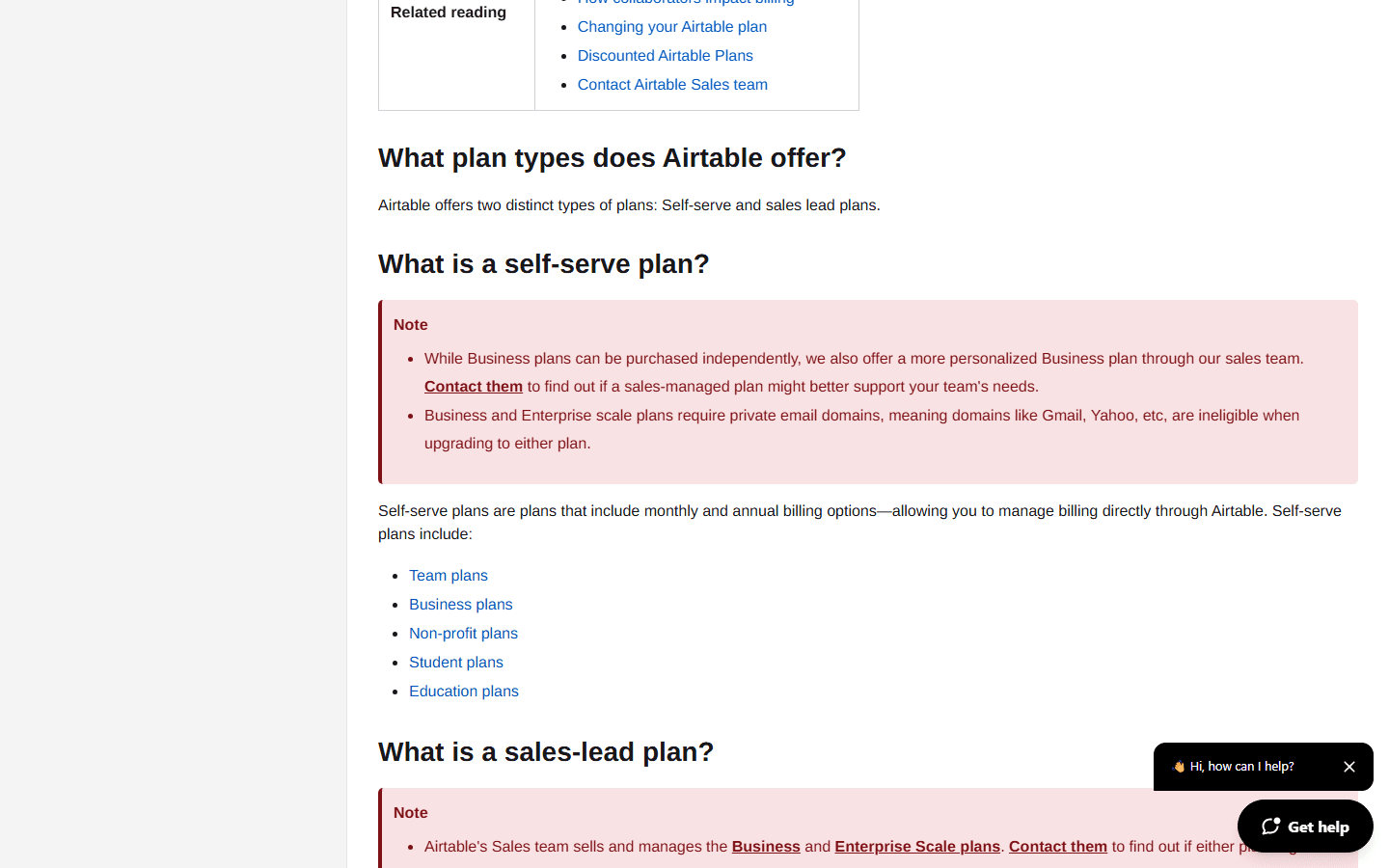
Airtable's plans documentation adds the details buyers usually need after the pricing page gets their attention. It explains plan types, trials, record limits, API calls, collaborator billing, self-serve plans, and sales-led Business or Enterprise Scale paths.
Record limits are the obvious one. A small content calendar may never care. A customer operations base with historical tickets, linked companies, contacts, tasks, notes, imports, and archived records can care quickly. The painful moment is when the base has become useful enough that shrinking it is no longer simple.
Automation runs are the sneaky one. A reminder, Slack alert, approval, record update, email, or downstream trigger can look tiny alone. Multiply that by every campaign, account, applicant, support request, or content item, and runs become part of the plan decision.
API calls matter if Airtable is connected to portals, dashboards, scripts, data syncs, or custom internal tools. The plans documentation lists 1,000 API calls per workspace per month on Free, 100,000 on Team, and unlimited API calls per workspace per month on Business. If an external workflow depends on Airtable, test API behavior early.
Collaborator billing is where casual estimates go wrong. The documentation says Team plan owners are billed for workspace or base collaborators with Commenter or higher-level permissions. It says self-serve Business plans bill for collaborators with Editor or higher-level permissions. Read-only collaborators, form submissions, and share links are included on Team, Business, and Enterprise Scale accounts.
That means the pricing question is not just how many employees you have. It is who edits, who comments, who only reads, who needs an interface, who enters data through a form, who should never see the base behind the interface, and who needs a portal. Map those roles before you fall in love with the plan table.
| Limit area | Official detail | Why it matters |
|---|---|---|
| Record limits | Free lists 1,000 records per base, Team lists 50,000, Business lists 125,000, and Enterprise Scale lists 500,000 on the pricing page. | A base that feels small during setup can hit limits after forms, syncs, imports, and historical data start piling up. |
| Automation runs | The pricing page lists 100 runs on Free, 25,000 on Team, 100,000 on Business, and 500,000 on Enterprise Scale. | Automation limits become real when Airtable handles reminders, approvals, Slack updates, and downstream handoffs. |
| API calls | The plans documentation lists 1,000 API calls per workspace per month on Free, 100,000 on Team, and unlimited API calls per workspace per month on Business. | If your workflow depends on scripts, dashboards, portals, or sync jobs, API behavior belongs in the pricing conversation. |
| Collaborators | The plans documentation says Team owners are billed for workspace or base collaborators with Commenter or higher permissions. Business uses Editor or higher for self-serve plans. | A buyer should map who edits, who comments, who only reads, and who needs a portal before guessing at the bill. |
Reliability habit
Airtable status matters when a base becomes part of operations.
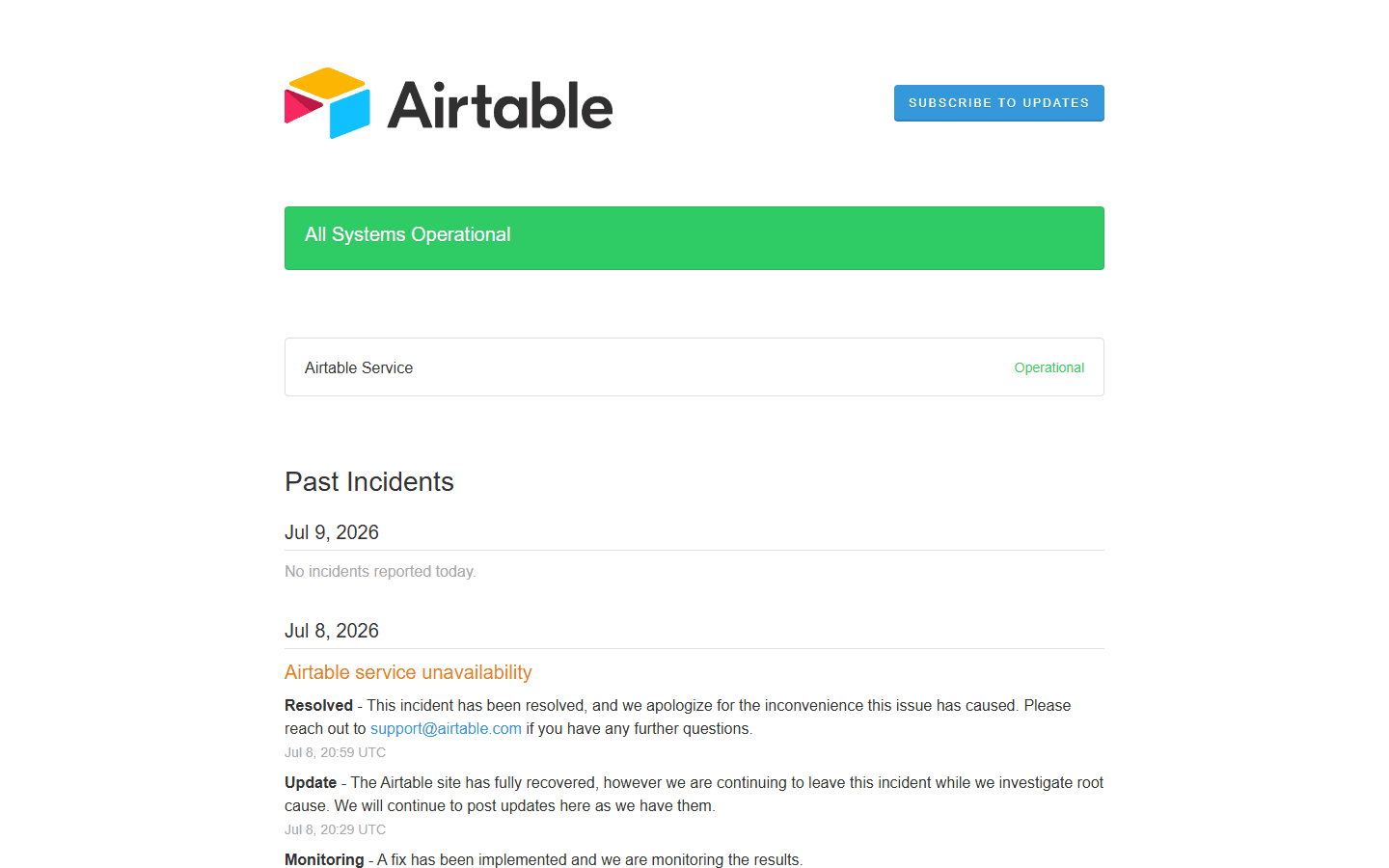
The official Airtable status page showed All Systems Operational on July 9, 2026, with no incidents reported that day. It also listed a resolved Airtable service unavailability incident from July 8, 2026.
Do not overreact to one incident. Every cloud product has incidents. The useful point is that Airtable publishes a status page with current system health and past incident notes. If your team depends on Airtable, checking that page should become part of your operating habit.
This is where airtable status becomes a buying topic, not just a support link. If Airtable powers an editorial calendar, launch approvals, application review, product feedback intake, or customer escalation workflow, downtime has a business shape. People need to know whether they should wait, use a backup, or log work somewhere else.
A status page also gives you a calmer way to respond when people start posting in Slack. Instead of guessing, one owner can check current health, look for incident notes, and decide what to do. That does not make an outage fun, but it stops ten people from making ten private theories.
The best time to define fallback behavior is before the outage. Export a sample base. Keep a read-only report for critical workflows. Decide which requests can wait and which need another path. The plan does not need to be fancy. It just needs to exist before the green banner is gone.
Daily operating check
Look at the Airtable status page before a big launch, content calendar deadline, board meeting, or support workflow migration.
Incident history
Read recent incidents, not just the current green banner. The page can show what failed, when recovery started, and when the incident was resolved.
Internal fallback
Decide what your team does when Airtable is unavailable: pause work, use an export, log requests elsewhere, or keep a read-only backup.
Status ownership
Give one person the job of checking status during a workflow outage. Otherwise everyone refreshes Slack and nobody owns the next step.
Interface layer
Interfaces are where Airtable starts feeling like an internal app.
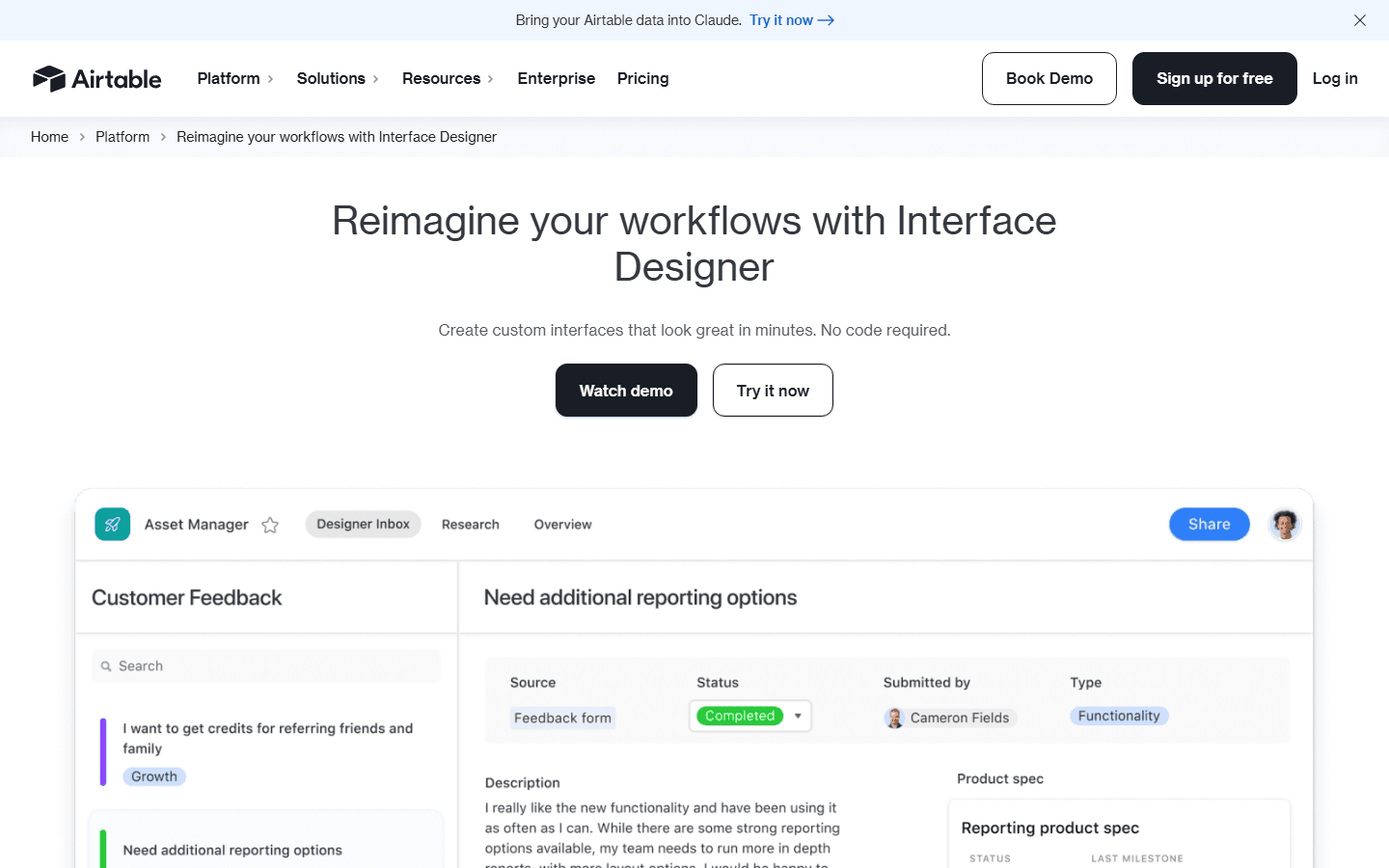
Airtable's Interface Designer page says teams can create custom interfaces from existing bases with drag-and-drop components and no code. It also says permissions let teams decide who sees what.
That is the feature that often changes the buying conversation. A base is one thing. An interface for managers, reviewers, clients, candidates, or sales reps is another. Once people stop opening the raw table and start using an interface, Airtable feels much closer to custom software.
This is powerful. A marketing ops team can show leadership a campaign dashboard without exposing every production field. A recruiting team can give interviewers a focused review screen. A product team can let stakeholders browse feedback without giving them the keys to the messy source table.
It also introduces maintenance. Interfaces need owners, labels, permissions, page logic, filters, and a plan for what happens when fields change. If someone renames a status or changes a linked record relationship, an interface can become confusing even if the base still technically works.
The practical rule: create interfaces for roles, not for vibes. If you cannot name the user, the decision they make, and the fields they need, the interface probably does not need to exist yet.
Workflow layer
Automations save time after the workflow language is stable.
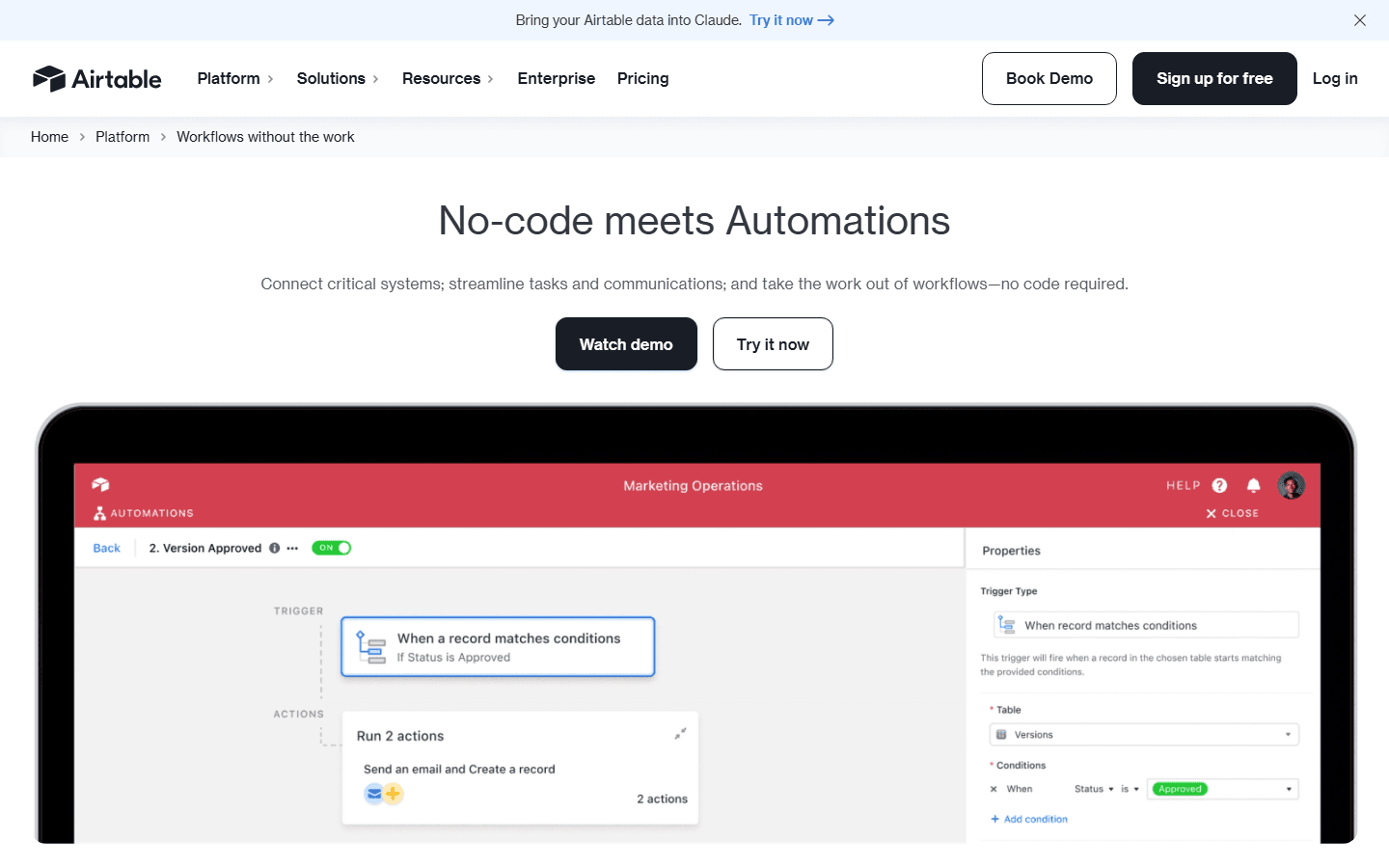
Airtable's automations page describes no-code workflow automation, trigger and action logic, integrations with tools like Google Workspace and Slack, and JavaScript for extended logic.
This is where Airtable can move from database to operating system. A new form submission can create a record and alert the right channel. A status change can send an email. A due date can trigger a reminder. A campaign approval can update a view and notify the owner.
Automations are also where bad process gets louder. If your fields are vague, owners are unclear, and statuses mean different things to different people, the automation will faithfully accelerate the mess. Airtable will do what you asked, not what the team meant.
Before you automate, write the workflow in one sentence. For example: when a vendor request is approved, notify finance and move the record into the payment queue. If that sentence creates arguments, fix the process first. If everyone agrees, build the smallest automation that removes one manual step.
Then watch the run count. Automation capacity is part of airtable pricing for a reason. A tiny automation can run thousands of times when the base becomes a real intake system.
Customer research
Reddit complaints are mostly about hidden complexity, not a missing feature checkbox.
On Reddit, Airtable complaints often have a similar shape: the tool starts simple, then becomes messy and hard to manage after people use it for a while. That is a more useful warning than a generic one-star review.
One theme is the spreadsheet mental model. People look at Airtable and think they understand it because the surface is familiar. Then they hit linked records, permissions, views, interfaces, syncs, automations, and base design. The product is not broken. The mental model was too small.
Another theme is replacement anxiety. In Reddit threads about what people use instead of Airtable, the alternatives are not always direct competitors. People mention automation tools, databases, project management apps, personal workflows, and simpler systems. That tells you Airtable often sits in the messy middle between several categories.
There is also skepticism around AI-heavy positioning. Airtable now talks about AI, agents, and app building. Some users care. Others just want a clean base that does not become chaos. For those buyers, the practical questions are still records, permissions, automation behavior, pricing, and reliability.
My read: the best Airtable buyers are not the ones most excited by a shiny demo. They are the ones willing to decide what the base means, who owns it, what gets automated, what gets archived, and when a workflow should leave Airtable entirely.
Starts simple, then gets messy
On Reddit, one recurring Airtable complaint is that it starts simple, then the hidden complexity appears once people use it for real work.
Spreadsheet mental model causes confusion
People often say Airtable looks like a spreadsheet but behaves more like a database. That mismatch creates learning friction.
Some users look for lighter replacements
Reddit threads about Airtable alternatives often come from teams that want less setup, fewer rules, or a tool that does one workflow better.
AI hype is not the buying case
Some Reddit users are skeptical when Airtable talks heavily about AI. For practical buyers, the base design, limits, permissions, and reliability matter first.
Community signal warning
Reddit is useful for language and edge cases, but it is not a clean survey. Treat it as customer research, not a vote count.
Good fit
Airtable fits teams that need flexible shared data with a real owner.
Airtable is strongest when a team has outgrown spreadsheets but does not need a fully custom application. That middle zone is common: marketing calendars, content operations, product feedback, customer research, recruiting pipelines, event planning, vendor tracking, lightweight CRM, and internal request queues.
The product works especially well when the workflow has structured data. Names, dates, owners, statuses, relationships, attachments, budgets, channels, approvals, and categories all fit the Airtable model. If those fields matter, a base can give the team more clarity than a normal spreadsheet.
The best Airtable setups also have a named owner. That person does not need to be an engineer. They do need taste. They should care about field names, view clutter, permission hygiene, automation sprawl, and whether people are treating the base as the source of truth.
Airtable is less about replacing all software and more about giving business teams a controllable layer between spreadsheets and custom apps. When that layer is designed well, it saves a lot of coordination work.
Best for
Operations, marketing, content, product, sales ops, recruiting, and customer workflow teams that need flexible shared data with app-like views.
Best buyer
A person who understands the workflow and is willing to own fields, views, permissions, naming, automations, and cleanup.
Best first project
A workflow that currently lives in a spreadsheet but needs forms, owners, approvals, filtered views, and a small number of automations.
Best proof
One live base with real data, a real owner, one interface, one automation, and a clear fallback plan.
Poor fit
Skip Airtable when the team needs hard engineering control or refuses to maintain the system.
Airtable is not a traditional backend. The platform page itself says Airtable is built as a relational database, but you cannot directly query an Airtable table. That distinction matters if your team needs SQL, strict schema governance, transactions, or deep engineering control.
It is also not the right place for every kind of work. If the workflow is mostly tickets, use a help desk. If it is mostly documents, use a document system. If it is mostly code, use developer tooling. Airtable can connect to many things, but it should not become a junk drawer for work nobody wanted to model properly.
The biggest misfit is cultural. If nobody wants to own the base, Airtable gets messy. Views multiply. Fields duplicate. Automations fire for reasons nobody remembers. People export to spreadsheets because they no longer trust the source. That failure mode is boring, common, and avoidable.
If your team wants a tool that prevents bad architecture by being narrow, Airtable may feel too open. That does not make Airtable bad. It means your team needs constraints more than flexibility.
Skip if
You need a traditional relational database with direct SQL querying, strict schema control, or engineering-managed backend logic.
Skip if
The team cannot agree on field names, statuses, ownership, or whether Airtable is the source of truth.
Skip if
The workflow is mostly documents, messages, tickets, or code. A specialized tool may be calmer than forcing everything into bases.
Skip if
Cost predictability matters more than flexibility and you cannot estimate editors, commenters, automation runs, API calls, records, and attachment growth.
Switching cost
The expensive part is not moving rows. It is agreeing what the rows mean.
Moving into Airtable usually starts with an import. That part can feel easy. The hard part comes next: deciding what each field means, which records should link, which views matter, who can edit, and what the base is allowed to become.
If you import a messy spreadsheet without cleaning it, you get a prettier messy database. Duplicate fields, unclear statuses, stale rows, half-filled columns, and private naming habits do not disappear because the UI improved.
Start by modeling the workflow on paper. Define the tables. Define the relationships. Decide which fields are required. Decide which values are allowed. Decide who owns each stage. Decide which views are official. Decide when a record should be archived.
Then rebuild the workflow slowly. One interface. One form. One automation. One report. Use real data, not demo rows. Demo rows behave too well. Real data shows where people get confused, where permissions break, and where the base needs a cleaner design.
Finally, plan the exit before the team is locked in emotionally. Export a sample. Check whether comments, attachments, linked records, and key fields remain useful outside Airtable. You may never leave, but knowing how hard it would be changes how carefully you build.
Data model cleanup
Before migration, define tables, linked records, required fields, single-select values, owners, and archived data. Bad spreadsheet columns become worse Airtable fields.
Permission mapping
Decide who can create views, edit records, change fields, build interfaces, run automations, and invite collaborators. Airtable freedom needs rules.
Automation rebuild
Automations are not just triggers and actions. They encode assumptions about handoffs, timing, approvals, and who gets notified when something changes.
Reporting rebuild
Interfaces and views rarely map one-to-one from the old system. Rebuild the reports people actually use and let dead dashboards stay dead.
Fallback plan
Export a sample base, document the key workflow, and decide what happens if Airtable is unavailable during a critical week.
30-day test
Run one serious base before you trust the plan math.
The best Airtable buying test is not a feature checklist. It is one real workflow for 30 days. Pick something with enough complexity to matter, but not so much that failure hurts customers.
For example, use Airtable for a campaign intake workflow. Build a form, store requests, link assets, assign owners, create a manager interface, add one approval automation, and review the status page habit before launch week. That single workflow will teach you more than a week of reading feature pages.
During the test, track practical signals. How fast do records grow? How many people need edit access? Do commenters really need commenter permissions, or can an interface work? How many automation runs happen in a normal week? Does anyone need API access? Did people understand the base without a guided tour?
Also track behavior. Do people keep the base updated? Do they create private spreadsheets anyway? Do managers trust the interface? Does the owner spend ten minutes a week cleaning it or two hours? Does the workflow feel calmer after the first week?
If Airtable passes that test, the plan decision becomes much easier. If it fails, you learn why before the base becomes company infrastructure.
Choose Airtable if
Your team needs flexible shared data, forms, linked records, interfaces, automations, and enough structure to stop copy-pasting between spreadsheets.
Choose a simpler tool if
The team only needs a task board, lightweight CRM, content calendar, or shared inbox and does not want to maintain a data model.
Choose a database if
You need strict engineering control, complex queries, backend transactions, production-scale data, or audit requirements Airtable does not fit.
Run this test
Build one real workflow for 30 days. Track record growth, automation runs, API calls, collaborator count, status incidents, and how often people ask for spreadsheet exports.
FAQ
Common questions about Airtable pricing and Airtable status.
How much does Airtable cost?
Airtable pricing starts with Free. The official pricing page lists Team at $20 per seat/month billed annually, Business at $45 per seat/month billed annually, and Enterprise Scale by custom pricing. Monthly billing is higher for Team and Business.
Why should teams check Airtable status?
Teams should check Airtable status because a base can become a critical workflow system. The status page shows current system health and recent incidents, which helps teams plan fallback steps before launches, reviews, or deadline-heavy workflows.
Is Airtable just a spreadsheet?
No. Airtable may feel spreadsheet-like at first, but its real value is shared structured data, linked records, interfaces, automations, permissions, and app-like workflows. That is also why it needs more design discipline than a normal spreadsheet.
Who is Airtable best for?
Airtable is best for teams that need flexible shared data, forms, interfaces, filtered views, approvals, and light workflow automation without building custom software from scratch.
Who should avoid Airtable?
Avoid Airtable if you need direct SQL querying, strict backend control, complex transactions, a narrow specialized tool, or a team workspace that nobody is willing to maintain.
Official sources


